Packaging
Packaging in PrismERP ensures the systematic creation of packaging lists, enhanced by the use of barcodes for unique product identification. The system facilitates various stages of packaging, including primary, secondary, and tertiary packaging, and includes labeling with a distinctive barcode for each product. This streamlined approach enhances product safety, usability, and differentiation, ensuring easy identification and customer satisfaction.
1. Add Packaging
Navigate to and click on (+) button beside list of packaging
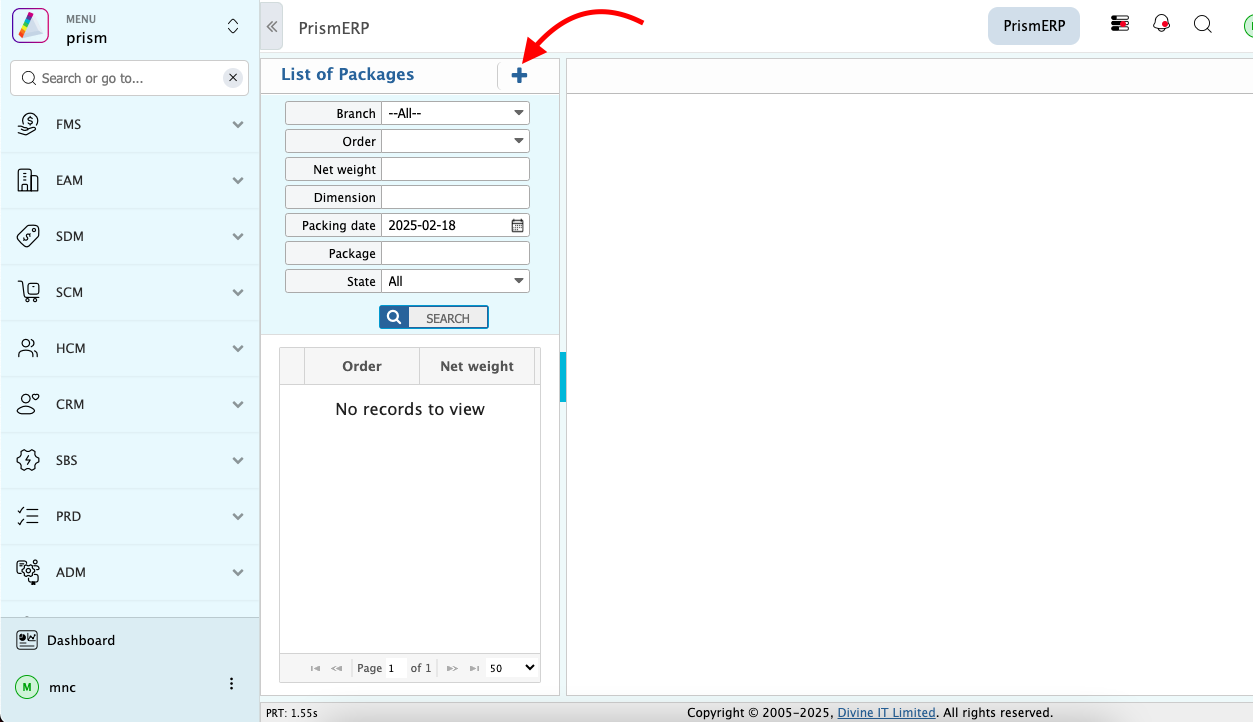
Users will be able to create a package with the produced product using this feature. To create a package:
- Fill up the form with suitable data.
- Click the Save button to store the packaging record.

2. List of Packaging
After saving, the user will be redirected to a list page displaying all packaging records.
Benefits of Packaging
- Enhanced Product Usability
- Individual Product Bar-code
- Easy Product Identification
- Maintain Product Safety
- Product Differentiation
- Customer Satisfaction