Production
The Goods Production feature in PrismERP helps users record and manage the production of finished goods with ease. It links production activities to the right order, process, and step, automatically bringing in important details like Branch, Unit, Product, and Step information. Users can enter or adjust key data such as production date, responsible unit, input quantity, actual output, RM Inventory, and Work-in-Progress (WIP) status.
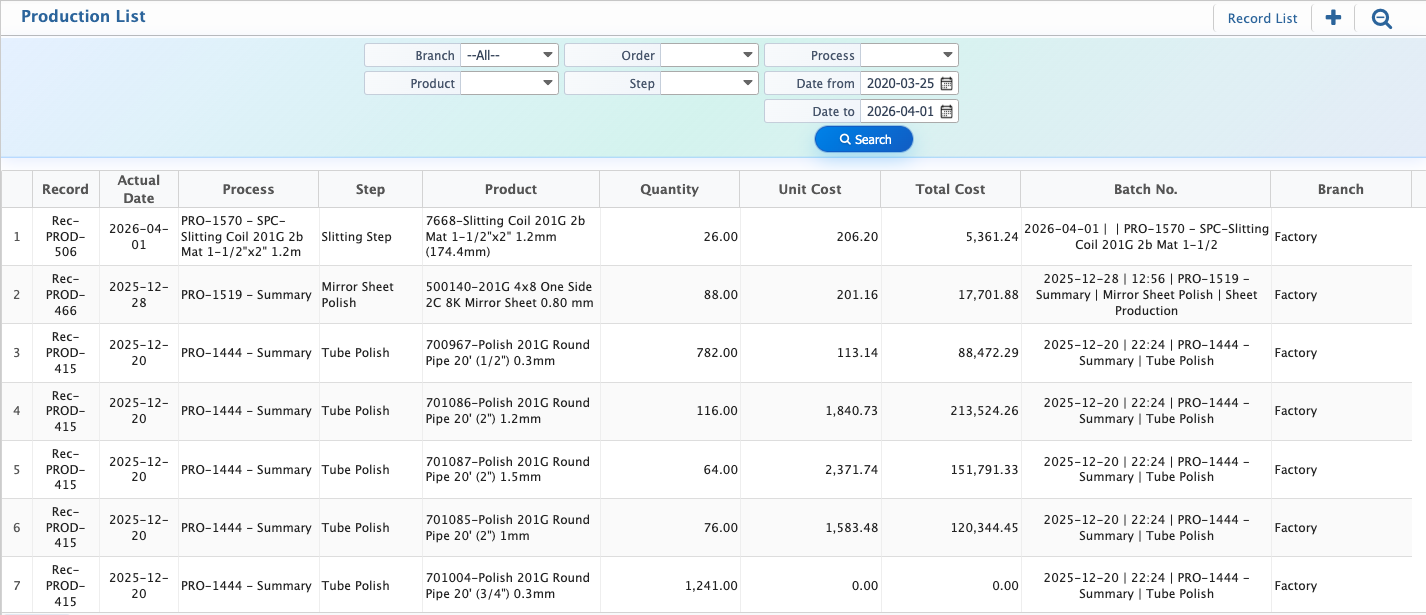
All records are stored in the Production List, providing a clear overview of production across branches, products, orders, steps, and dates. With search and filter options, users can quickly find specific entries, and detailed views ensure complete visibility and traceability. This feature keeps production tracking organized, accurate, and easy to manage throughout the manufacturing process.
Add New Production
| Field | Action |
|---|---|
| Order | Select the production order for which production is being recorded. |
| Process | Select the production process associated with the production. |
| Step | Select the specific step or operation within the process. |
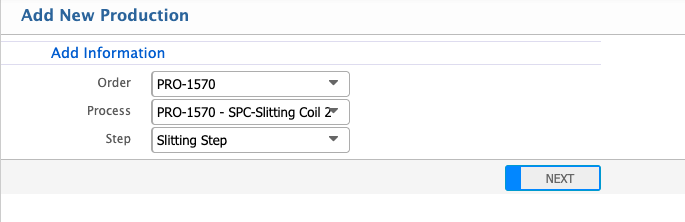
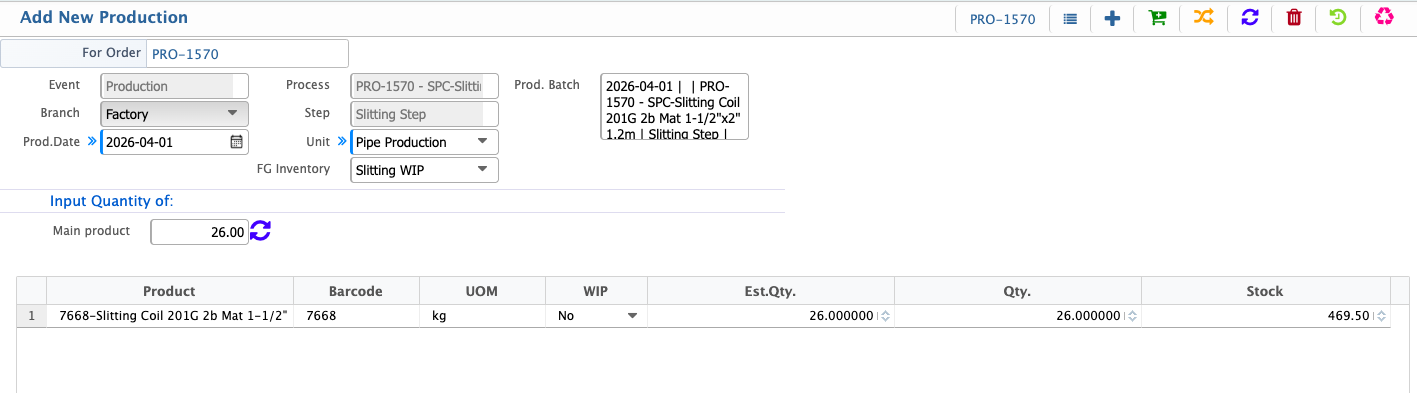
After clicking Next, a new Production page opens where the user can enter production details. Other information, such as Branch, Process, Step, Unit, and Product, is automatically loaded from the selected production order. The user can update certain fields if required, including Date, Quantity, and Unit.
Production Details
| Field | Action |
|---|---|
| Prod. Date | Select the date for the production entry. |
| Unit | Select the production unit responsible for this production. |
| RM Inventory | Auto-loaded inventory from which materials will be issued for production. |
| Input Quantity of Main Product | Enter the quantity of the main product being produced. |
| WIP | Indicate if the product is work-in-progress. |
| Qty. | Enter the actual quantity produced. |
After adding a production record, the user can view it in the Production List. The search and filter panel allows locating specific entries using Branch, Product, Order, Step, and Date Range. Users can also view detailed information for each production entry.