Production Issue
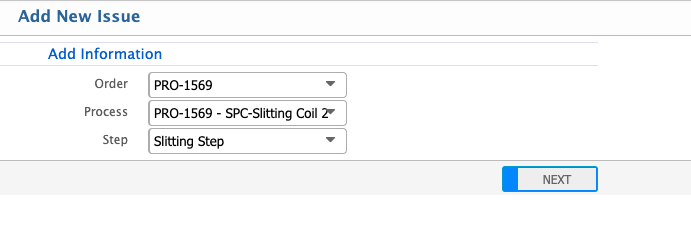
The Production Issue feature allows users to record material issues for a selected production order. Users start by selecting the production order, process, and step where the issue occurs. After clicking Next, a new Issue page opens where the quantity to be issued can be entered, while other details such as Branch, Process, Step, Unit, and Product are automatically loaded from the production order.
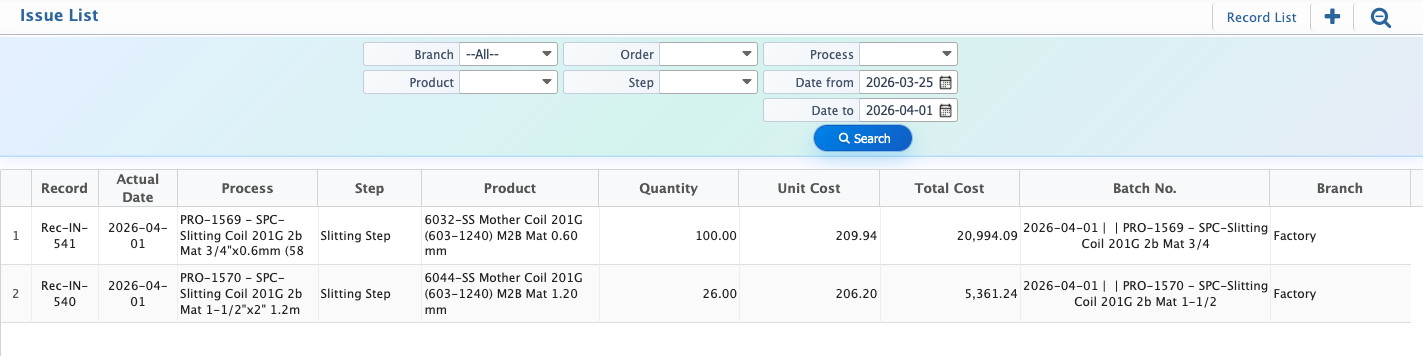
Users can update certain fields if required, including Date, Quantity, and Unit. Additional information such as RM Inventory, WIP status, and the actual quantity issued can also be specified. Once added, the issue appears in the Issue List, where users can view all entries. The search and filter panel allows locating specific issues by Branch, Product, Order, Step, or Date Range.
Add New Issue
| Field | Action |
|---|---|
| Order | Select the production order for which the issue is being recorded. |
| Process | Select the production process associated with the issue. |
| Step | Select the specific step or operation within the process where the issue occurs. |
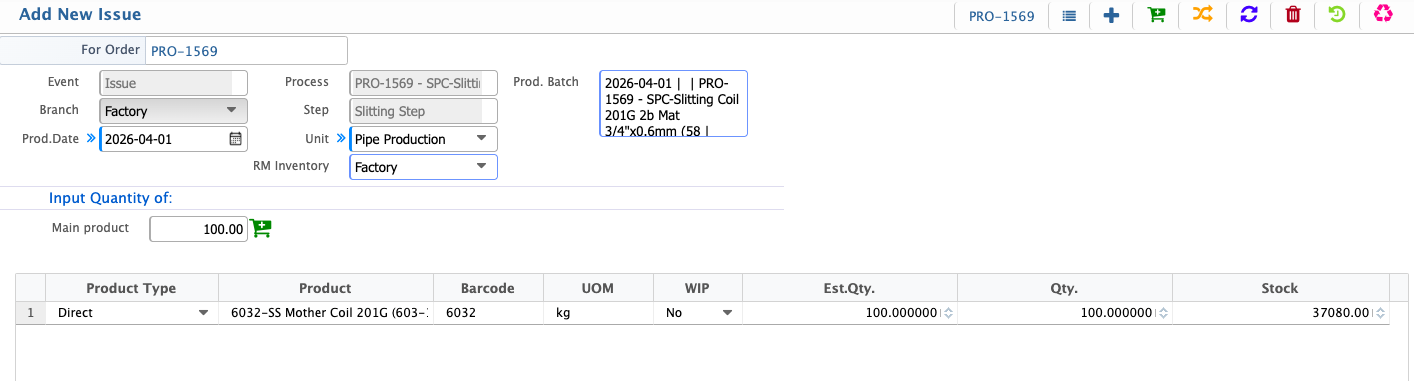
After clicking Next, a new Issue page opens where the user can enter the quantity to be issued. Other details, such as Branch, Process, Step, Unit, and Product, are automatically loaded from the production order. Users can update certain fields if required, including Date, Quantity, and Unit.
| Field | Action |
|---|---|
| Prod. Date | Select the production order for the issue. |
| Unit | Select the production unit for the new issue. |
| RM Inventory | Select the inventory from where the product will be added for issue (auto-loaded). |
| Input Quantity of Main Product | Enter the quantity of the main product to issue. |
| WIP | Select if WIP is available or not. |
| Qty. | Enter the actual quantity being issued. |
After adding a new Issue, the user can view it in the Issue List and use the search and filter options to locate a specific entry. Filters are available for Branch, Product, Order, Step, and Date Range to quickly find the required issue.