Production Run
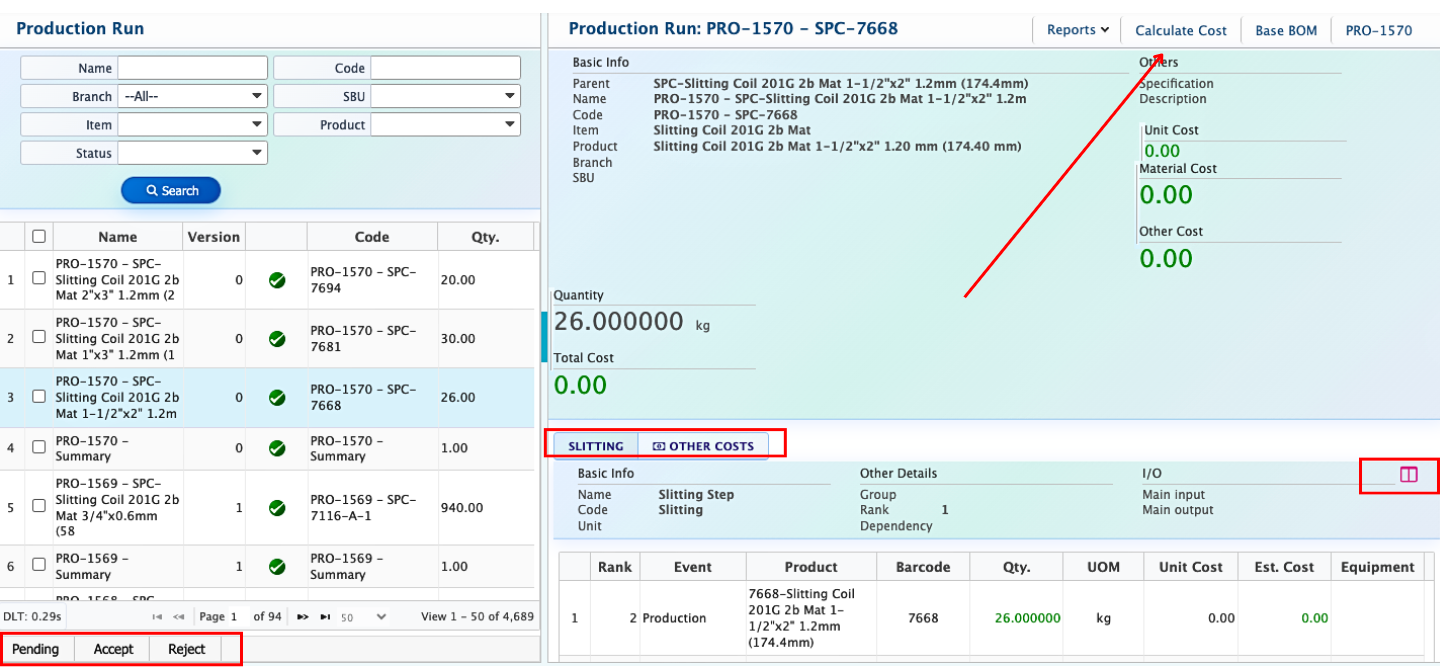
The Production Run feature in PrismERP allows users to record and monitor the production of a specific batch of a product from start to finish. Each run is linked to a production order and captures all essential details, including the product being produced, planned quantity, raw materials consumed, production steps, and associated outputs. This feature provides full visibility into the production process, helping users track inputs, outputs, and equipment usage while maintaining organized and accurate records.
The Calculate Cost option allows users to determine the total cost of a production run by calculating Unit Cost, Material Cost, and Other Costs. Users can see both estimated and actual costs for each run, providing a clear understanding of production expenses and supporting accurate cost management and decision-making.
The Split Production Step option enables users to divide a production step into multiple sub-steps or processes. For example, in the Slitting Step, a Run Quantity of 26 kg can be split into smaller quantities for more precise tracking.