Purchase Quality Control
The Purchase Quality Control module in PrismERP allows users to define, manage, and apply quality standards for purchased products. It provides a structured way to create Accept/Reject Criteria, group them into Criteria Groups, and link them to QC Templates for consistent evaluation across branches and modules. Users can record detailed observations, calculate reject quantities, and monitor compliance with predefined quality standards.
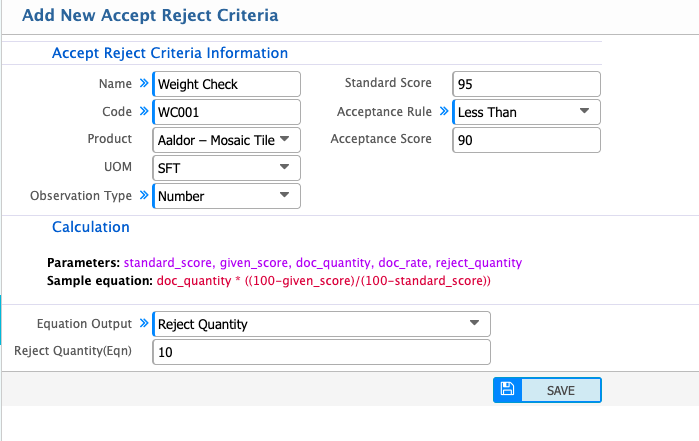
Add New Accept/Reject Criteria
| Field | Action |
|---|---|
| Name | Enter the descriptive name of the accept/reject criterion for easy identification. |
| Code | Enter a unique code to identify the criterion in the system. |
| Product | Select the product this criterion applies to. |
| UOM | Select the unit of measure (UOM) used for evaluating the product. |
| Observation Type | Choose the type of observation used to assess the product. Options: Number, Text, Checkbox. |
| Standard Score | Enter the standard score for the criterion. |
| Acceptance Score | Enter the minimum score required for the product to be accepted. |
| Acceptance Rule | Define the rule for accepting the product based on the observed score relative to the acceptance score. |
| Reject Quantity | Enter the final reject quantity calculated or observed. |
| Reject Quantity (Eqn) | Enter the reject quantity as calculated using the formula in the system. |
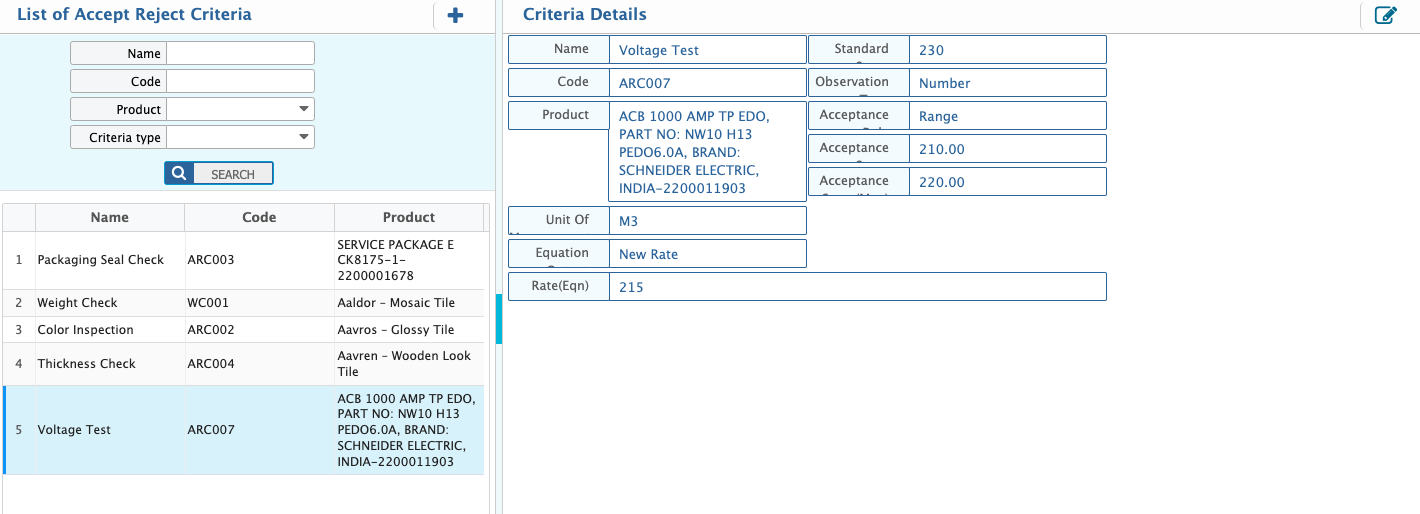
After adding an Accept/Reject Criteria, it appears in the Accept/Reject Criteria List with all basic information, including Name, Code, Product, Equation, Standard Score, and Acceptance Score. The search panel allows filtering by various fields, and users can edit criteria if updates are needed.
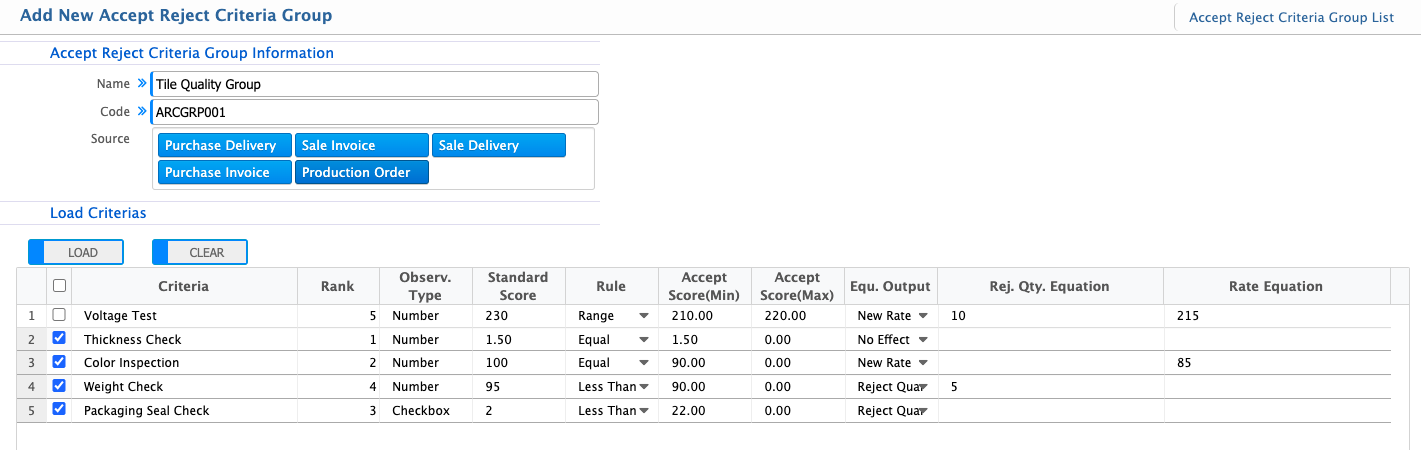
Add Accept/Reject Criteria Group
| Field | Action |
|---|---|
| Name | Enter the descriptive name of the criteria group for easy identification. |
| Code | Enter a unique code to identify the criteria group within the system. |
| Source | Select the source where this criteria group will be applied. Options: Purchase Delivery, Sale Invoice, Sale Delivery, Production Order, Manufacturing In Process. |
| Load Criteria | Click to load predefined accept/reject criteria into the group. |
| Rank | Enter the sequence or priority of the criteria within the group. |
| Rej. Qty. Equation | Enter the formula used to calculate reject quantity based on evaluation results. |
After adding a Criteria Group, it appears in the Criteria Group List with all key details, including Name, Code, Source, loaded criterias, ranks, observation types, standard scores, rules, acceptance scores, and calculation equations. Users can filter by Name and edit the group if needed.

Add QC Template
| Field | Action |
|---|---|
| Name | Enter a descriptive name for the QC Template. The system may auto-generate a code for unique identification. |
| Branch | Select the branch where this QC Template will be applied. |
| Product | Select the product to which this QC Template will be linked. |
| Related Module | Select the module where the QC will be applied. |
| QC Type | Select the type of quality control. |
| Cost Effect | Select the cost effect for the QC Template. |
| Criteria Group | Select the Accept/Reject Criteria Group that will be used for this QC Template. |
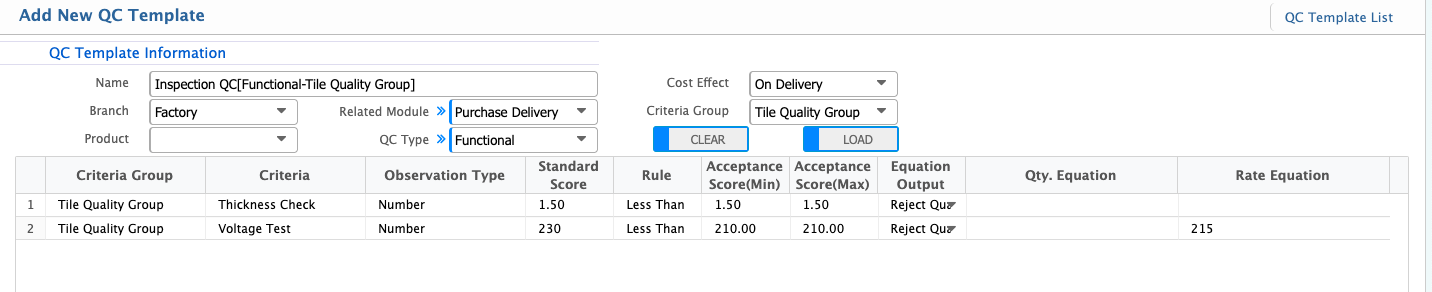
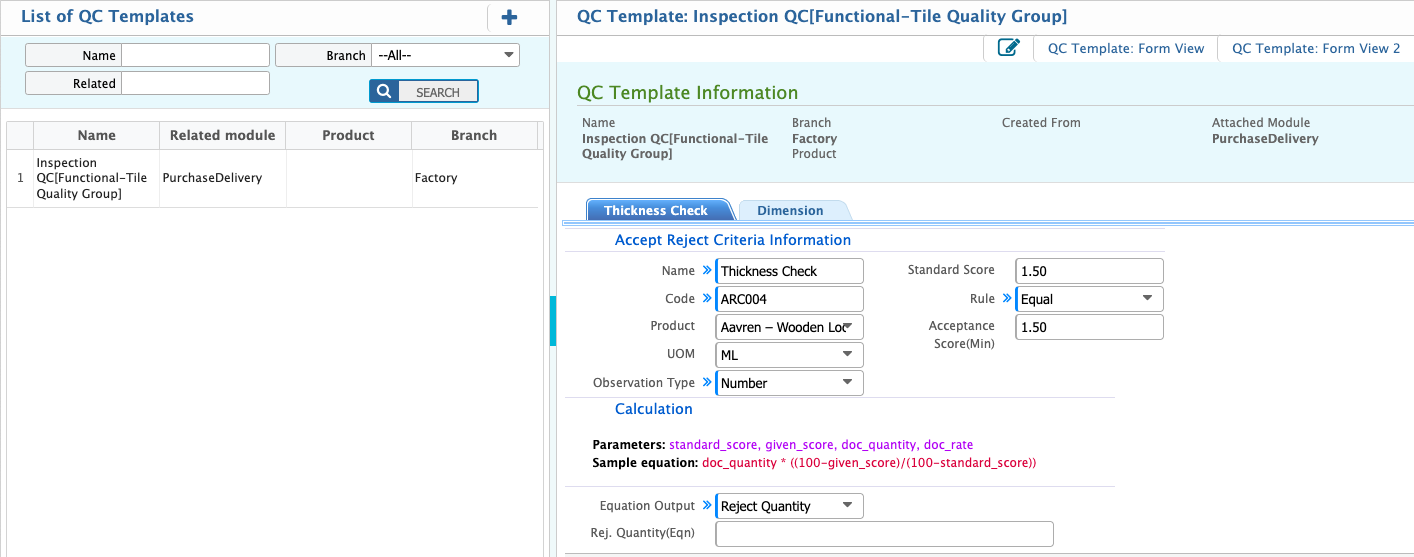
After adding a QC Template, it appears in the QC Template List with all key details, including Name, Branch, Product, Related Module, QC Type, Cost Effect, and associated Criteria Group. Users can filter by Name and edit the template if updates are needed.