Purchase Cancellation
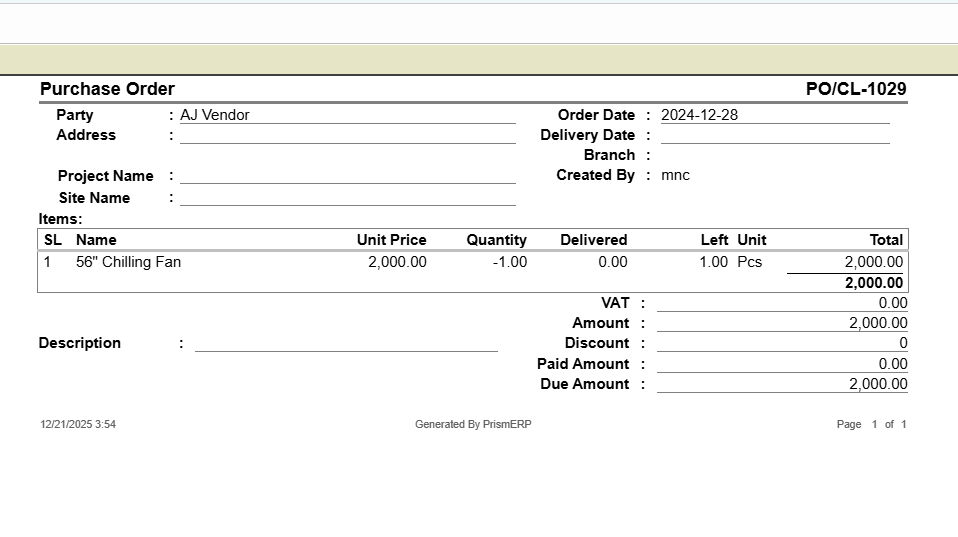
The Purchase Cancellation feature in PrismERP helps businesses manage cancelled purchase orders efficiently. Users can record vendor and customer details, track cancelled product quantities, and manage barcodes, units, and pricing. The module links to accounting for easy debit, credit, VAT, and tax tracking. PrismERP also lets users generate detailed cancellation reports for audits or record-keeping, ensuring accurate, organized, and transparent purchase return management.
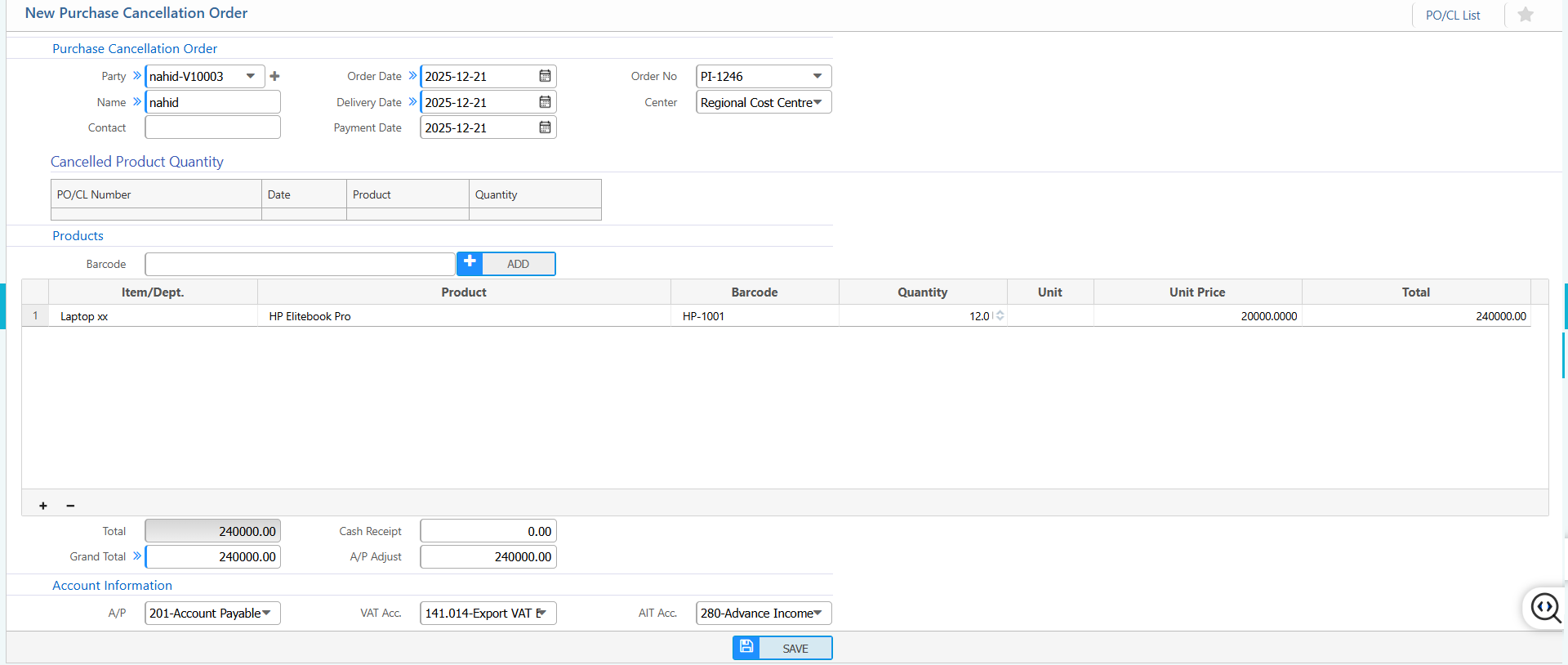
1. New Purchase Cancellation Order
Cancellation Order Information:
| Field | Action |
|---|---|
| Party | Select the party associated with the cancellation order. |
| Name | Enter the name of the party or customer. |
| Contact | Enter the contact information of the party. |
| Order Date | Enter the original order date. |
| Delivery Date | Enter the delivery date of the cancelled order. |
| Payment Date | Enter the payment date related to the order (if applicable). |
| Order No | Enter or generate the cancellation order number. |
| Center | Select the relevant center or cost centre for the order. |
Cancelled Product Summary:
| Field | Action |
|---|---|
| Item / Dept. | Select the item category or department. |
| Product | Select the product being cancelled. |
| Barcode | Enter or scan the product barcode. |
| Quantity | Enter the quantity to be cancelled. |
| Unit | Select the unit of measurement. |
| Unit Price | Enter the unit price of the product. |
Financial Summary:
| Field | Action |
|---|---|
| Cash Receipt | Enter any cash amount received (if applicable). |
| A/P Adjust | Enter the amount to be adjusted against Accounts Payable. |
Account Information (A/P):
| Field | Action |
|---|---|
| A/P Account | Select the Accounts Payable ledger. |
| VAT Account | Select the applicable VAT account |
| AIT Account | Select the Advance Income Tax account. |
2. List of Purchase Cancellation
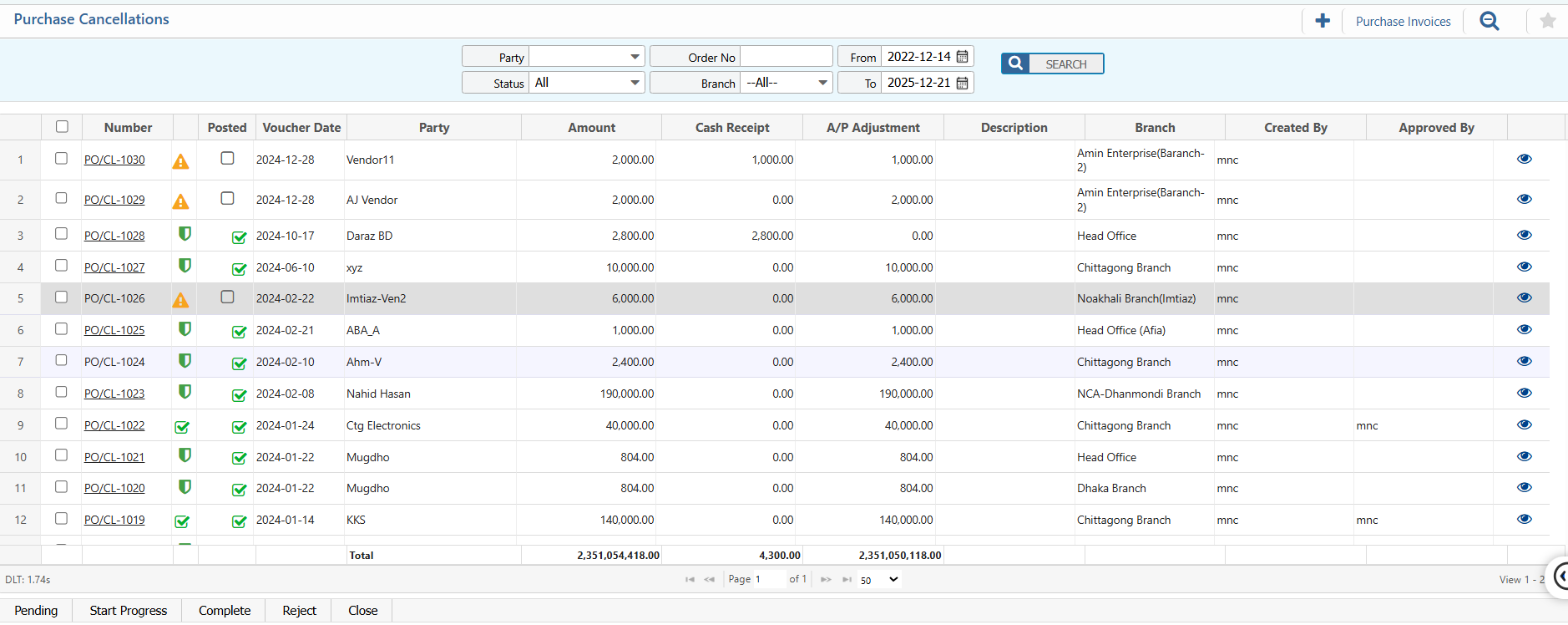
2.1 Search & Actions
| Field | Action |
|---|---|
| Party | Filter by party to find out specific purchase cancellation order. |
| Order No | Enter the cancellation order number to quickly locate a specific record. |
| Branch | Select a branch to view purchase cancellation records for a specific location. |
| From | Select the start date to display purchase cancellations from a specific date. |
| To | Select the end date to display purchase cancellations up to a specific date. |
| Status | View or update the status of the purchase cancellation (e.g., Approved, Pending, Cancelled). |
2.2 View Details & Actions
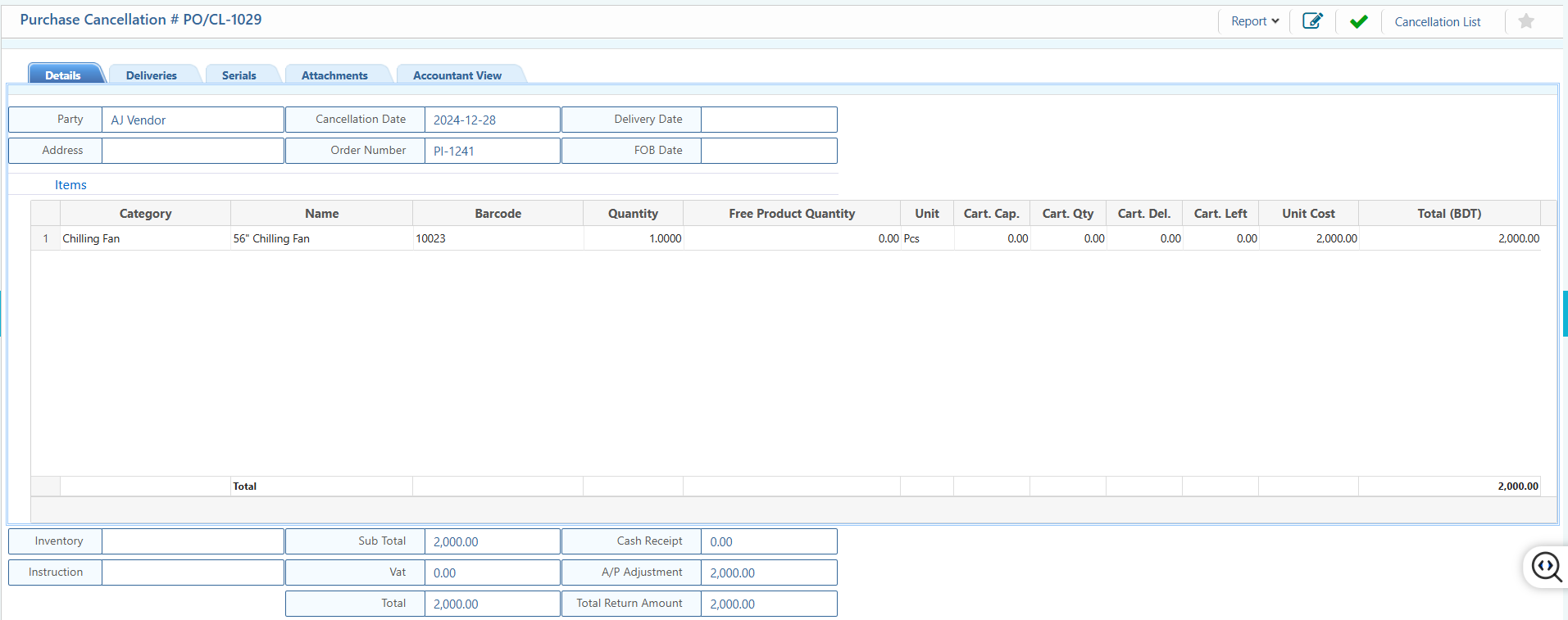
Details View:
| Field | Action |
|---|---|
| Basic Information | View core purchase cancellation details including Party, Address, Cancellation Date, Order Number, Delivery Date, and FOB Date. |
| Items | View detailed information of cancelled products including Category, Product Name, Barcode, Quantity, Free Product Quantity, Unit,etc. |
| Deliveries | View related deliveries linked to this purchase cancellation. |
| Serials | View and verify serial numbers associated with the cancelled products. |
| Attachments | View Upload or download documents attached to the purchase cancellation. |
| Accountant View | View accounting-related details of the purchase cancellation including account number, ref invoice, credit and debit amount. |
Action Items:
| Field | Action |
|---|---|
| Edit | Edit or update the purchase cancellation information. |
| Accept | Accept the purchase cancellation after verification. |
| Report | Generate preview and download purchase cancellation report in different format. |
2.3 Reports