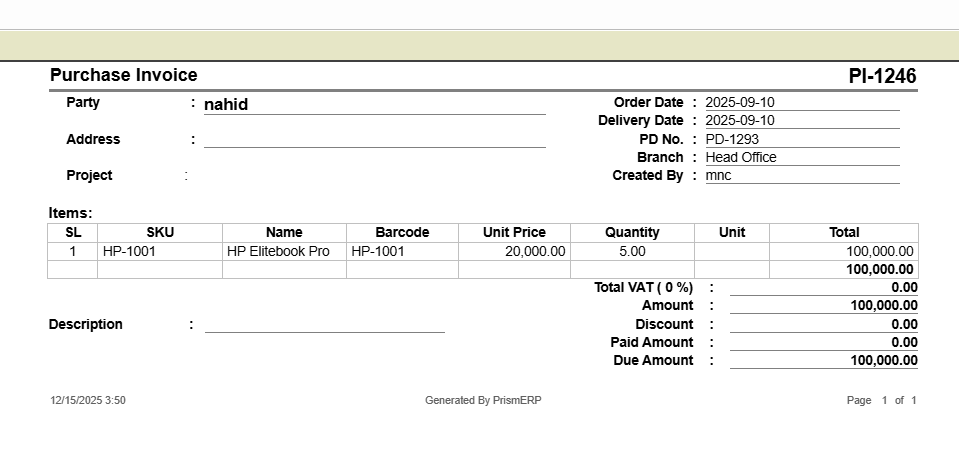
Purchase Invoice
In PrismERP the Purchase Invoice helps businesses accurately record and manage vendor bills for goods or services received. It connects essential purchase details—including supplier information, delivery schedules, inventory locations, and accounting entries—so you can track both stock and payable amounts seamlessly. With this module, users can create new invoices, monitor deliveries, manage vouchers, track serial numbers, handle cancellations, and generate detailed reports, ensuring transparency and control over every purchase transaction.
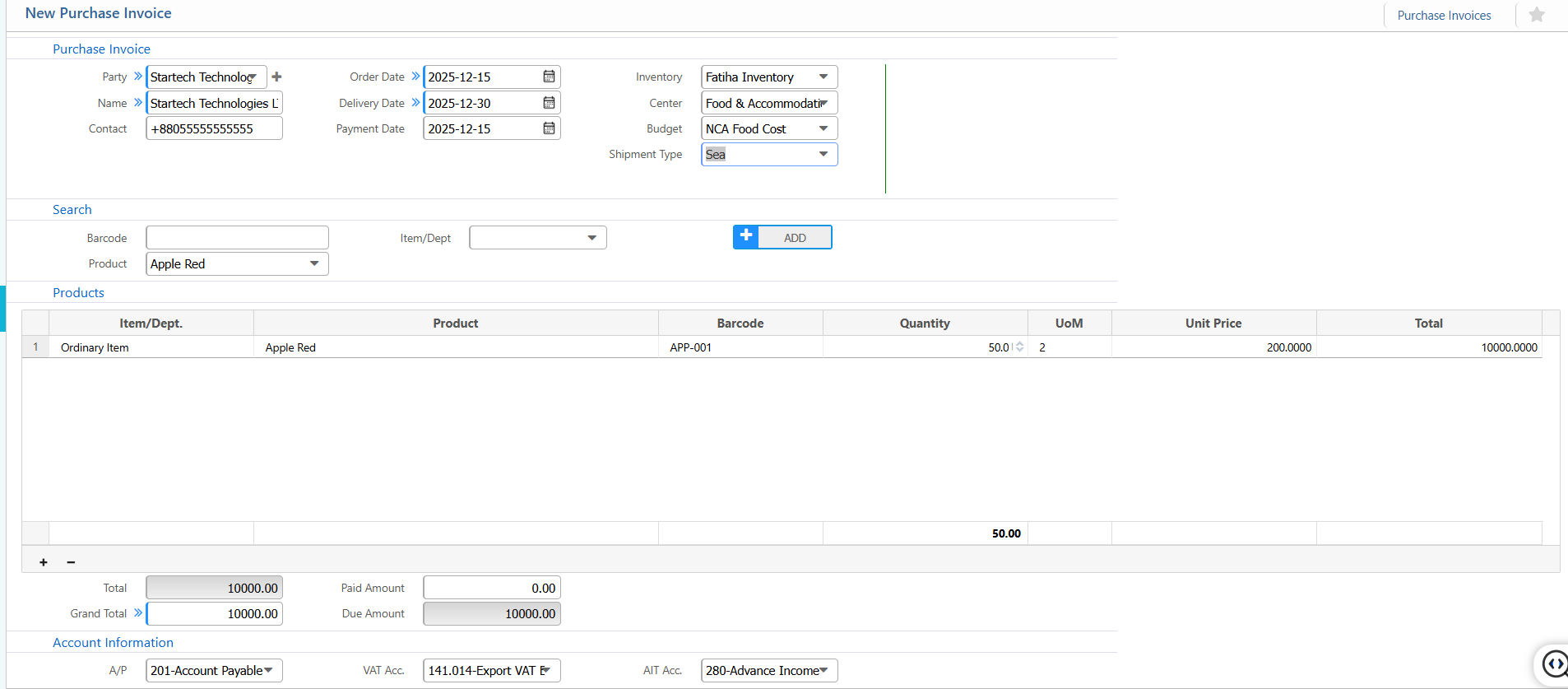
1. New Purchase Invoice
Purchase Invoice:
| Field / Section | Description / Action |
|---|---|
| Party | Select the party. |
| Order Date | Select the date the order was placed. |
| Delivery Date | Enter the expected delivery date. |
| Payment Date | Enter the scheduled payment date. |
| Inventory | Select the inventory location or center. |
| Center | Specify the relevant center for the invoice. |
| Budget | Enter the budget allocation for this purchase. |
| Shipment Type | Select the type of shipment. |
Products:
| Field / Section | Description / Action |
|---|---|
| Item/Dept | Search by item or department. |
| Product | Select the product to include in the invoice. |
| Barcode | Enter the product barcode (if applicable). |
| Quantity | Enter the quantity purchased. |
| UoM | Specify the unit of measure. |
| Unit Price | Enter the price per unit. |
Account Information:
| Field / Section | Description / Action |
|---|---|
| A/P | Select the Accounts Payable account. |
| VAT Acc. | Link VAT account. |
| AIT Acc. | Link Advance Income Tax account. |
2. Purchase Invoice List
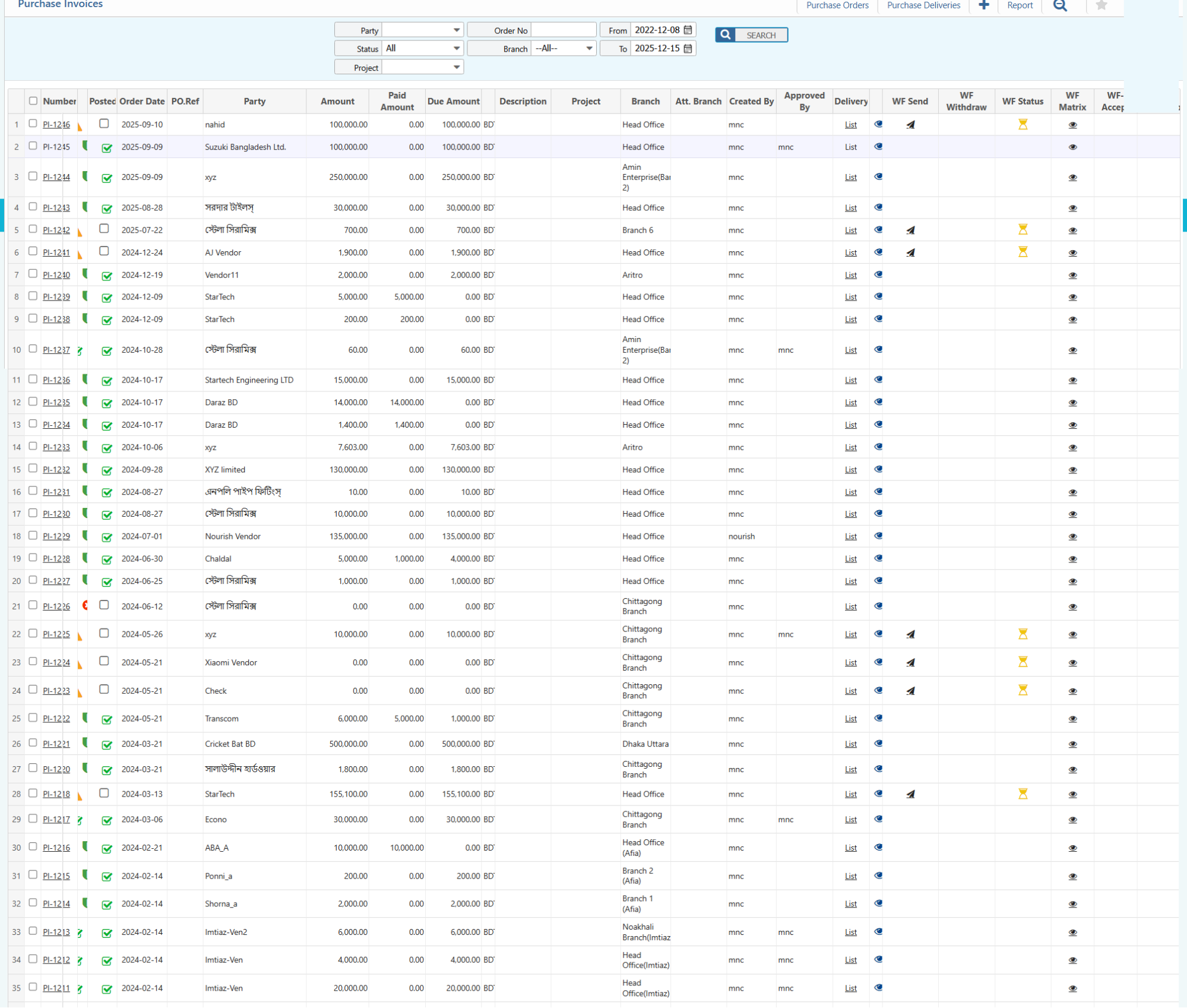
2.1 Purchase Invoice Search & Actions
| Field | Description |
|---|---|
| Party | Filter party name. |
| Status | Filter by current status (e.g., Pending, Approved, Complete, All) and update status directly. |
| Project | Filter by linked project name. |
| Order No | Search by purchase order number. |
| Branch | Select the branch (or "--All--" to include all branches). |
| From Date | Select the starting date of the range for the search |
| To Date | Select the ending date of the range for the search |
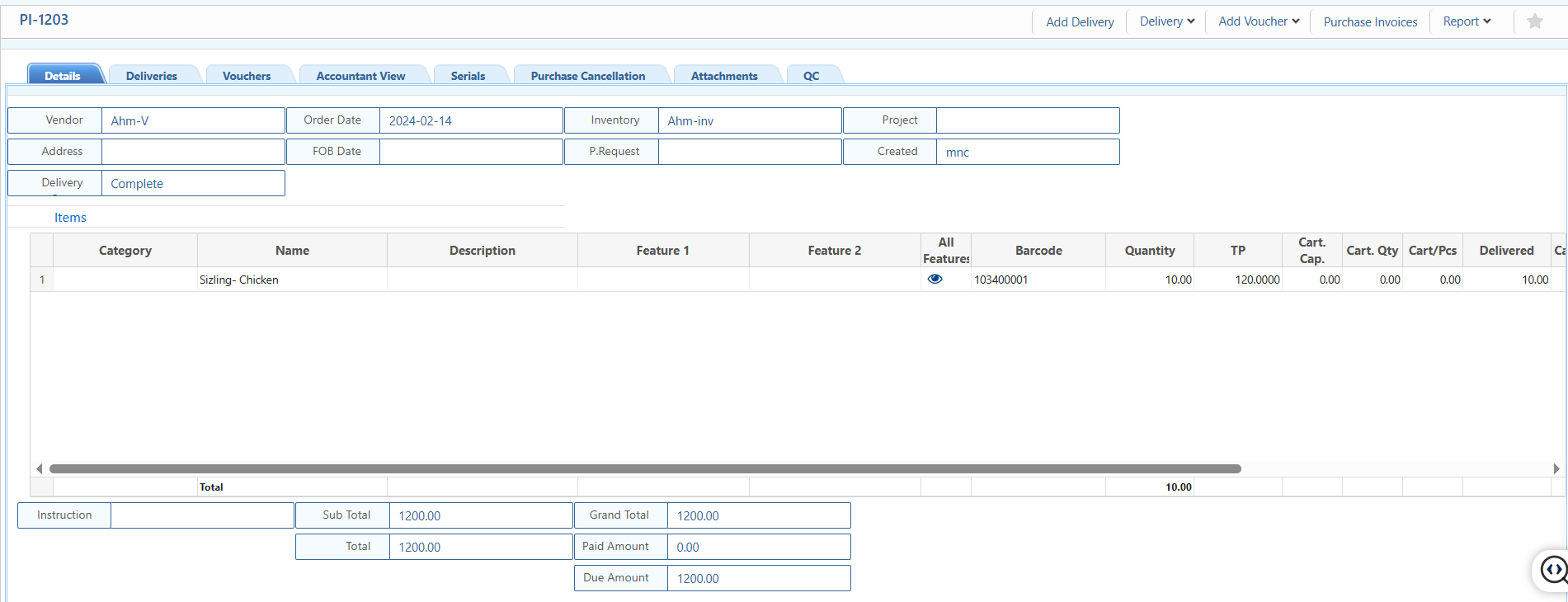
2.2 Purchase Invoice Details View
| Field | Action |
|---|---|
| Details | View the core invoice information including vendor, address, delivery status, order date, FOB date, inventory, linked purchase request, project, created by, and other key details. |
| Deliveries | Track and update deliveries for this invoice, including planned vs. actual quantities, delivered items, and remaining quantities. |
| Vouchers | View and update the status of vouchers related to the invoice. |
| Accountant View | View invoice in an accounting context including party,account ,debit/credit amounts, and reference vouchers. |
| Serials | Track serial numbers products if applicable. |
| Purchase Cancellation | View and update details of cancelled items or quantities. |
| Attachments | Upload, download, or view supporting documents. |
| Quality Control (QC) | Track inspection notes, quality issues, and update QC status for delivered items. |
| Add Delivery | Add new purchase delivery. |
| Delivery Return | Add purchase delivery return |
| Add Voucher | Add different type vouchers related to the invoice. |
2.3 Purchase Invoice Report
| Field | Action |
|---|---|
| Report | Preview or download reports related to the invoice in multiple formats. |