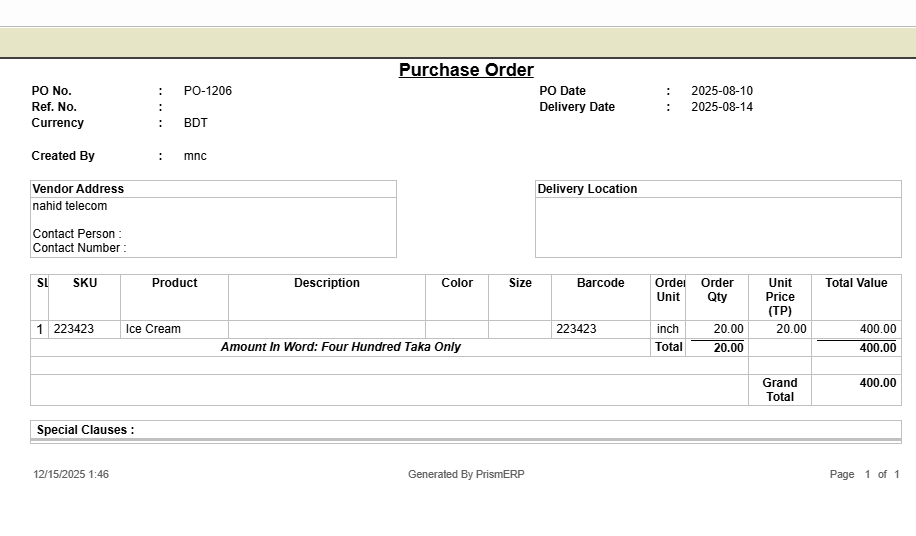
Purchase Order (PO)
The Purchase Order feature in PrismERP makes managing purchases simple and organized. You can easily create orders, define supplier details, set payment terms, and track product quantities and delivery schedules. From viewing ordered items to checking invoices, delivery plans, and quality control notes, everything is accessible in one place. With smart search, filters, and reporting tools, you can keep track of pending, approved, or completed orders effortlessly, making procurement smooth and hassle-free.
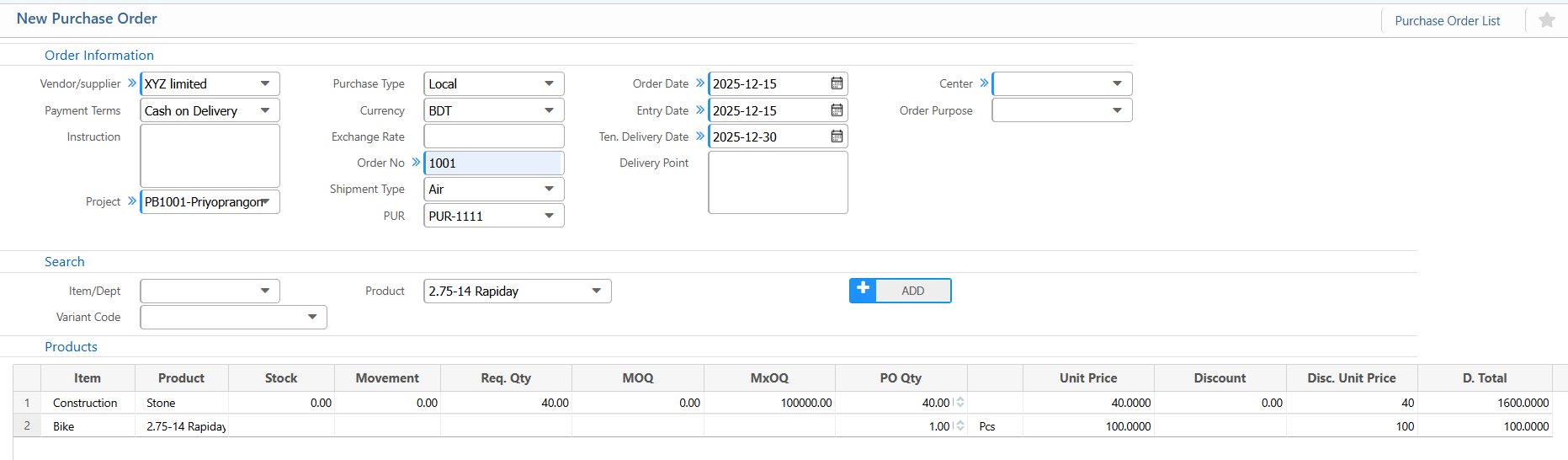
1. New Purchase Order
Order Information:
| Field | Description |
|---|---|
| Vendor / Supplier | Select the vendor or supplier for this purchase order. |
| Payment Terms | Specify payment terms agreed with the vendor. |
| Instruction | Add any instructions related to this order.(if applicable) |
| Project | Link the purchase order to a project ( if applicable) |
| Purchase Type | Select the type of purchase (e.g., Local / Import). |
| Currency | Select the currency (e.g., BDT). |
| Exchange Rate | Enter the exchange rate if applicable. |
| Order No | Enter the order number.(if applicable) |
| Shipment Type | Specify the type of shipment. |
| PUR | Select the relevant purchase request.(if applicable) |
| Order Date | Enter the date of the purchase order. |
| Entry Date | Enter the date the order is entered into the system. |
| Tentative Delivery Date | Enter the expected delivery date. |
| Delivery Point | Specify the delivery location |
| Order Purpose | Provide a brief description of the purpose of the order.(if applicable) |
Item / Product Selection:
| Field | Description |
|---|---|
| Search Item / Dept | Search items by department or product name. |
| Product | Select the product to add to the order. |
| PO Qty | Enter the quantity for this purchase order. |
| Unit Price | Enter the unit price for the item. |
Terms & Conditions:
| Field | Description |
|---|---|
| Terms & Condition | Add standard terms and conditions for the order.(if applicable) |
| Additional Clause | Add any special clauses or notes. (if applicable) |
2.Purchase Order List
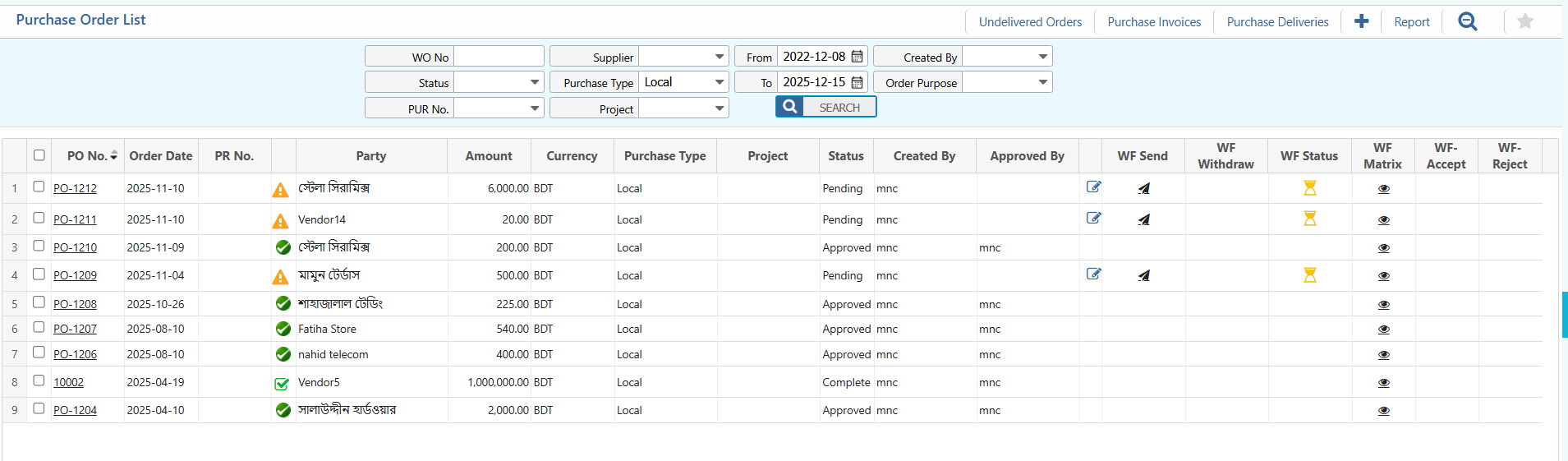
2.1 Purchase Order Search & Action
| Field | Description |
|---|---|
| WO No | Search by Work Order number |
| PUR No. | Filter by Purchase Order number. |
| Supplier | Filter by vendor or supplier name. |
| Purchase Type | Filter by purchase type (Local / Import). |
| Project | Filter by linked project name. |
| From / To | Filter orders by a date range. |
| Created By | Filter by the employee who created the order. |
| Order Purpose | Filter by purpose or description of the purchase order. |
| Edit | View and edit pending purchase orders. |
| Status | View the current status of the purchase order (Pending / Approved / Complete)and update the status directly from this list. |
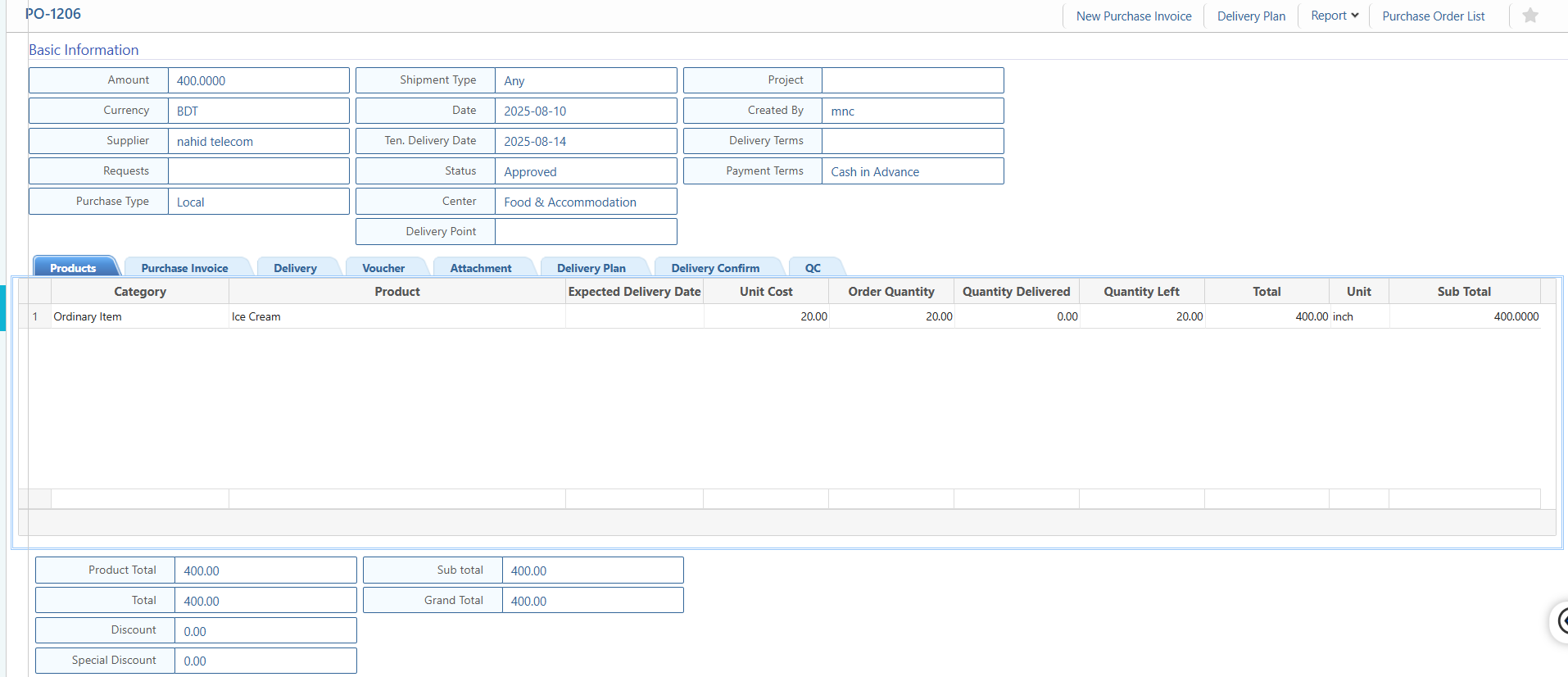
2.2 Purchase Order Details View
| Field | Description |
|---|---|
| Basic Information | View core details of the purchase order or invoice, including amount, currency, supplier, related requests, purchase type, shipment type, order date, tentative delivery date, delivery point, project, created by, delivery terms, and payment terms. |
| Products / Items | View ordered products with details such as category, product name, expected delivery date, unit cost, ordered quantity, quantity delivered, quantity left, total cost, unit, and subtotal. |
| Purchase Invoice | View invoice details related to this purchase order, and update the status as needed. |
| Delivery Plan | View the planned delivery schedule for each product, and update delivery status. |
| Delivery Confirm | Track and update confirmations of product deliveries. |
| Voucher | View related accounting vouchers and update their status if required. |
| Attachments | View or upload supporting documents like invoices, delivery notes, or contracts, and update their status when needed. |
| Quality Control (QC) | Track quality inspection notes and update QC status as applicable. |
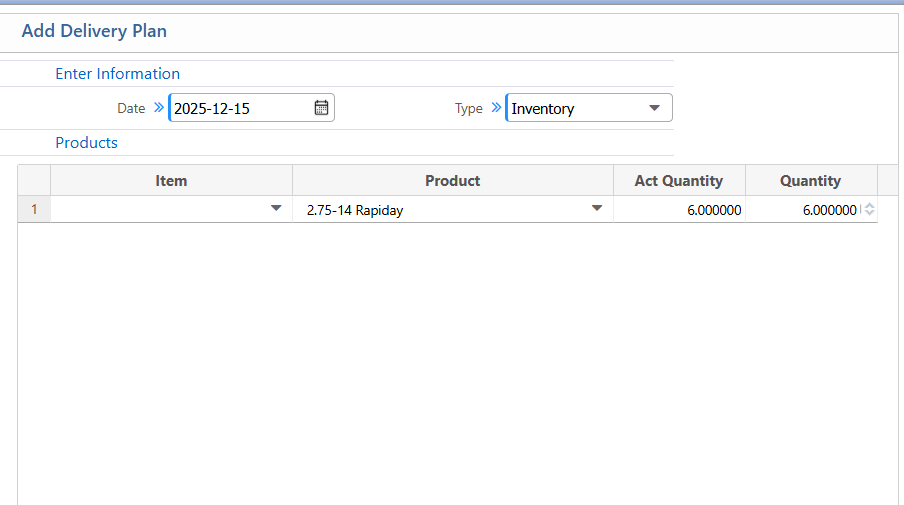
2.3 Purchase Order Delivery Plan
Basic Information:
| Field | Action |
|---|---|
| Date | Enter the delivery plan date |
| Type | Select the type of delivery |
Products / Items:
| Field | Action |
|---|---|
| Item | Enter the item name or code. |
| Product | Enter the product name. |
| Actual Quantity | Enter the actual quantity to be delivered. |
| Planned Quantity | Enter the planned quantity for delivery. |
| Description | Add any additional notes or remarks regarding the delivery plan.(if applicable) |
2.4 Purchase Order Report
| Field | Action |
|---|---|
| Reports | Preview or download purchase order and invoice reports in multiple formats. |