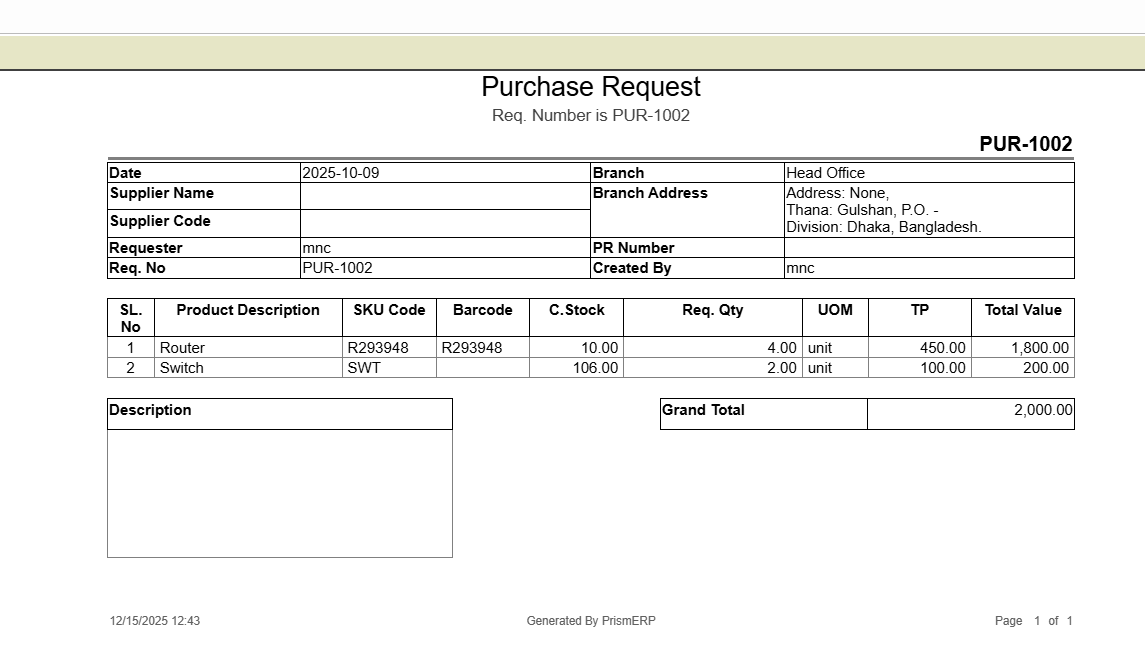
Purchase Request
The Purchase Request in PrismERP helps users create, track, and manage requests for both inventory and non-inventory items. Employees can specify quantities, link requests to projects, set priorities, and provide detailed instructions. Managers can easily review and approve requests, compare received quotations, and monitor request status. The module also provides comprehensive reports for better decision-making and smooth procurement management.
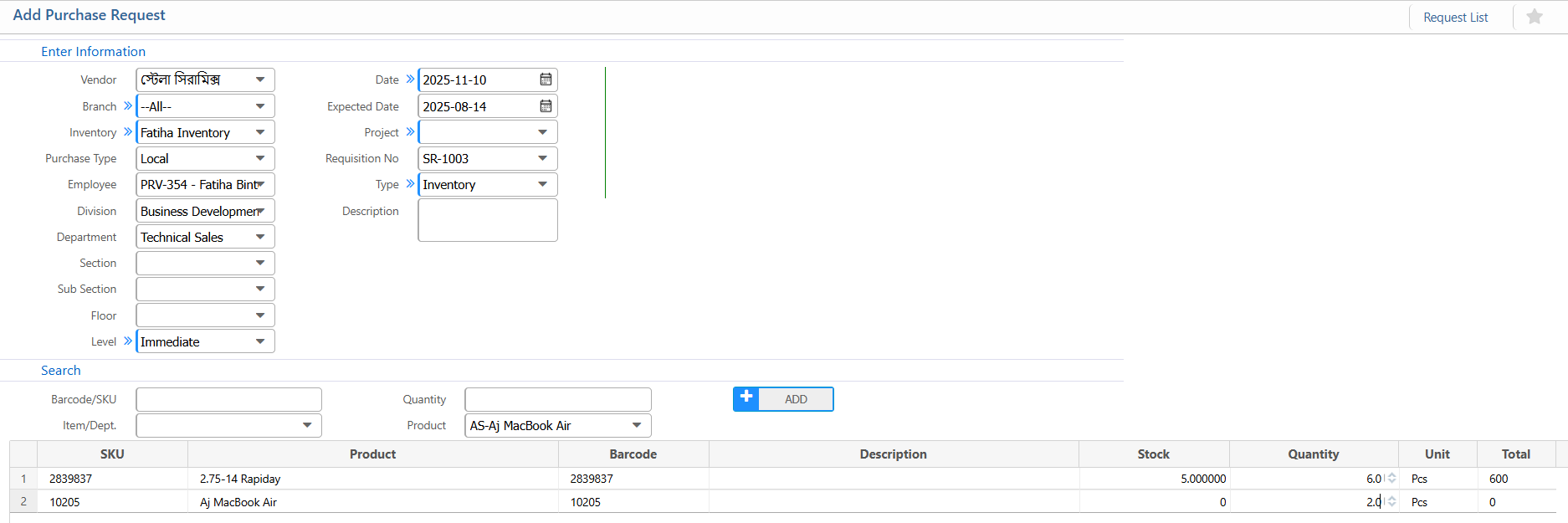
1. New Purchase Request
Request Information:
| Field | Description |
|---|---|
| Vendor | Select the vendor for the purchase request (if applicable). |
| Branch | Select the branch |
| Inventory | Select the inventory type. |
| Purchase Type | Choose the type of purchase. |
| Employee | Select the requesting employee. |
| Division | Select the division making the request. |
| Level | Set the request priority or approval level (e.g., Immediate). |
| Date | Enter the purchase request date. |
| Expected Date | Enter the expected delivery date. |
| Project | Link the request to a project if applicable. |
| Requisition No | Enter or view the requisition number. |
| Type | Select request type (Inventory / Non-Inventory). |
| Description | Add notes or purpose of the purchase request. |
Item Search & Selection:
| Field | Description |
|---|---|
| Barcode / SKU | Search items using barcode or SKU. |
| Item / Dept. | Select the item or department. |
| Product | Choose the product from the list. |
| Quantity | Enter the required quantity. |
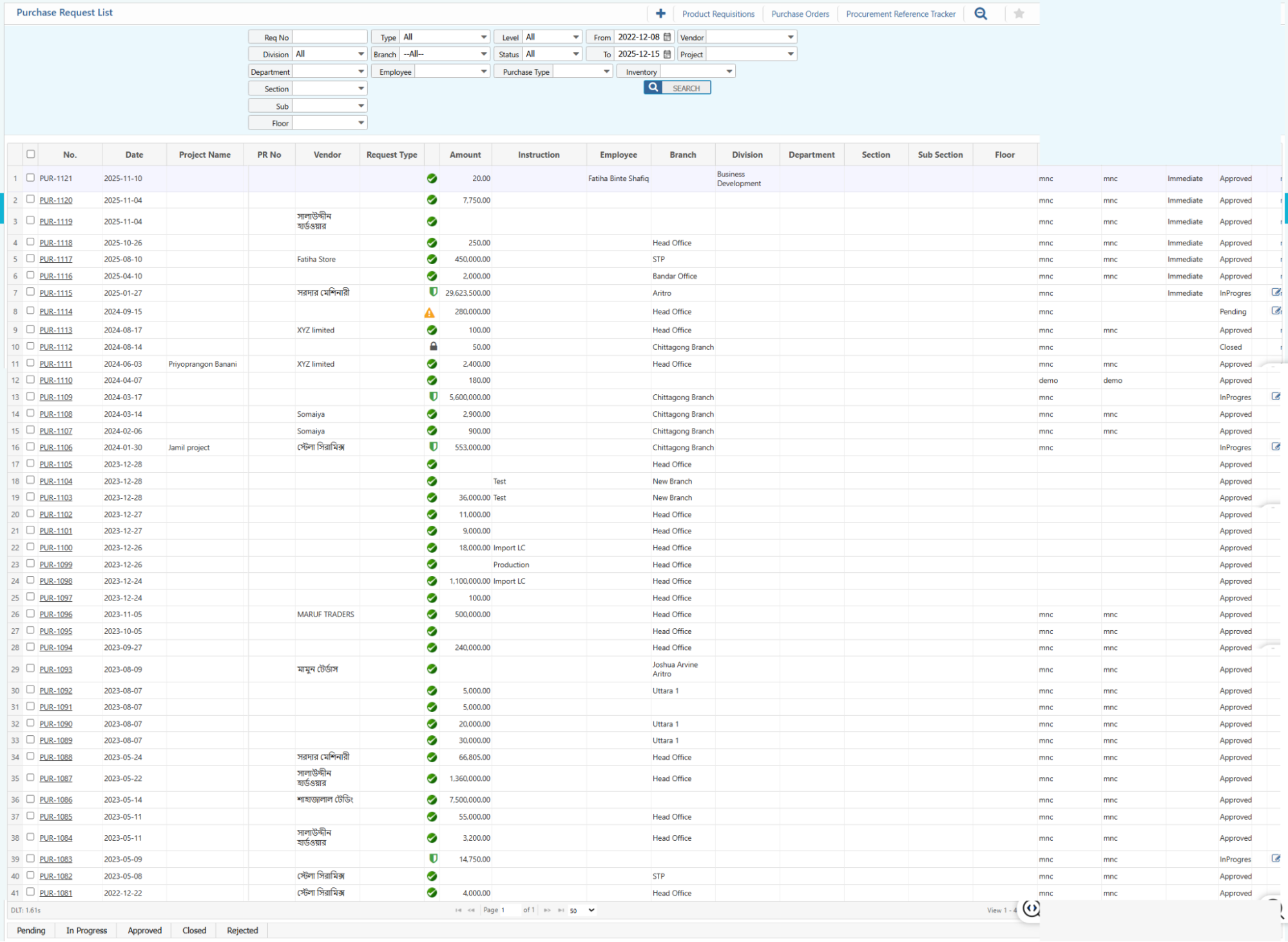
2. Purchase Request List
2.1 Purchase Request Search & Actions
| Field | Description |
|---|---|
| Req No | Search by requisition number. |
| Division | Filter by division (or All). |
| Department | Filter by department. |
| Section | Filter by section. |
| Sub Section | Filter by sub-section. |
| Floor | Filter by floor. |
| Type | Filter by request type (Inventory / Non-Inventory / All). |
| Branch | Filter by branch |
| Employee | Filter by employee. |
| Level | Filter by request level (Immediate / Other). |
| Status | Filter by request status (Approved / Pending / In Progress / Closed). |
| From / To Date | Select date range to filter requests. |
| Vendor | Filter by vendor name. |
| Project | Filter by project name. |
| Purchase Type | Filter by type of purchase. |
| Inventory | Filter for inventory items only. |
| Status | View and update the status of purchase orders. |
| Edit | View and edit pending purchase requests. |
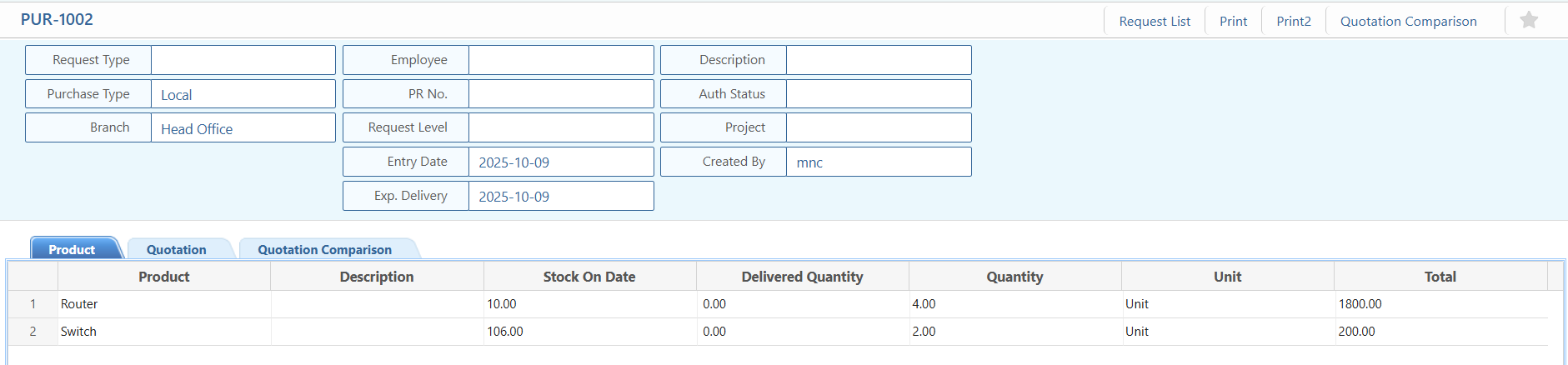
2.2 Purchase Request Details View
| Field | Description |
|---|---|
| Request Information | View core details of the purchase request: request type, purchase type, branch, employee, PR number, request level, entry date, expected delivery, project, and approval status. |
| Products / Items | View requested products, descriptions, stock availability, requested quantity, delivered quantity, unit, and total. |
2.3 Purchase Request Received Quotations
| Field | Description |
|---|---|
| Received Quotations | View and edit all quotations submitted against this purchase request and update their status |

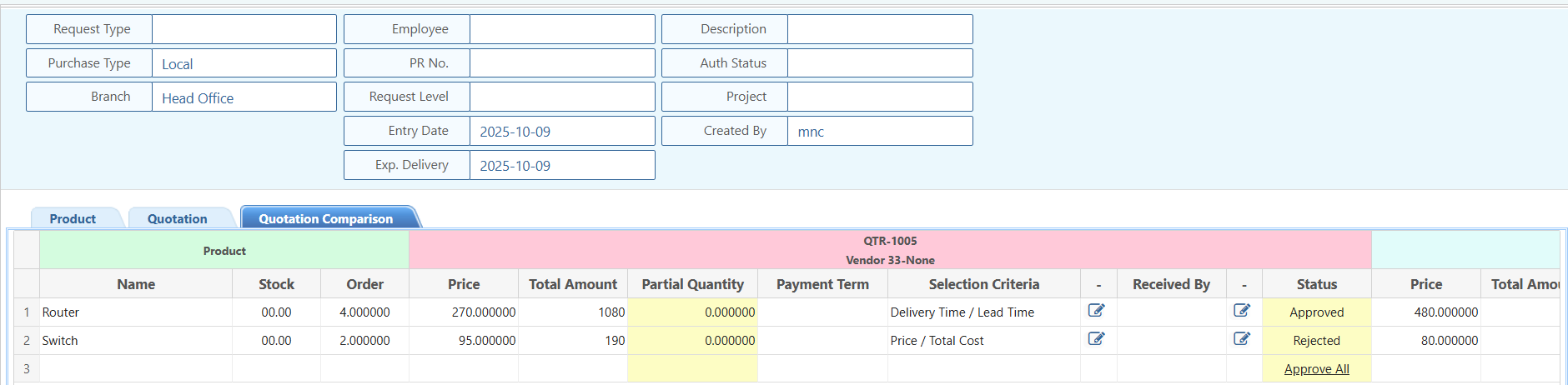
2.4 Purchase Request Quotation Comparison
2.5 Purchase Request Report
| Field | Description |
|---|---|
| Reports | Preview or download reports related to the purchase request and its quotations. |