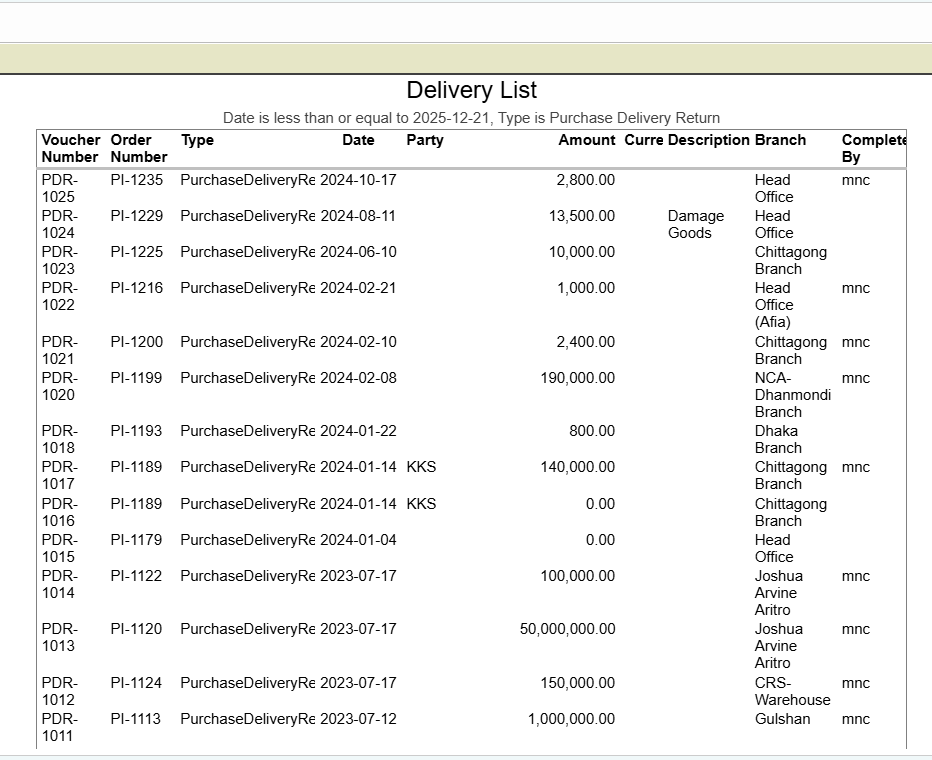
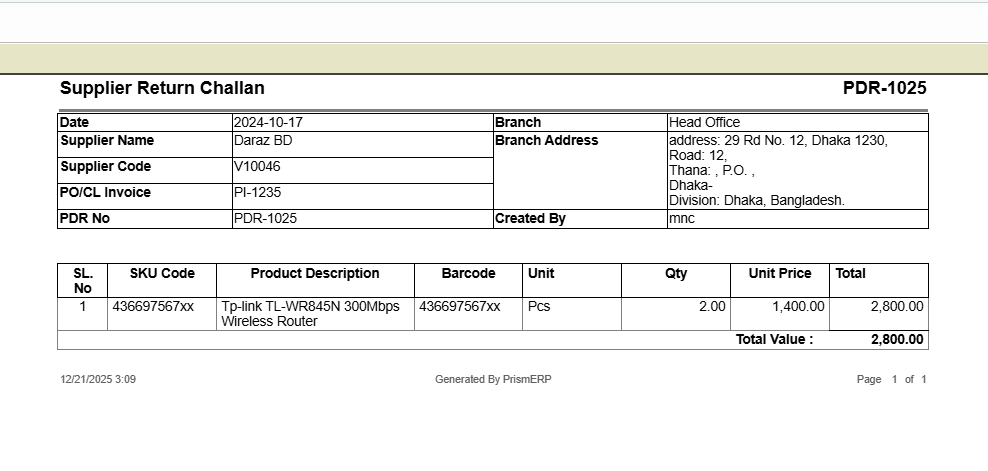
Purchase Delivery Return
Purchase Delivery Return in PrismERP helps users efficiently manage purchase returns, vendor returns, and inventory adjustments. Track returned products, record challan numbers, invoice details, and sale orders, and monitor product quantities, stock levels, and rack distribution. With detailed delivery return reports and serial tracking, this module ensures accurate inventory management and smooth purchase return processing.
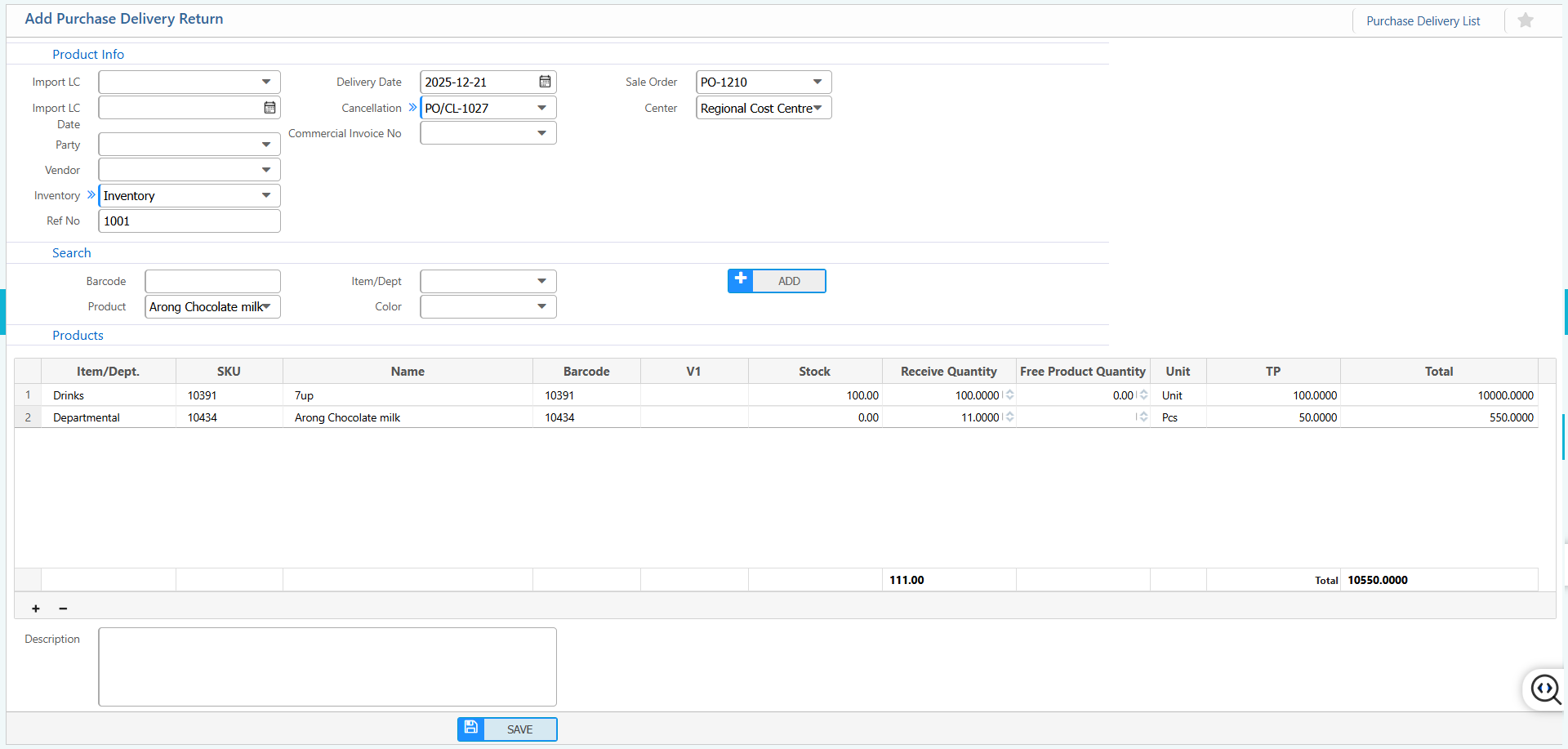
1. New Purchase Delivery Return
Product Info:
| Section / Field | User Instruction / Action |
|---|---|
| Import LC | Enter the Import Letter of Credit number (if applicable). |
| Import LC Date | Enter the date of the Import LC. |
| Party | Select the party involved in the purchase delivery return. |
| Vendor | Select the vendor supplying the products. |
| Inventory | Select the inventory location where the products will be returned. |
| Ref No | Enter any reference number related to this delivery return. |
| Delivery Date | Enter the date the products are returned. |
| Cancellation | Select whether this delivery return is a cancellation. |
| Commercial Invoice No | Enter the commercial invoice number associated with the return. |
| Sale Order | Enter or select the related sale order number. |
| Center | Select the relevant center or branch for this delivery return. |
| Search Barcode | Search products by their barcode for faster entry. |
| Item / Dept | Select the item or department for the product. |
| Product | Enter or select the product being returned. |
Products:
| Section / Field | User Instruction / Action |
|---|---|
| Item / Dept. | Enter or select the item category or department for the product. |
| SKU | Enter the stock keeping unit code of the product. |
| Name | Enter the product name. |
| Barcode | Enter or scan the product barcode. |
| V1 | Enter the variant or version of the product (if applicable). |
| Receive Quantity | Enter the quantity of the product being returned. |
| Free Product Quantity | Enter any free quantity included in the return. (if applicable) |
| Unit | Enter the unit of measurement (e.g., pcs, kg, liters). |
| TP | Enter the trade price or unit price of the product. |
| Description | Enter any additional notes or description for the product.(if applicable) |
2. List of Purchase Delivery Return
2.1 Search & Action
| Field | Action |
|---|---|
| Party | Filter purchase delivery returns by selecting the party or vendor. |
| Challan No | Search by challan number to locate a specific return. |
| Project | Filter returns by the associated project. |
| Branch | Select a branch to view returns specific to that location. |
| From | Select the start date to display returns from a specific date. |
| To | Select the end date to display returns up to a specific date. |
| Status | View or update the status of the purchase delivery return. |
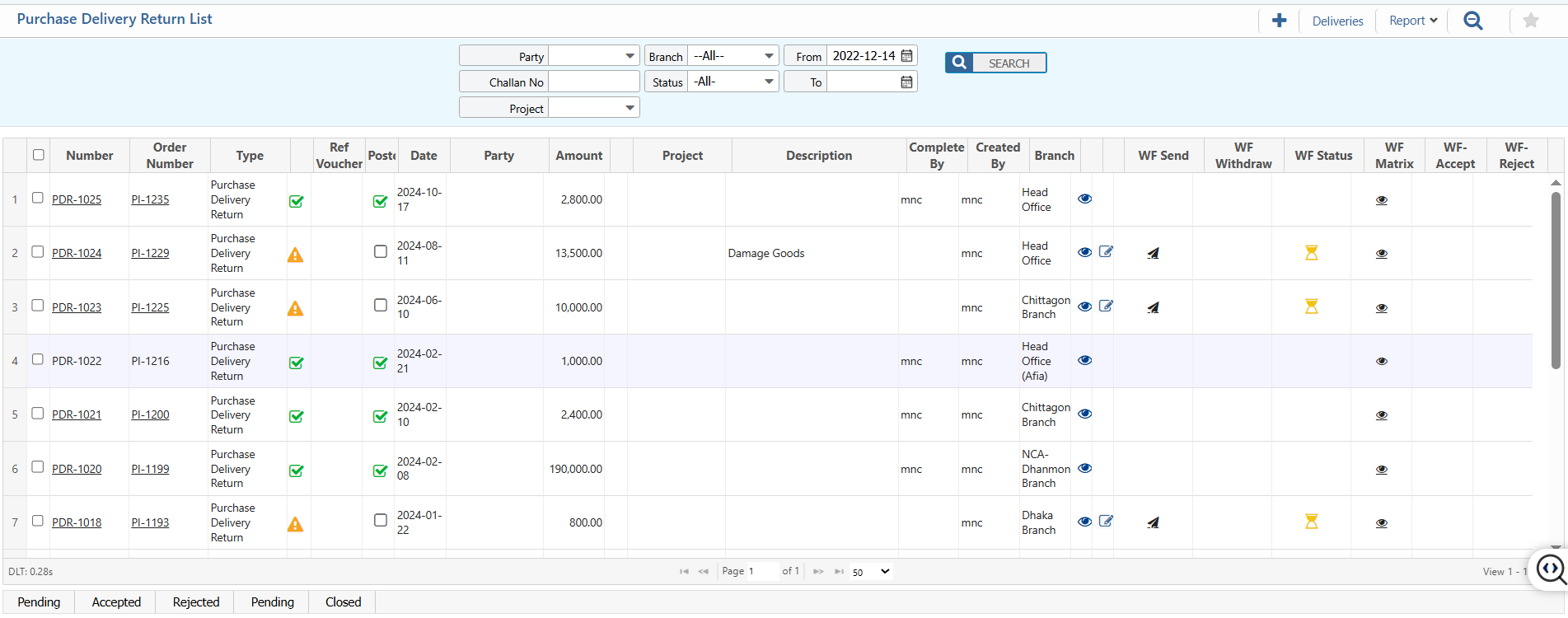
2.2 View Details & Actions
Details View:
| Field | Action |
|---|---|
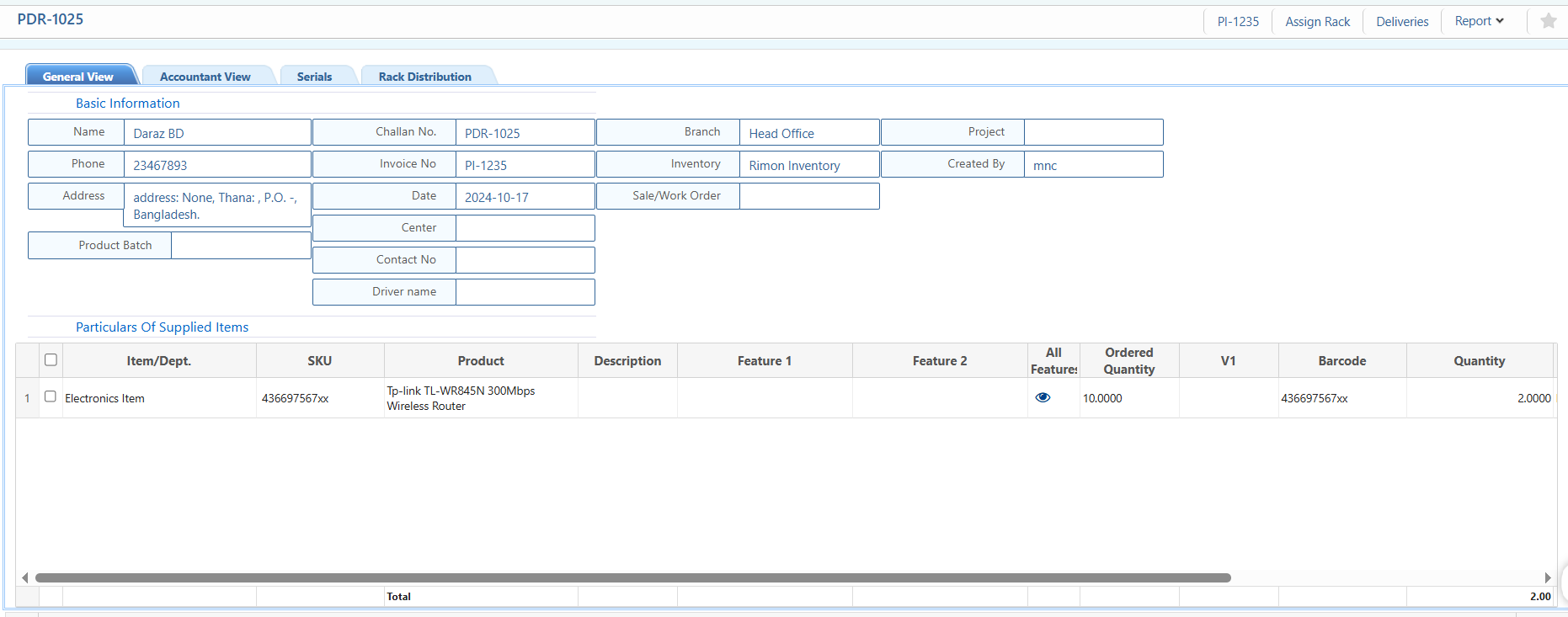
| Basic Information | View all core details of the purchase delivery return, including party name, phone, address, branch, inventory, center, contact number, driver name, challan and invoice number etc. |
| Particulars of Supplied Items | View detailed information of returned products including item/department, SKU, product name, description, features, ordered quantity, variant etc. |
| Accountant View | Examine the delivery return in accounting context, including debit and credit entries (if applicable). |
| Serials | Search by serial numbers and view details of each product serial. |
| Rack Distribution | View the rack distribution of returned products in the warehouse. |
Action Items:
| Field | Action |
|---|---|
| Assign Rack | Assign returned items to specific racks in the warehouse. |
| Deliveries | View all purchase delivery returns linked to this return record. |
2.3 Return Reports
| Field | Action |
|---|---|
| Report | Preview or download purchase delivery return reports in multiple formats for record-keeping or audit purposes. |