Goods Receive Note (GRN)
Purchase Delivery (GRN) in PrismERP allows users to add, manage, and track purchase deliveries efficiently. Users can record complete product details, including SKU, barcode, quantity, unit, and trade price, along with vendor and party information. The module provides a search and filter system to locate deliveries by party, branch, challan number, status, and date. Through the Details View, users can access batch information, serial numbers, rack distribution, and accounting details. Key action items include generating QR codes for delivered items and assigning products to warehouse racks. Users can also preview and download purchase delivery reports for auditing and record-keeping purposes.
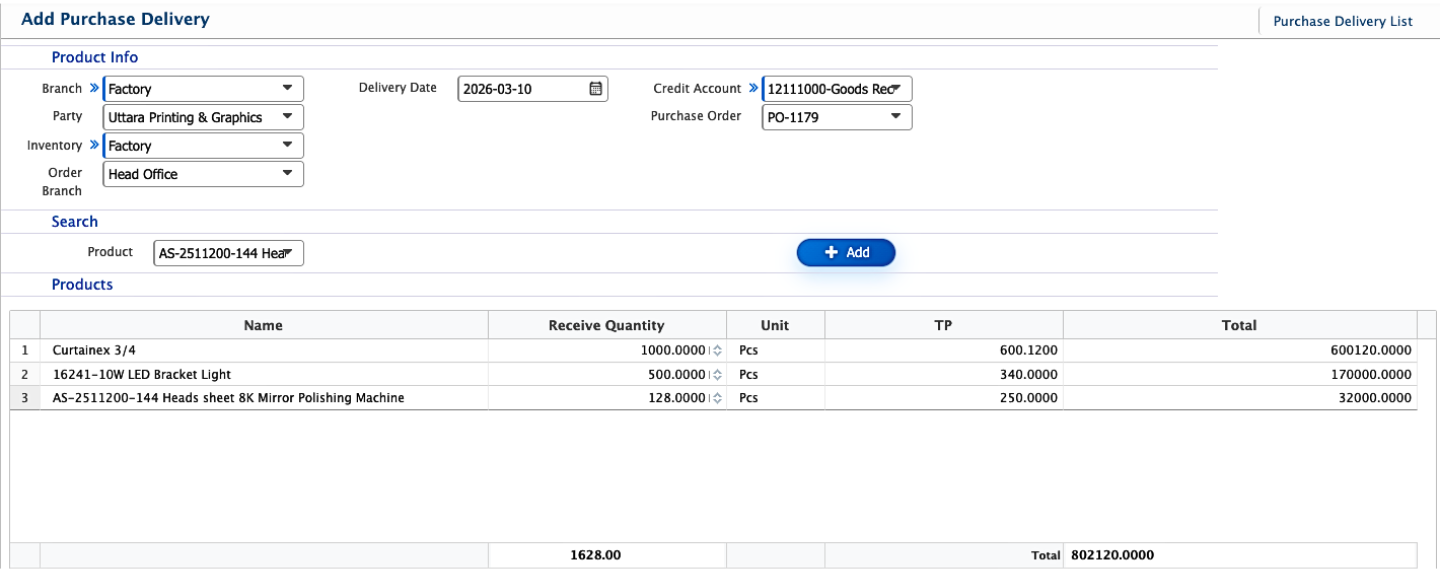
Add Purchase Delivery
| Field | Action |
|---|---|
| Branch | Select the branch where the purchase delivery is recorded. |
| Party | Select the supplier or party from whom the products are received. |
| Inventory | Select the inventory location where the received products will be stored. |
| Order Branch | Select the branch associated with the related purchase order. |
| Delivery Date | Enter or select the date when the products are received. |
| Credit Account | Select the accounting ledger used to record the credit entry for the received goods. |
| Purchase Order | Select the purchase order linked to this delivery. |
| Product | Enter the product name to add items to the purchase delivery. |
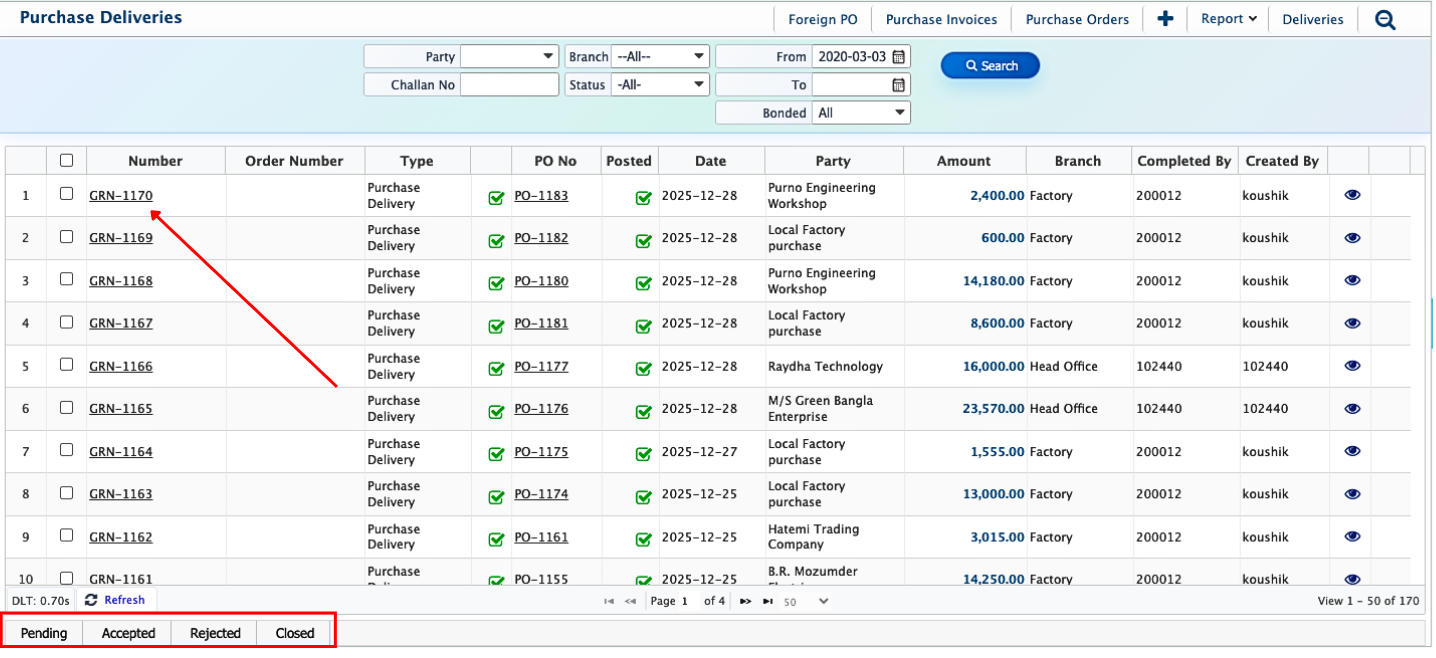
After a Purchase Delivery (GRN) is added, it immediately appears in the Purchase Delivery List. Users can use the search panel to filter and locate a specific GRN. Each GRN has a status that reflects its current stage: Pending, Completed, Rejected, or Closed. Users can update the status at any point, and even edit a GRN after it has been closed if adjustments are needed. Once the receiving process is fully completed, the GRN can be marked as Closed to finalize it in the system.
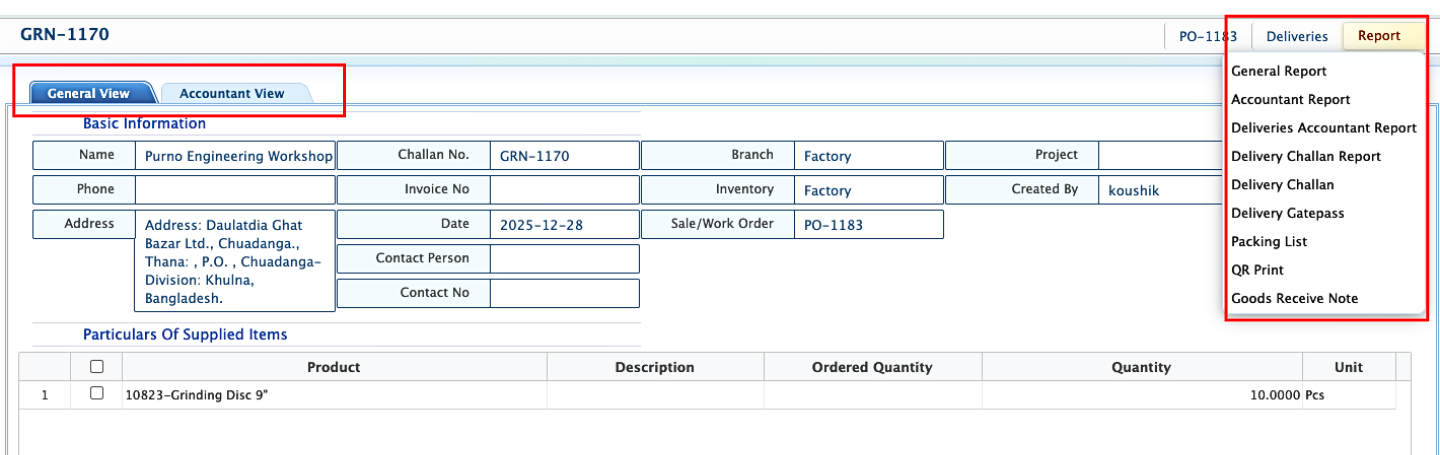
Clicking on a GRN opens its Details Page, where information is organized in two views: General View for operational details such as delivery dates, quantities, branch, and party information, and Accountant View for ledger entries and financial tracking. From this page, users can generate reports such as delivery challans and other receiving documents, which can be viewed or downloaded in multiple formats.