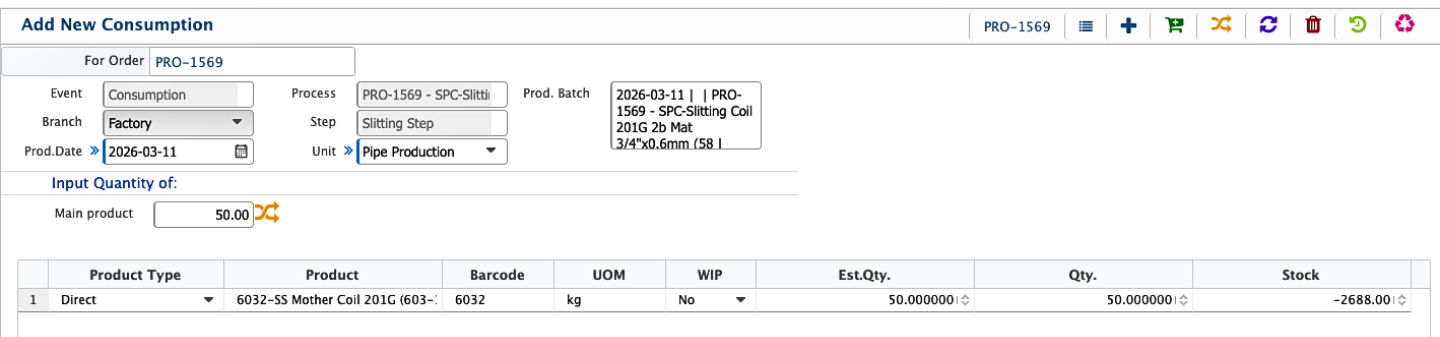
Material Consumption
In PrismERP, Material Consumption records materials consumed for various purposes, such as production, internal usage, damage, or broken items. Each consumption entry captures details such as order, process, and step. Added consumptions appear in the Material Consumption List, where they can be searched and filtered. The list shows key information for each entry, including the associated items and quantities. No separate status update or detailed view is available for individual consumption.
Add New Material Consumption
| Field | Action |
|---|---|
| Order | Specify the order or sequence in which the material consumption is processed. |
| Process | Select the process or workflow under which this consumption falls. |
| Step | Choose the step within the selected process for the material consumption. |
| Quantity | Enter the quantity of the material being consumed. |
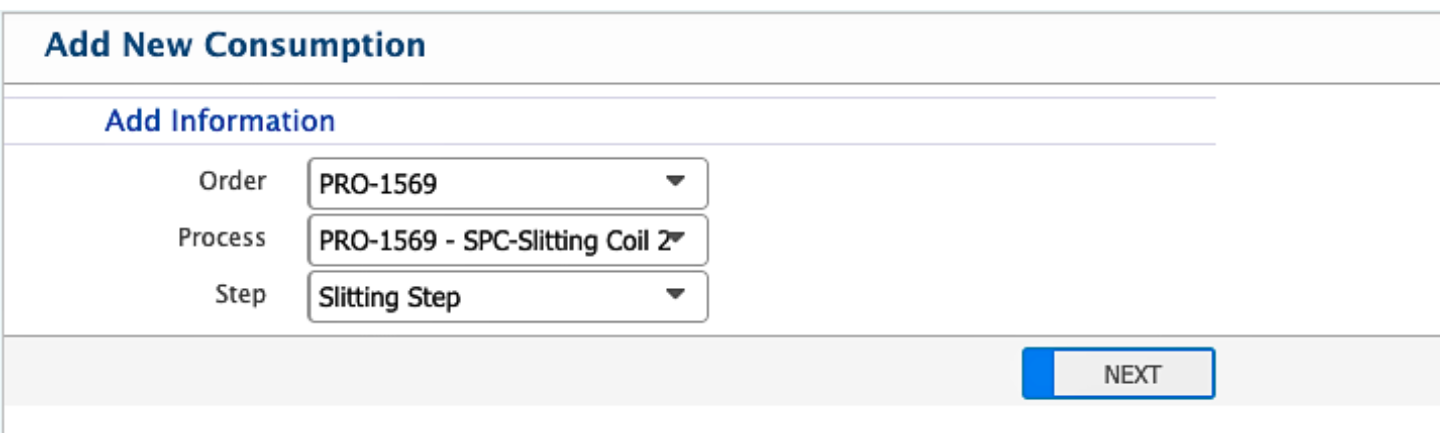
After entering the order, process, and step, the user clicks Next, which opens the Add New Material Consumption page. On this page, the user enters the quantity of the materials being consumed. Once completed, the new Material Consumption is added and immediately appears in the Material Consumption List, where it can be searched and filtered.