Stock Ledger
The Stock Ledger in PrismERP provides a complete record of all stock movements for your products. It shows the history of every transaction that affects inventory, including purchases, sales, stock issues, transfers, and adjustments, along with the corresponding stock quantity and value.
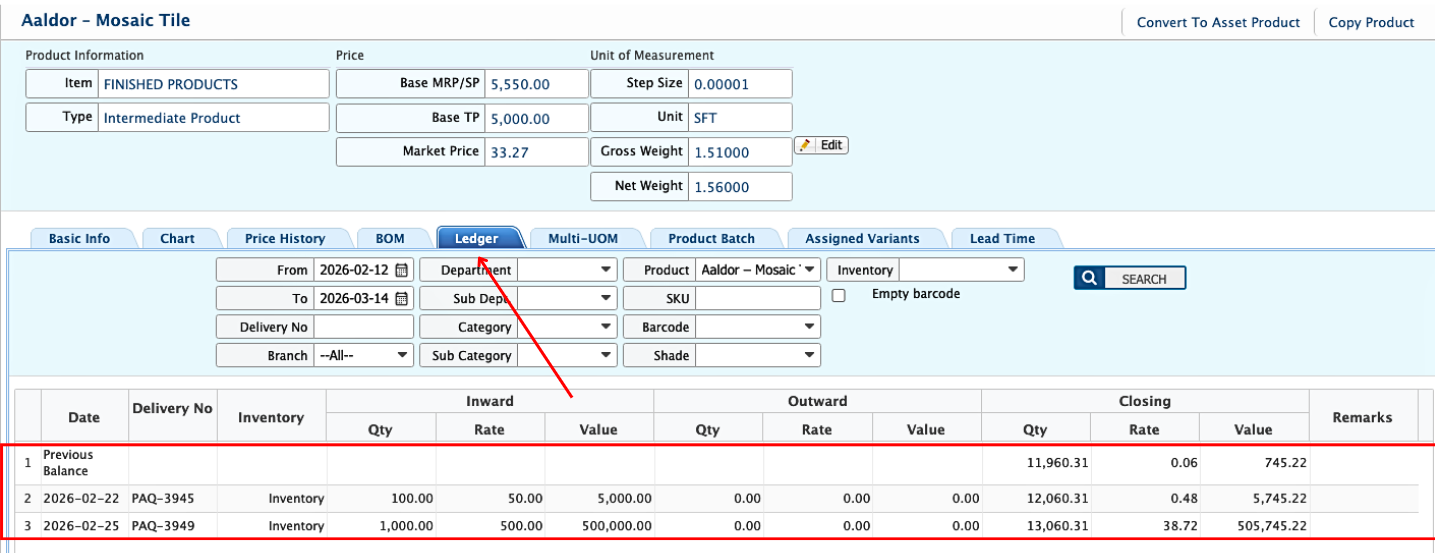
For individual products, users can go to the Product Master tab and select a product. Within the product details, the Ledger tab displays all the stock transactions for that specific item. Each entry shows the date, transaction type, quantity added or removed, and the calculated cost according to the costing method set during system configuration.
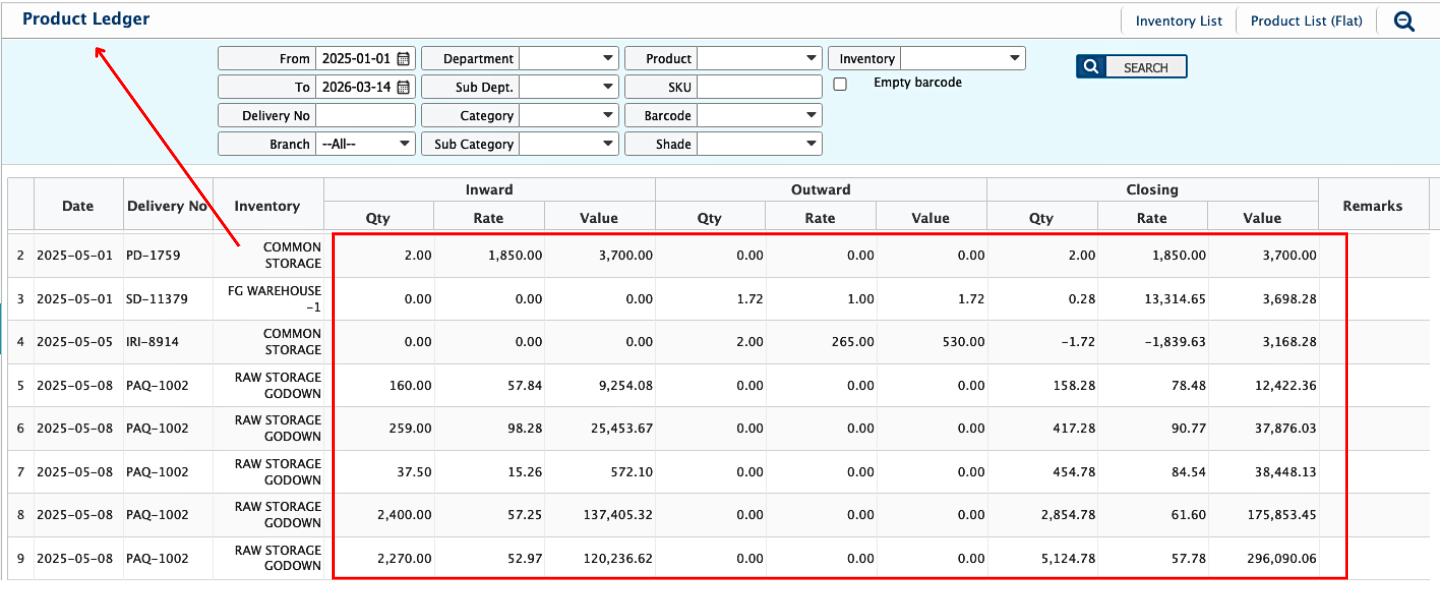
In addition to individual product ledgers, users can also navigate to the Inventory section to view the cumulative stock ledger for all products. Users can filter the data by date range, branch, department, category, subcategory, product, SKU, barcode, shade, or inventory type. For each product, the ledger displays the opening balance, inward stock, outward stock, and the closing balance along with quantities, rates, and total values. Each entry is linked to a transaction, such as a purchase delivery, stock delivery, or production issue, showing the delivery number, branch or storage location, and any remarks. The ledger records every stock addition and removal in detail, including the quantity received or issued, the cost rate applied, and the resulting value.
The Stock Ledger works in real time, updating immediately whenever any stock transaction occurs. Because the costing method is applied consistently in the backend, all entries reflect accurate quantities and values based on the selected method.