Supplier & Vendor Management
Management of vendors & suppliers is a key figure in the Supply Chain Management process. In order to maintain a strong, healthy relationship with vendors, monitoring and communication related to transactions is vital. With the application using the party management features, vendors can be easily created and managed so that you can track and get all the order transactions related to a specific supplier or vendor. (Note that not all vendors are suppliers, but all suppliers are under vendors. In this application, suppliers are managed and created from party management under the vendor section).
1) Creating Vendor from Party Management
Go to New Vendor
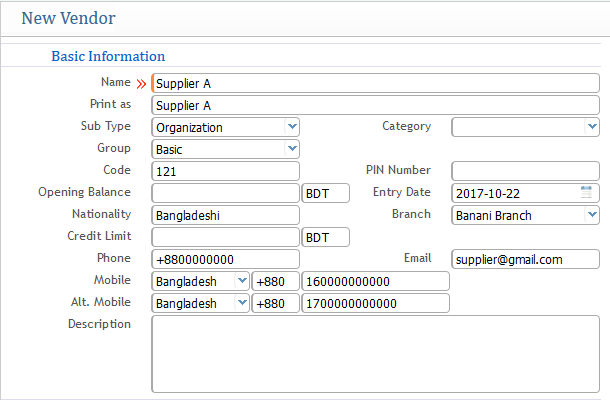
At the first field, provide all the basic information required for creating the supplier or vendor as shown above.
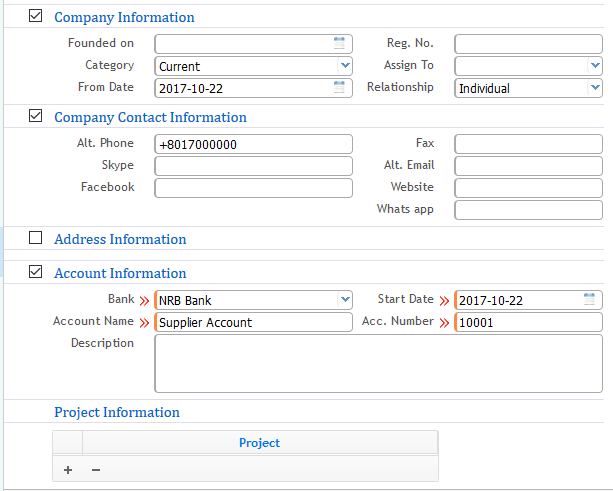
In the second section of the screenshot, you need to provide the complete information details about the vendor company along with address & account information.
2) Specific Vendor Profile Page
Go to Vendor List
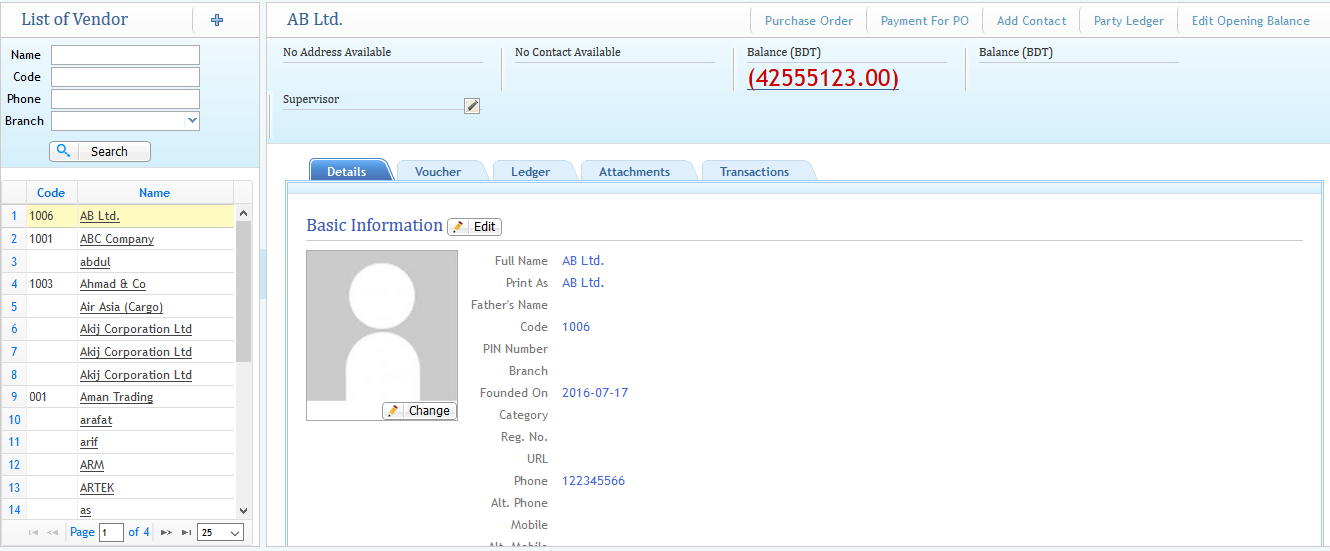
From the list page, you can see all the vendor and supplier lists as well as detailed information along with all other tabs of a specific profile. From the list, you can also visit a specific vendor's profile page by clicking on the specific vendor name on the left side of the window as shown in the above screenshot. After clicking on the specific vendor, a window will appear as shown below: