Bill of Materials (BoM)
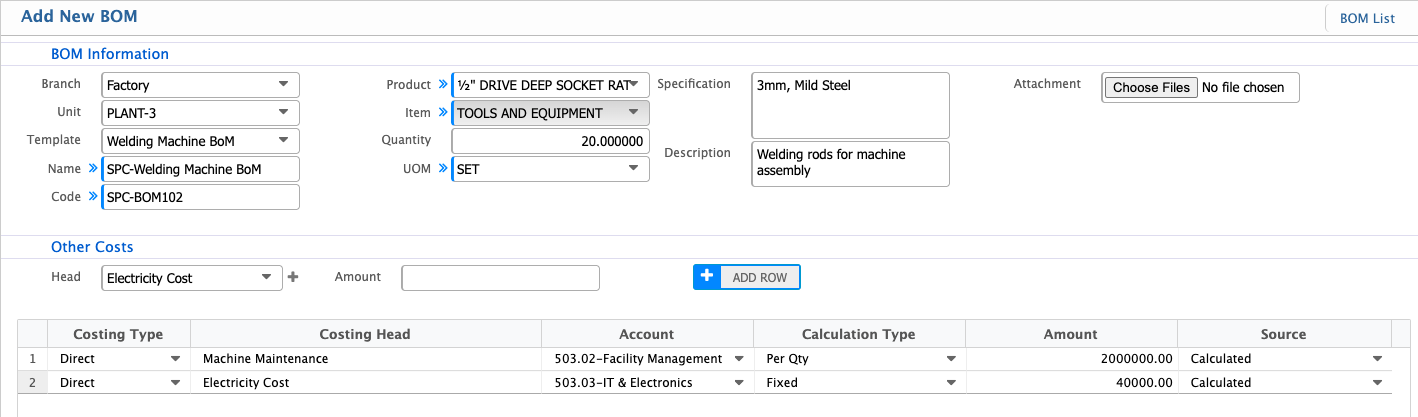
In PrismERP, a BoM lists all materials, components, and associated costs required to produce a finished product. Users can create a BoM by selecting a BoM template, which auto-populates most fields including item details, quantities, specifications, and overhead costs. Additional details, attachments, or overhead adjustments can be added as needed. Created BoMs appear in the BoM List, where users can search, review, and verify them. BoMs can be accepted or rejected based on verification. Editing is allowed only when the BoM is in Pending state; once accepted or rejected, the BoM cannot be modified.
Add New BoM
| Field | Action |
|---|---|
| Branch | Select the branch for which this BoM is being created. |
| Unit | Select the production unit associated with this BoM. |
| Template | Select an existing BoM template. Upon selection, most fields will auto-populate based on the template. |
| Name | Enter the descriptive name of the BoM or auto-loaded from the template. |
| Code | Enter a unique code for the BoM or auto-loaded from the template. |
| Product | Select the finished product for which this BoM is being created. |
| Quantity | Enter the quantity required for each item or auto-loaded from the template. |
| Specification | Enter technical details or specifications for each item or auto-loaded from the template. |
| Description | Enter any additional notes or details for each item or auto-loaded from the template. |
| Attachment | Upload any relevant files or documents related to the BoM. |
| Overhead | Enter additional overhead cost if required. |
| Amount | Update the amount if required or keep it the same as BoM Template. |
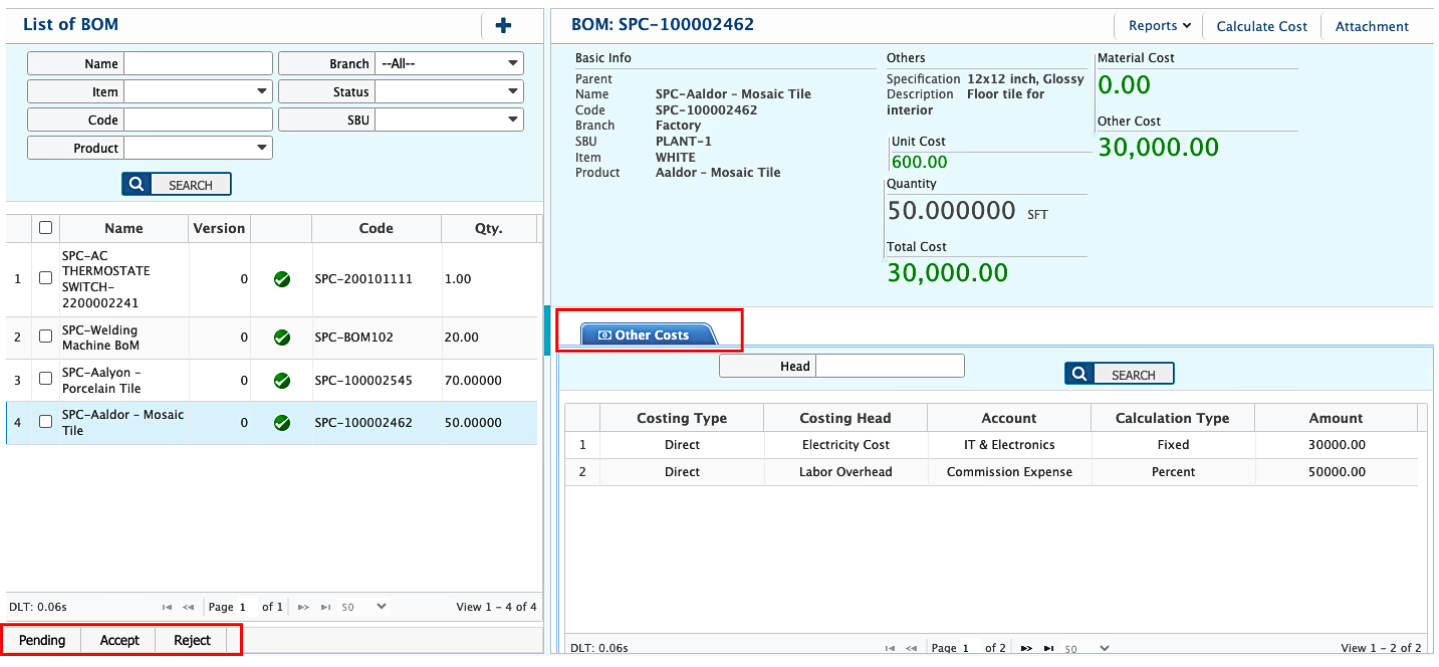
After creating a BoM, the user can view the BoM List with all details, including basic information, item quantities, and associated overhead costs. The search panel allows filtering the BoMs by Name, Branch, Code, Product, Items, and other relevant fields to quickly locate a specific BoM. Users can accept or reject a BoM directly from the list based on verification or approval. The BoM details can be edited only when the BoM is in Pending state; once accepted or rejected, the BoM cannot be modified. All changes in the pending BoMs will be reflected in the list. Users can also preview and download BoM reports in multiple formats.