BoM Outline
In PrismERP, a BoM Template defines the structure of a Bill of Materials for a product, including all items, quantities, specifications, and associated overhead costs. Users can create a template by entering details such as Name, Code, Branch, Unit, Items, Quantity, UOM, Specification, and other costs. Once added, templates appear in the BoM Template List, where they can be searched, reviewed, and edited if needed. Templates can be activated or deactivated, and once finalized, they can be locked to prevent further changes. This ensures a consistent BoM structure can be reused for multiple production processes.
Add BoM Template
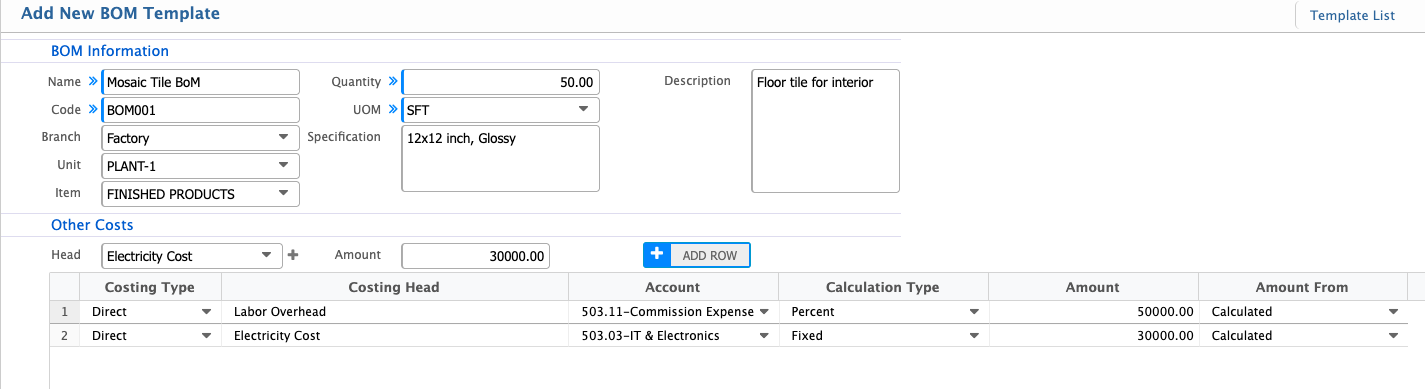
| Field | Action |
|---|---|
| Name | Enter the descriptive name of the BoM for easy identification. |
| Code | Enter a unique code to identify the BoM within the system. |
| Branch | Select the branch where this BoM will be used. |
| Unit | Select the production unit associated with this BoM. |
| Item | Select the raw material or component used in the BoM. |
| Quantity | Enter the required quantity of the selected item for the BoM. |
| UOM | Select the unit of measure (UOM) for the item quantity. |
| Specification | Enter any specific details or technical specifications of the item. |
| Description | Enter additional information or notes about the item or BoM. |
| Other Costs Head | Select the overhead cost head associated with this BoM, if any. |
| Amount | Enter the cost amount related to the selected overhead cost head. |
| Costing Type | Select the costing type like direct or indirect. |
| Amount From | Select the source of amount if it is actual or calculated. |
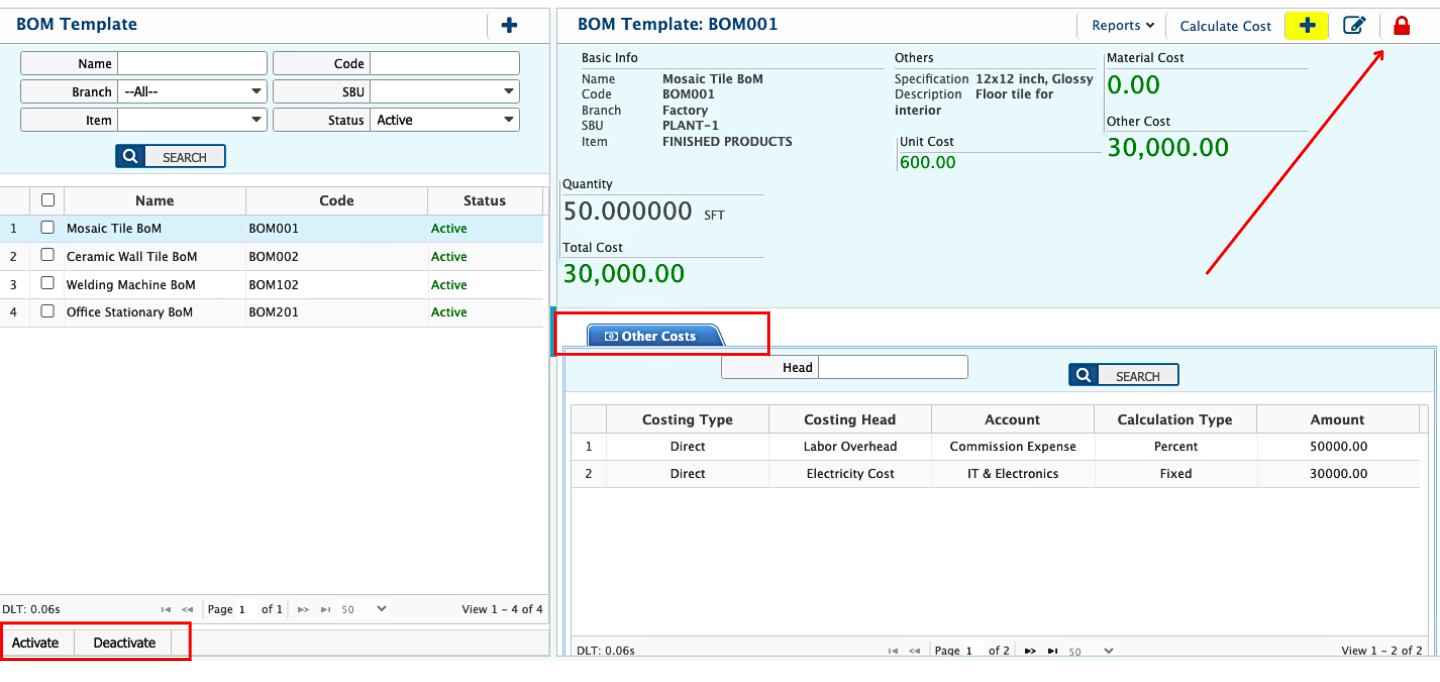
After adding a BoM template, the user can view the BoM Template List with all details, including basic information, item quantities, and associated overhead costs. The search panel allows filtering the templates by Name, Branch, Code, Items, and other relevant fields to quickly locate a specific template. Users can activate or deactivate templates directly from the list. The template outline can be edited later if needed. Additionally, users can lock a template, preventing any further edits once it is finalized.