BoM Recalculation
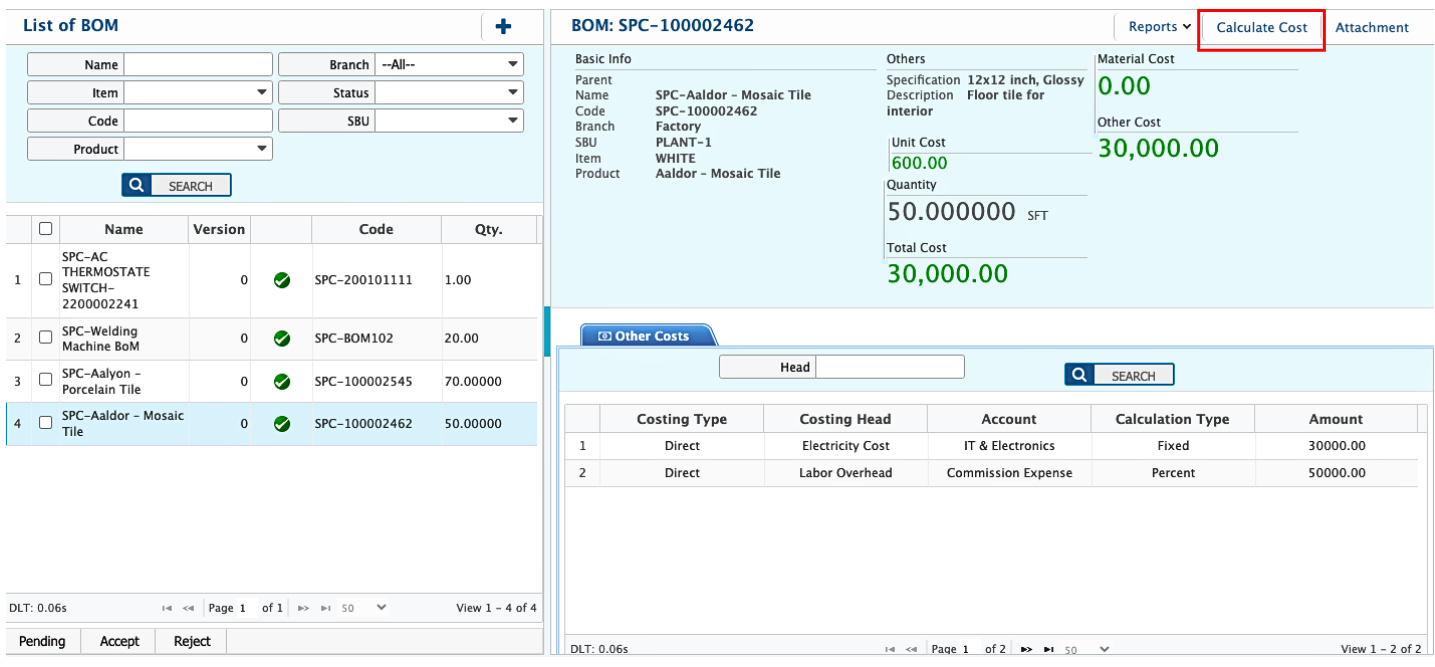
In PrismERP, BoM Recalculation is the process used to update all cost-related information for an existing Bill of Materials (BoM) or BoM Template. When a BoM is selected from the list, users can click the Cost Calculate button to automatically recalculate the cost of each item based on its quantity, specification, and assigned manufacturing or overhead cost heads. The recalculation also updates any associated overheads or other costs defined in the BoM. Once the calculation is complete, the total cost of the BoM is updated to reflect the latest data.
BoM Recalculation is available not only in the BoM List but also in the BoM Template List and Pre-Costing List. It ensures that any modifications in item rates, overhead costs, or quantities are captured in the cost structure. The recalculation process does not change the BoM structure itself; it only updates the cost fields to reflect the most current financial data.