BOQ/BOM Preparation
The Project BOQ (Bill of Quantities) in PrismERP is a structured list that outlines the materials, labor, and associated costs required for project execution. It serves as the foundation for accurate budgeting, procurement planning, and cost tracking throughout the project lifecycle. This feature enables organizations to define detailed material requirements for each task or work segment within a project, ensuring better control over resources and financials.
Key Features
BOQ Preparation: Define and organize required materials, services, and their quantities against specific project components.
Cost Estimation: Assign cost values to each item for accurate financial planning.
Item Categorization: Classify items by material type, task, or cost center for easier management.
Integration with Requisition: Enables automatic generation of material requisitions directly from the prepared BOQ.
Real-Time Updates: Reflects updates in quantities, rates, and availability throughout the project execution.
Steps to Utilize this Feature in PrismERP
BOQ Categories in PrismERP
BOQ Categories in PrismERP help classify and organize line items under meaningful groups, making project cost estimation and analysis more structured and transparent. Categories such as Transport, Entertainment, Labor, Materials, or Machinery can be added and assigned to each BOQ line item.
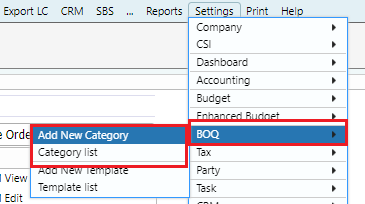
Add New Category and Category List
To maintain category-wise product classification within the BOQ, users must first create BOQ Categories in PrismERP.
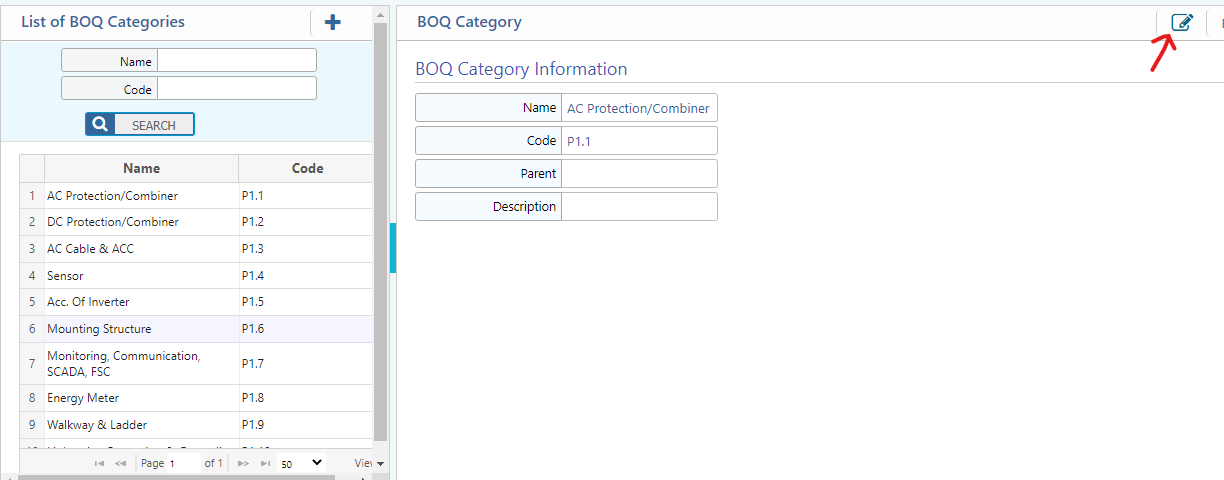
By entering the Name, Code, and Description of the category and clicking Save, the system will automatically redirect to the Category List page. From there, users can view, manage, or update existing categories as needed.
This ensures that BOQ items can be properly grouped and analyzed based on predefined categories for better tracking and reporting.
BOQ Template
PrismERP offers a BOQ Template feature that allows users to create and reuse predefined BOQ formats across multiple projects. This functionality enhances efficiency and consistency by enabling the use of the same structure whenever similar project requirements arise.
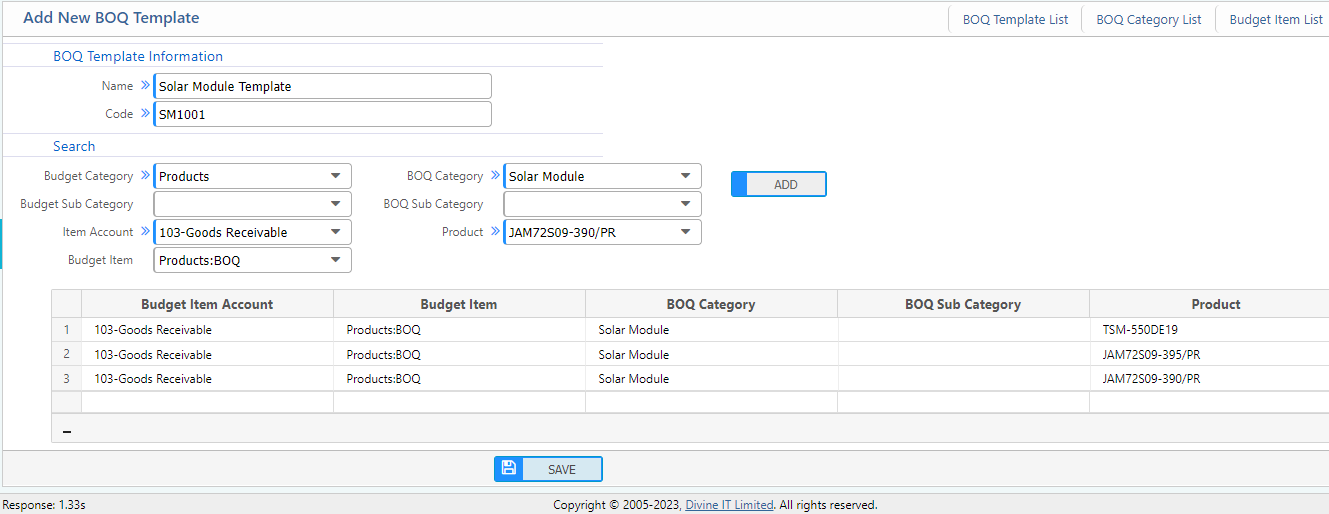
While creating a BOQ template, the following fields must be completed:
- BOQ Name: The title or name of the BOQ template.
- Code: A unique identifier for the BOQ template.
- Budget Category: The budget category under which the BOQ item falls.
- Item Account: The specific account associated with the budget item.
- Budget Item: The budget line from which the expense will be incurred.
- BOQ Category: The classification of the BOQ item (e.g., Transport, Labor, Materials).
- Product: The product to be used, selected from a predefined dropdown list.
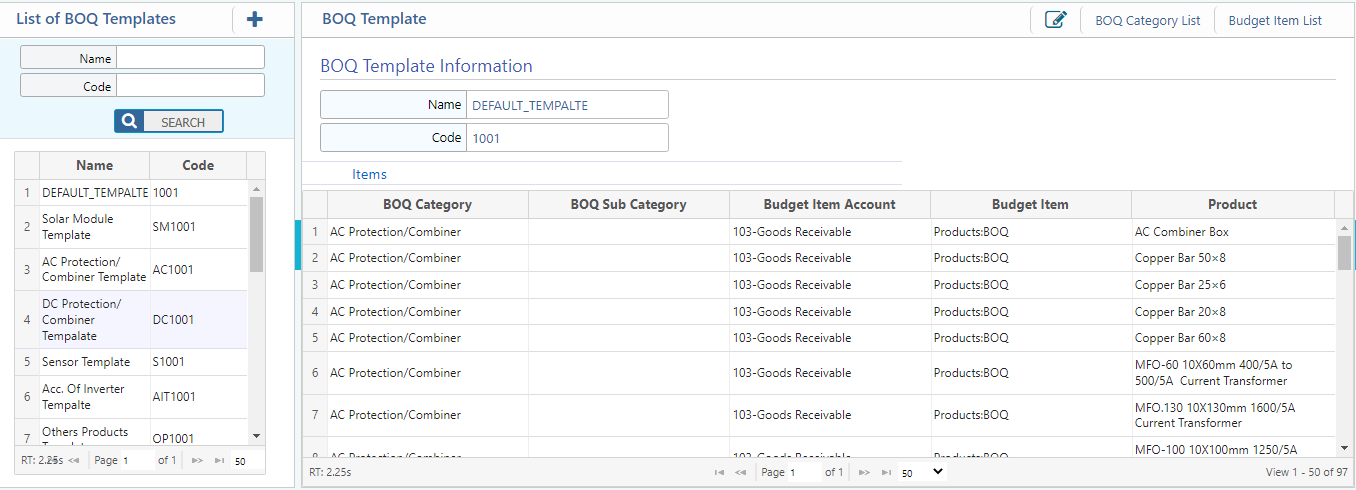
By using BOQ templates, users can streamline project setup, reduce manual entry, and maintain uniformity across project budgeting activities.
Template Load
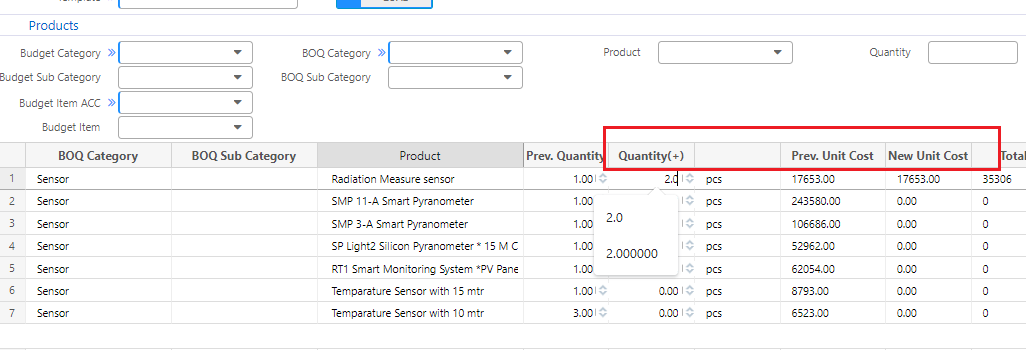
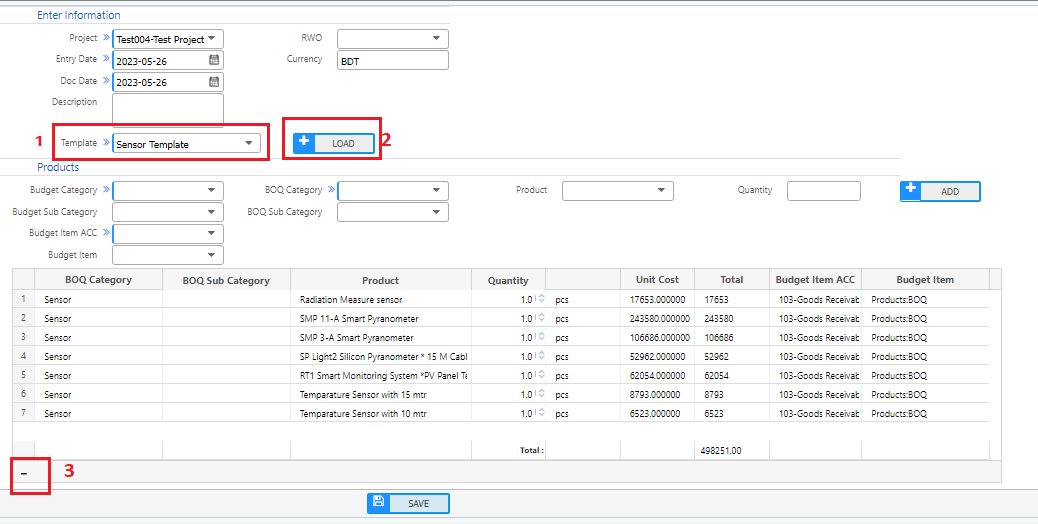
To create a BOQ from the BOQ template, under the template field (marked as 1) select a template which was created previously. Press the load button to load all the products in the grid. If the user needs to delete any product from the grid, select the product and click on the minus (-) button in the left corner (Marked as 3). Based on requirements, users can input the product quantity under the quantity field and also modify the unit cost.
Single Product Load
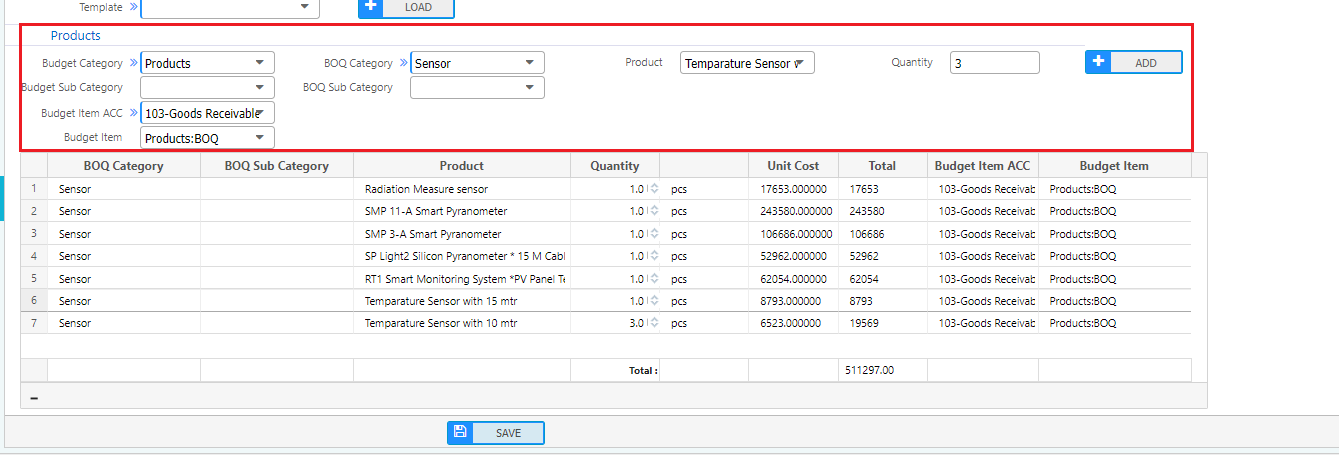
PrismERP allows users to add products individually in the grid. Users need to input the budget category, budget item account, budget item, BoQ quantity, and product, then click the add button. That specific product will be displayed in the grid.
Master BOQ
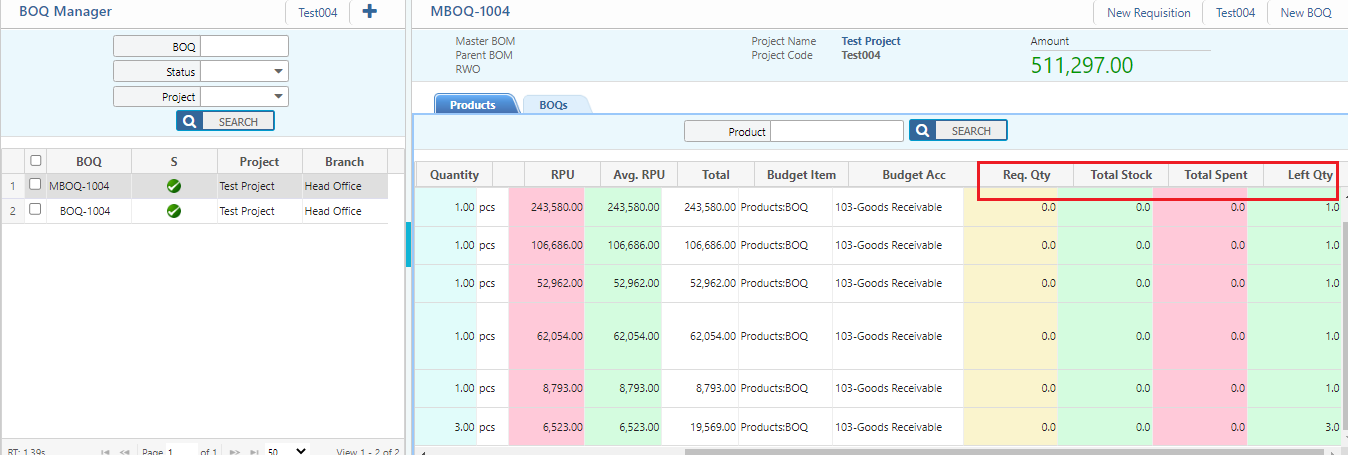
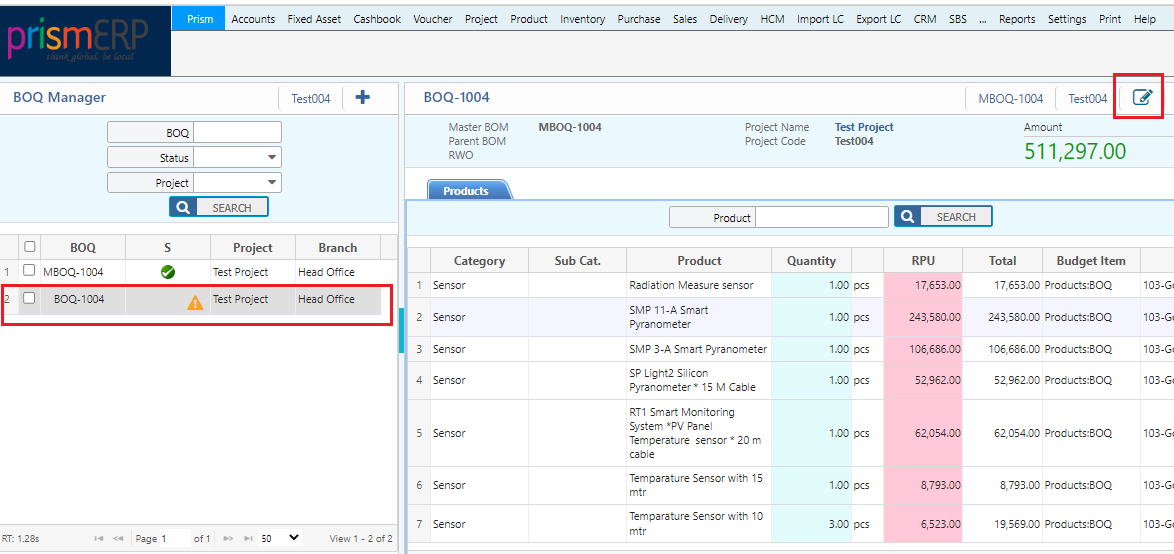
After creating the BoQ, a master BoQ will be created automatically with an approved status. The naming format of the master is (MBOQ-1004). From the master BoQ, users can view the requisition quantity, total stock, total spent, and remaining quantity. Users can create new requisitions from the master BoQ.
Draft BOQ
Click the edit button on the top right corner to update the BoQ. After approval, any changes to the BOQ require creating a BOQ amendment.
Amendments, Revisions, and Adjustments
PrismERP allows users to make controlled amendments, revisions, and adjustments to an existing BOQ (Bill of Quantities) to ensure that project requirements remain aligned with real-time changes in scope, budget, or execution.
Amendments refer to minor changes or corrections made to a BOQ line item—such as quantity updates, rate corrections, or unit changes—without altering the overall structure. These can be done directly from the BOQ editing screen if the project stage permits.
BOQ Price Amendment

BOQ Product Amendment