BoQ Installation and Setup
Installation and Setup
In this section, you will find instructions on how to install and set up the BoQ module within your PrismERP system. It covers prerequisites, installation procedures, and any additional configurations required to enable the module.

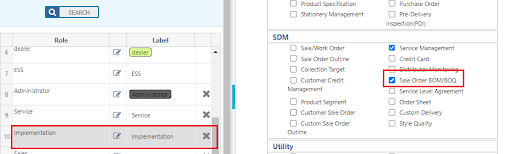
To access this BoQ module go to System Module and ensure the module is checked.
User Roles and Permissions
Understanding user roles and permissions is crucial for ensuring appropriate access and control within the BoQ module. This section explains the different user roles available, their respective permissions, and how to assign them to users effectively.
Module Permission to a Role:
A user role needs to be created with module permission.
URL Permission to a Group:
By marking a URL means, you are granting that permission to the user. But make sure URL permissions are given correctly.
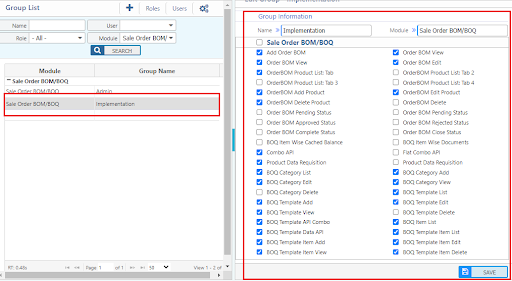
By marking a URL means the user is given that permission. But make sure URL permissions are given correctly.
Navigating the BOQ Module
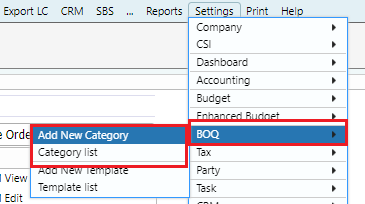
Add New Category and Category List
Path Add New Category Category List`
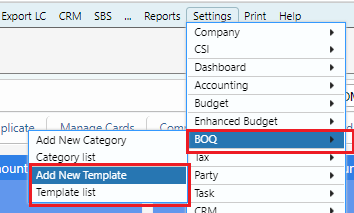
Add New Template and Template List
Path Add New Template Template List
New BOQ/BOQ Manager
Path Click Button to add New BOQ