BoQ Monitoring
New BOQ/BOQ Manager
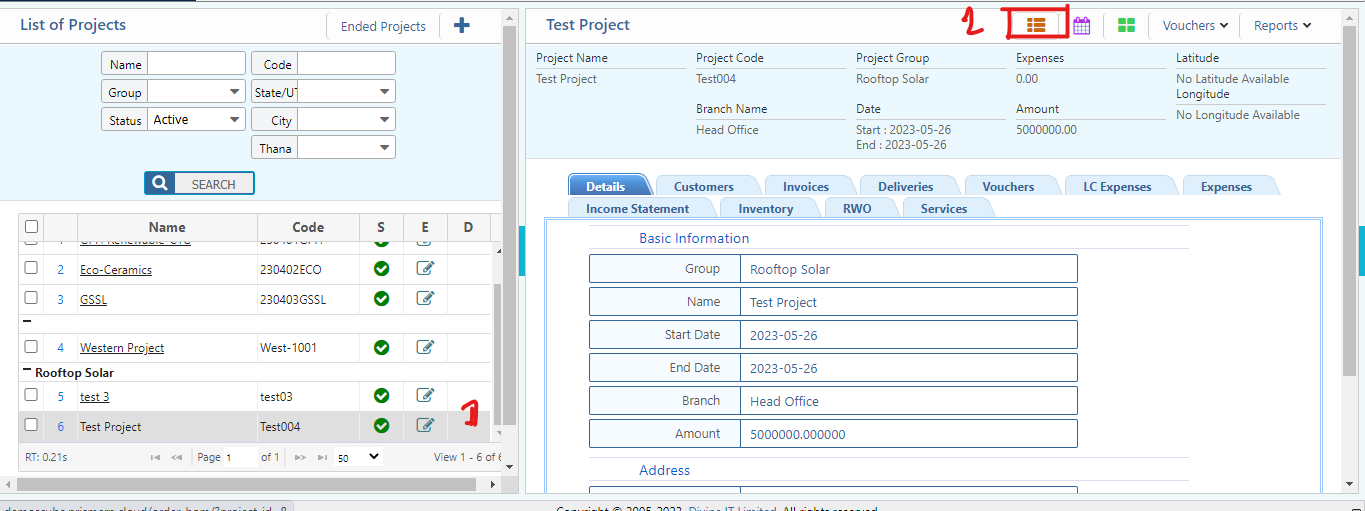
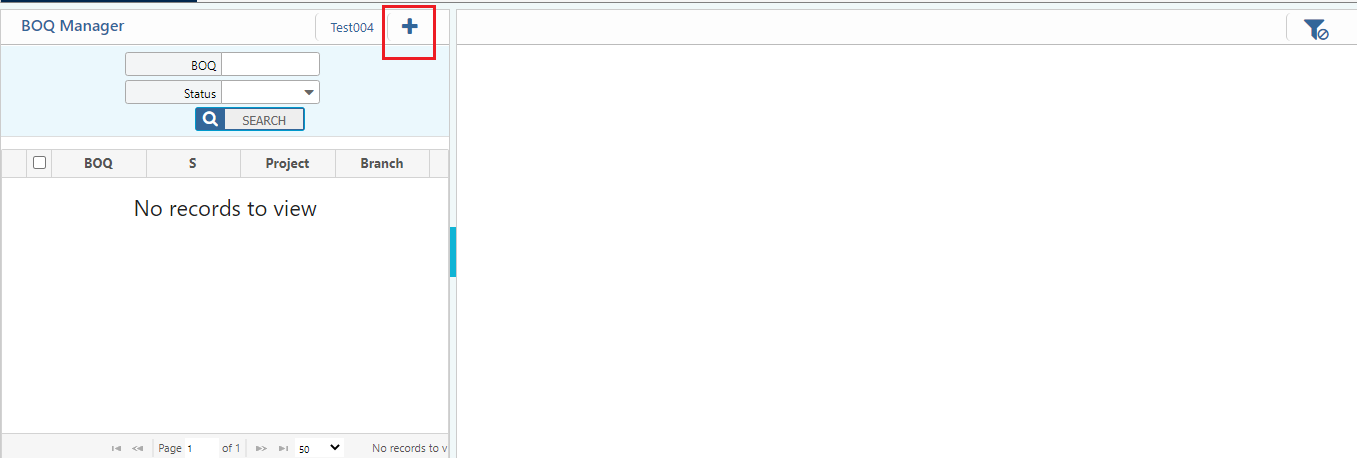
Click on project, go to Top right corner in the page click BOQ manager Click BOQ Manager (Click (+) Button to add New BOQ)
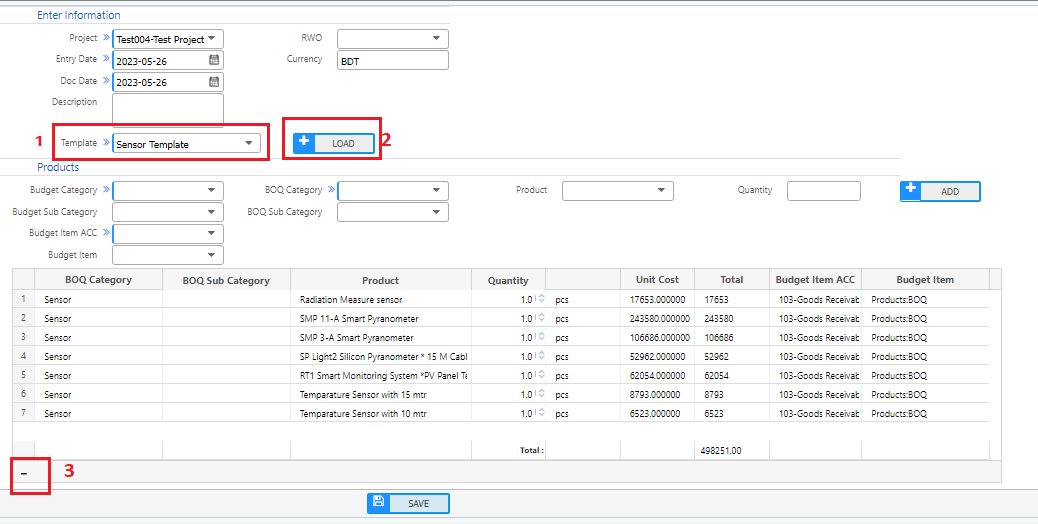
Template Load:
To create a BOQ from the BoQ template, under the template field (marked as 1) select a template which was created previously. Press the load button to load all the products in the grid. If the user needs to delete any product from the grid, select the product and click on the minus (-) button in the left corner (Marked as 3). Based on requirements, users can input the product quantity under the quantity field and also modify the unit cost.
Single Product Load:
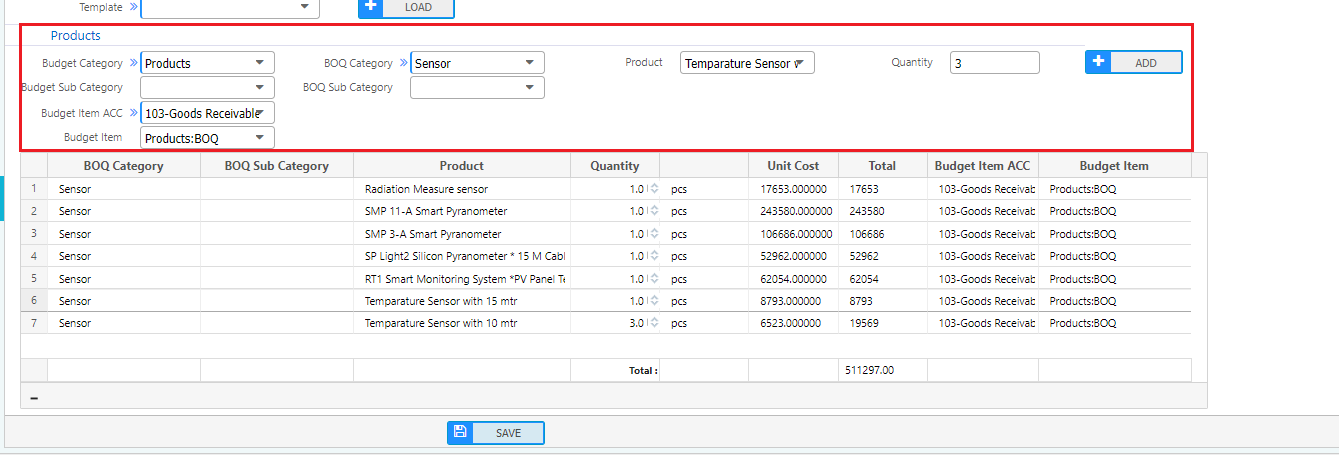
PrismERP allows users to add products individually in the grid. Users need to input the budget category, budget item account, budget item, BoQ quantity, and product, then click the add button. That specific product will be displayed in the grid.
Master BOQ:
After creating the BoQ, a master BoQ will be created automatically with an approved status. The naming format of the master is (MBOQ-1004). From the master BoQ, users can view the requisition quantity, total stock, total spent, and remaining quantity. Users can create new requisitions from the master BoQ.
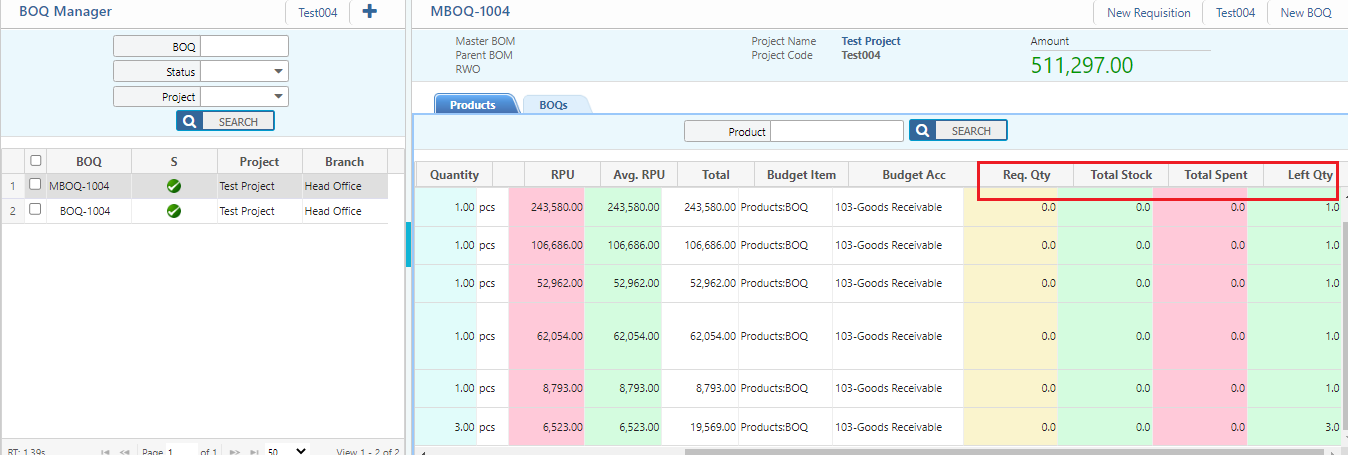
Draft BOQ:
After saving BOQ, before approving the BOQ, it is saved as a draft BoQ
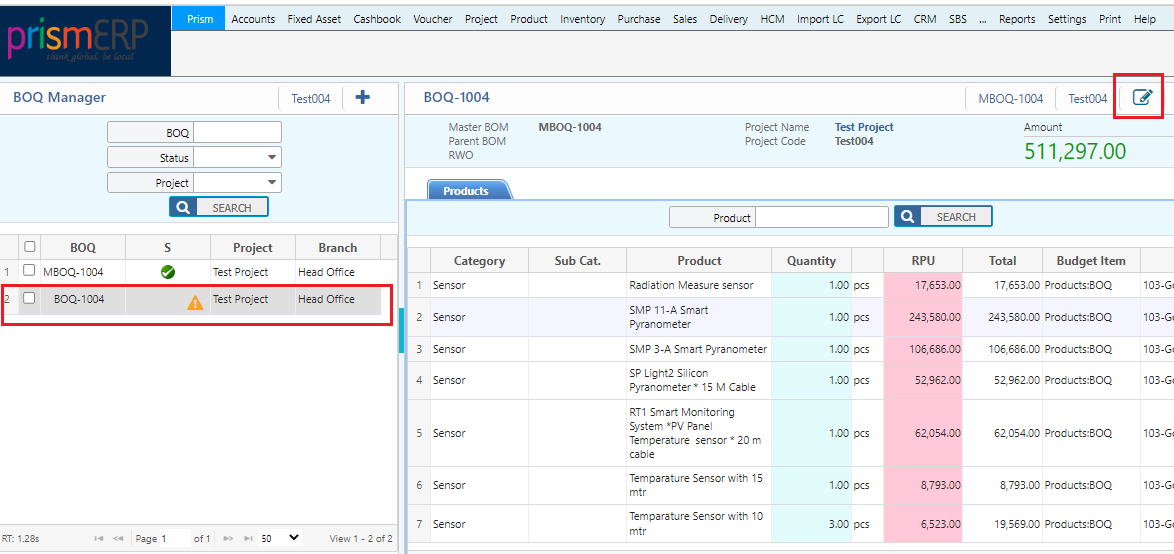
Click the edit button on the top right corner to update the BoQ. After approval, any changes to the BOQ require creating a BOQ amendment.
Amendments, Revisions, and Adjustments
BOQ Amendment

BOQ Price Amendment
In the top right corner of the page BOQ(Click On Make amendment Button) Then Change the Price of the Product

New unit cost is calculated as:
{(Left Quantity * Previous Unit Price ) + (New Purchase Quantity * Unit Price)} / (Left Quantity + New Purchase Quantity)
BOQ Product Amendment
In the top right corner of the page BOQ(Click On Make amendment Button) Then Add new Product`
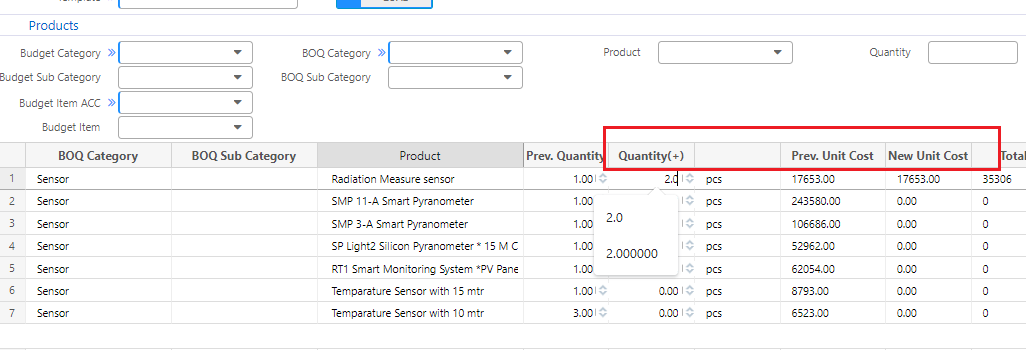
To amend product quantity, input additional quantities in the quantity field.