Stationery Management
The Stationery module in PrismERP helps manage stationery items efficiently, from creating requisitions and assignments to tracking stock and generating ledger reports. Users can raise requests, assign items to employees, update statuses, and monitor inventory across branches. Detailed views and filters ensure clear tracking of all transactions and approvals.
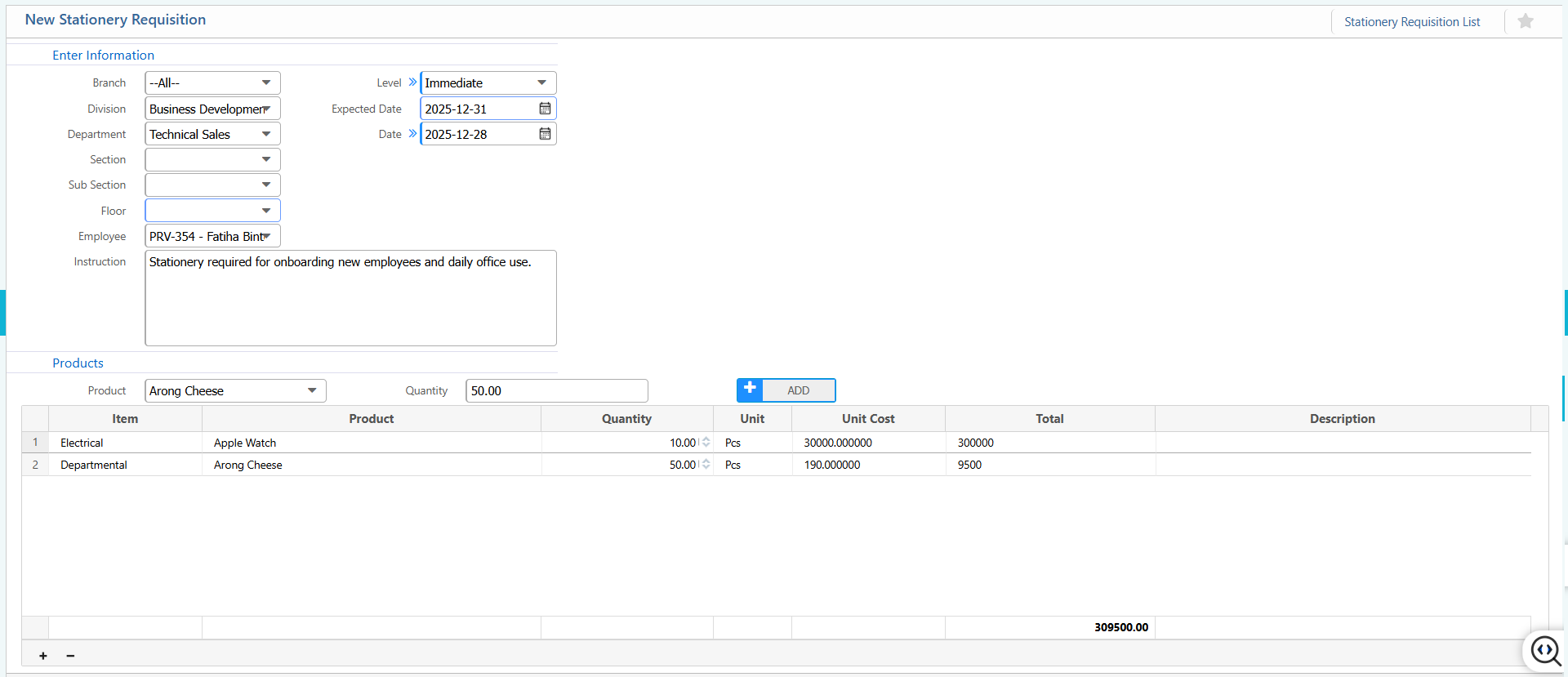
1. New Stationery Requisition
| Field | Action |
|---|---|
| Branch | Select the branch under which the stationery requisition is created. |
| Division | Select the division requesting the stationery items. |
| Department | Select the department responsible for the requisition. |
| Section | Select the section within the department raising the request. |
| Sub Section | Select the sub-section, if applicable. |
| Floor | Select the floor or physical location where the stationery will be used. |
| Employee | Select the employee associated with the requisition. |
| Level | Select the requisition or approval level. |
| Immediate | Select whether the requisition requires urgent processing. |
| Expected Date | Select the date by which the stationery items are required. |
| Date | Select the date the requisition is created. |
| Instruction | Enter any notes or instructions related to the requisition. |
| Product | Select the stationery product being requested. |
| Quantity | Enter the required quantity of the item. |
| Unit Cost | Enter the cost per unit of the item. |
2. List of Stationery Requisition
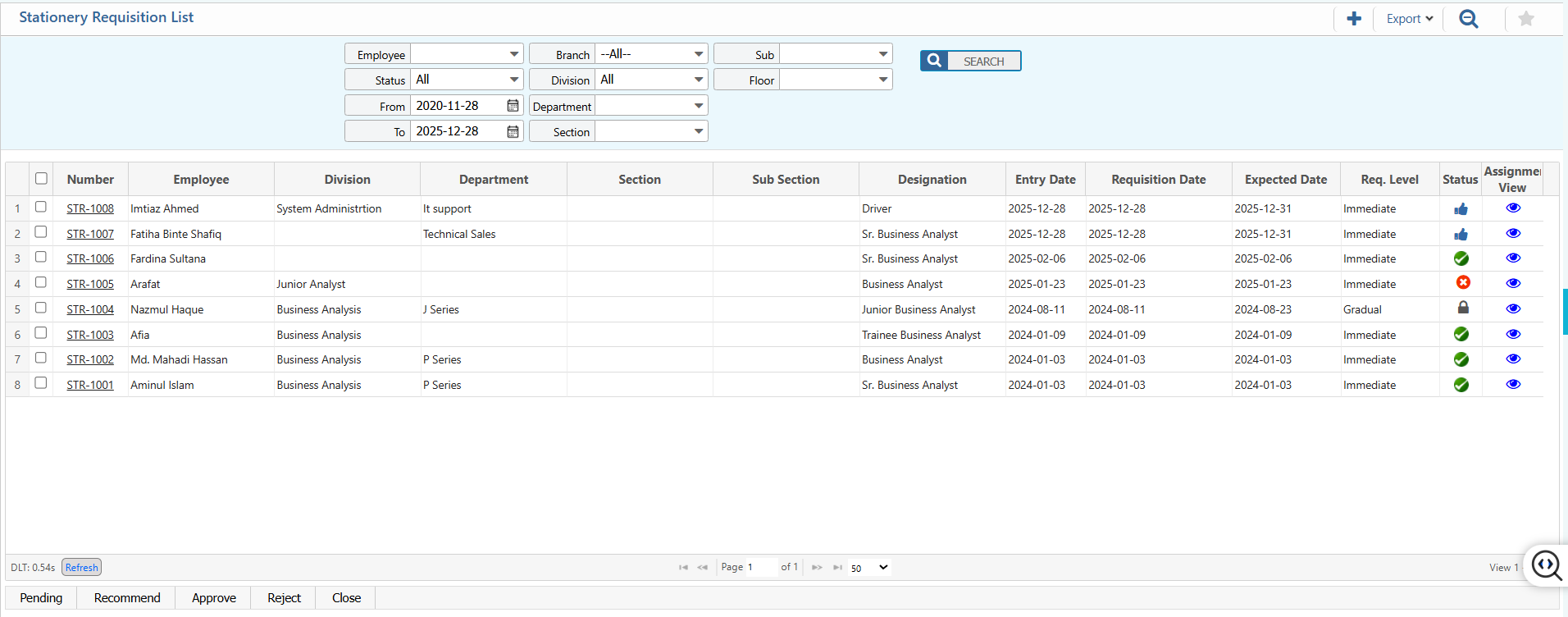
2.1 Search,Filter & Actions
| Field | Action |
|---|---|
| From | Search by the start date to display requisitions created on or after this date. |
| To | Search by the end date to display requisitions created on or before this date. |
| Branch | Filter by branch to display requisitions belonging to a specific branch. |
| Division | Filter by division to display requisitions raised by a specific division. |
| Department | Filter by department to display requisitions submitted by a particular department. |
| Section | Filter by section to narrow down requisitions within a department. |
| Sub Section | Filter by sub-section to further refine the results. |
| Floor | Filter by floor where the requisition is intended for use. |
| Employee | Filter by the employee who raised the requisition. |
| Level | Filter by approval or request level to display requisitions of specific urgency or hierarchy. |
| Status | Filter by the current status of requisitions (e.g., Pending, Approved, Completed). |
| Product | Search by product name to display requisitions containing that item. |
| Update Status | Update the status of a requisition directly from the list (e.g., approve, reject, complete). |
| Export | Export the filtered or searched list in the desired format (e.g., Excel, PDF). |
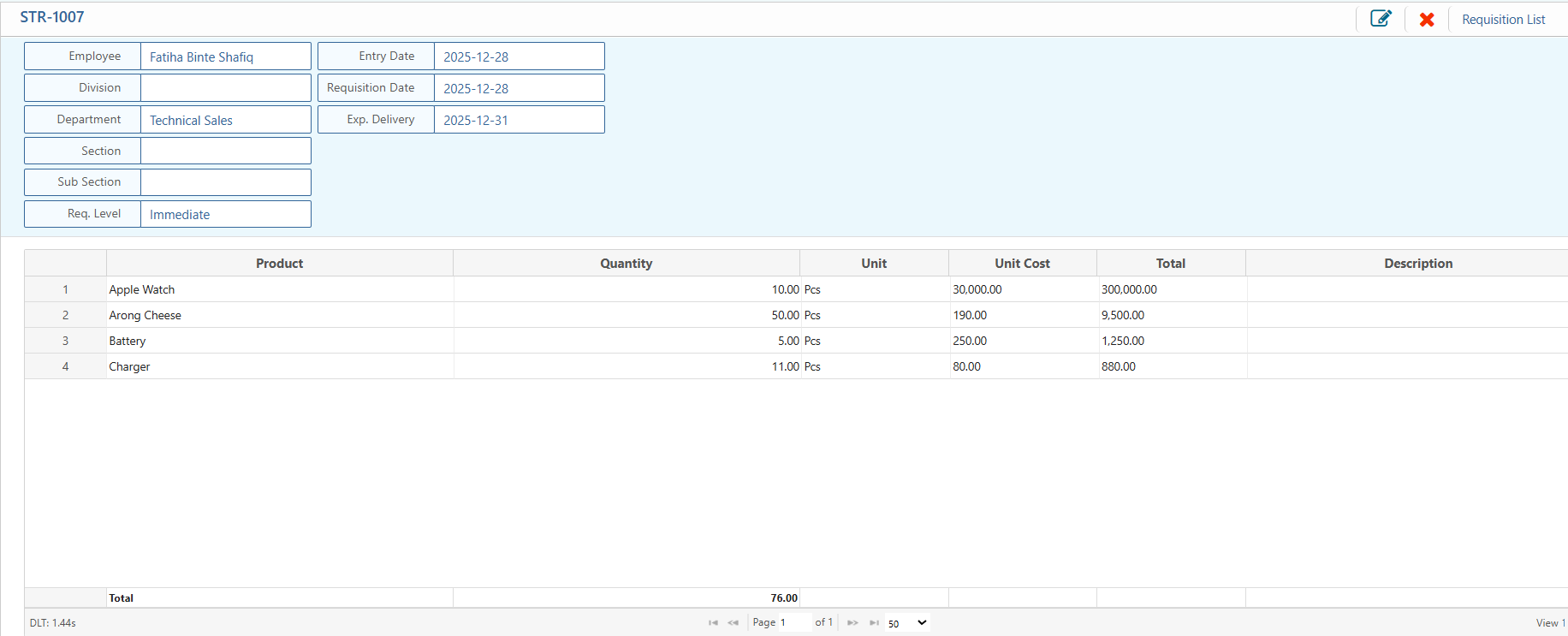
2.2 View Details & Action
| Field | Action |
|---|---|
| Basic Details | View basic details including employee, division, department, section, sub-section, requisition level, entry date, requisition date, and expected delivery date. |
| Edit | Edit the stationery requisition to update product, quantity, dates, or other details. |
| Reject | Reject the requisition if it does not meet requirements or is invalid. |
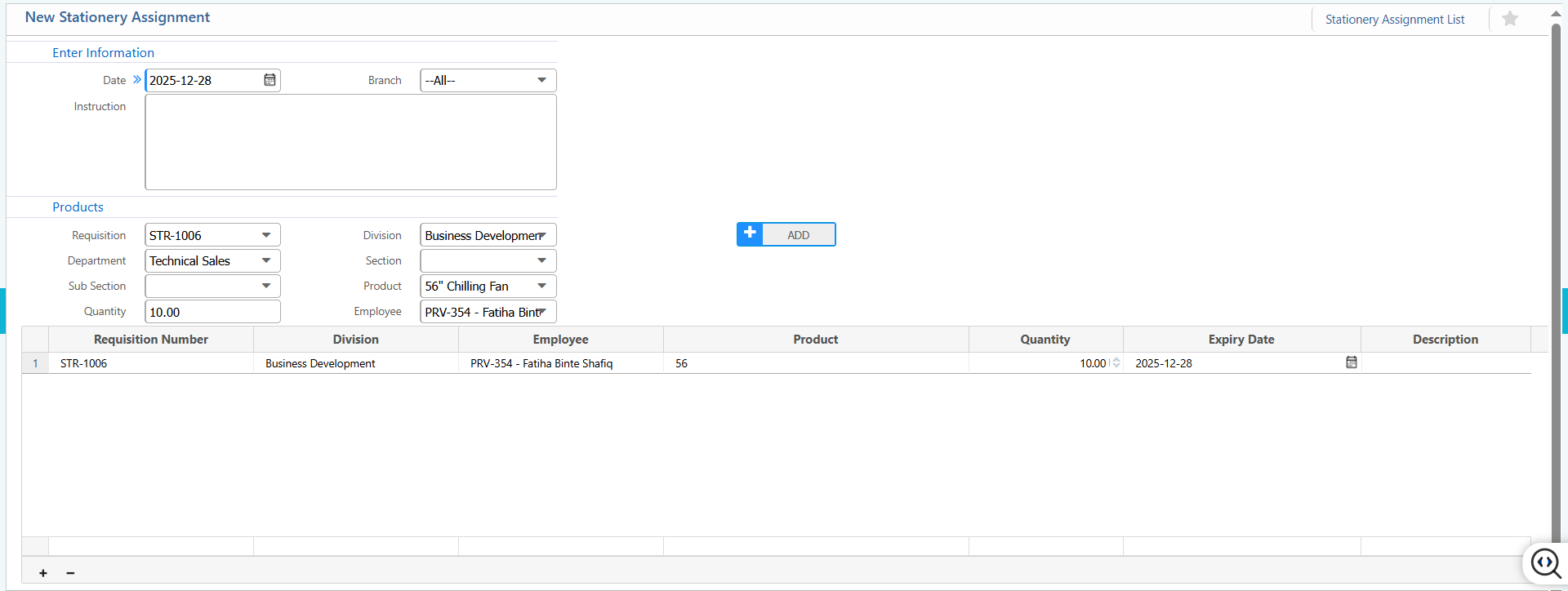
3. New Stationery Assignment
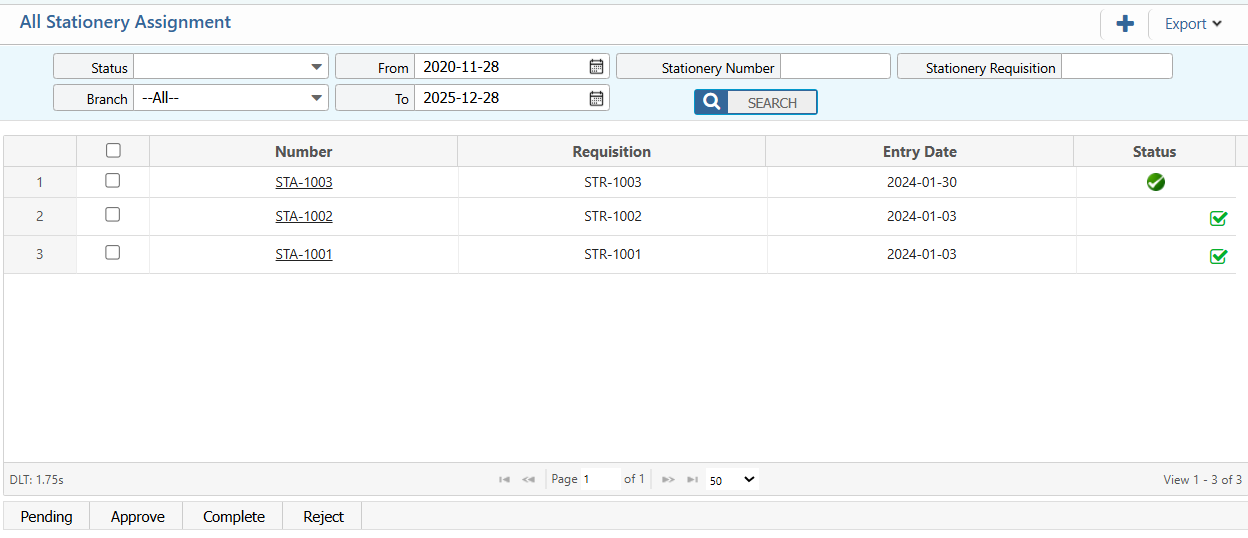
4. Stationary Assignment List
| Field | Action |
|---|---|
| Status | Filter by the current status of the stationery assignment. |
| Branch | Filter by branch to display assignments belonging to a specific branch. |
| From | Search by the start date to display assignments created on or after this date. |
| To | Search by the end date to display assignments created on or before this date. |
| Stationery Number | Search by the stationery assignment number to locate a specific assignment. |
| Stationery Requisition Number | Search by the requisition number linked to the stationery assignment. |
| Requisition Entry Date | Search by the entry date of the original requisition to locate related assignments. |
| Update Status | Update the status of a selected stationery assignment directly from the list. |
| Export | Export the filtered or searched list in the desired format. |
5. Stationery Product Ledger
| Field | Action |
|---|---|
| Branch | Filter by branch to display ledger entries for a specific branch. |
| Product | Search by product name to view ledger entries for a specific stationery item. |
| From | Search by start date to display ledger entries on or after this date. |
| To | Search by end date to display ledger entries on or before this date. |
| Details | View detailed information for each ledger entry, including transaction type, quantity, stock in/out, and balance. |
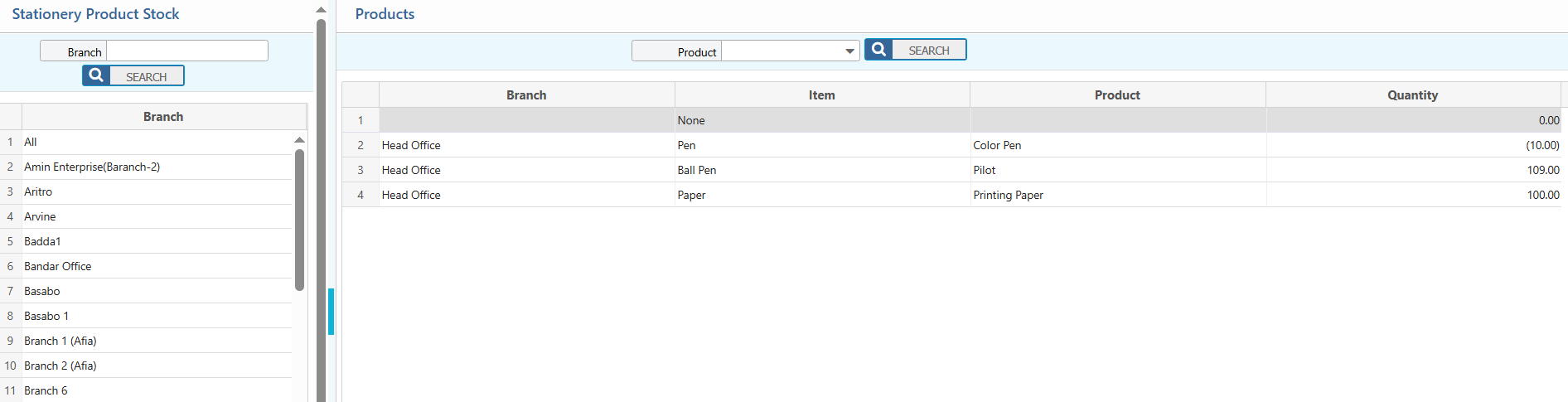
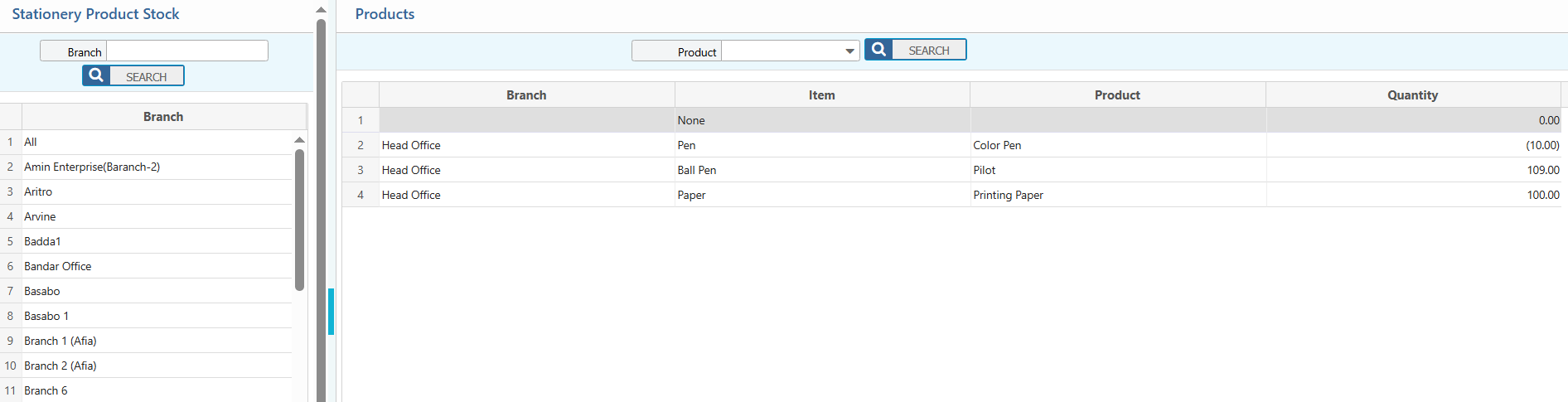
6. Stationery Product Stock
| Field | Action |
|---|---|
| Branch | Filter by branch to view stock available at a specific location. |
| Product | Search by product name to locate specific stationery items in stock. |