Campaign Management
In PrismERP campaign enables efficient planning, management, and tracking of marketing campaigns. Users can create new campaigns, define objectives, assign leads, set budgets, and monitor expected revenue and opportunities. Campaigns can be linked to organizations, opportunities, activities, and quotes for comprehensive tracking. Campaign types can be categorized, and their status can be viewed or updated, ensuring organized and actionable marketing workflows. Search and filter options allow quick access to specific campaigns for review or management.
1. New Campaign
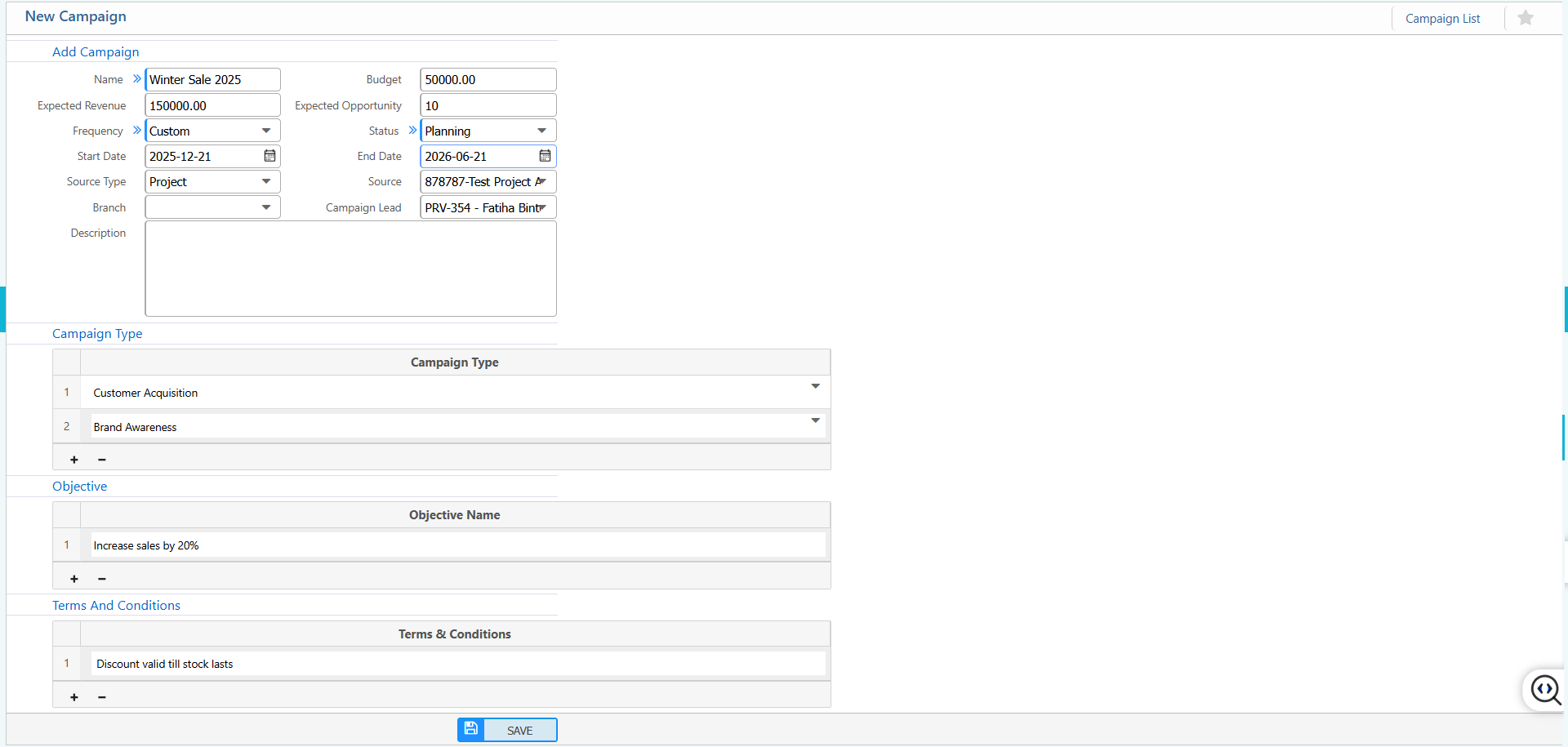
Add New Campaign:
| Field | Action |
|---|---|
| Name | Enter the name of the campaign. |
| Budget | Enter the allocated budget for the campaign. |
| Expected Revenue | Enter the projected revenue from this campaign. |
| Expected Opportunity | Enter the expected business opportunities generated from the campaign. |
| Frequency | Select the frequency of the campaign (e.g., Daily, Weekly, Monthly). |
| Custom | Enable or configure custom campaign settings. |
| Status | Set the current status of the campaign (e.g., Planning, Active, Completed). |
| Start Date | Enter the campaign start date. |
| End Date | Enter the campaign end date. |
| Source Type | Select the type of source for the campaign (e.g., Online, Offline). |
| Source | Enter or select the campaign source. |
| Branch | Select the branch associated with the campaign. |
| Campaign Lead | Enter the campaign lead or responsible person. |
| Description | Enter a brief description or notes for the campaign. |
Campaign Type:
| Field | Action |
|---|---|
| Campaign Type | Add or select one or multiple campaign types. |
Objective:
| Field | Action |
|---|---|
| Objective Name | Enter the objectives or goals of the campaign. |
Terms and Conditions:
| Field | Action |
|---|---|
| Terms & Conditions | Enter terms and conditions applicable to the campaign. |
2. List of Campaigns
| Field | Action |
|---|---|
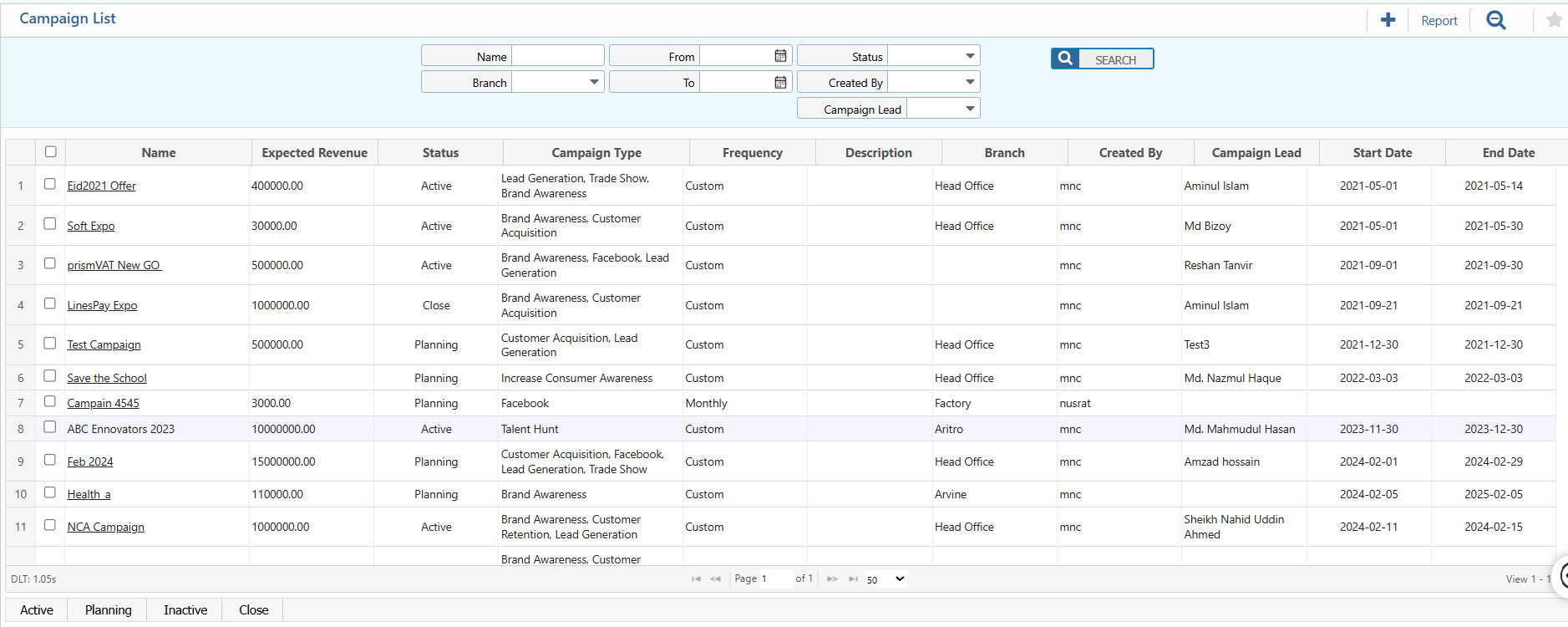
| Name | Search by campaign name to quickly locate the campaign. |
| Branch | Filter campaigns by branch or location. |
| Created By | Filter campaigns by the user who created them. |
| Campaign Lead | Filter campaigns by the assigned campaign lead. |
| From | Select the start date to display campaigns from a specific date. |
| To | Select the end date to display campaigns up to a specific date. |
| Status | View or update the status of the campaign (e.g., Active, Planning, Close). |
2.1 Campaigns Details View & Action
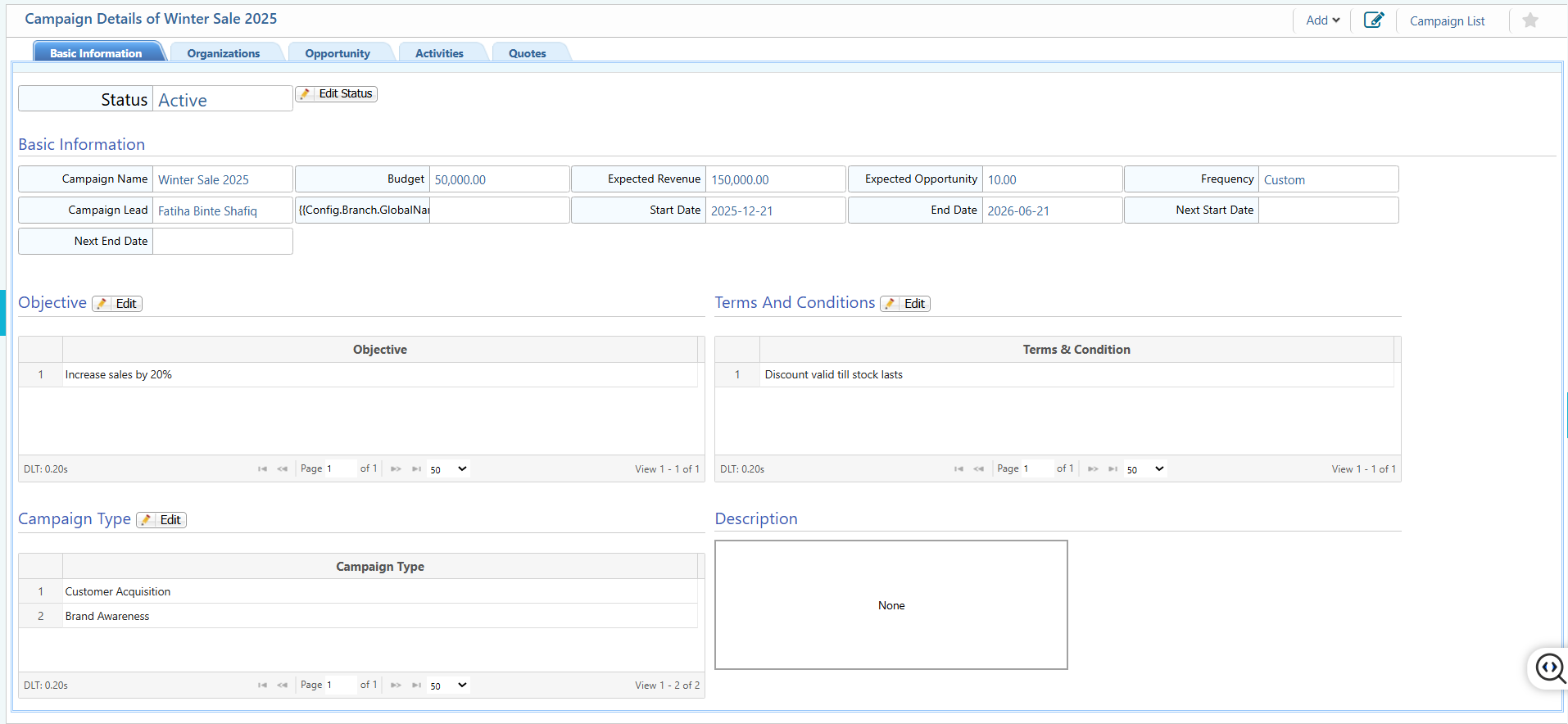
Details View:
| Field | Action |
|---|---|
| Basic Information | View core details of the campaign such as Name, Budget, Expected Revenue, Expected Opportunity, Frequency, Campaign Lead, Branch etc. |
| Organizations | Search,view and edit organizations linked to the campaign. |
| Opportunity | Search, View and edit opportunities associated with the campaign. |
| Activities | Search & View all activities planned or executed under the campaign. |
| Quotes | View & edit quotes generated or linked to the campaign. |
| Edit | Edit or update campaign details, linked organizations, opportunities, activities, or quotes. |
3. Add Campaign Type
| Field | Action |
|---|---|
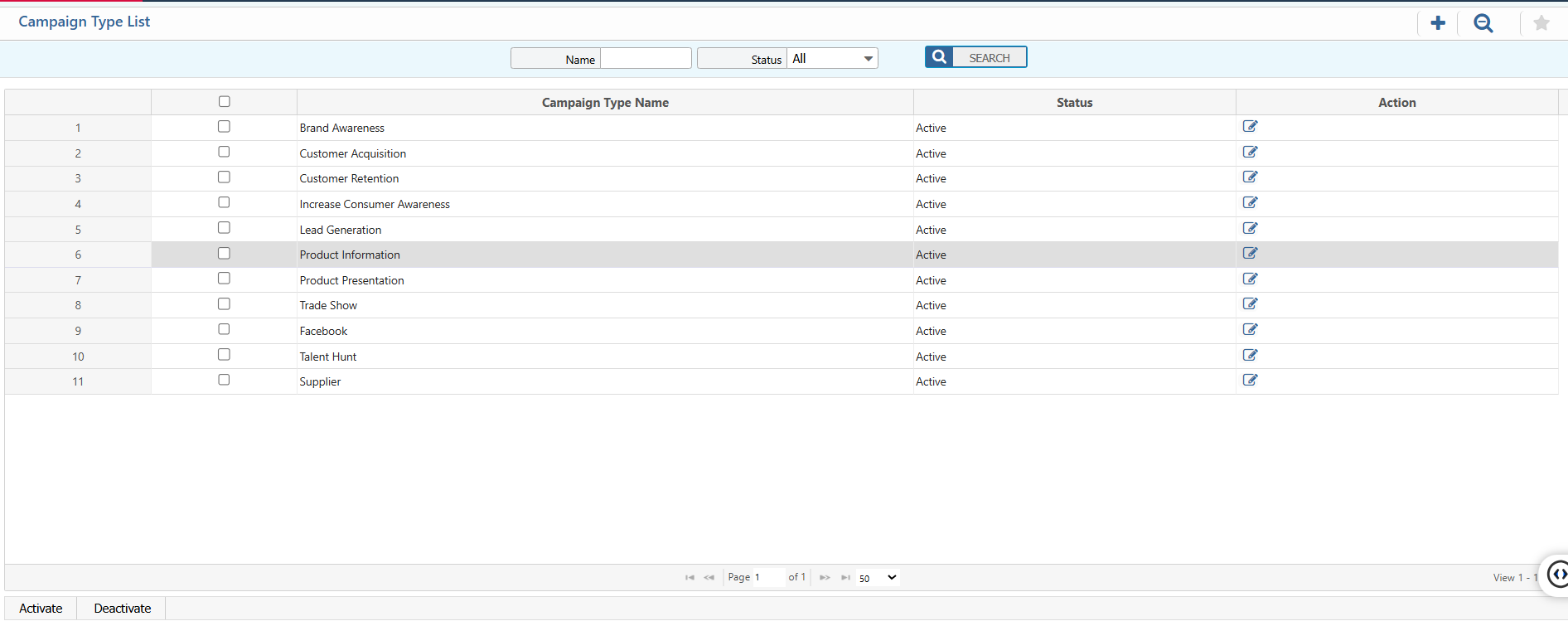
| Campaign Type Name | Enter the name of the campaign type (e.g., Winter Sales 2025). |

4. List of Campaign Types
4.1 Campaign Type Search & Actions
| Field | Action |
|---|---|
| Name | Search by the campaign type name to quickly locate a specific type. |
| Status | View and update the status of the campaign type. |
| Edit | Edit the campaign type information, including its name and details. |