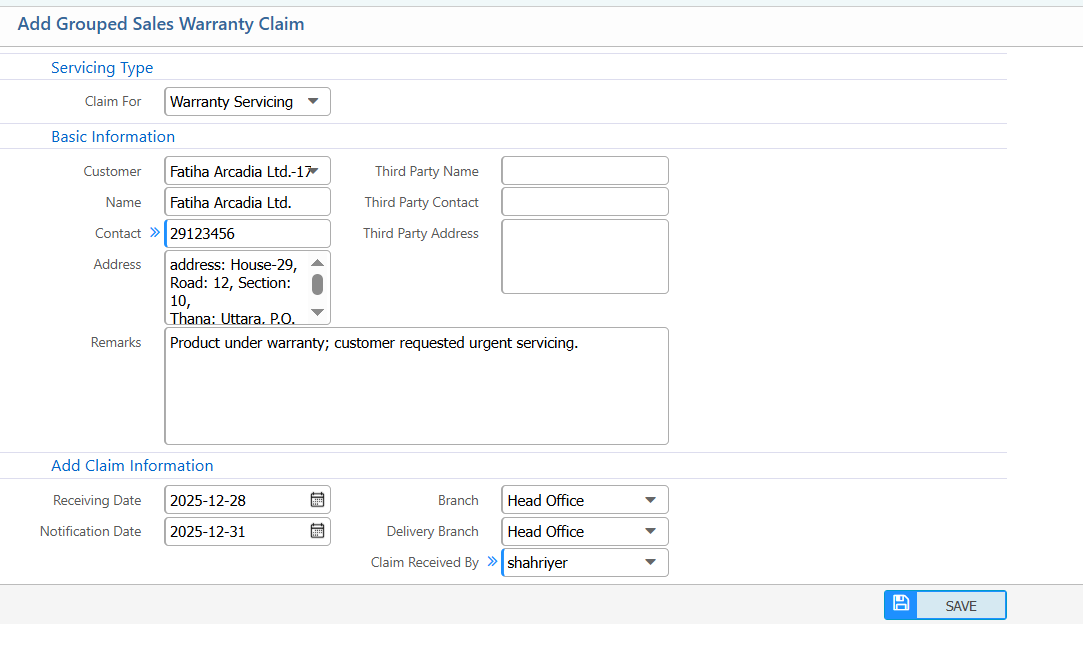
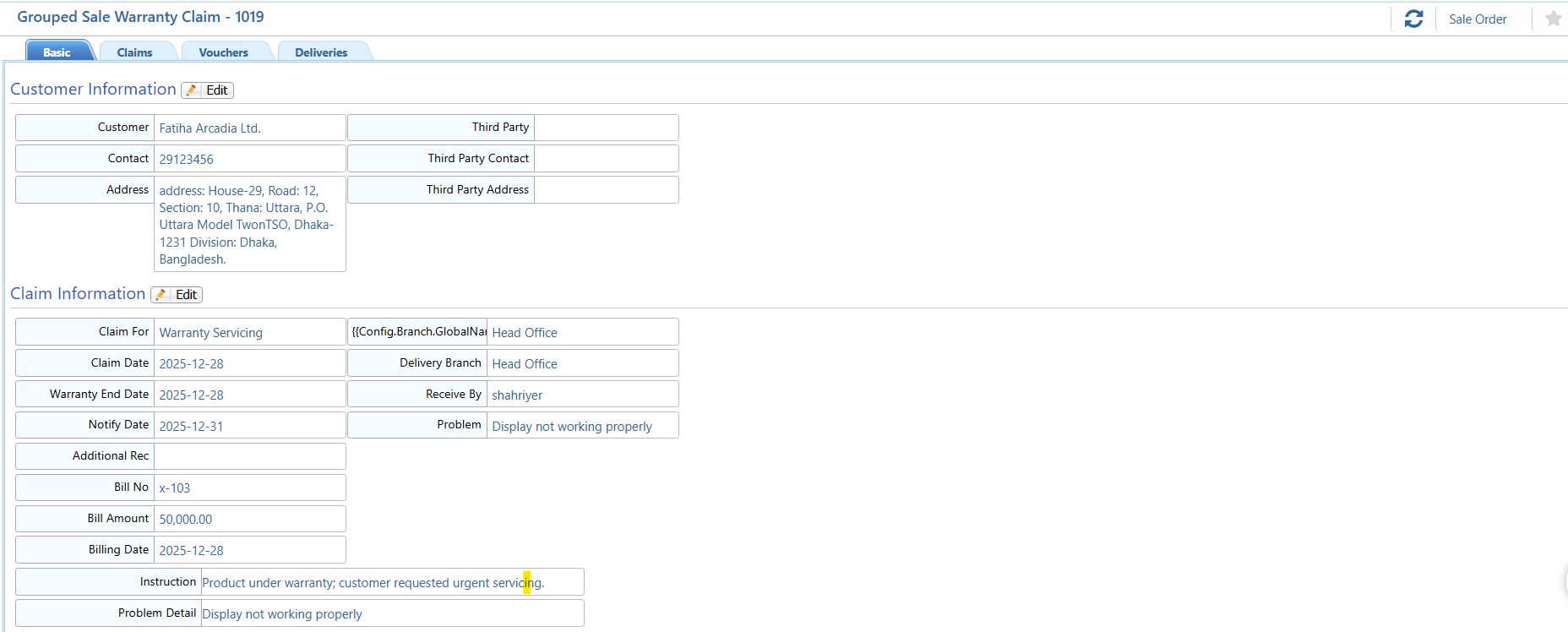
| Claim For | Select the purpose of the claim |
| Name | Select the customer name for whom the warranty claim is being created. |
| Contact | Enter or view the customer’s contact number. |
| Address | Enter or view the customer’s full address. |
| Third Party Name | Enter or select the third-party service provider name if applicable. |
| Third Party Contact | Enter the contact number of the third-party service provider. |
| Third Party Address | Enter the address of the third-party service center. |
| Remarks | Enter any additional remarks or notes for the claim. |
| Receiving Date | Select the date when the warranty claim was received |
| Notification Date | Select the date when the claim notification was issued |
| Branch | Select the branch where the claim is being processed |
| Delivery Branch | Select the branch from which the product was delivered |
| Claim Received By | Select the employee or user who received the claim. |