Sales Warranty Claim
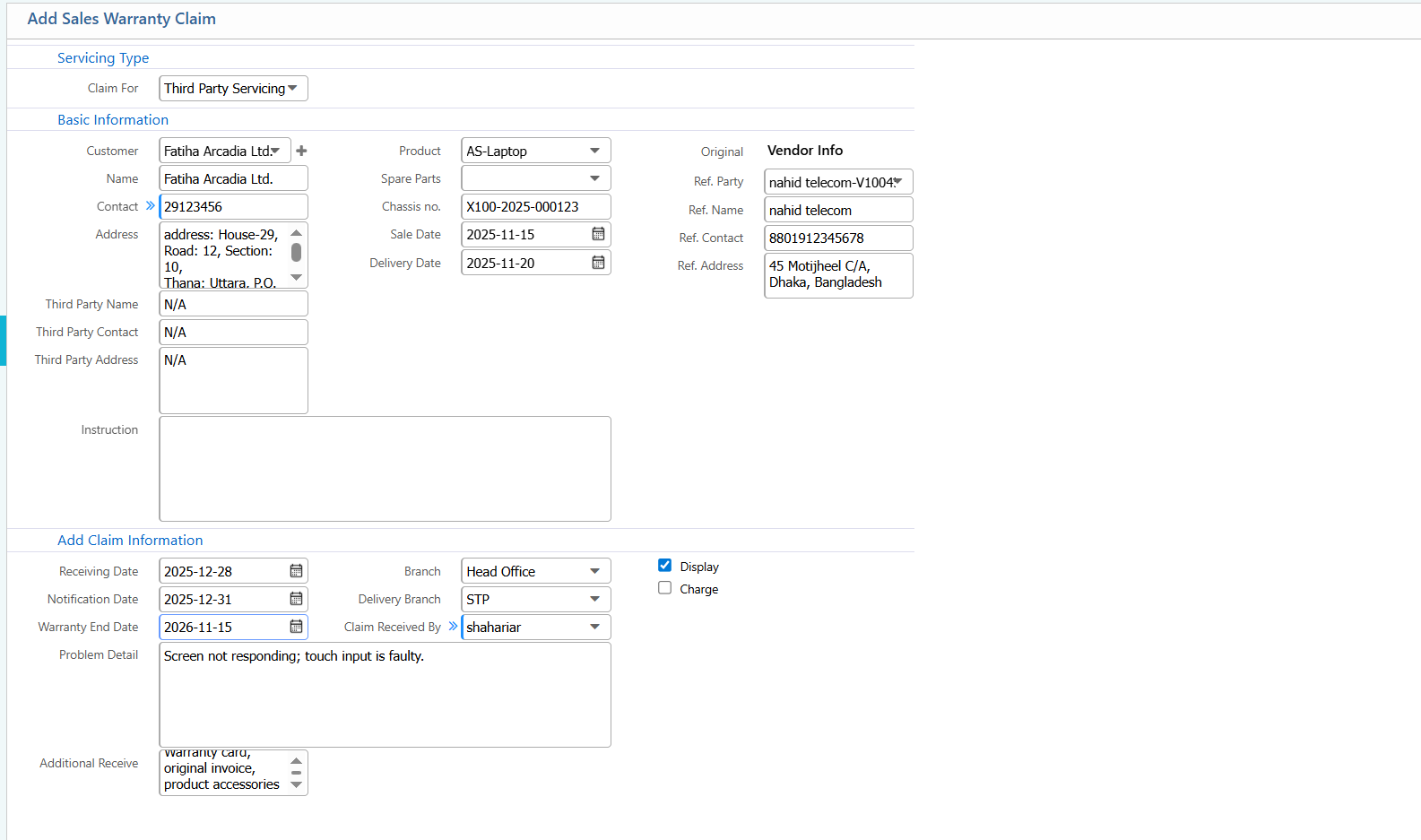
Add Sales Warranty Claim
| Field | Action |
|---|---|
| Claim For | Select the purpose of the warranty claim |
| Customer Name | Select the customer name for whom the warranty claim is being created |
| Third Party Name | Enter the third-party service provider name (if applicable) |
| Third Party Contact | Enter the contact number of the third-party service provider |
| Third Party Address | Enter the address of the third-party service center |
| Product | Select the product against which the warranty claim is raised |
| Spare Parts | Select the spare parts involved in the warranty claim, if any |
| Chassis No. | Enter or select the chassis or serial number of the product |
| Sale Date | Enter the original sale date of the product |
| Delivery Date | Enter the delivery date of the product |
| Ref. Party | Select the reference party related to the sale or claim |
| Ref. Contact | Enter the reference person’s contact number |
| Ref. Address | Enter the reference party’s address |
| Instruction | Enter any special instructions related to the warranty claim |
| Receiving Date | Select the date when the warranty claim was received |
| Notification Date | Select the date when the claim notification was issued |
| Warranty End Date | Select the warranty expiry date |
| Branch | Select the branch where the claim is being processed |
| Delivery Branch | Select the branch from which the product was delivered |
| Claim Received By | Select the user or employee who received the claim |
| Problem Detail | Enter the detailed problem reported by the customer |
| Display Charge | View the applicable service or processing charges |
| Additional Receive | Enter any additional items, documents, or payments received |
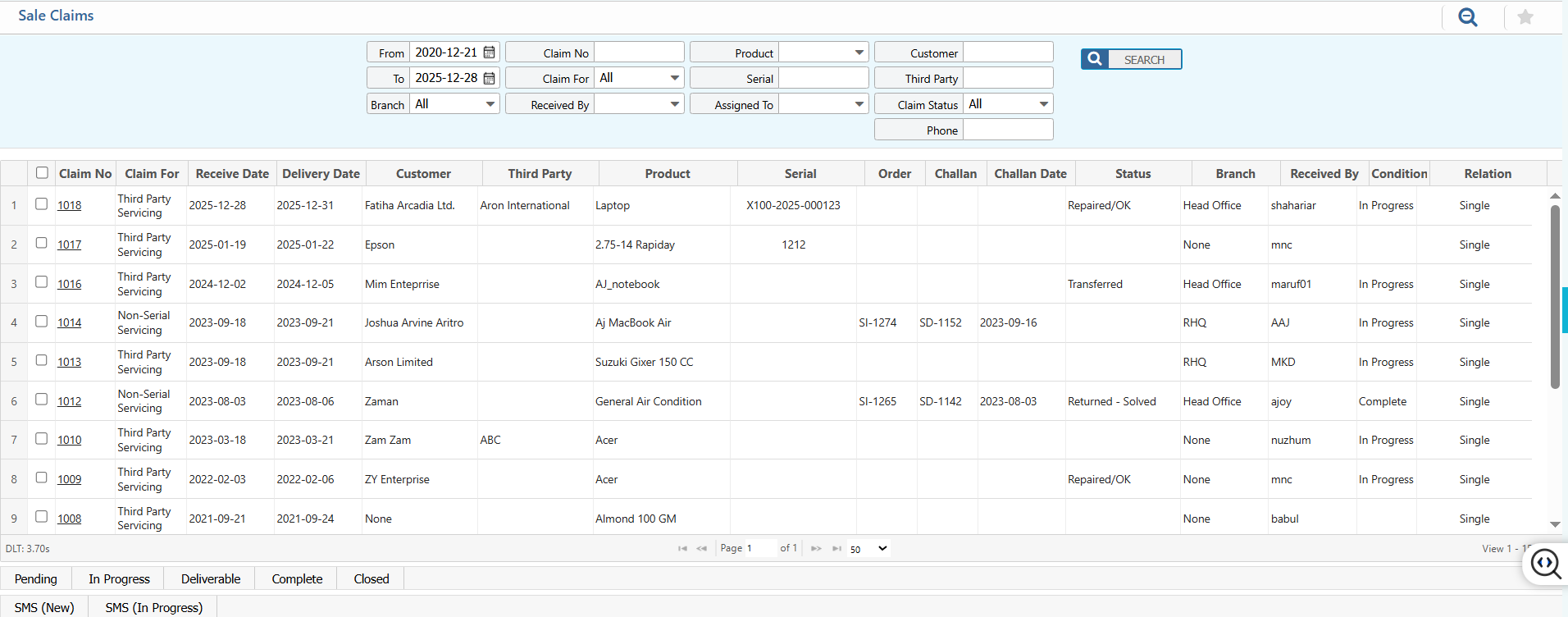
List of Sales Warranty Claim – Search & Actions
| Field | Action |
|---|---|
| From | Search by the starting date of the claim period |
| To | Search by the ending date of the claim period |
| Branch | Filter by branch to locate the claims |
| Claim No | Enter the specific claim number to search for a particular claim |
| Claim For | Select the type of claim to filter results |
| Received By | Select the employee who received the claim |
| Product | Select the product name to filter claims |
| Serial | Enter the serial number to locate a specific claim |
| Assigned To | Search by the staff assigned to the claim |
| Customer | Search by the customer name |
| Third Party | Search by the third-party service provider |
| Claim Status | Select the claim status to filter results |
| Phone | Enter the customer’s or third party’s phone number |
| Status | Update the status of the claims directly from the list |
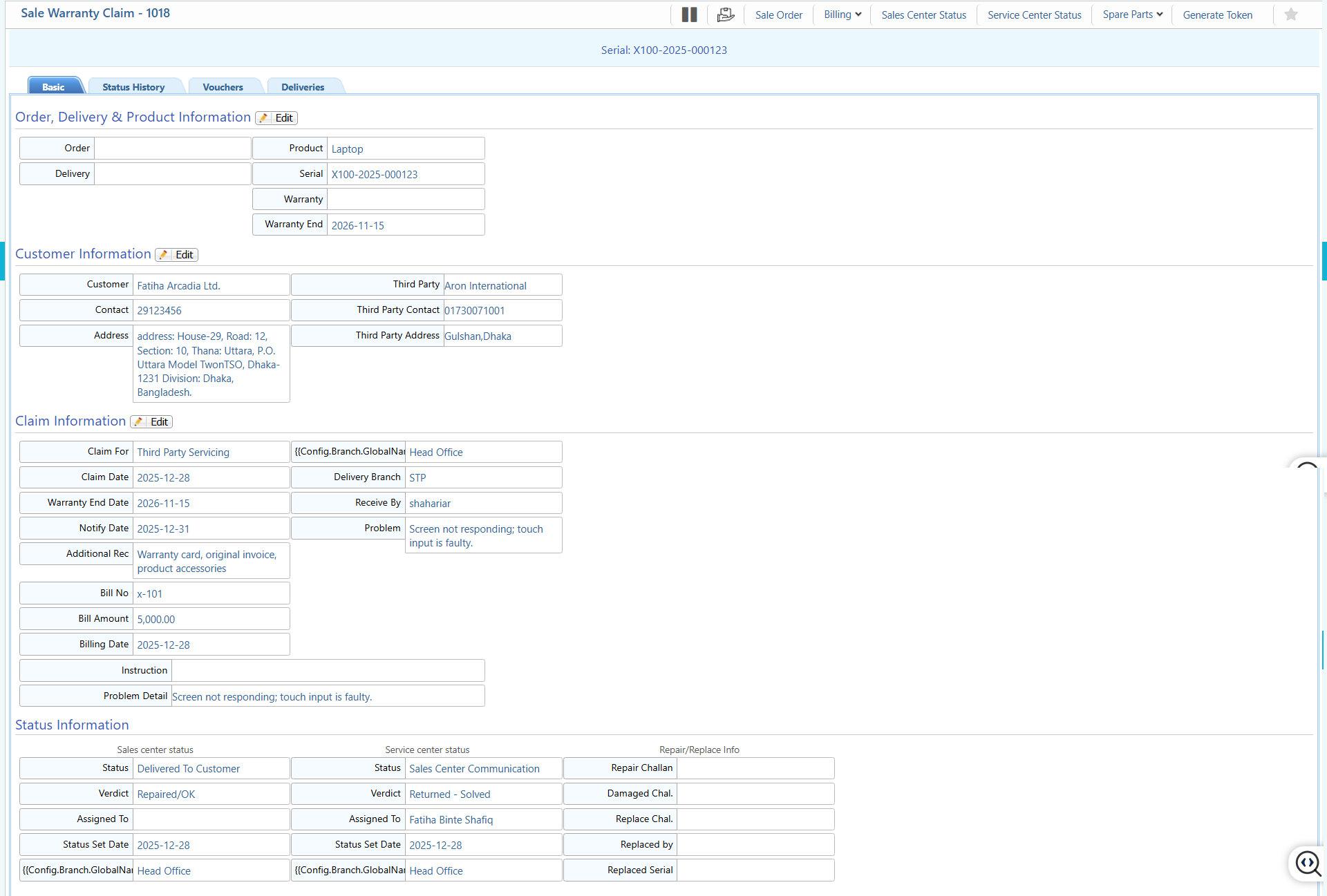
Sales Warranty Claim – Details View & Action
| Field | Action |
|---|---|
| Details View | View and edit all claim-related information |
| Status History | View past status changes and roll back status if needed |
| Vouchers | View and manage all vouchers linked to the claim |
| Deliveries | View and track deliveries related to the claim |
| Sale Order | Create a sale order related to the warranty claim |
| Billing | Create service invoices or billing records |
| Status | View and update claim status |
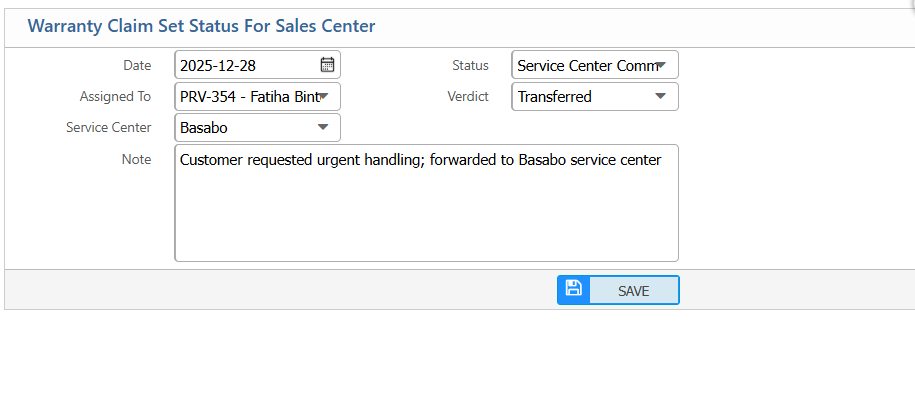
Sales Claim Sales Centre Status
| Field | Action |
|---|---|
| Date | Enter the date when the status is being set |
| Assigned To | Select the staff responsible at the sales center |
| Service Center | Select the service center involved |
| Status | Select the current sales center status |
| Verdict | Select the result or decision |
| Note | Enter additional notes or comments |
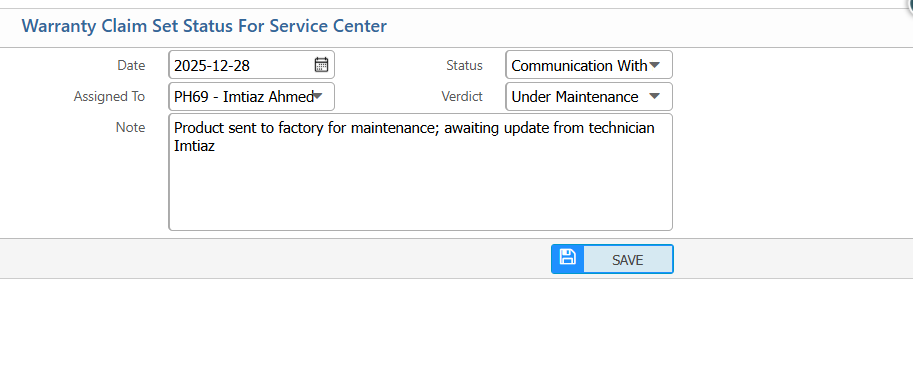
Sales Claim Service Centre Status
| Field | Action |
|---|---|
| Date | Enter the date when the status is being set |
| Assigned To | Select the staff responsible at the service center |
| Status | Select the current service center status |
| Verdict | Select the result or decision |
| Note | Enter additional notes or comments |
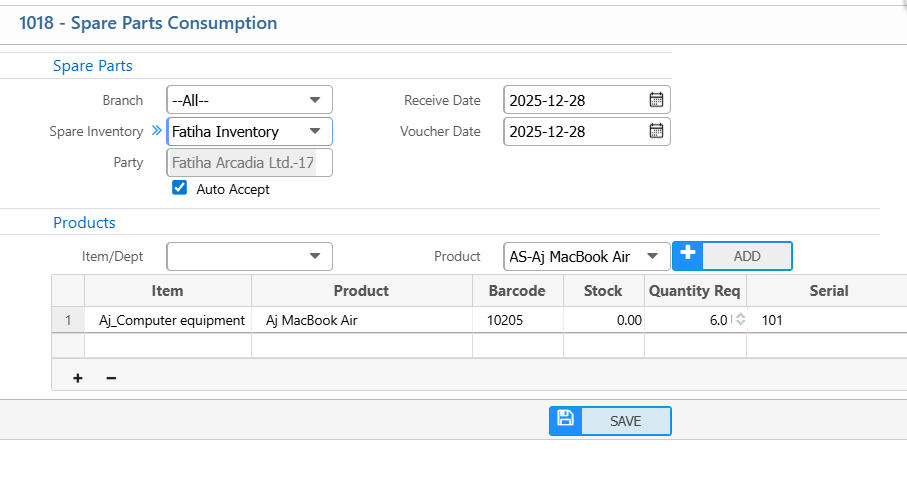
Sales Claim Spare Parts Consumption
| Field | Action |
|---|---|
| Branch | Select the branch where spare parts are consumed |
| Spare Inventory | Select the inventory source |
| Auto Accept | Enable automatic acceptance if required |
| Receive Date | Enter the spare parts receive date |
| Voucher Date | Enter the voucher date |
| Products Item / Dept | Select the linked product or department |
| Product | Select the product for which spare parts are consumed |
| Quantity Req | Enter the required quantity |
| Serial | Enter the product serial number if applicable |