Employee Project
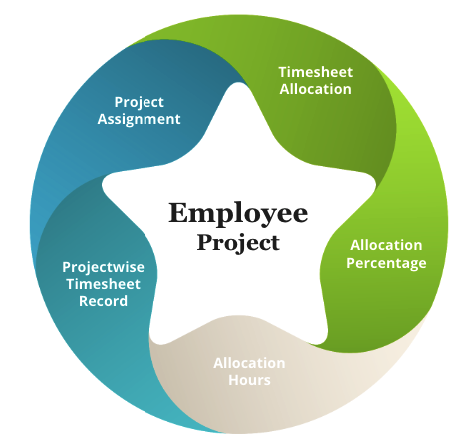
Assign Project
Employees must be assigned a project before allocating project-wise time for every month. To assign the project, go to Assign Project**

Figure: Assign Project
Tagg Project
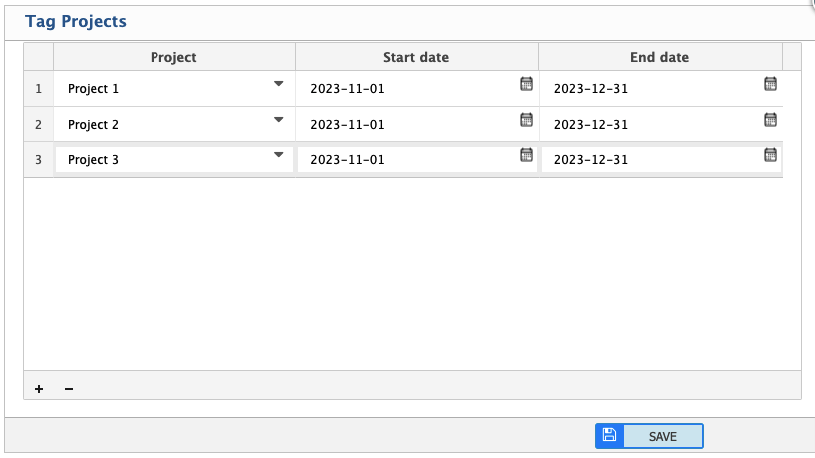
Figure: Tagg Project
Add TimeSheet Allocation
Process:
Add Timesheet Allocation .Employees can allocate project-wise time for every month. Use the ADD button to include it in the Grid Data. Allocate project-wise percentage of his/her total working hours. After adding full mapping, click the SAVE button.

Figure: Add TimeSheet Allocation
Timesheet Allocation List
To see all the Timesheet Allocation List, go to Timesheet Allocation List
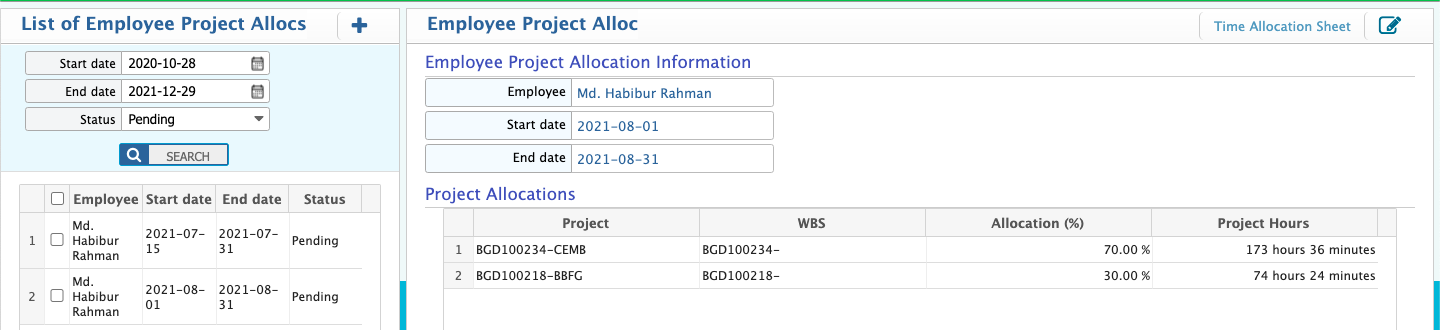
Figure: TimeSheet Allocation List
Change Time Allocation
To change date-wise time allocation in any project, go to -
Time Allocation Sheet. Just at the right top of the Project Allocation Details.

Figure: Time Allocation Sheet
Timesheet Report
To see the timesheet report, go to - Time Allocation Sheet list. Now select the application and click the report button.
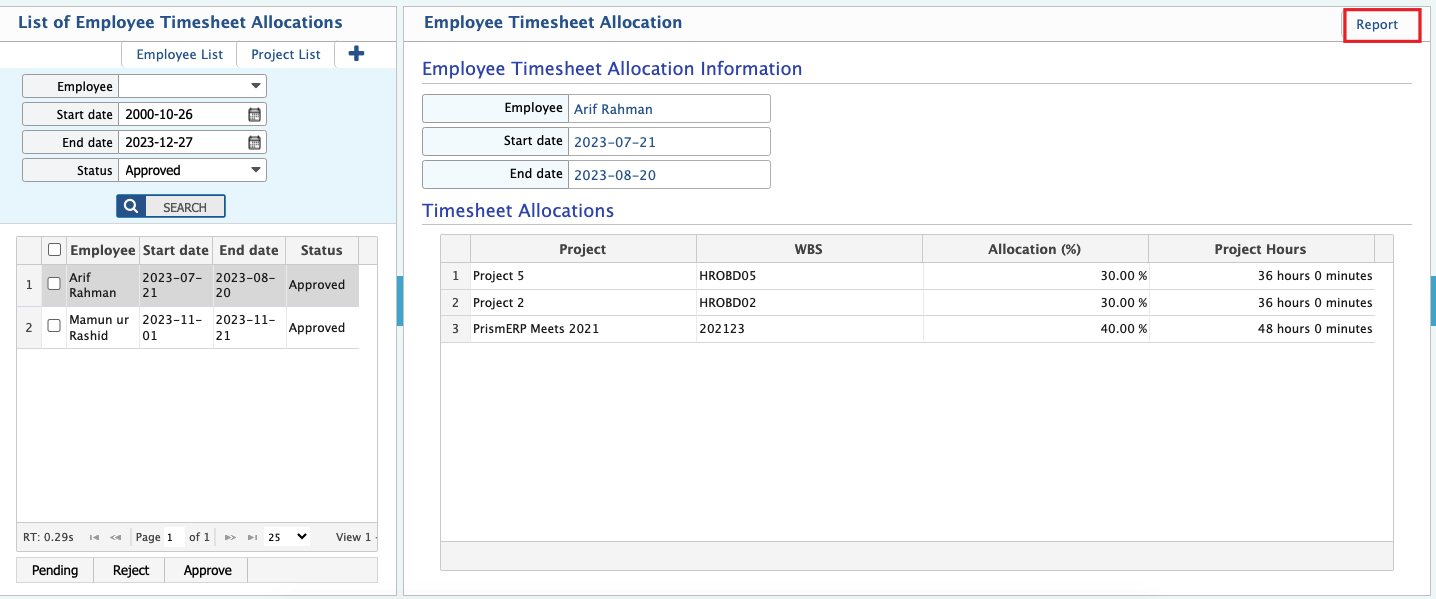
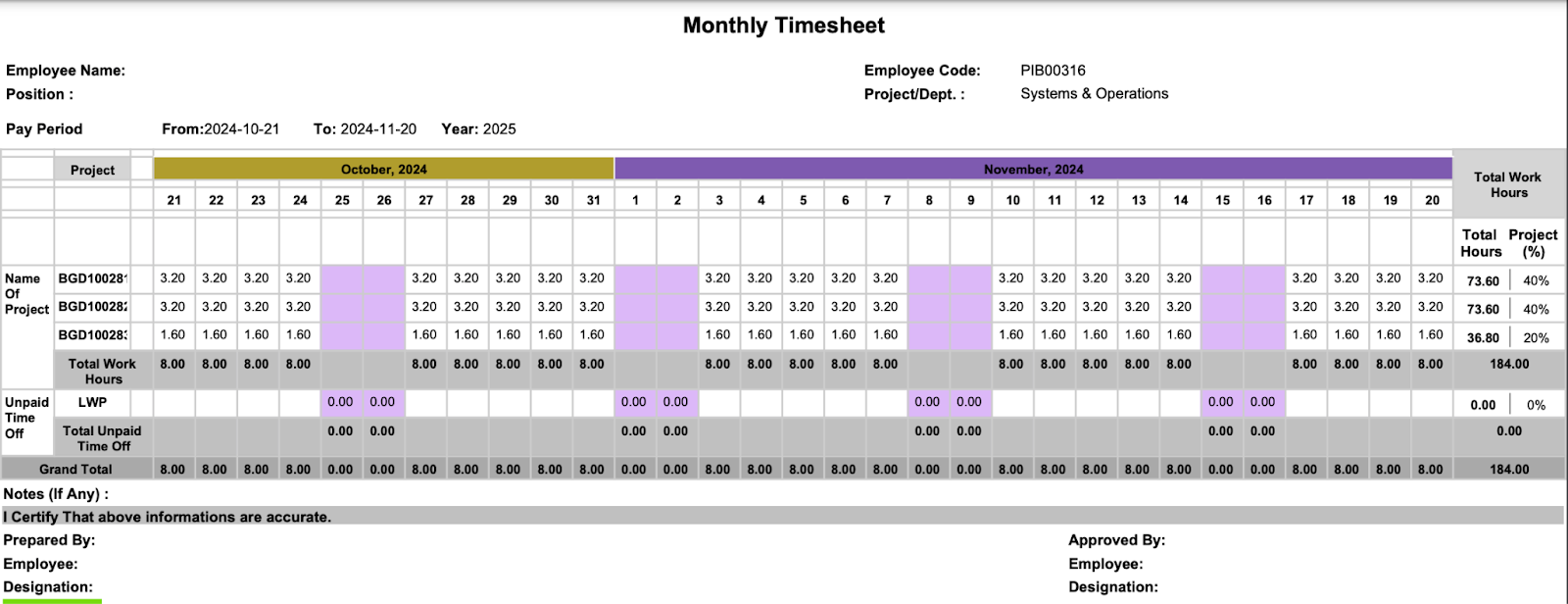
Figure: Timesheet Allocation Report