Visitor Portal
The Visitor Portal in PrismERP is a digital interface designed to manage all aspects of visitor entry, registration, and monitoring within an organization. It serves as a centralized system for tracking visitors—such as clients, vendors, interviewees, or guests—ensuring enhanced security, better resource planning, and a streamlined reception experience.
Key Features
- Pre-registration and On-site Registration
- Instant Host Notifications (via email/SMS)
- Visitor card issue
- Customizable Visitor Purpose Tags
- Integration with Lobby-Free Appointments
- OTP-based Entry
Use This Feature in PrismERP
For Admin/Front Desk:
-
Log in to PrismERP with admin or receptionist credentials.
-
Navigate to Visitor Portal
-
Click “New Visitor Entry” to manually register a visitor or view scheduled visitors from Lobby-Free Appointments.
-
Enter details such as:
- Full Name
- Contact Info
- Purpose of Visit
- Host Name
- Time In/Out
-
Click Check-In to finalize registration. An issue card can be printed automatically if enabled.
For Visitors (if self-service is enabled):
- Use a web/tablet to access the Visitor Portal.
- Fill in required information and submit.
- Receive a QR code or OTP for entry.
- Host is notified of the visitor’s arrival.
Visitor Portal:
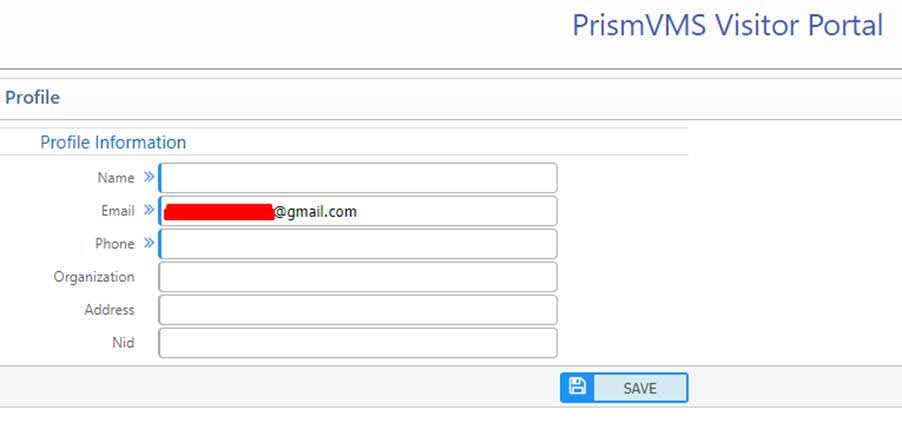
After inserting the OTP in the required field, log in into the portal. After that update with the required information.
Dashboard:
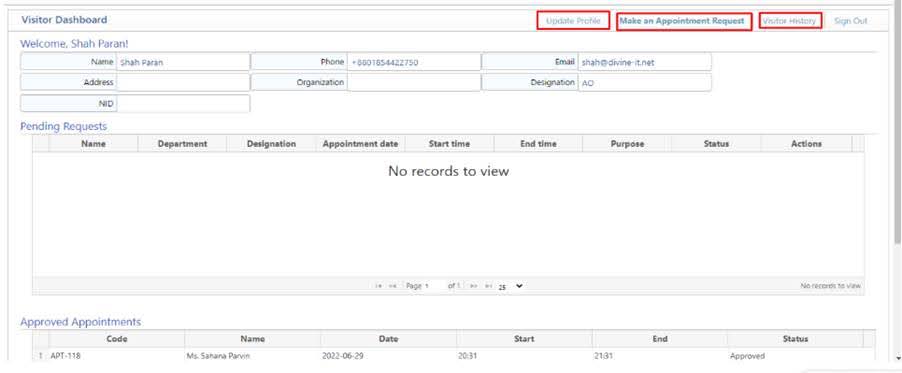
Visitor’s dashboard portal. Here visitors will be able to update his/her own profile. From here appointment requests can be done. Visitor’s history can also be seen from here. Visitors will be able to sign out from the portal.