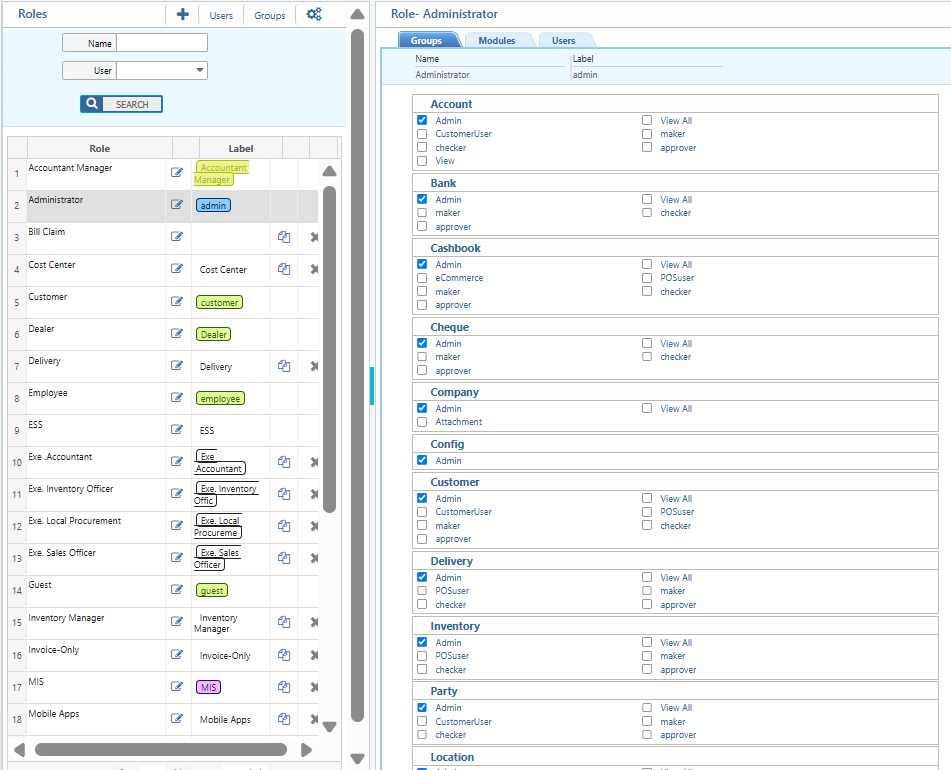
Role Management – PrismERP
Role Management allows creating roles and setting module-based permissions to group users for different business functions.
Key Features
-
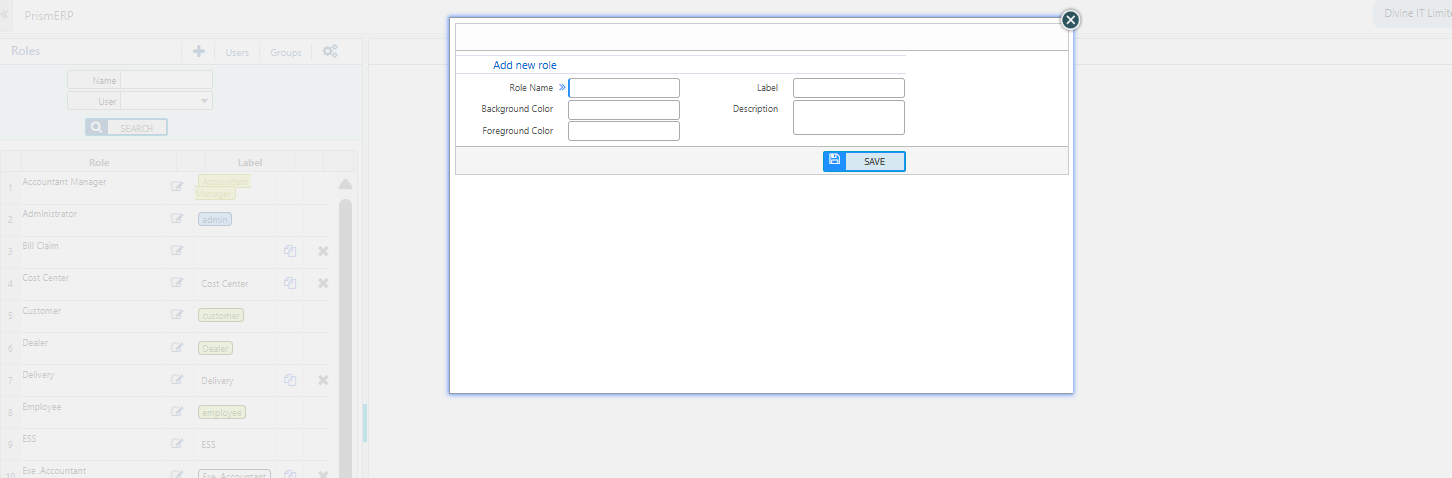
Create roles by specifying Name, Label, and Background Color.
-
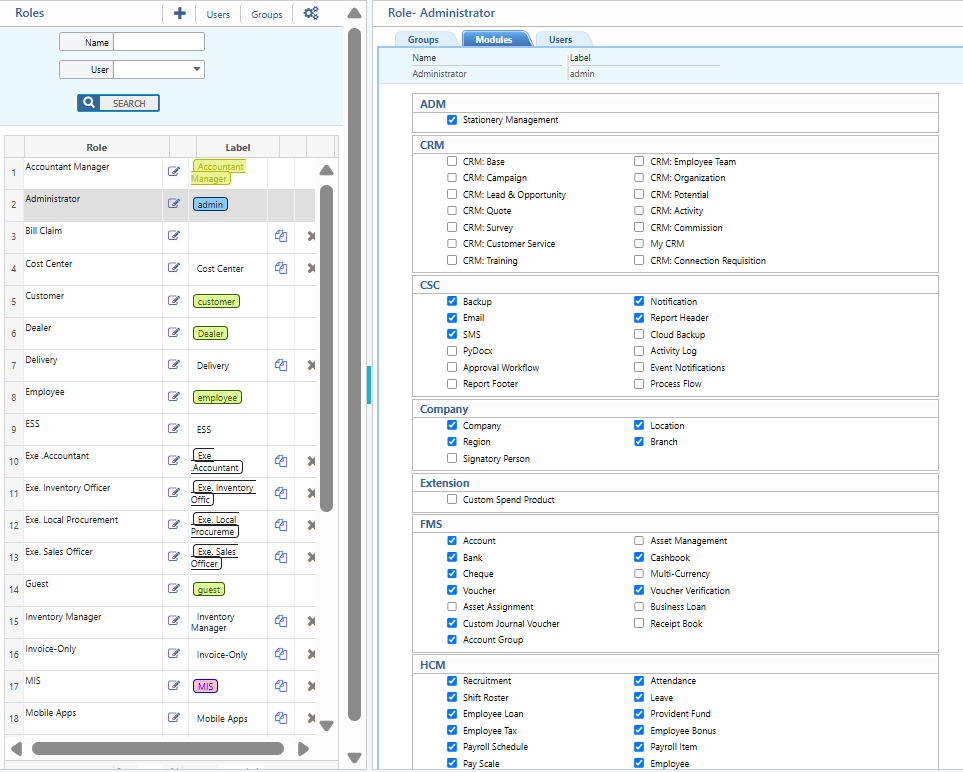
Assign relevant modules to each role.
-
Assign specific groups from the selected modules to roles.
How to Use This Feature in PrismERP?
-
Navigation: Go to User Roles.
-
Create a role by specifying the Name, Label, and Background color.
- Assign the required modules to this specific role.
- Assign specific groups from the selected modules to the role.