User Management
User Management in PrismERP is a feature that allows adding and managing users, their roles, and permissions. It simplifies administration by providing different users with appropriate access to modules and data.
Key Features
-
Add a new user by entering basic information: Name, Username, Email, Mobile, Password, Branch, User Type, Menu.
-
A user can be assigned to multiple branches.
-
Assign one or more roles to a user.
-
Manage users from the User List page, where activation/deactivation and password changes can be performed.
How to Use This Feature in PrismERP?
-
Navigation: Go to New User.
-
Add a new user by entering: Name, Username, Email, Mobile, Password, Branch, User Type, and Menu. (A user can be assigned to multiple branches.)
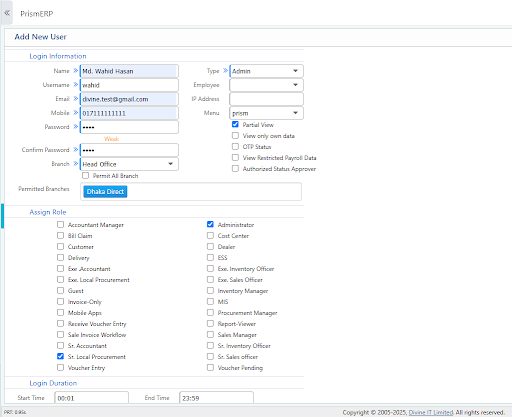
- Assign one or more roles to the user. (A single user can have multiple roles.)
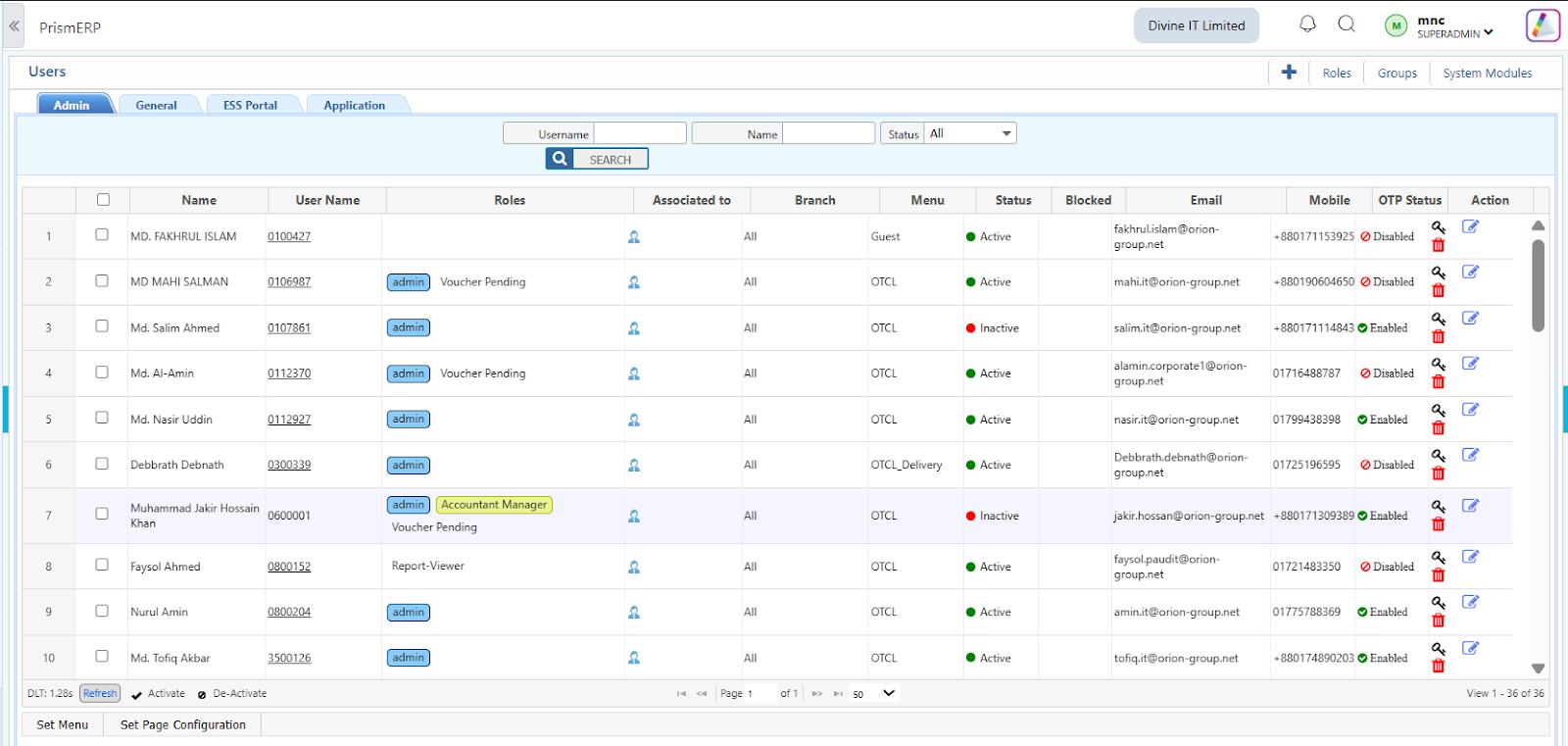
- Manage users via the User List page:
- Activate or deactivate users.
- Change user passwords.