Employee Resignation
In PrismERP, the Employee Resignation process allows users to submit and manage resignation applications. Users can enter the employee details, resignation date, effective date, and reason for leaving. The application can then be recommended or rejected, approved by authorized personnel, and processed for final settlement by entering earnings, deductions, and calculating the net payable amount. PrismERP also lets users view total payable and receivable amounts, roll back settlements, add payment details, and track the status of each resignation throughout the workflow.
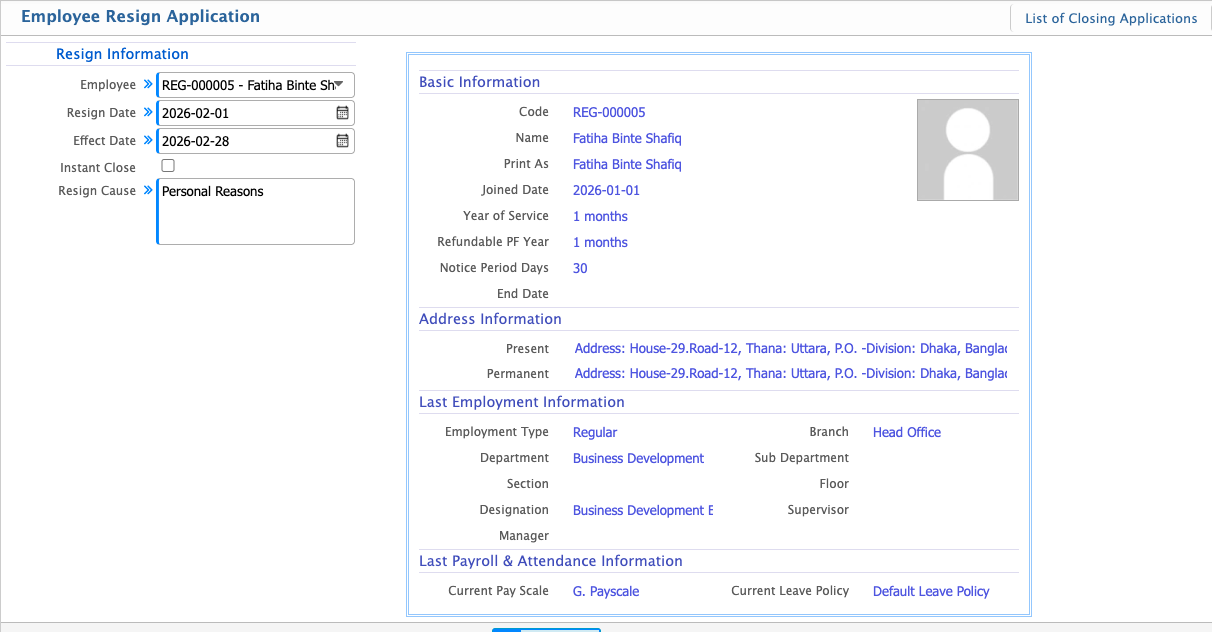
Add Resign Application
| Field | Action |
|---|---|
| Employee | Select the employee submitting the resignation. |
| Resign Date | Enter the date when the resignation was submitted. |
| Effect Date | Enter the effective date when the resignation will take effect. |
| Instant Close | Select if the resignation should be closed immediately. |
| Resign Cause | Enter the reason for resignation. |
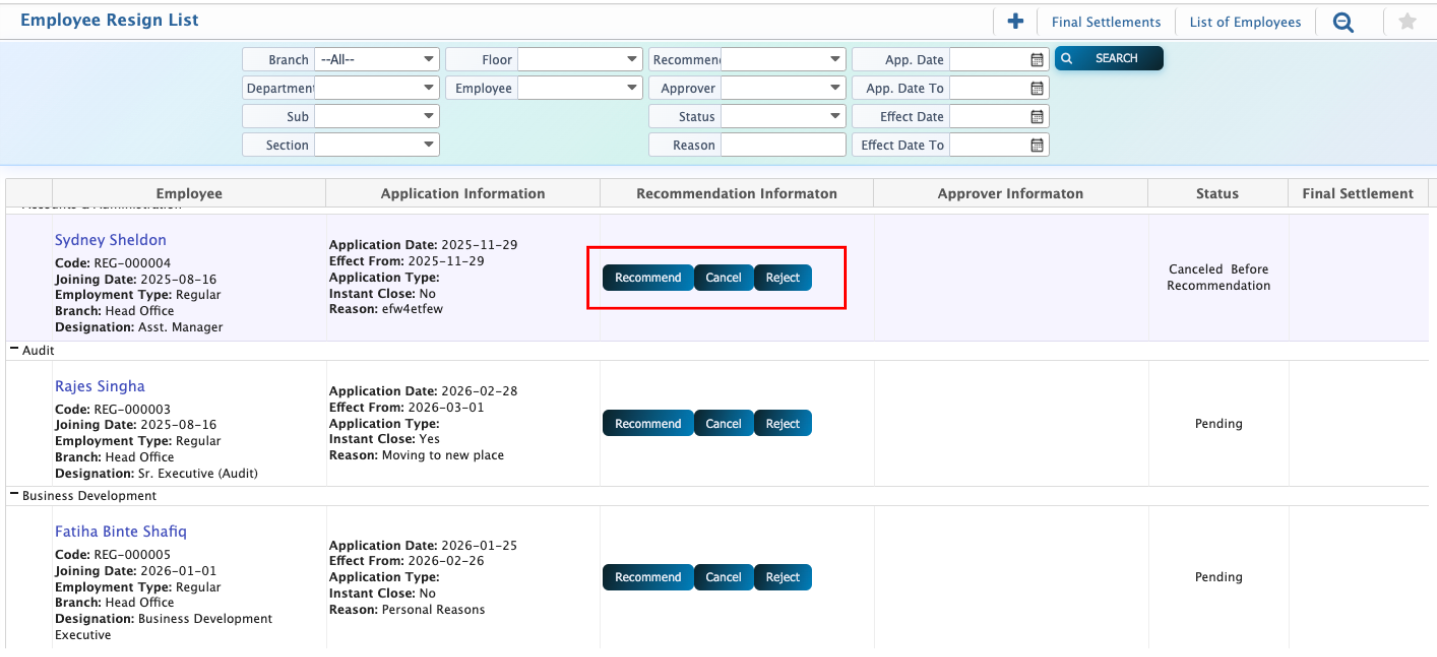
Users can view the resignation list and easily find specific applications by searching or filtering by branch, department, sub-department, section, floor, employee, recommender, approver, status, reason, or the application and effect dates. Once an application is selected, users can recommend, cancel, or reject it by clicking the respective button, which opens a pop-up window to complete the action.
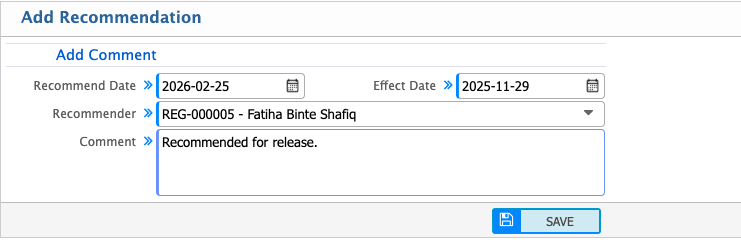
Add Recommendation
| Field | Action |
|---|---|
| Recommend Date | Enter the date when the recommendation is made. |
| Effect Date | Enter the date when the recommendation takes effect. |
| Recommender | Select the employee who is making the recommendation. |
| Comment | Enter any notes or remarks regarding the recommendation. |
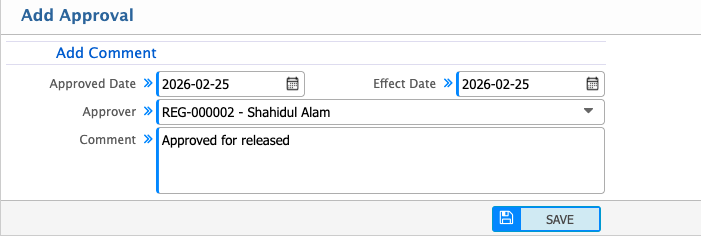
Approve Resign Application
After recommendation, the user can approve the application for final settlement by filling the following fields:
| Field | Action |
|---|---|
| Approved Date | Enter the date when the application is approved. |
| Effect Date | Enter the date when the approval takes effect. |
| Approver | Select the employee who approves the application. |
| Comment | Enter any notes or remarks regarding the approval. |