Leave Approval of Subordinates
This module allows supervisors or recommending officers to view, recommend, approve, or reject leave applications submitted by their subordinates.
Actions You Can Perform
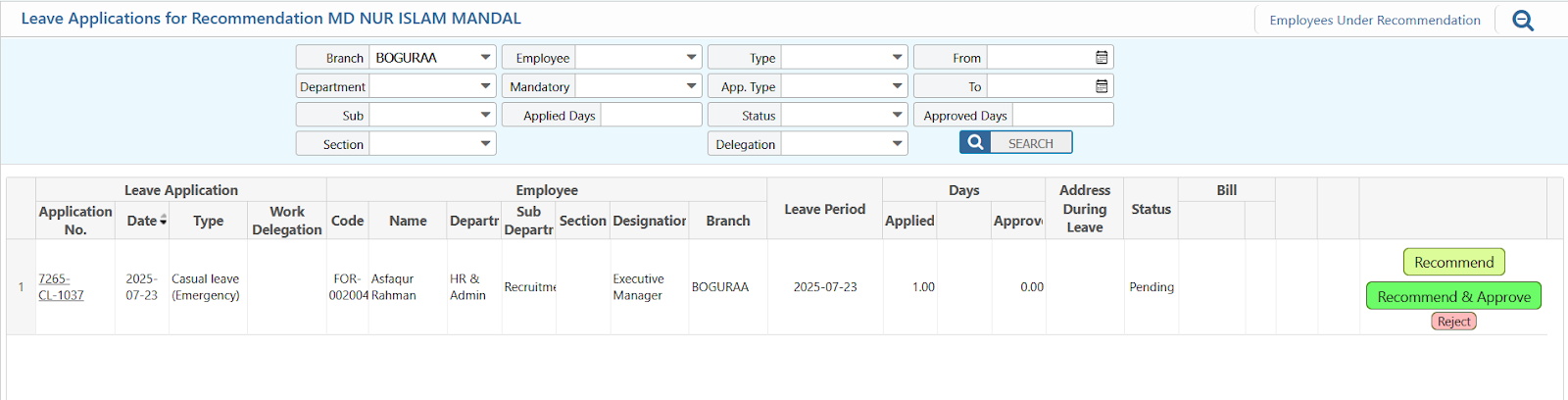
You’ll see three buttons on each leave entry:
Recommend
Use this to forward the application to the approving authority.
Recommend & Approve
Use this if you have both recommending and approving authority.
Reject
Use this to decline the leave application. Rejection reason (if required) will appear in a pop-up.
Use This Feature in PrismERP
For Recommender/Supervisor
- Go to HR Operations → Leave For Recommendation
- View the list of pending applications
- Click on a request to review details
- Choose Recommend or Reject, and optionally add comments
- The employee will be notified automatically via the system or email
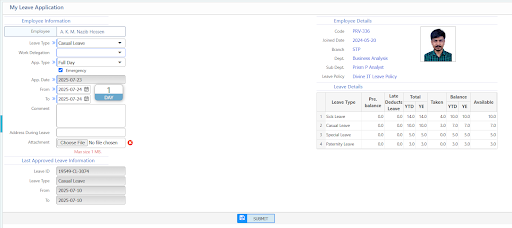
For Approvers (Manager/HOD/HR)
- Go to HR Operations → Leave For Approval
- View the list of pending or Recommended applications
- Click on a request to review details
- Choose Approve or Reject, and optionally add comments
- The employee will be notified automatically via the system or email
Conclusion
The Leave Approval of Subordinates feature streamlines the leave management process by enabling supervisors and recommending officers to efficiently review, recommend, approve, or reject leave applications submitted by their team members.
By using available filters and detailed application views, users can ensure proper validation before taking action. Timely and accurate handling of leave requests ensures better workforce planning, minimizes disruptions, and maintains transparency in organizational workflows.