📄 My Payslip
My Payslip in PrismERP enables employees to securely view, download, and verify their monthly salary breakdown. It provides a detailed summary of earnings, deductions, taxes, and net payable salary—all in one place.
Key Features
- Secure access to monthly payslips
- Breakdown of earnings and deductions
- Tax and contribution details
- Net salary overview
- Downloadable PDF format
- Month-wise payslip history
How to Use this Feature in PrismERP
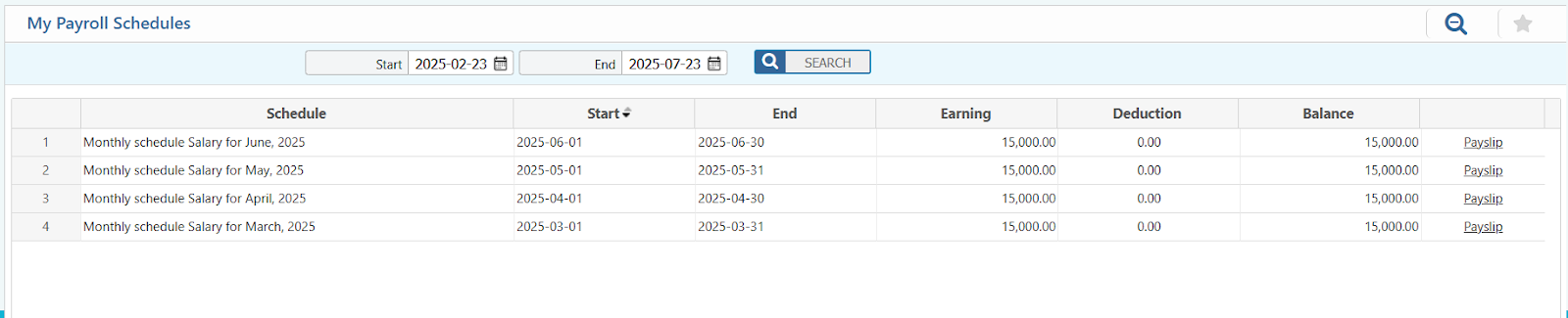
- Navigate to: Employee Self Service Payslip
- Select the month for which you want to view your payslip.
- The detailed breakdown will be displayed, including basic pay, allowances, deductions, and net salary.
- Click the Download or Print button to save a copy for your records.
Conclusion
This feature gives employees full visibility into their salary structure without needing to contact HR every month. Users can verify whether their attendance, overtime, leave, or bonuses have been correctly reflected. It also helps maintain financial transparency and supports personal budgeting or loan application requirements by allowing quick access to official pay documents.