Project Status
To understand the detailed status of a project, the Project Manager page is highly useful for users. It provides an in-depth view of all project-related activities, including progress tracking, financial updates, task status, and overall performance. This centralized dashboard enables users to monitor and manage projects effectively from a single interface.
Steps to Utilize this Feature in PrismERP
After clicking on a project name in the list, the Project Manager Dashboard will be displayed. This section serves as a centralized interface to manage the entire project on a single page. All transactions and related activities are presented in an organized and structured format, enabling efficient monitoring and decision-making.
Project Manager Details View
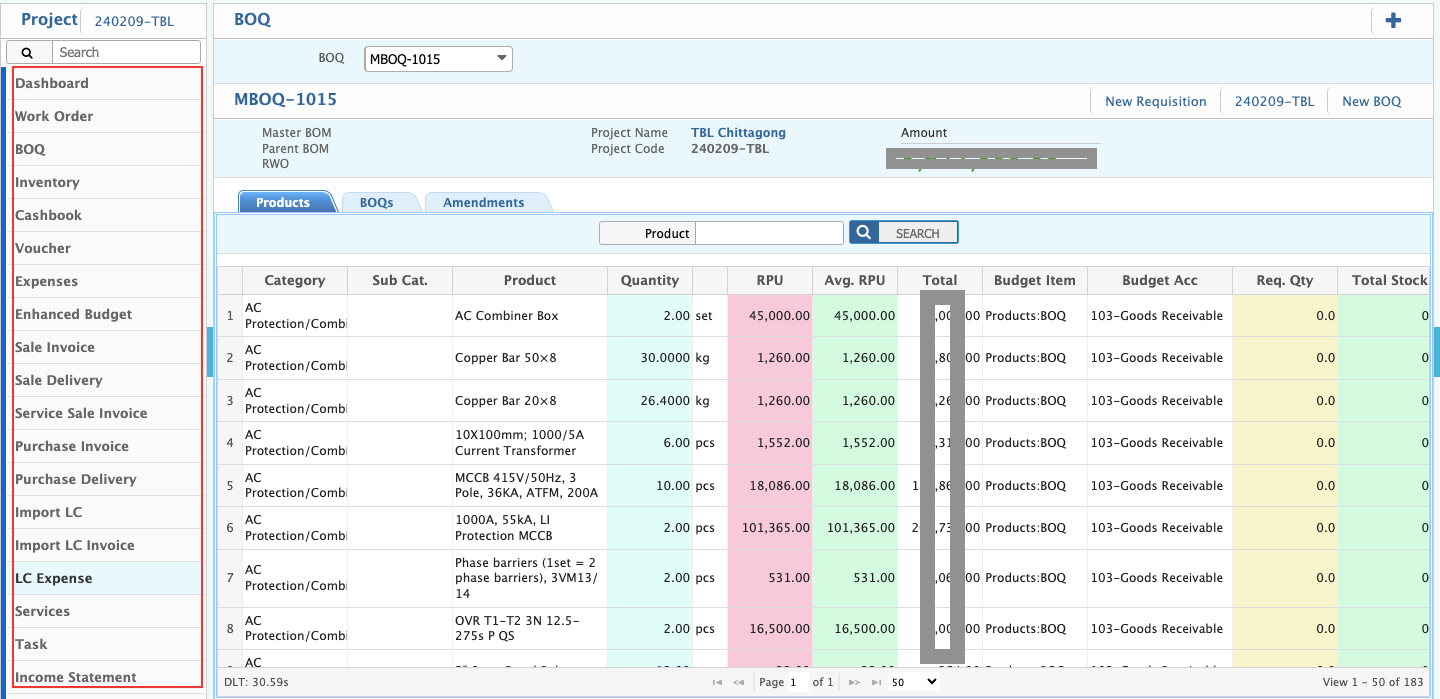
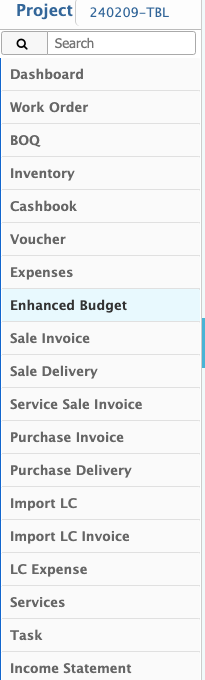
The user can view a comprehensive project summary, which includes various key sections such as:
- Dashboard: Provides an overview of the project's progress, status, and key metrics.
- Work Order: Displays issued work orders, their status, and related details.
- BOQ (Bill of Quantities): Lists materials, labor, and costs associated with the project.
- Inventory: Tracks available stock, materials used, and procurement details.
- Cashbook: Maintains records of all cash transactions related to the project.
- Voucher: Stores financial vouchers for income and expenses.
- Expenses: Displays categorized project expenditures for better financial tracking.
- Budget: Shows the allocated budget, actual expenses, and remaining funds.
- Sales Invoice: Lists all invoices generated for project-related sales.
- Sales Delivery: Records deliveries made as part of sales transactions.
- Service Sale Invoice: Documents invoices for services provided within the project.
- Purchase Invoice: Tracks invoices for purchased goods and services.
- Purchase Delivery: Displays details of received goods from vendors.
- Import LC (Letter of Credit): Manages import-related financial transactions.
- Import LC Invoice: Tracks invoices linked to LC transactions.
- LC Expense: Records expenses incurred under the Letter of Credit.
- Services: Lists all service-related activities within the project.
- Task: Provides a breakdown of assigned tasks and their completion status.
- Income Statement: Summarizes revenue, expenses, and overall financial performance of the project.