Item
PrismERP Item provides a complete solution to add, manage, and track inventory items. It allows setting item codes, types, movement tenure, EMI rates, and viewing all associated products and variants. The module enables quick search, editing, and efficient inventory and product management.
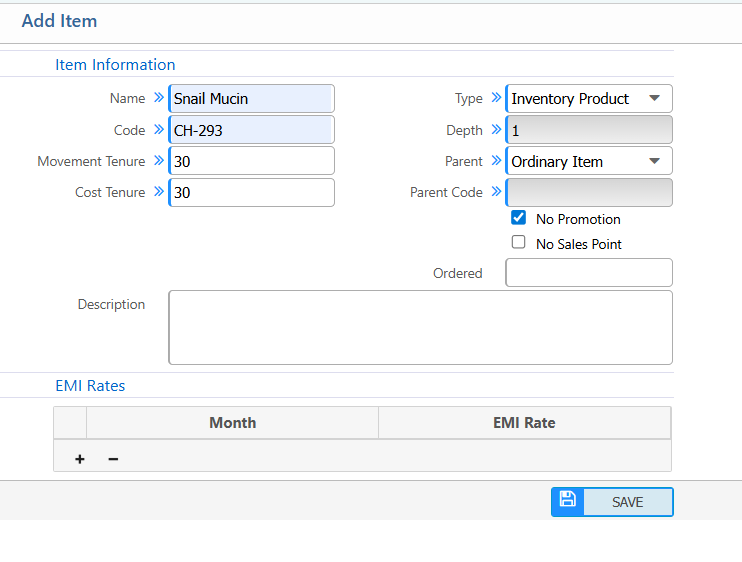
1. New Item
| Field | Action |
|---|---|
| Name | Enter the name of the item. |
| Code | Enter a unique code to identify the item. |
| Movement Tenure | Set the movement tenure in days |
| Cost Tenure | Set the cost tenure in days |
| Type | Select the type of item |
| Depth | Enter depth value |
| Parent | Specify the parent item if applicable; leave blank if none. |
| Promotion | Indicate if the item has a promotion |
| Sales Point Ordered | Specify if the item is linked to a sales point |
| Description | Provide additional details about the item. (if applicable) |
2. List Of Items
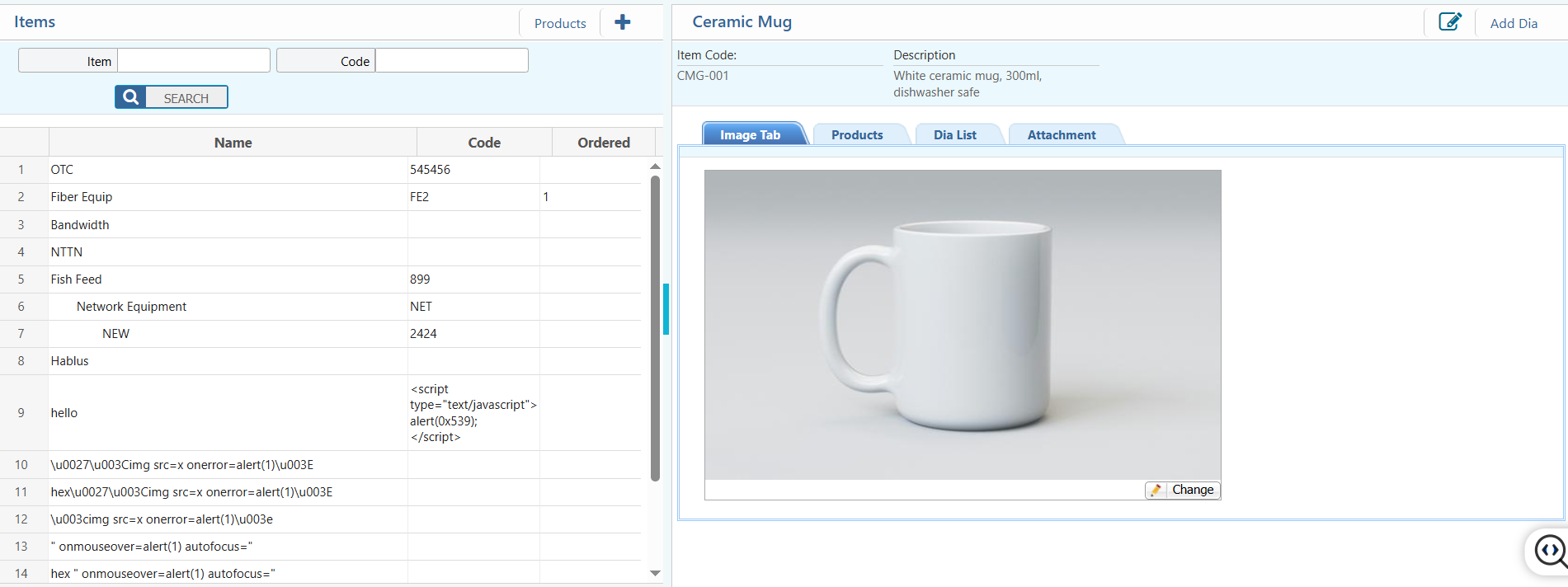
2.1 Search, View Details & Actions
| Field / Section | Description / Action |
|---|---|
| Item | Search or filter by item name. |
| Code | Search or filter by item code or SKU. |
| Edit | Edit information of the item. |
| Add Dia | Add new diameter, variant, or specification for the item. |
| Image Tab | View or upload product images for reference. |
| Products | View all details of products associated with this item. |
| Dia List | Lists all diameters, variants, or product-specific specifications. |
| Attachment | Upload or view supporting documents related to the item. |