Product Variants
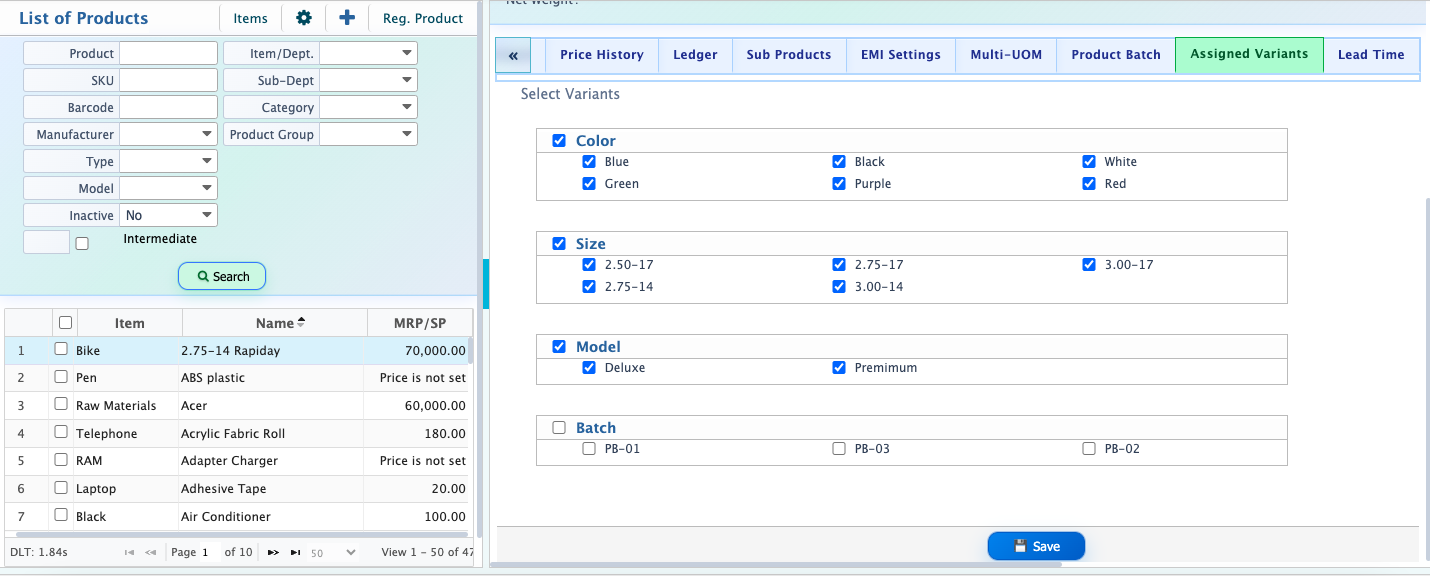
In PrismERP users can assign variants to products to define different product variations in a structured way. Users can first create multiple variant types such as color, size, weight, or material based on the product requirement. After creating the variant types, users can add multiple values under each variant, such as red, blue, and black under color or small, medium, and large under size. Each variant and its values are managed separately, allowing users to organize product configurations clearly. Users also have the option to activate or deactivate entire variants as well as individual values under each variant depending on availability or usage.
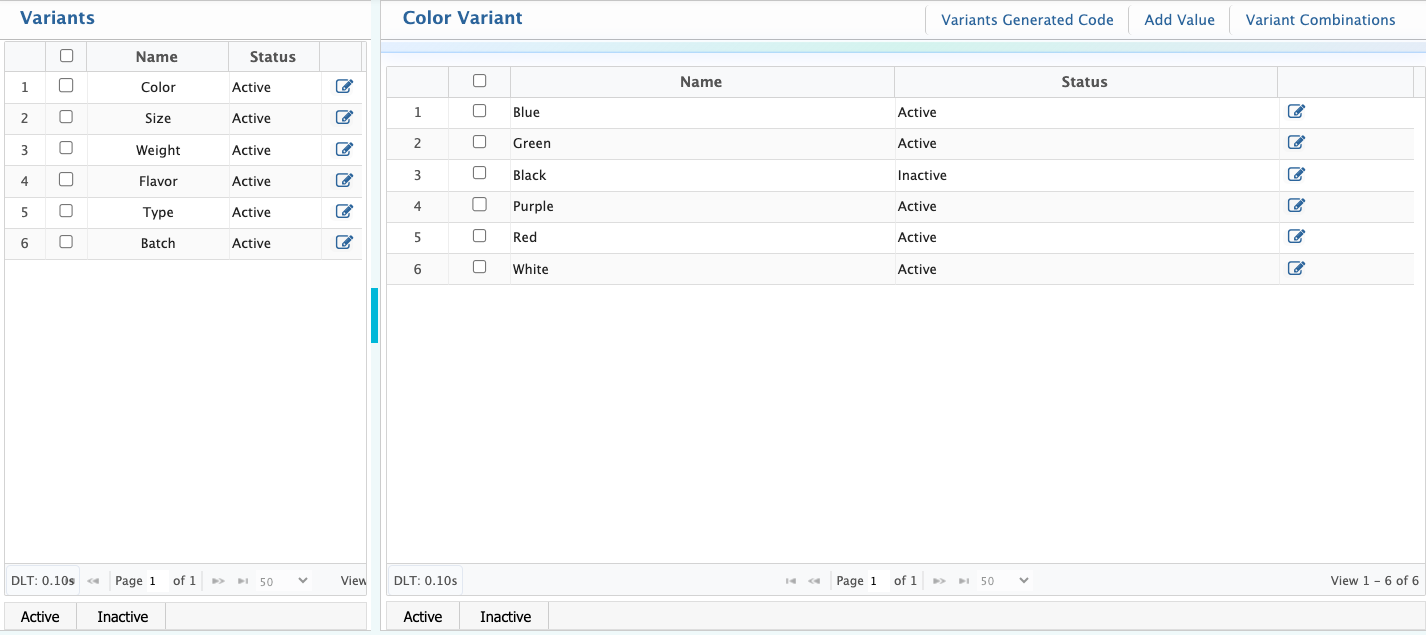
After adding variants, users can assign them to products. For this, users need to go to the Product List and open the Assigned Variants tab. From there, users can select the required variants that need to be added to the product. After saving, those variants become available for that product. Users can then select these variants during selling or purchasing transactions.