Product Serial
Product Serial in PrismERP is used to identify and track individual products using unique serial numbers. It is commonly used for products that require individual identification, such as electronic devices, machinery, vehicles, and other serialized items.Serial numbers also play an important role in warranty management. Since each product has a unique serial number, the system can track when the product was received, when the warranty started, and how long the warranty remains valid.If a product is returned for warranty service, users can search the serial number to view its delivery history, warranty information, and other related details.In addition, Product Serial helps track the movement of individual products throughout different inventory and delivery processes. It is used in transactions such as Sale Delivery, Sale Delivery Return, Purchase Delivery, Purchase Delivery Return, Inventory Transfer, Product Acquisition, and Consumption.Product serials can be configured while creating a new product or later from the details page of an existing product.
Configure Product Serial
| Field | Action |
|---|---|
| Product Serial Generation System | Select whether serial numbers will be generated automatically (Auto) or entered manually (Manual). |
| Serial Length | Enter the number of characters each serial number should contain. |
| No. of Serials | Enter the number of serial numbers required for the product. Some products may require multiple serial numbers, such as separate serials for a vehicle's chassis and engine. |
| Disable Product Serial | Enable this option if serial tracking is not required for the selected product. |
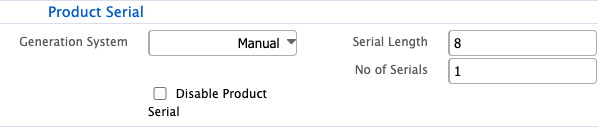
After configuring the Product Serial settings, the system manages serial numbers based on the selected configuration. If Auto is selected, the system generates serial numbers automatically. If Manual is selected, serial numbers are assigned during the relevant inventory transaction.
Assign Product Serial
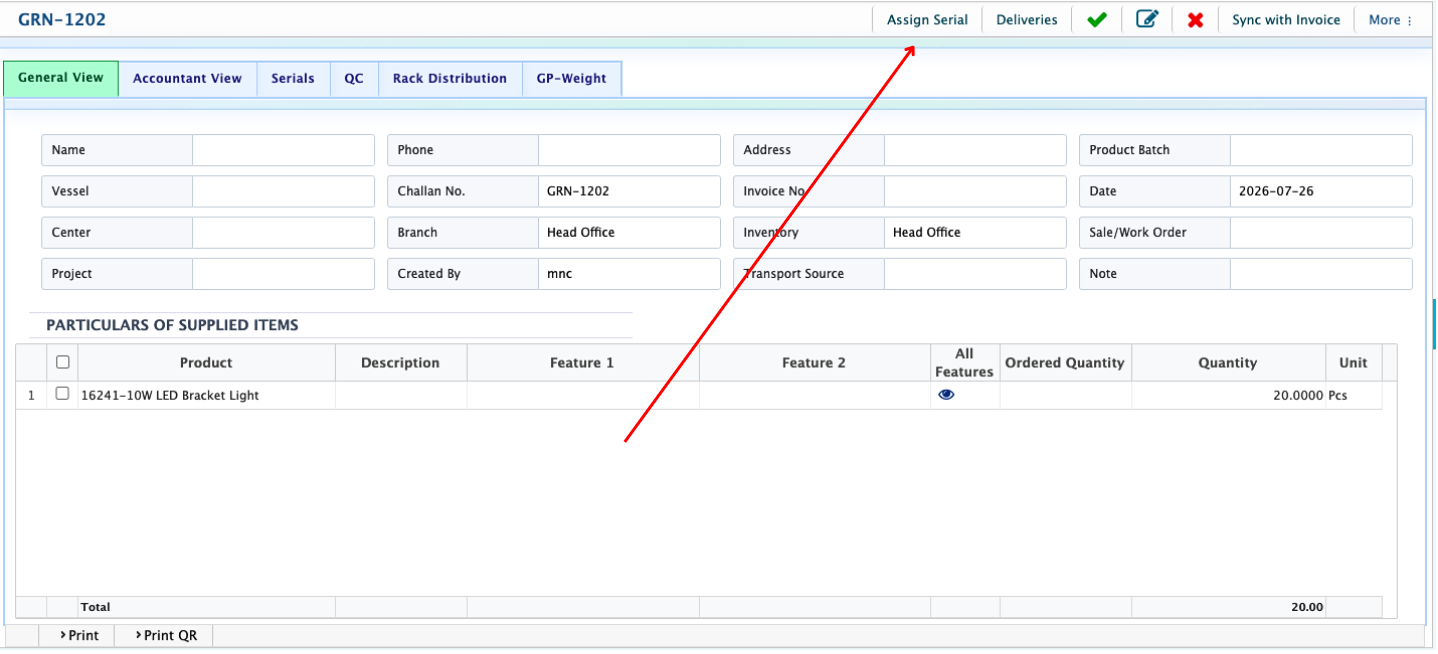
Product Serial can be assigned through different inventory and delivery transactions, such as Purchase Delivery, Sale Delivery, Purchase Delivery Return, Sale Delivery Return, Inventory Transfer, Product Acquisition, and Consumption.From the Procurement menu, navigate to Purchase Delivery and create a new Purchase Delivery. Open the Purchase Delivery details page and click Assign Serial.
| Field | Action |
|---|---|
| First Serial Number | Enter the first serial number to begin the serial sequence. |
| Total Serials | Enter the total number of serial numbers to be assigned. The system automatically calculates the last serial number based on the first serial number and total quantity. |
| Lot no | Enter lot no if applicable. |
| Reset | Clears the current serial information so the serial assignment can be entered again. |
| Add Serial | Generates and assign the serial numbers based on the provided information. |
| Serial Prefix | Optionally enter a prefix that will be added before each serial number. |
| Serial Suffix | Optionally enter a suffix that will be added after each serial number. |
| Warranty Start Date | The warranty period starts from the date the serial number is assigned. |
| Warranty Period | Modify the warranty duration if required based on the product's warranty policy. |
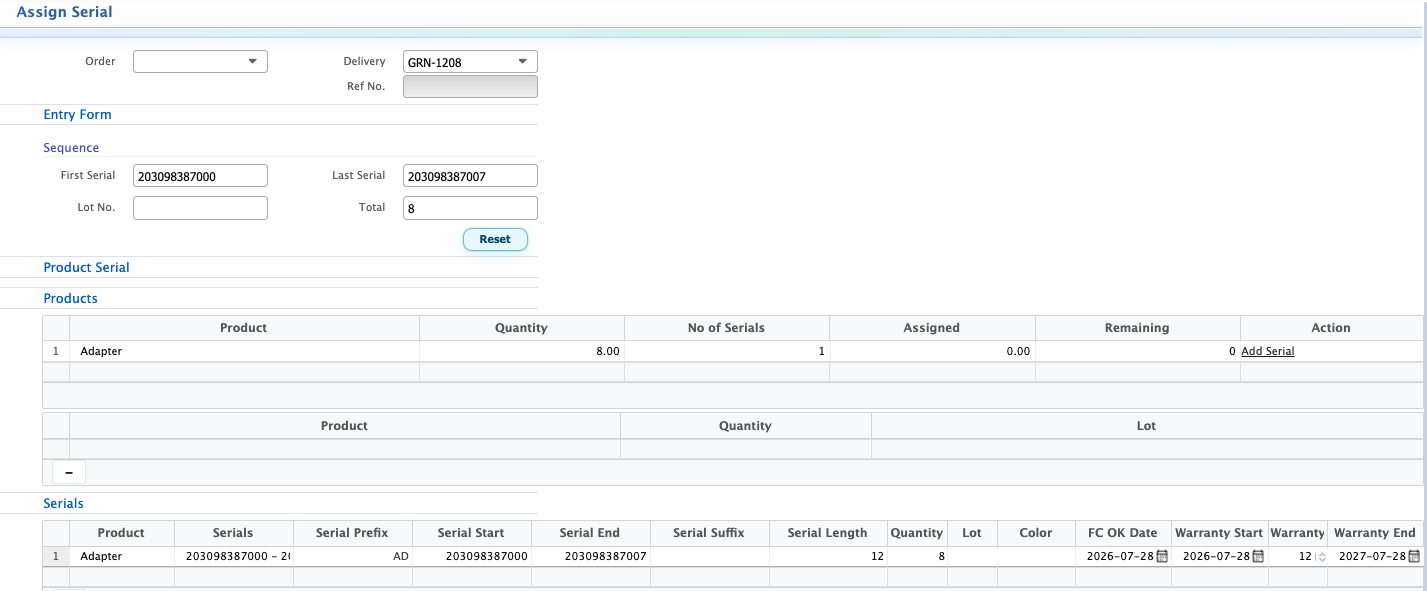
The serial assignment page also displays the assignment progress, showing how many serial numbers have already been assigned and how many are still remaining.Once the serials have been assigned, user can open the Serial tab to view all serial numbers assigned to the products received through the Purchase Delivery.
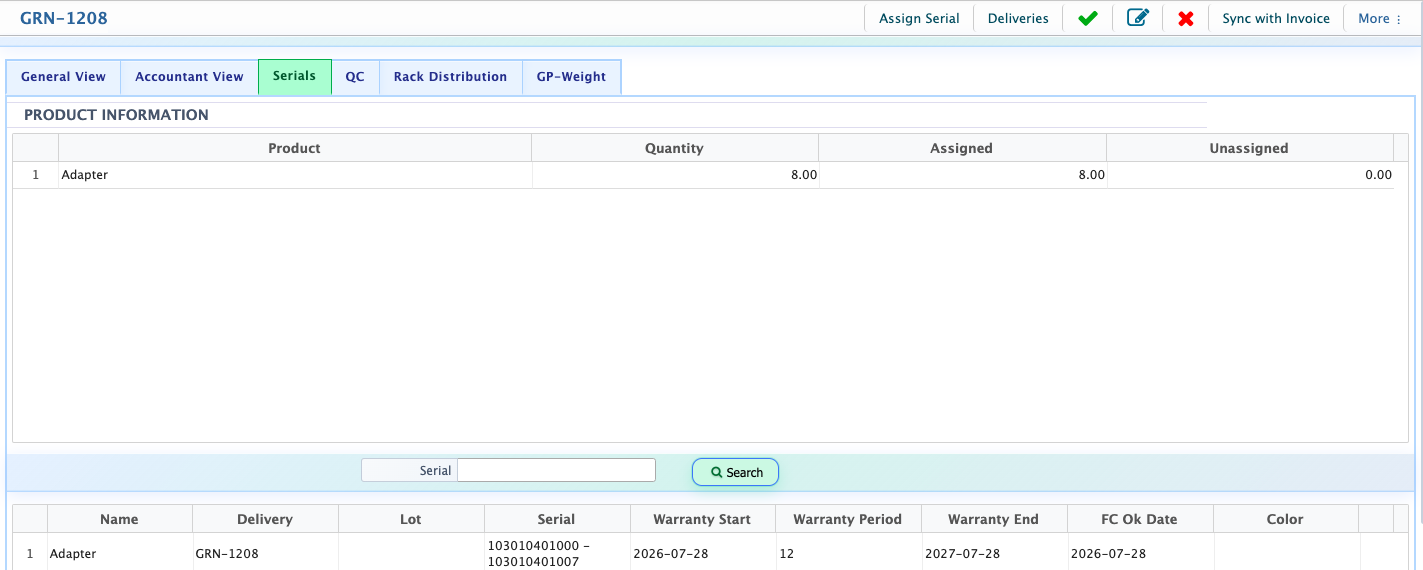
After assigning the serial numbers accept the GRN. Once the GRN is accepted, the serial-tracked products are added to inventory.
Serial Stock
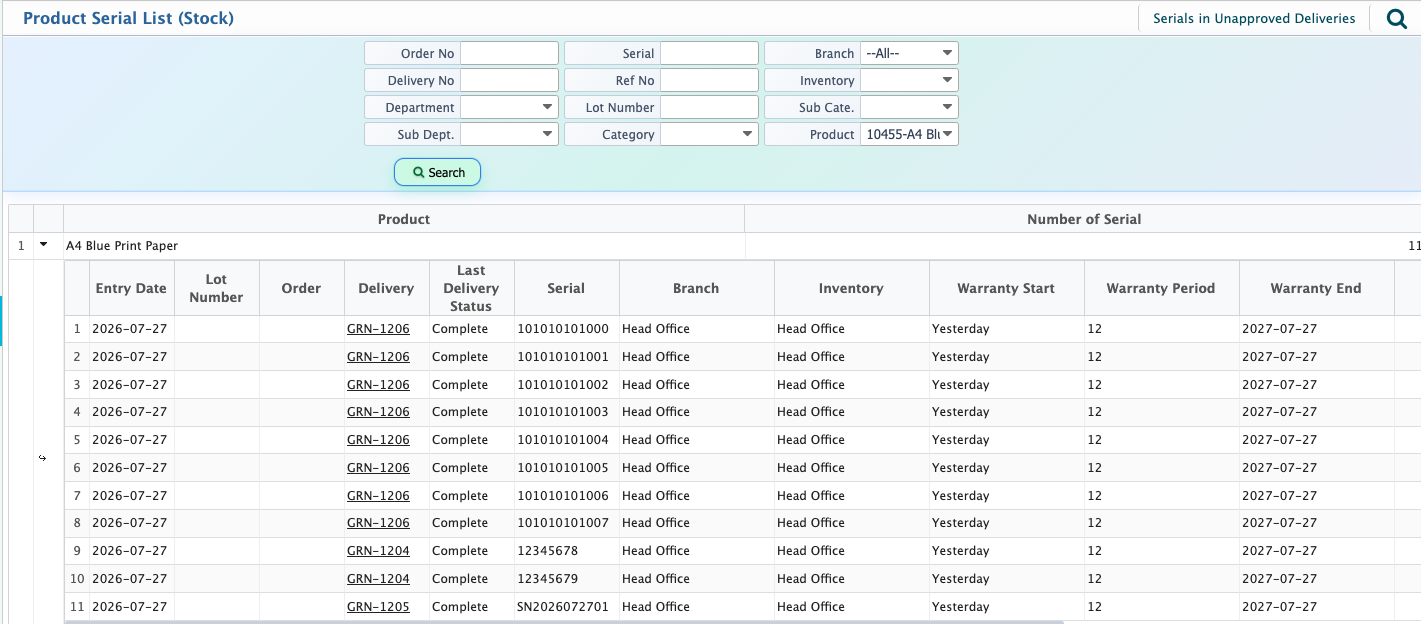
The Serial Stock page displays all products that are tracked using serial numbers.Users can search for a product or serial number to view the assigned serials along with the related delivery information.
Product Serial works in the same way across other inventory and delivery transactions, including Sale Delivery, Sale Delivery Return, Purchase Delivery Return, Inventory Transfer, Product Acquisition, and Consumption, allowing individual products to be tracked accurately throughout the system.