Product Manufacturer
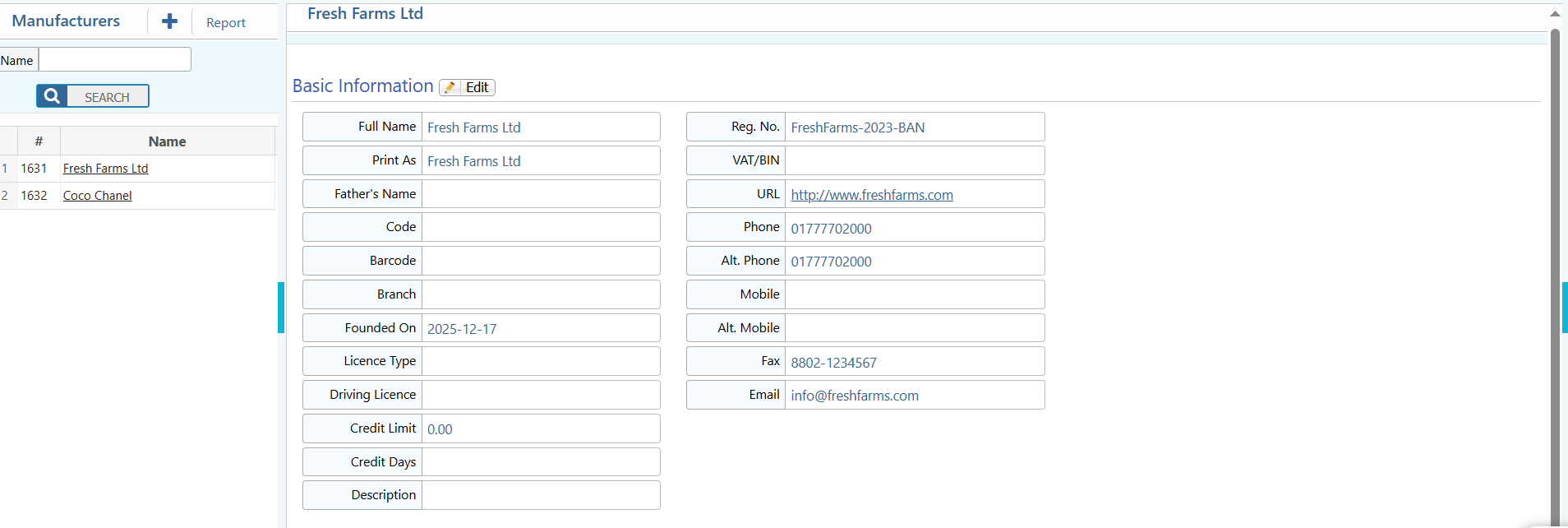
PrismERP’s Product Manufacturer allows users to add, manage, and organize manufacturer information efficiently. Users can enter detailed information such as name, branch, registration details, contact information, website, and description to maintain accurate records of all manufacturers.Product Manufacturer provides search and filter functionality to quickly locate manufacturers by name. Users can view all manufacturer information, edit or update details, and generate reports in multiple formats, ensuring organized management of manufacturer data for better decision-making and reporting.
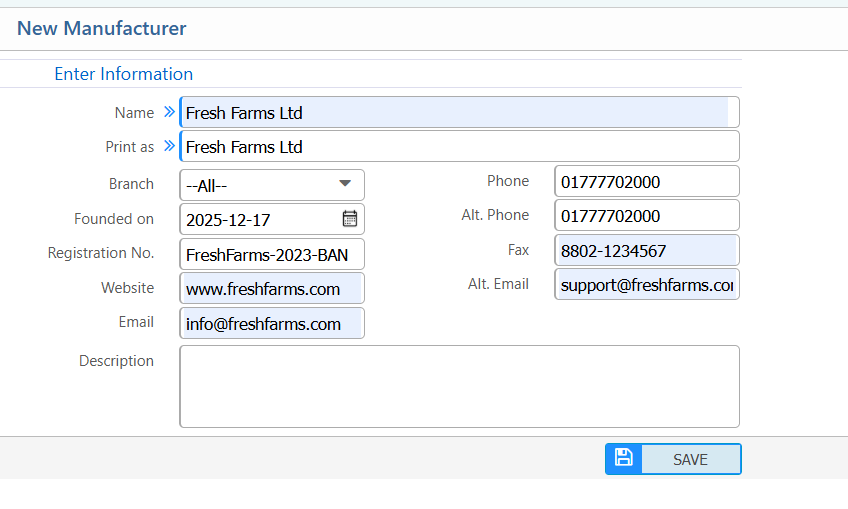
1. New Product Manufacturer
| Field | Action |
|---|---|
| Name | Enter the name of the manufacturer. |
| Branch | Select the branch associated with the manufacturer. |
| Founded On | Enter the manufacturer’s founding date. |
| Registration No. | Enter the official registration number of the manufacturer. |
| Website | Enter the manufacturer’s website URL. |
| Enter the primary email address for the manufacturer. | |
| Phone | Enter the primary phone number. |
| Alt. Phone | Enter an alternate phone number (optional). |
| Fax | Enter the fax number (if applicable). |
| Alt. Email | Enter an alternate email address (optional). |
| Description | Provide any additional details or notes about the manufacturer.(if applicable) |
2. List of Product Manufacturer
2.1 Product Manufacturer Search, Actions & Details
| Field | Action |
|---|---|
| Name | Search manufacturers by name. |
| Details View | View all information related to the manufacturer, including basic details, contact info, registration data, branch information etc. |
| Edit | Edit or update manufacturer information. |
| Contacts | View Edit or add manufacturers contact information. |
| Report | Generate and download manufacturer reports in multiple formats. |