Product Model
In PrismERP The Product Mode allows users to efficiently manage all product models in one place. Users can add new models, specifying the name, brand or manufacturer, and optional description, ensuring each model is clearly documented. The module also provides a searchable list of models, detailed views of model information, and options to edit or activate/deactivate models, making product management accurate and streamlined.
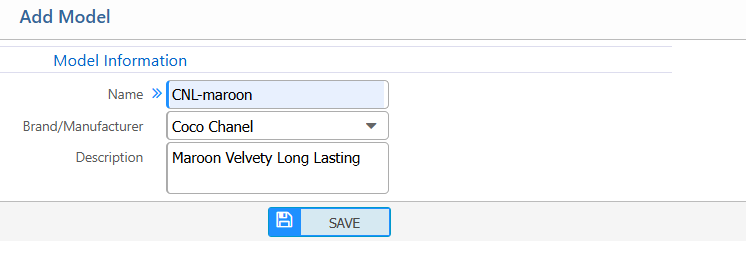
1. New Product Model
| Field | Action |
|---|---|
| Name | Enter the name of the model. |
| Brand / Manufacturer | Select the brand or manufacturer associated with the model. |
| Description | Enter a brief description of the model.(if needed) |
2. List of Product Model
| Field | Action |
|---|---|
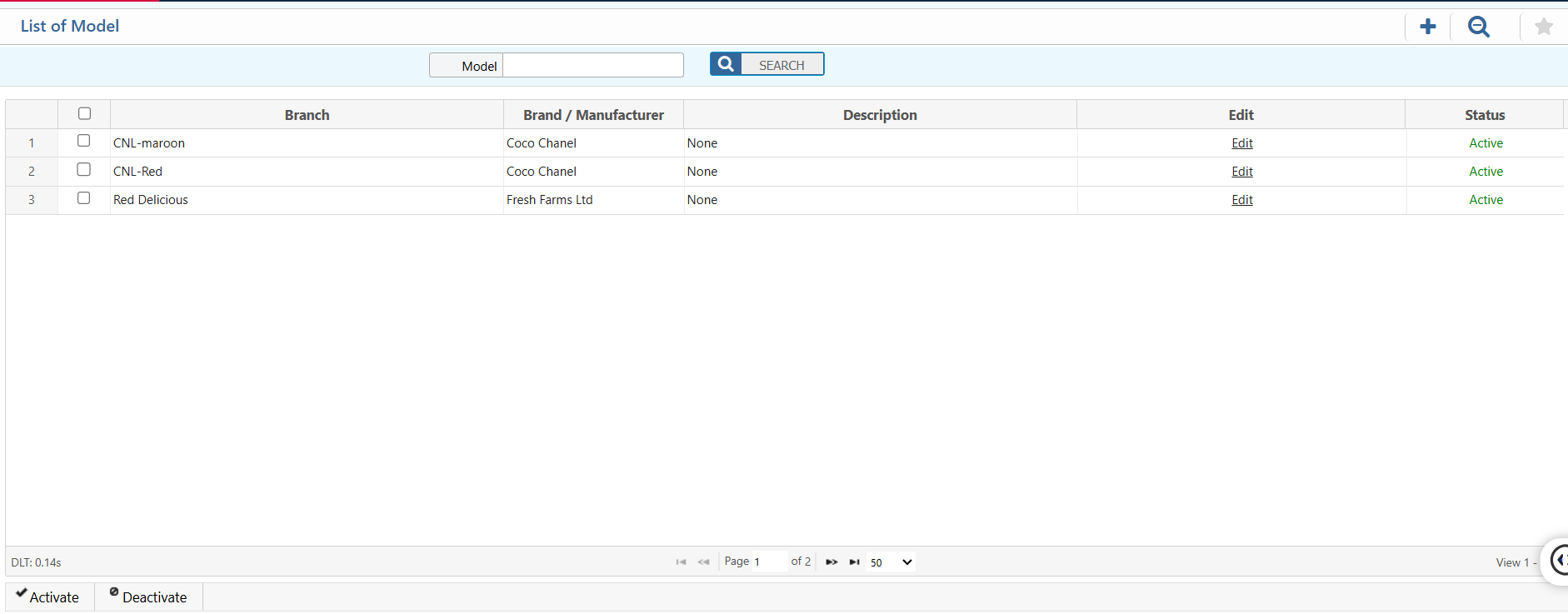
| Model | Search by the model name to quickly locate. |
| Details View | View all detailed information of the selected model, including Branch, Brand / Manufacturer, and Description. |
| Edit | Edit or update the model details. |
| Status | View the current status of the model and activate or deactivate it as needed. |