Product Specification
The Product Specification Module in PrismERP provides a centralized way to organize and manage all product details. Users can create specification templates, group related items, and define common properties for consistent documentation. This ensures that every product’s features are accurately recorded, easily accessible, and clearly structured, making product management faster and more reliable.
1. New Specification Template
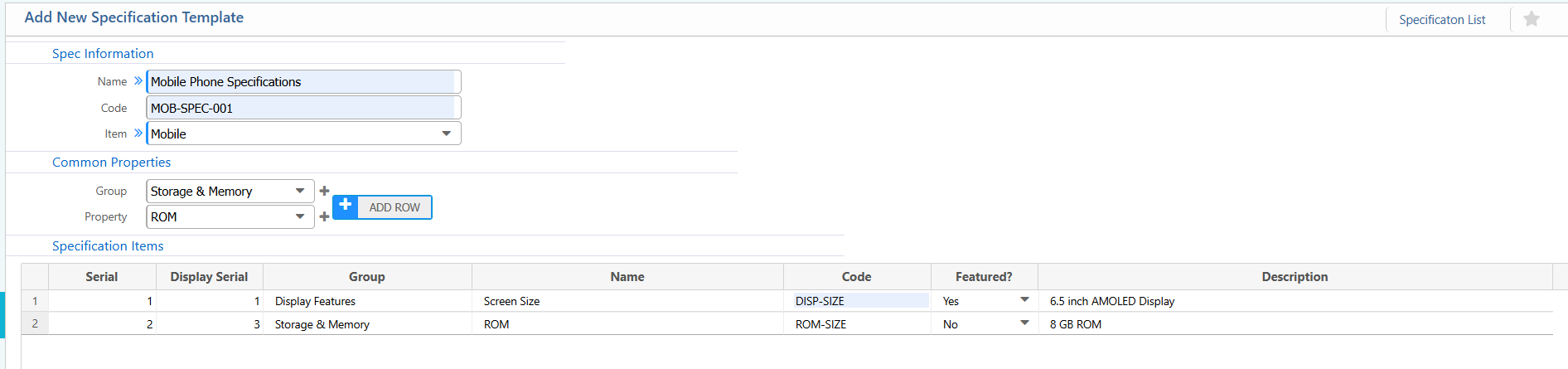
Spec Information:
| Field | Action |
|---|---|
| Name | Enter the name of the specification template. |
| Code | Enter a unique code to identify the template. |
| Item | Select the related item. |
Common Properties:
| Field | Action |
|---|---|
| Group | Select the related group. |
| Property | Select related properties. |
Specification Items:
| Field | Action |
|---|---|
| Serial | Enter the internal serial number of the specification item. |
| Display Serial | Enter the display order shown in the system. |
| Name | Enter the name of the specification item. |
| Code | Enter a unique code for the specification item. |
| Featured? | Select Yes if this is a featured specification. |
| Description | Enter a brief description of the specification item.(if applicable) |
2. List of Specification Template
| Field | Action |
|---|---|
| Name | Search the specification templates by Name to quickly locate the desired template. |
| Code | Search the specification templates by Code to find a specific template. |
| Item | Filter the list of specification templates by Item to narrow down relevant templates. |
| Details View | View all detailed information of the selected specification template, including Specification Items. |
| Edit | Edit or update the specification template or any of its Specification Items. |

3. Add New Specification Group
Spec Group Information:
| Section / Field | User Instruction |
|---|---|
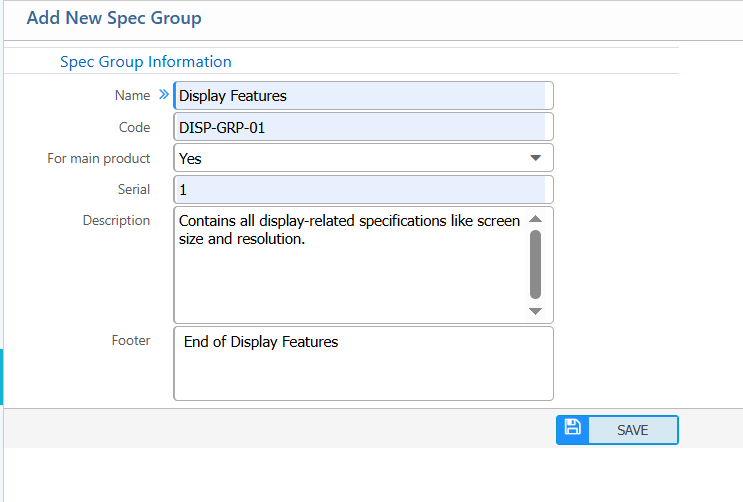
| Name | Enter the name of the specification group. |
| Code | Enter a unique code to identify the specification group. |
| For main product | Select whether this specification group applies to the main product. |
| Serial | Enter the display serial number to control the order of the group. |
| Description | Enter a brief description explaining the purpose of the specification group. |
| Footer | Enter footer text to be displayed with the specification group, if required. |
4. List of Specification Group
| Field | Action |
|---|---|
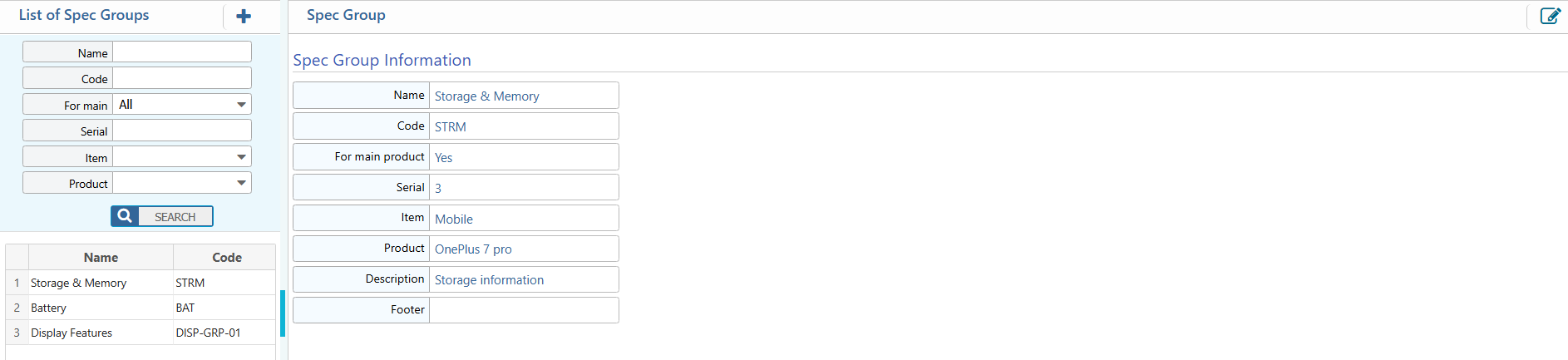
| Name | Search the specification groups by Name. |
| Code | Search the specification groups by Code. |
| For Main Product | Filter the list to show groups that apply to the main product. |
| Serial | Search by Serial number. |
| Item | Filter the specification groups by Item. |
| Product | Filter the specification groups by Product. |
| Details View | View all detailed information of the selected specification group, including Name, Code, Item, Product, and Description. |
| Edit | Edit or update the specification group or any of its details. |
5. Common Specification Item Properties
| Field | Action |
|---|---|
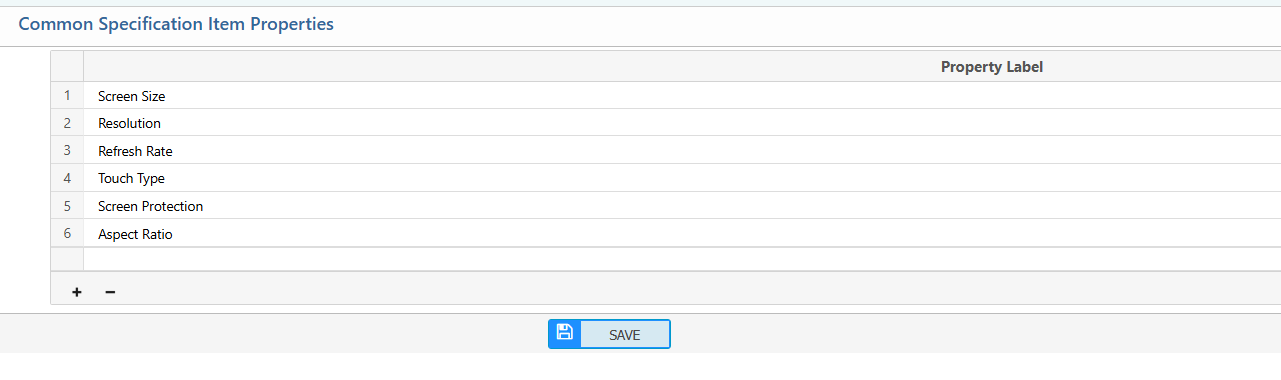
| Property Label | Enter the name of the property that will be shared across multiple specification items. |