Book Lending
Book Lending refers to the process of issuing books or reading materials to registered users (such as students, faculty, or staff) for a specific period under predefined rules. This module is an essential component of any library management system, allowing institutions to manage the circulation of books, ensure timely returns, and maintain an organized inventory.
Key Features
- Issue and Return Tracking – Record who borrowed which book and when
- Due Date Management – Automatically set return dates based on lending policies
- Overdue Alerts and Notifications – Reminders via Email/SMS
- Member-wise Borrowing Limits – Based on role (student, teacher, etc.)
- Multiple Book Issuance – Manage bulk lending in a single transaction
- Reservation and Queue System – Allow users to reserve books
- Renewal Option – Extend lending period if allowed
- Reports and Analytics – Track lending trends, overdue records, etc.
Steps to Utilize this Feature in PrismERP
Issue a Book
- Go to Book Lending
- Select the Member (student, faculty, etc.)
- Select the Book(s) from the catalog
- Set the Issue Date and Return Due Date
- Confirm and complete the issuance
Add Page

List Page
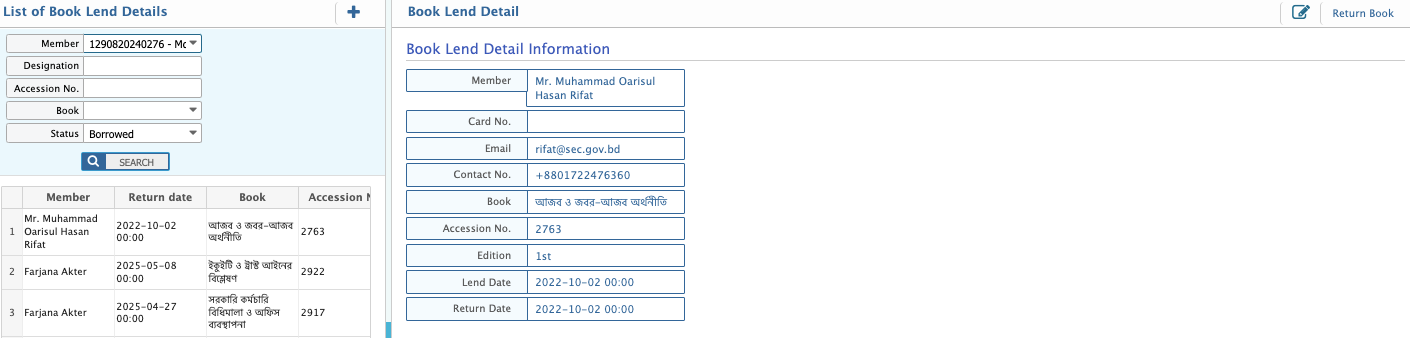
Return a Book
- Navigate to the same module
- Select the issued book under the member’s profile
- Update the status to "Returned"
- Add remarks if damaged or late
Manage Overdues and Renewals
- Use the Overdue Report to track late returns
- Extend lending period using the Renewal feature if permitted
- Send reminders via SMS/Email
Generate Reports
- Go to Lending Reports
- View issued/returned book lists, overdue logs, and lending history by user