Author Management
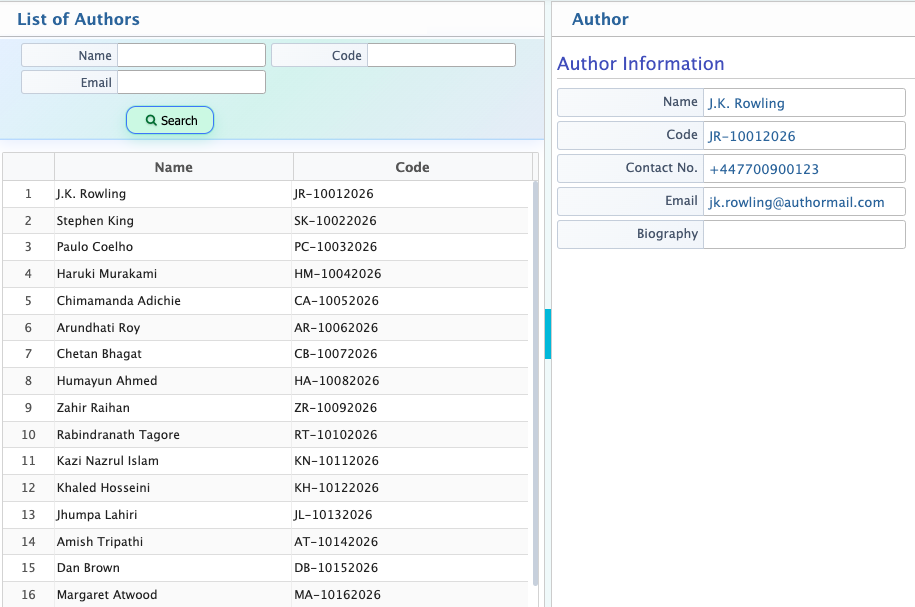
Author Management feature in PrismERP Library System is used to add and maintain author records by capturing basic details such as first name, last name, contact number, and email. After adding, authors appear in the Authors List where their information can be viewed, searched, and updated as needed.
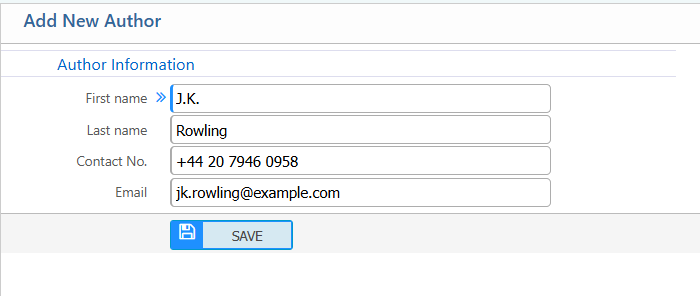
Add New Author
| Field | Action |
|---|---|
| First Name | Enter the author’s first name. |
| Last Name | Enter the author’s last name. |
| Contact No. | Enter the author’s phone number for communication. |
| Enter the author’s email address. |
After adding an author, the record will be available in the Authors List where users can search it using name, code, or email. Users can view the basic details of the author, including contact information and biography. The author information can be updated if required to keep the records accurate and up to date.