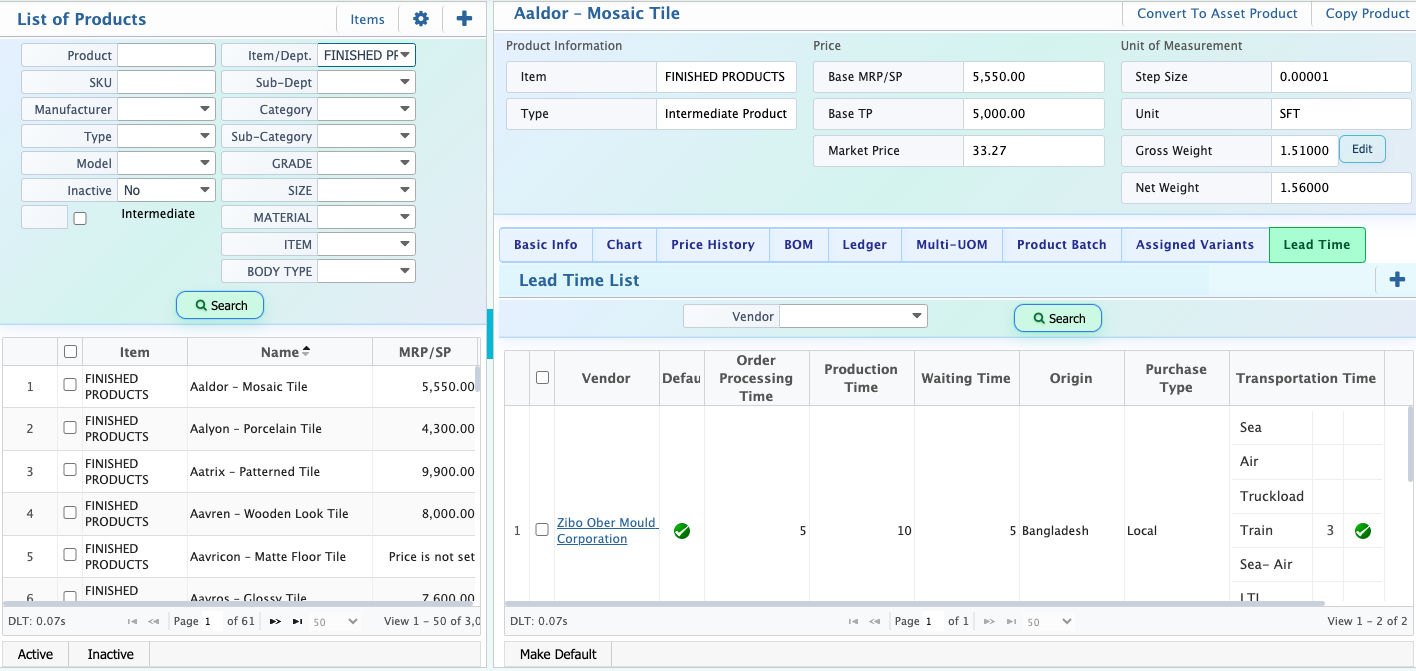
Lead Time
Lead time refers to the total time required from placing an order to completing its full process, including order processing, production, waiting, and transportation.The Lead Time feature in PrismERP is used to define and manage these time durations for different vendors and purchase types. Users can set multiple lead times for different vendors, including details like processing time, production time, and transportation modes such as sea, air, or truck. One vendor can also be marked as the default for primary use in planning.Once configured, lead time details are visible in the Product Details tab. To add lead time, users need to go to the Product Master and open the product list. From the Product Details page, they can add and manage lead time information for each product.
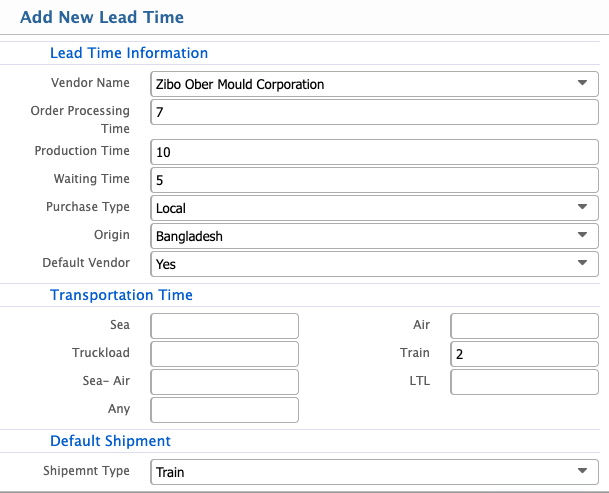
Add Lead Time
| Field | Action |
|---|---|
| Vendor Name | Select the vendor for whom the lead time information is being created. |
| Order Processing Time | Enter the time required for processing an order after it is placed. |
| Production Time | Enter the time required for producing or preparing the goods. |
| Waiting Time | Enter any additional waiting time before production or shipment starts. |
| Purchase Type | Select the type of purchase such as Local or other available options. |
| Origin | Select the origin country of the goods or vendor location. |
| Default Vendor | Select whether this vendor is set as the default (Yes or No). |
| Transportation Time | Enter or define the time required for transportation based on different modes such as Sea, Air, Truckload, Train, Sea-Air, LTL, or Any. |
| Default Shipment | Select the default shipment type used for this lead time setup. |
After adding a lead time, users can view the lead time details from the Product Details tab. Multiple lead times can be added for different vendors to manage variations in processing, production, and transportation times. Users can also select one vendor as the default lead time, which will be used as the primary reference for planning and operations.