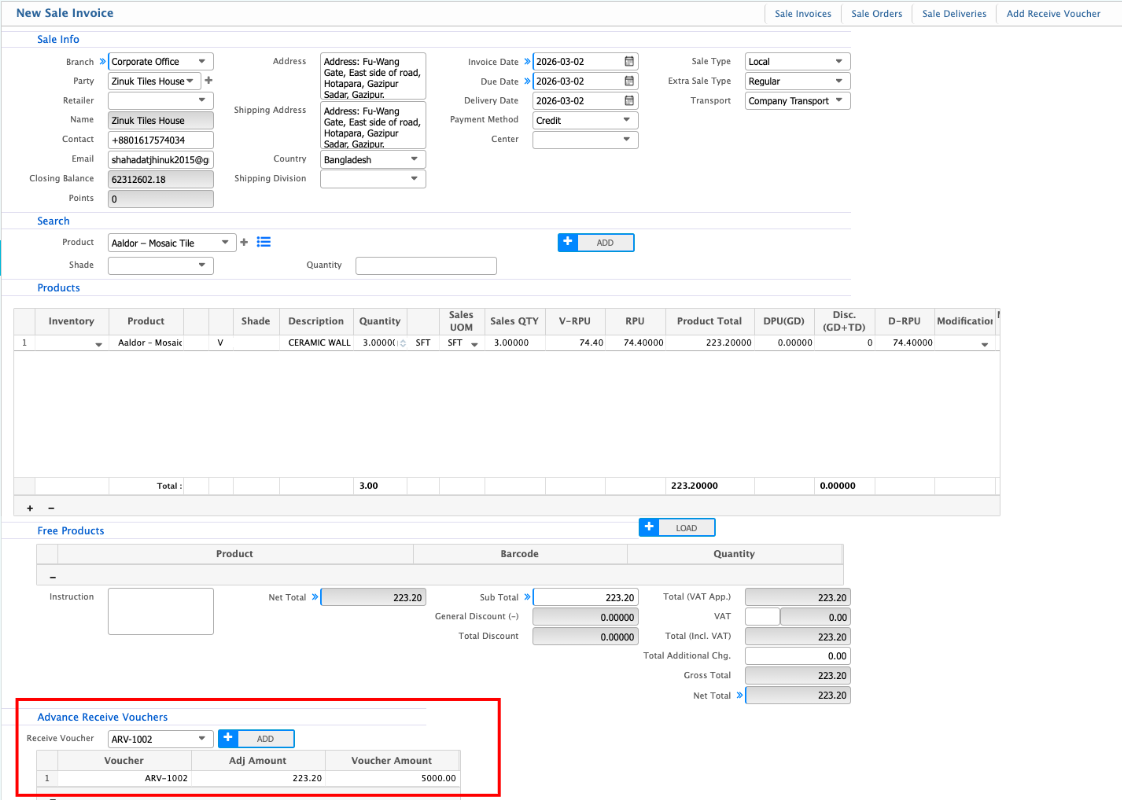
Advance Receive Adjustment
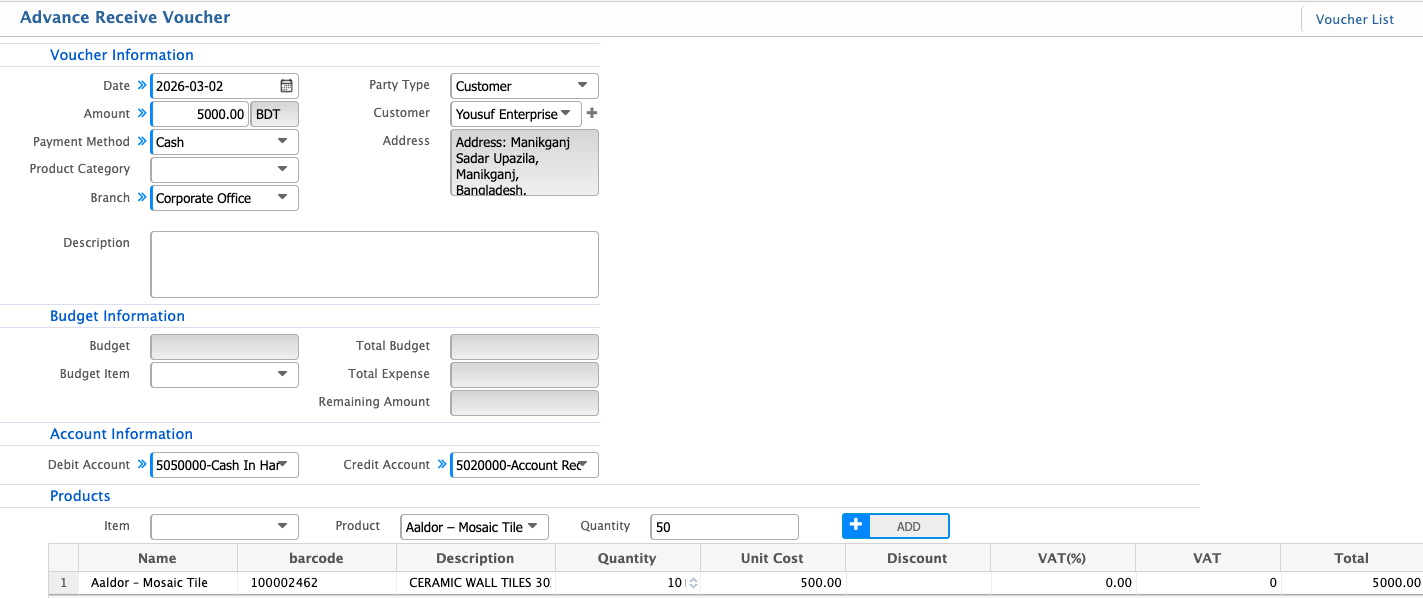
Advance Receive Adjustment in PrismERP is used when a customer makes a payment before the final invoice is issued. Users first create an Advance Receive Voucher, which records both the products or services being paid for and the amount received. Later, when a Sales Invoice is created, the voucher is referenced to automatically adjust the invoice. The system shows the adjusted amount and calculates the remaining balance, linking the advance to the invoice for clear tracking.
Adjustment Process
The workflow has two main stages: recording the advance and adjusting it against the invoice.
Stage 1: Creating the Advance Receive Voucher
- Navigate to the Advance Receive Voucher section.
- Select the customer making the advance payment.
- Enter the products or services the advance relates to, along with quantity and price.
- Enter the advance amount received for the items.
- Select the account where the advance is recorded
- Save the voucher. The advance now exists in the system, linked to both the customer and the products/services.
- The voucher is reflected in the customer’s ledger as an advance.
Stage 2: Creating the Sales Invoice and Using the Advance
- Create a Sales Invoice for the customer.
- Enter the same products or services as in the advance voucher.
- In the Advance Adjustment / Reference Voucher section, select the previously created Advance Receive Voucher.
- PrismERP applies the advance automatically:
- Adjusted Amount shows the portion of the advance used.
- Remaining Balance shows what the customer still owes.
- Save the invoice. The voucher and invoice remain linked for accurate tracking.