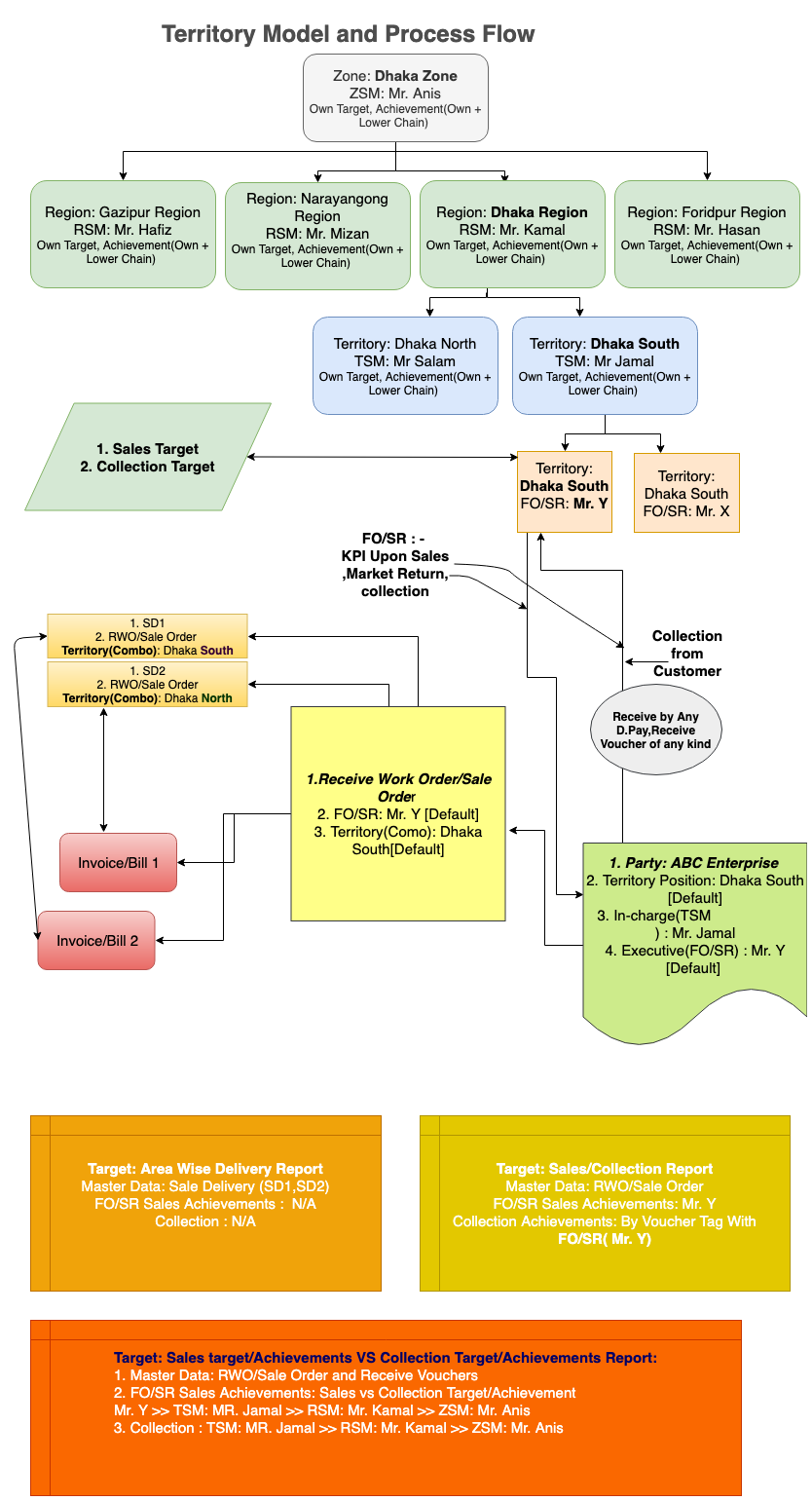
Territory
The Territory Management module in PrismERP is used to define the territory structure and map employees, routes, and customers within that structure.The process begins with Territory Type setup. Here, the hierarchy levels are defined, such as Nation, Division, Zone, Region, Area, or Territory. These levels determine how the territory structure will be arranged in the system.After defining the hierarchy levels, Territory Areas are created under the appropriate territory types. Each territory area is linked to a parent area, creating the complete territory hierarchy. The structure can be viewed from the highest level down to the lowest operational territory.
Once the territory structure is in place, employees are assigned through the Sales Team Member setup. Each employee is mapped to a territory area along with a designation, supervisor, and assignment dates. Existing mappings can later be updated through supervisor changes, employee transfers, or release processes.The next step is Route Setup. Routes are created under specific territories and assigned to sales representatives. Each route contains information such as route name, code, territory hierarchy, location coordinates, and assigned sales representative.
After routes are created, customers are assigned to those routes. Customers can be added individually from the list of unassigned customers or moved between routes when required. The customer list for each route is maintained within the route details.When a customer is selected during Sales Order or Invoice entry, the system identifies the territory mapping associated with that customer. Based on the assigned sales team member, the Territory Representative field is displayed in the transaction.The same territory mapping is also applied during the Collection process, where the corresponding territory representative is displayed according to the customer and territory assignment.The overall flow of Territory Management follows this sequence:
Territory Type → Territory Area → Sales Team Member Assignment → Route Setup → Customer Assignment → Sales Order / Invoice → Collection
Each stage represents a configuration step that forms the complete territory structure and its related operational mappings within PrismERP.