Membership Management
The Membership Card in PrismERP is used to manage customer loyalty cards and define reward rules such as sales points, cashback, gift percentages, and redemption limits. It allows users to create different membership cards with specific configurations based on business requirements. Once assigned to a customer, the system automatically calculates loyalty points during sales orders and invoice processing. These points are stored against the customer profile and can be viewed in a detailed breakdown within the customer list.
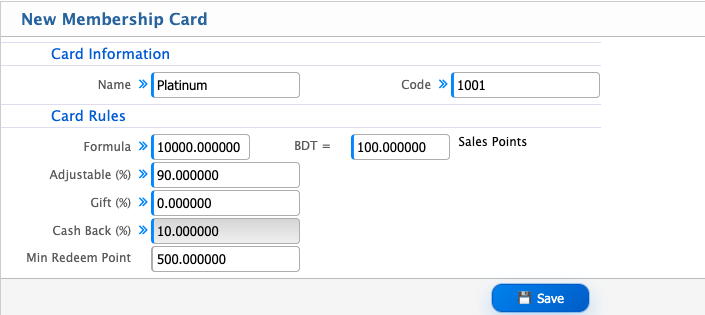
Add Membership Card
| Field | Action |
|---|---|
| Name | Enter the name of the membership card for identification. |
| Code | Enter a unique code for the membership card. |
| Card Rules Formula | Define the rule formula used to calculate card benefits (e.g., BDT = Sales Points conversion logic). |
| Sales Points | Enter the points earned based on sales transactions. |
| Adjustable (%) | Set the percentage that can be adjusted for rewards or point conversion. |
| Gift (%) | Define the percentage of points given as gift rewards. |
| Cash Back (%) | Set the percentage of cashback applicable on transactions. |
| Min Redeem Point | Enter the minimum points required to redeem rewards or benefits. |
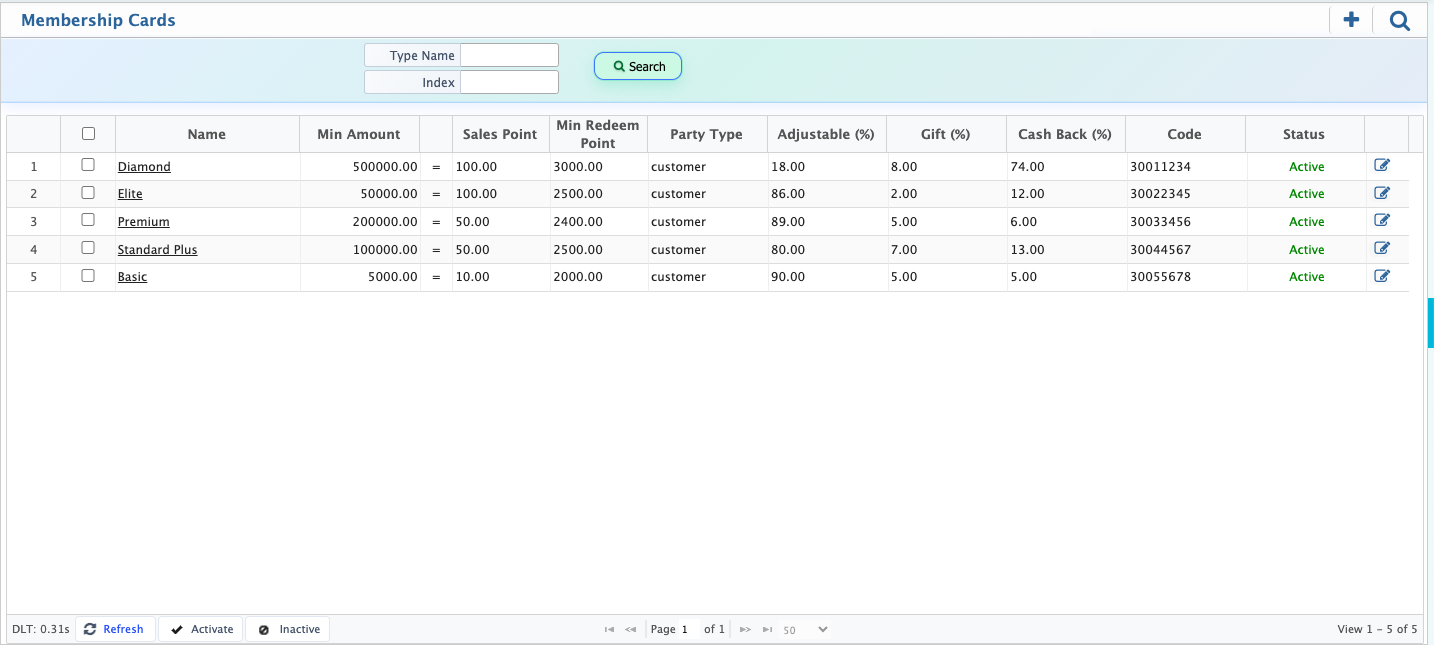
After adding a membership card, users can view it in the Membership Card List along with all configured details such as card name, code, sales points, cashback, gift percentage, and minimum redeem point. From the list, users can use the search panel to quickly find specific cards based on different filters like card name, code, or reward configuration. The system also allows users to activate or deactivate membership cards depending on their usage status. If required, card information can be edited and updated directly from the list to adjust reward rules or point calculations.
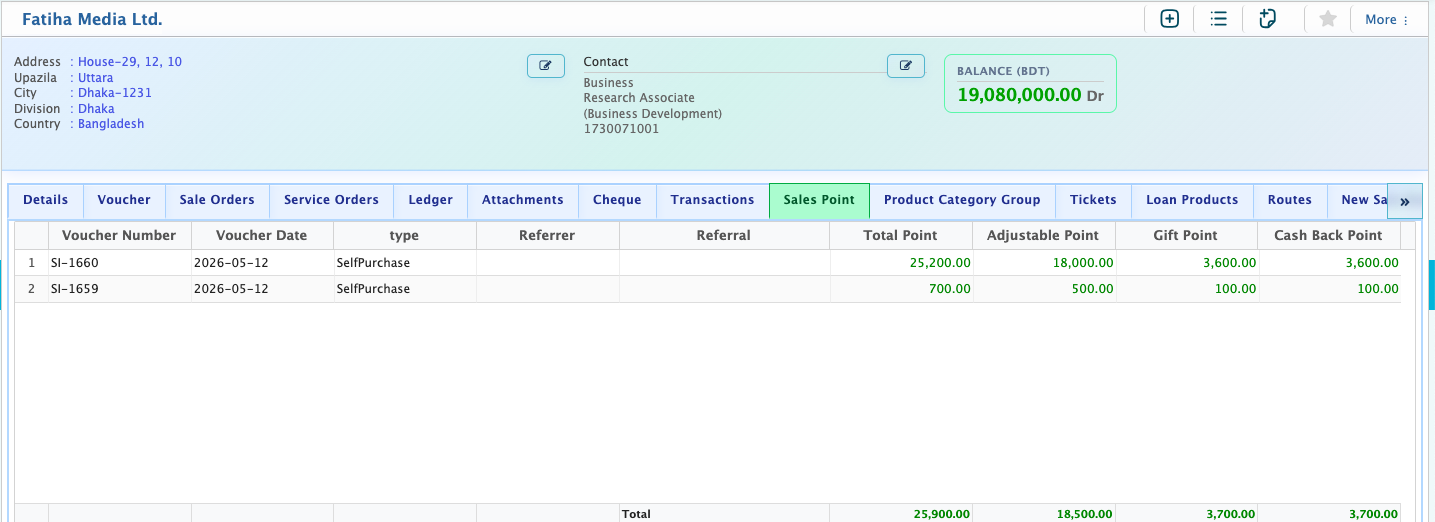
After configuring the membership card, users can assign a membership card while creating a new customer or update an existing customer by adding or changing their membership card information. Once assigned, the system starts tracking customer transactions based on the selected card rules. During sales order creation or invoice processing, the system automatically calculates and updates loyalty points based on sales amount, card configuration, and defined reward rules. These points are recorded in real time for each transaction.
In the customer list, under the Sales Point tab, users can view the complete breakdown of accumulated points, including total sales points, cashback points, and gift points.