Sale Delivery Without Invoice
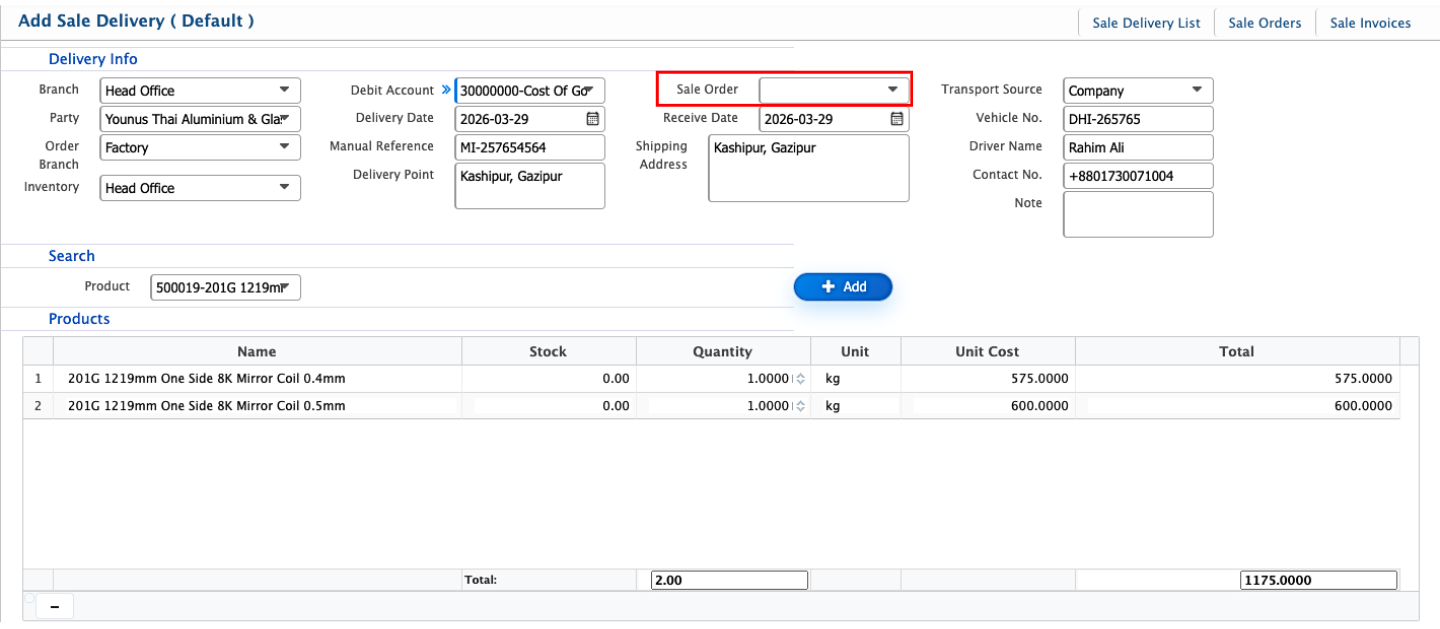
In PrismERP, the user can also create a sale delivery without linking it to any sale order or invoice. To do this, the Sale Order field should be left blank on the Sale Delivery page. The user can then add products directly from the product drop down menu, entering the desired quantity and price for each item manually. Other necessary details, such as branch, customer or party, delivery date, transportation information, and any notes, can also be entered to complete the delivery. Once saved, this delivery will appear in the Sale Delivery List like any other delivery and can be viewed, printed, or downloaded in multiple formats such as PDF, DOC, or XLS. This allows the user to handle one-off deliveries, samples, or special shipments where a sale order or invoice does not exist.