Delivery Challan Management
Delivery Challan
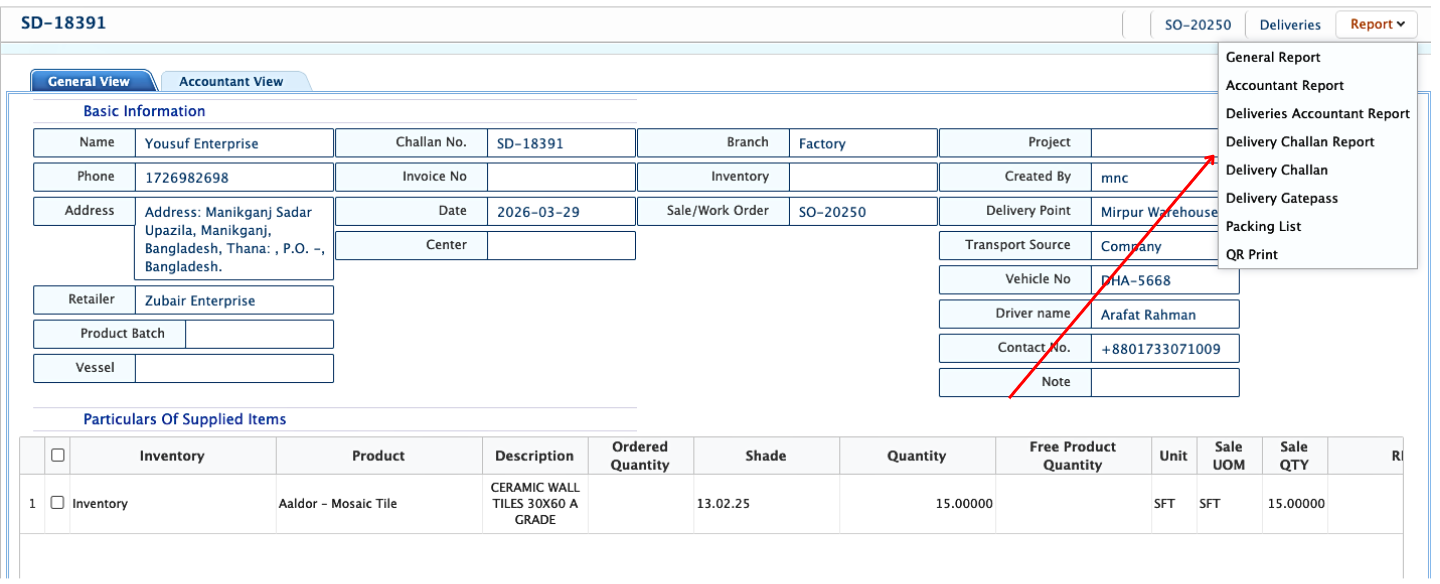
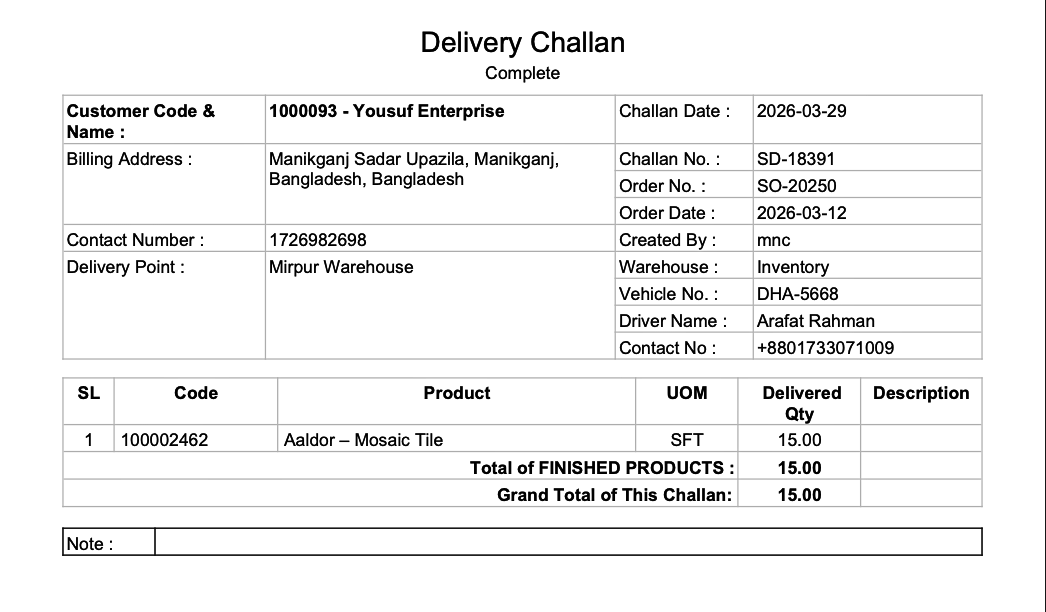
In PrismERP, after a sale delivery has been completed, users can access the Delivery Challan Management feature to view and manage delivery documents. A delivery challan contains all essential details of a delivery, including customer information, billing and delivery addresses, delivery point, transportation details, and product information. Users can review the challan, modify its layout (header, footer, and page orientation), add authorized signatures, and download it in multiple formats like PDF, DOC, or XLS. This ensures all delivery documentation is professional, organized, and easy to share.
| Step | Action |
|---|---|
| 1. Open Sale Delivery Details | Navigate to the completed Sale Delivery and open its Details View. |
| 2. Access Delivery Challan | Within the Details View, locate and open the delivery challan for that sale delivery. |
| 3. View Delivery Details | Check all information including customer details, billing and delivery addresses, delivery point, transportation info, and product information. |
| 4. Edit Challan Outline | Modify the layout, header, footer, or page orientation of the challan without changing the actual delivery content. |
| 5. Add Signature | Insert the authorized signature for approval and verification of the delivery. |
| 6. Download Challan | Download the challan in your preferred format (PDF, DOC, XLS) for printing or sharing with the customer. |