⚡ Instant Delivery on Invoice
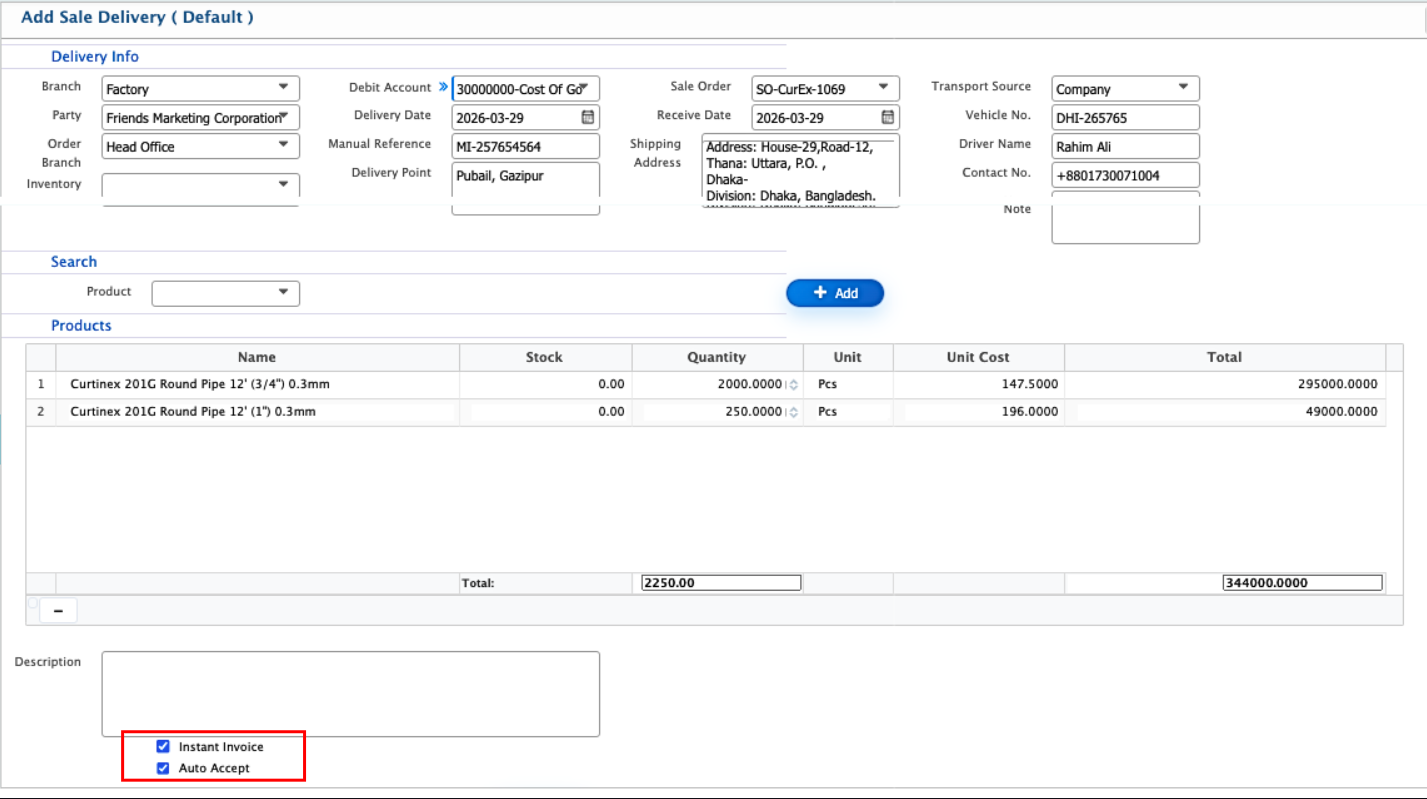
Users in PrismERP can use Instant Delivery on Invoice to process a delivery immediately without waiting for manual status updates. Instant Delivery means that the system automatically generates and accepts the invoice for the delivery, so the delivery is considered complete as soon as it is created. To do this, the user can go to the Sale Delivery page and select the Instant Invoice and Auto Accept checkboxes. On this page, they can either link an existing sale order or add products manually through the product dropdown/search bar, entering the required quantities and prices. Other details like branch, customer or party, delivery date, and transportation information can also be entered as usual. Once completed, the delivery is recorded in the Sale Delivery List and can be viewed, printed, or downloaded in multiple formats, just like a regular delivery.