 Cheque Book
The PrismERP Cheque Management feature makes it easy to handle all cheque-related operations in one place. It covers adding new cheque books, issuing cheques, recording payments, and receiving cheques.With PrismERP, users can track cheque status, link cheques to vouchers or sales orders, and maintain detailed records. Powerful search, filter, and reporting tools make it simple to monitor cheque activities and generate reports like General Report, Monthly Money Receipt, and Accountant View.
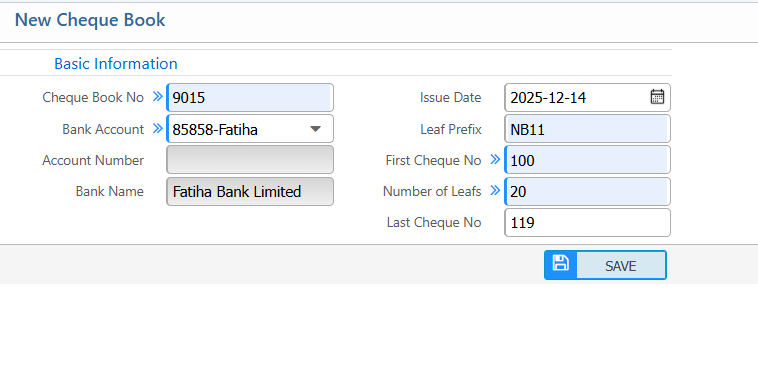
1. Add new cheque Book
| Field | Description / Action |
|---|---|
| Cheque Book No | Enter the unique number or ID for this cheque book. |
| Bank Account | Select the bank account linked to this cheque book. |
| Account Number | Enter the account number associated with the cheque book. |
| Bank Name | Enter or select the bank’s name. |
| Issue Date | Enter the date the cheque book was issued. |
| Leaf Prefix | Specify the prefix used on the cheque leaves (if any). |
| First Cheque No | Enter the number of the first cheque in the book. |
| Number of Leafs | Enter the total number of cheque leaves in this book. |
| Last Cheque No | Enter the number of the last cheque in the book. |
2. Cheque Book List
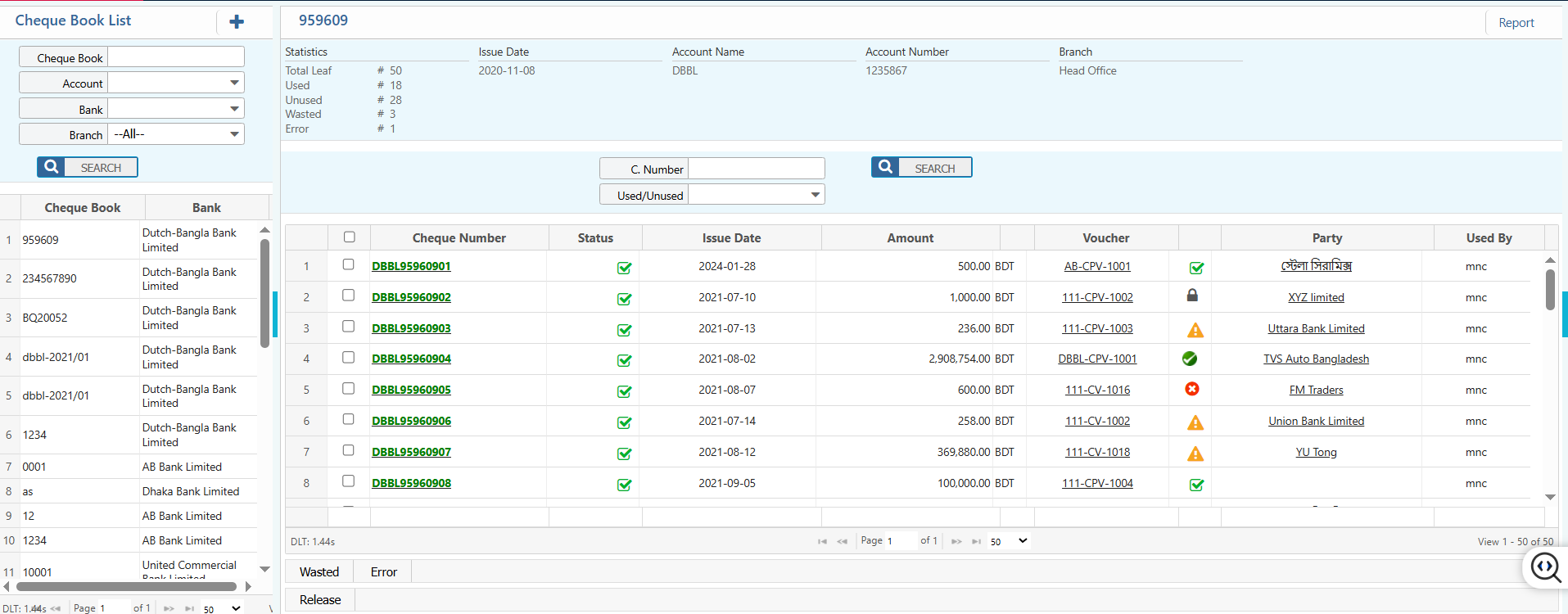
2.1 Cheque Book Search & Filter Option
| Field | Description |
|---|---|
| Cheque Book No | Search cheque books by full or partial cheque book number. |
| Bank | Filter cheque books by bank name. |
| Branch | Filter cheque books by branch. |
| Account Number | Search or filter by account number linked to the cheque book. |
2.2 Cheque Book Details view
| Field | Description |
|---|---|
| Status | View and update the status of each check book. |
| Cheque Details | Access individual cheque details like (account, bank, branch, issue date,statistics,numbers, status,amount, voucher, party, and user.) |
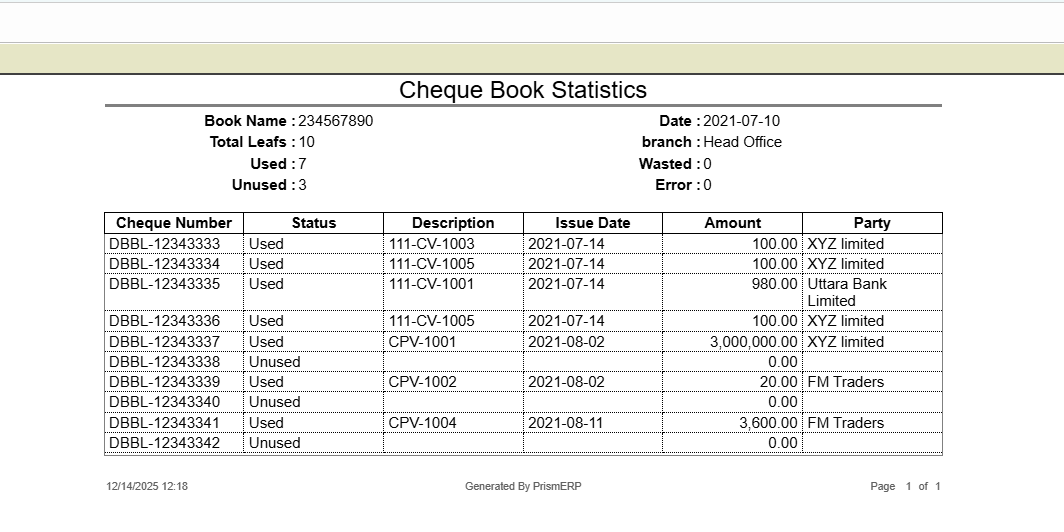
| Reports | Generate chequebook statistics report |
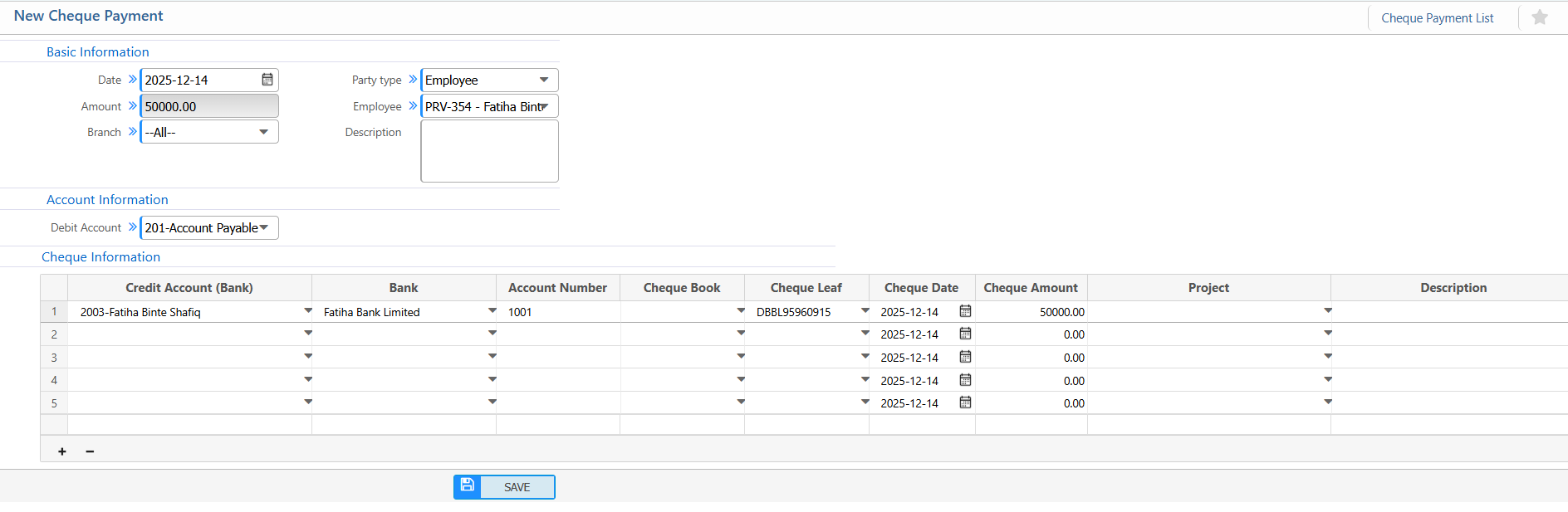
3. New Cheque Payment
Basic Information:
| Field / Section | Description |
|---|---|
| Date | Enter the date of the cheque payment (e.g., 2025-12-14). |
| Party Type | Select the type of party (Vendor, Customer, Employee, etc.). |
| Party | Choose the vendor or party receiving the payment. |
| Branch | Select the branch. |
| Description | Enter a note or purpose for the payment.(if applicable) |
Account Information:
| Field / Section | Description |
|---|---|
| Debit Account | Select the account from which the payment is deducted |
| Credit Account (Bank) | Select the bank account to issue the cheque from. |
Cheque Information:
| Field / Section | Description |
|---|---|
| Bank | Select the bank linked to the cheque. |
| Account Number | Enter the bank account number. |
| Cheque Book | Select the cheque book to use for this payment. |
| Cheque Leaf | Choose the specific cheque leaf number from the cheque book. |
| Cheque Date | Enter the date written on the cheque. |
| Cheque Amount | Enter the amount for this specific cheque. |
| Project | Link the payment to a project if applicable. |
| Description | Add any extra notes regarding this cheque.(if applicable) |
4. Cheque Payment List
4.1. Cheque Payment Search and Filter Option
| Field | Description |
|---|---|
| Number | Search by cheque payment number. |
| Party | Filter by party name |
| Branch | Filter by branch. |
| Status | Select or update the payment status: Pending / Completed / Rejected. |
| From / To Date | Filter payments within a specific date range. |
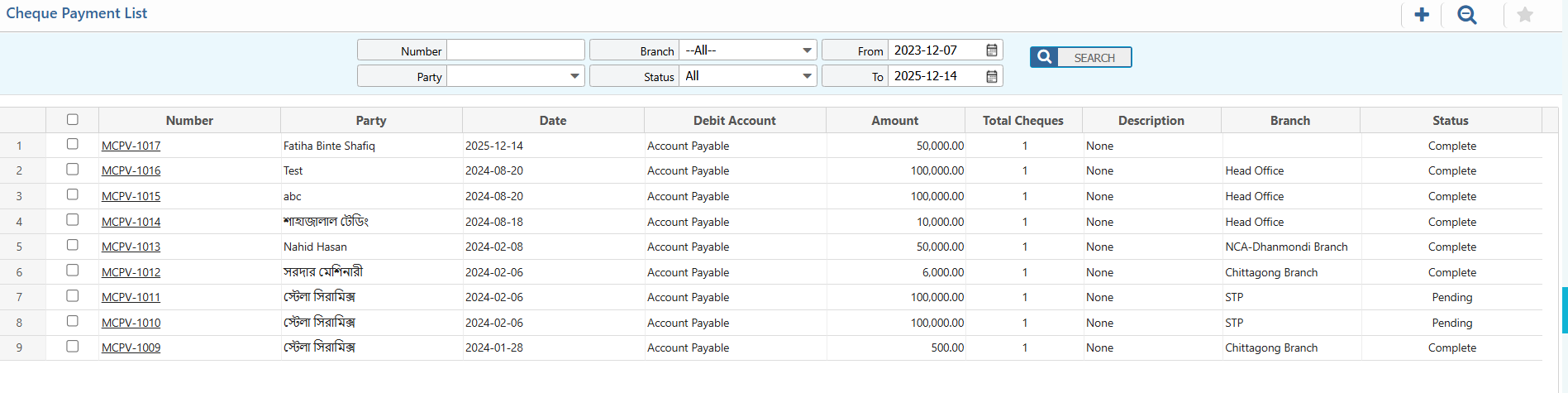
4.2 Cheque Payment Details View
| Field | Description |
|---|---|
| Detail Information | Access and view detailed information of the cheque. |
| Voucher Information | Access and view voucher information and change the status. |


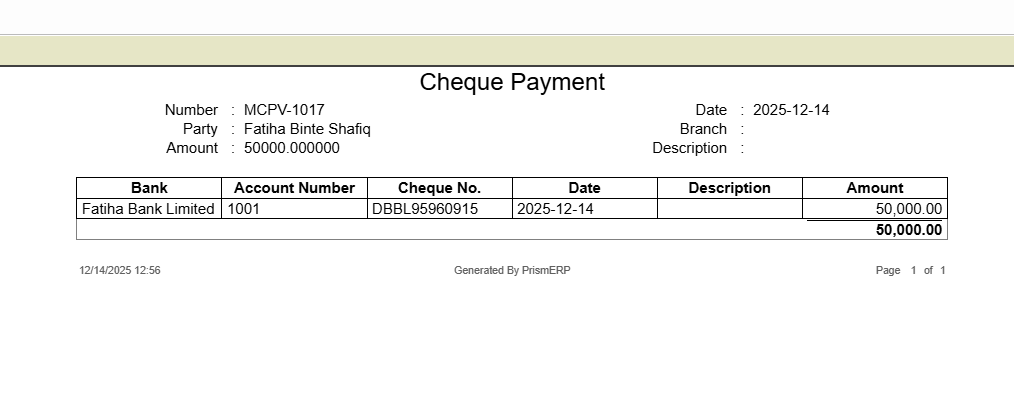
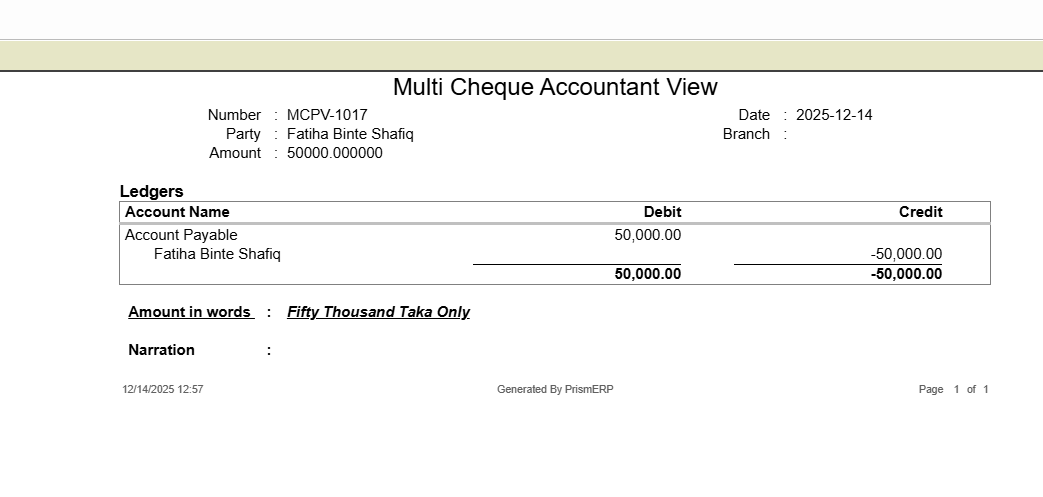
4.3 Cheque Payment Report
| Field | Description |
|---|---|
| Report | Preview and download two types of reports in multiple format: General Report and Accountant View. |
5. Issued Cheques
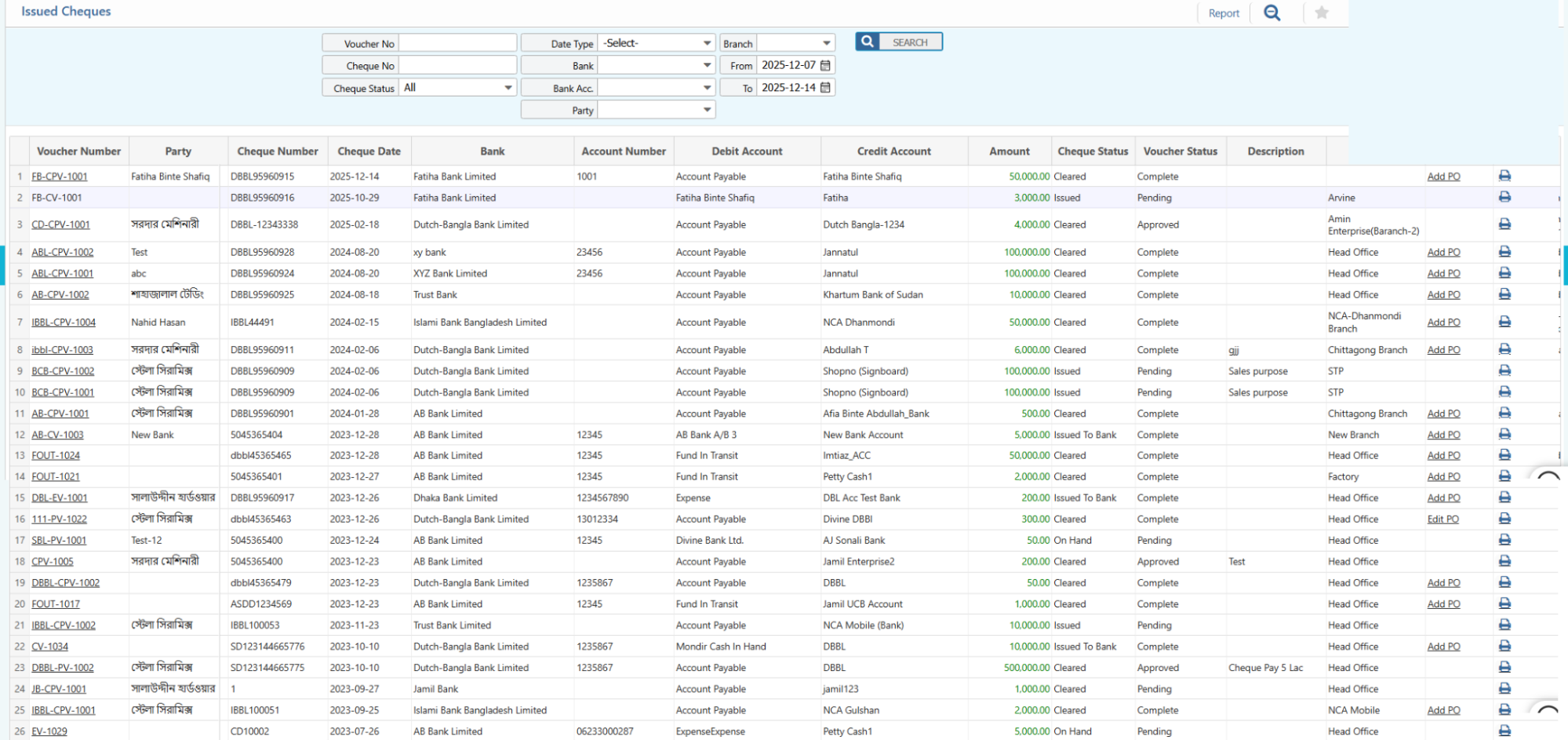
5.1 Issued Cheques: Search & Actions
| Field | Description |
|---|---|
| Voucher No | Search by voucher number. |
| Cheque No | Search by cheque number. |
| Cheque Status | Filter by cheque status (Pending, Cleared, Rejected, etc.). |
| Date Type | Select the type of date to filter |
| Bank | Filter by bank. |
| Bank Acc. | Filter by specific bank account number. |
| Party | Search by party name (full or partial). |
| Branch | Filter by branch (or “All” for all branches). |
| From / To Date | Select the date range to filter the report (e.g., 2025-12-07 → 2025-12-14). |
| Report | Preview and download cheque payment reports in multiple format. |
| Add PO | Tag a purchase order to the cheque (if applicable) |
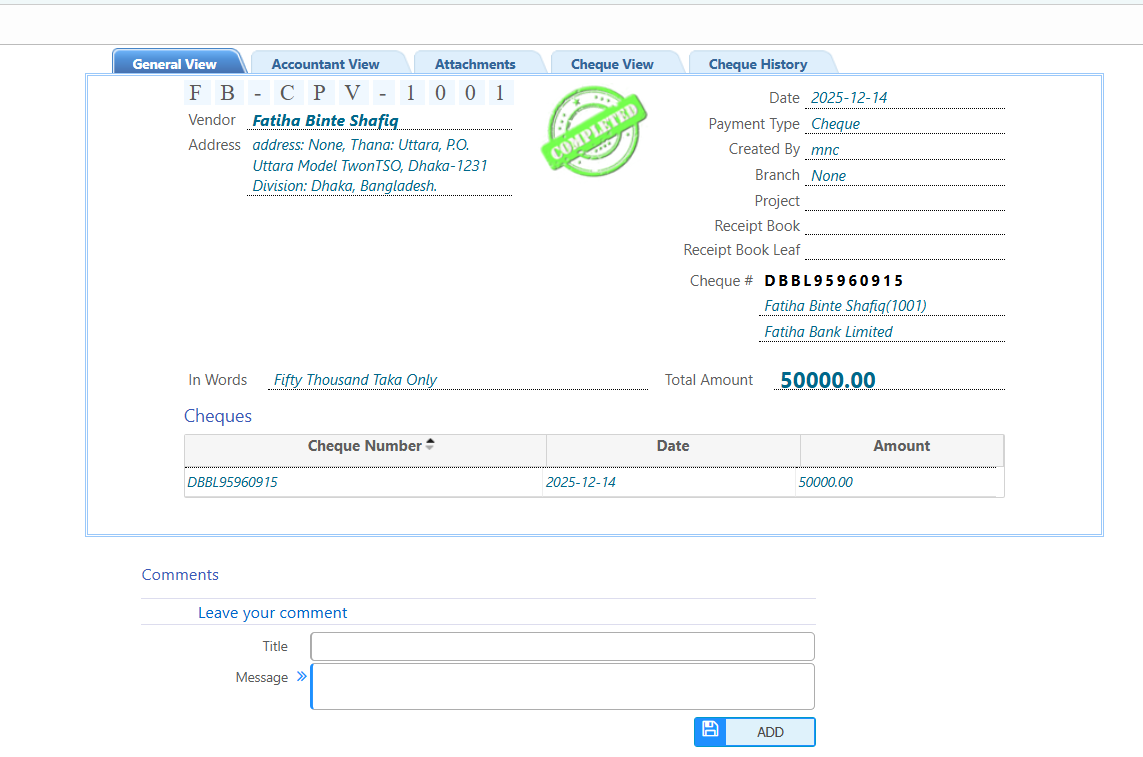
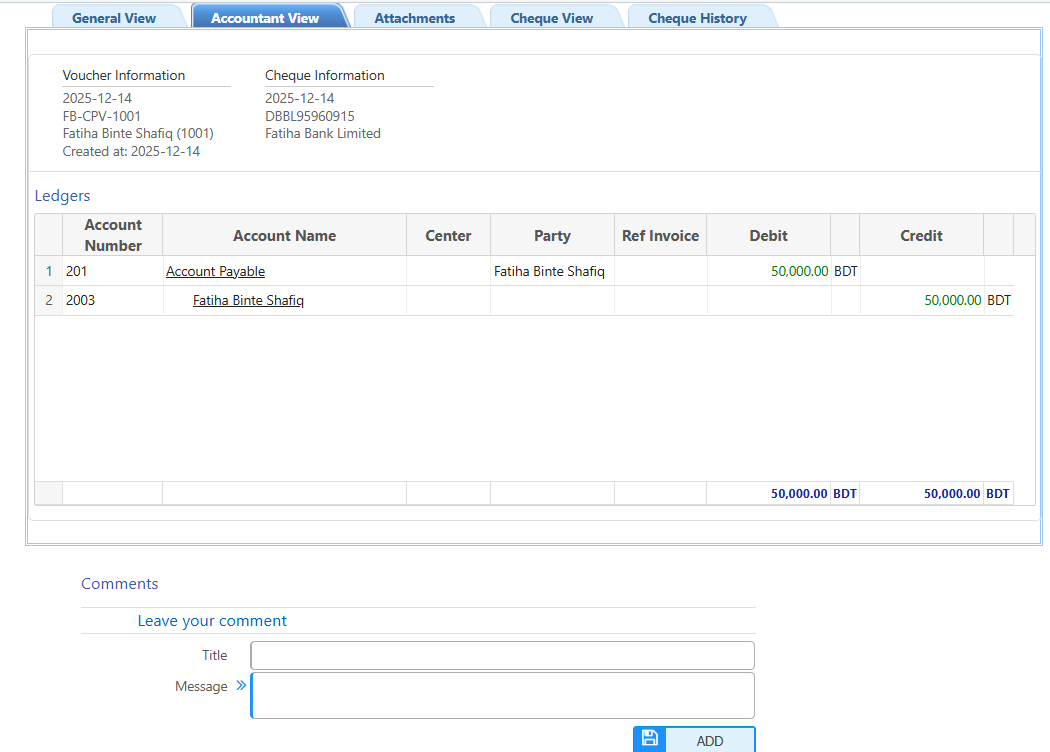
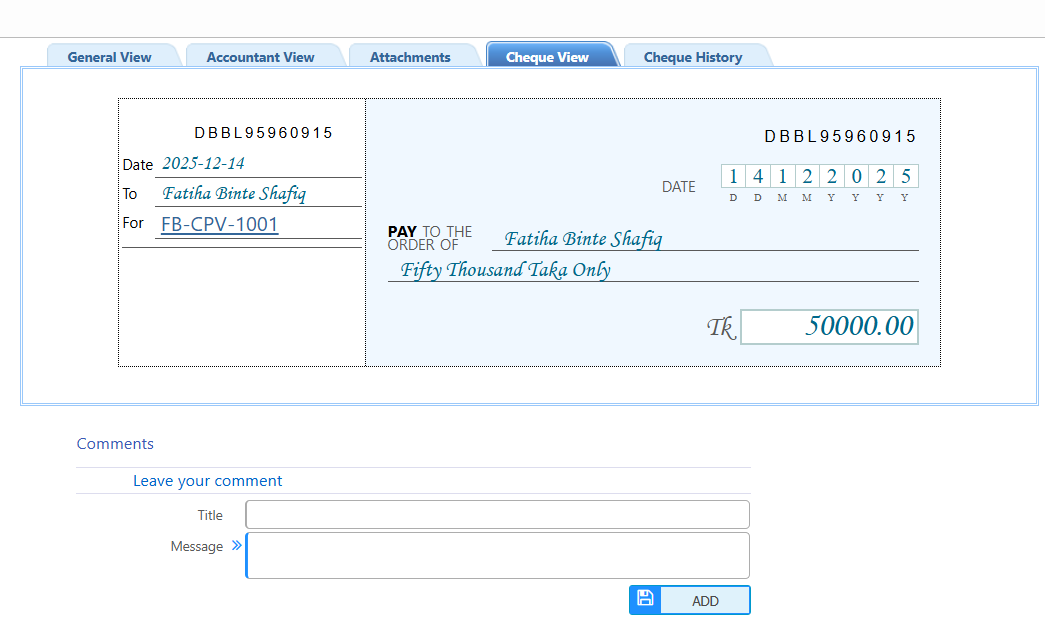
5.2 Issue Cheques Detail View
| View / Tab | Description |
|---|---|
| General View | View a summary of the cheque including date, amount, party, bank etc. |
| Accountant View | View the cheque in accounting context, including debit.credit amount and reference vouchers. |
| Attachments | View,download and upload documents related to the cheque |
| Cheque View | View detailed cheque information such as cheque book, leaf number, and cheque date. |
| Cheque History | View a chronological log of all actions and updates related to this cheque, including status changes. |
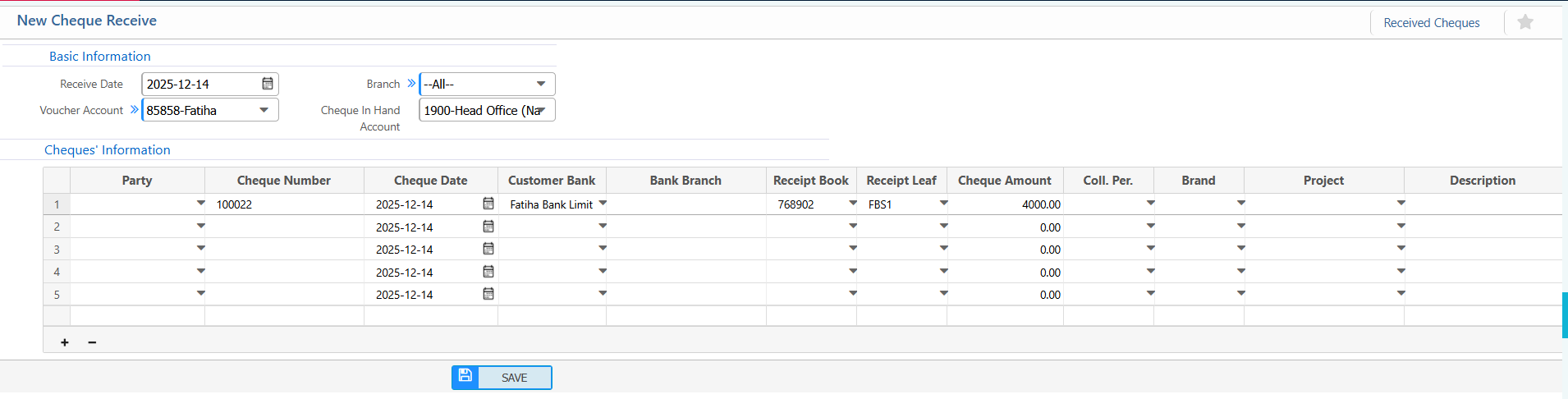
6. New Cheque Receive
Basic Information:
| Field / Section | Action |
|---|---|
| Receive Date | Enter the date the cheque is received |
| Branch | Select the branch receiving the cheque |
| Voucher Account | Choose the voucher account for this receipt |
| Cheque In Hand Account | Select the account where the cheque will be recorded until deposited |
Cheque Information:
| Field / Section | Action |
|---|---|
| Party | Enter the name of the customer or party issuing the cheque |
| Cheque Number | Enter the cheque number |
| Cheque Date | Enter the date written on the cheque |
| Customer Bank | Select the bank that issued the cheque |
| Bank Branch | Enter or select the branch of the customer’s bank |
| Receipt Book | Select the receipt book used for this cheque |
| Receipt Leaf | Enter the receipt leaf number |
| Cheque Amount | Enter the amount of the cheque |
| Coll. Per. | Enter the collection percentage if applicable |
| Brand | Enter brand or business unit (if applicable) |
| Project | Link to a project (if needed) |
| Description | Add any additional notes or remarks about the cheque |
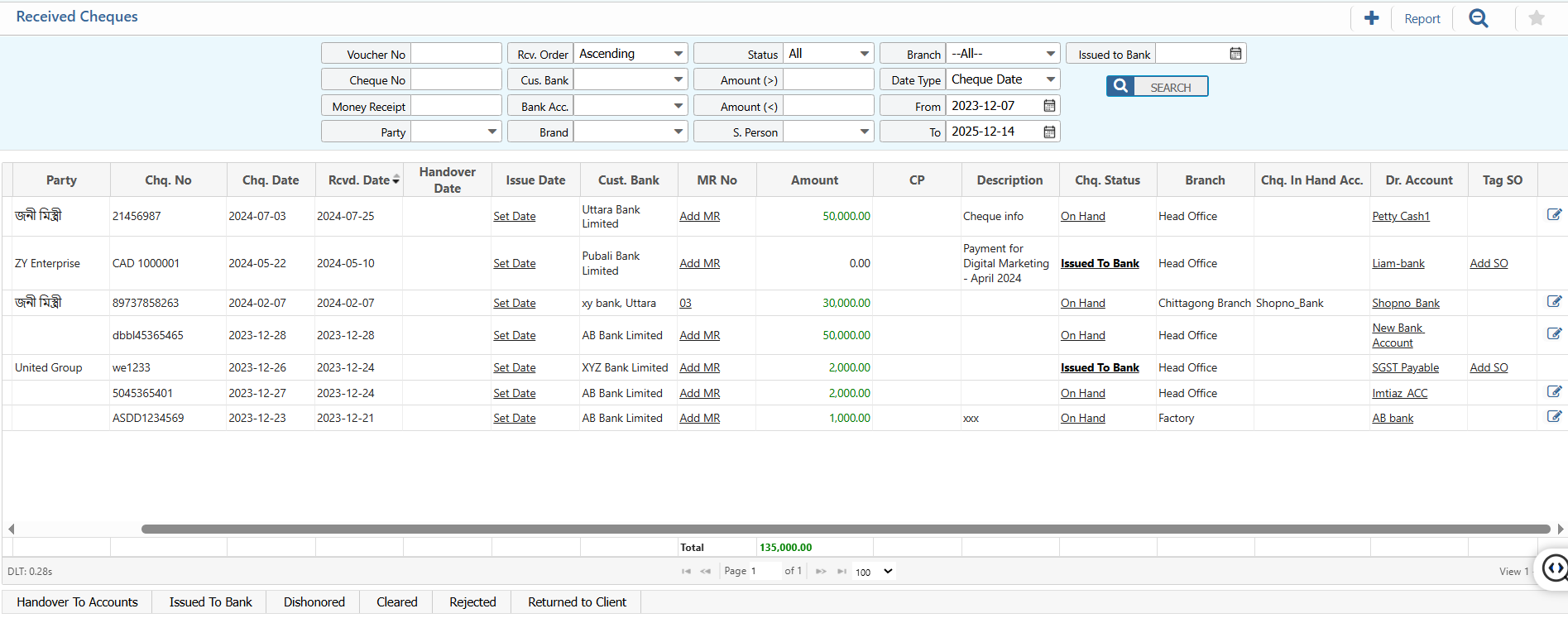
7. Received Cheque List
7.1 Received Cheque Search & Action
| Field | Action |
|---|---|
| Voucher No | Search by voucher number. |
| Cheque No | Search by cheque number. |
| Money Receipt | Search by money receipt number. |
| Party | Filter by party name. |
| Rcv. Order | Filter by receive order. |
| Cus. Bank | Filter by customer’s bank. |
| Bank Acc. | Filter by specific bank account. |
| Brand | Filter by brand or business unit. |
| Status | Filter by cheque status (On Hand / Issued To Bank / etc.). |
| Amount ( > ) | Filter cheques greater than a specific amount. |
| Amount ( < ) | Filter cheques less than a specific amount. |
| S. Person | Filter by salesperson. |
| Branch | Select the branch (or “All” for all branches). |
| Date Type | Choose type of date to filter. |
| From / To Date | Select date range to filter the report (e.g., 2023-12-07 → 2025-12-14). |
| Issued to Bank | Filter cheques that have been issued to the bank. |
| Status | Update the status of the cheque (On Hand / Issued To Bank / etc.). |
| MR | Add a Money Receipt for the selected cheque. |
| SO | Tag a Sales Order (SO) to the selected cheque. |
| Edit | Edit the original received cheque details if required. |
7.2 Received Cheque Detail View
| View / Tab | Description |
|---|---|
| General View | View a summary of the received cheque, including receive date, party, cheque number, amount, customer bank, and branch. |
| Accountant View | View the cheque in accounting context, including ledger entries, voucher information, and linked accounts. |
| Attachments | View or upload documents related to the cheque, such as money receipts, invoices, or supporting documents. |
| Cheque View | View detailed cheque information including cheque book, receipt leaf, cheque date, and cheque in hand account. |
| Cheque History | View a chronological log of all actions and updates related to the cheque, including status changes and edits. |
| Reports | Preview or download general, monthly money receipt, accountant view reports |