Cost Center Management
Cost Center in PrismERP is used to associate financial transactions and operational activities with specific organizational centers, such as departments, branches, or other business units. Users can create centers, assign accounts to them, and associate them with transactions such as Internal Requisitions, Vouchers, and Purchase Orders. The transactions recorded against a center are available from the Center Details page, where users can view the related accounts and ledger information. PrismERP also allows centers to be classified into different categories, including Cost Center, Revenue Center, Profit Center, Investment Center, and Responsibility Center.
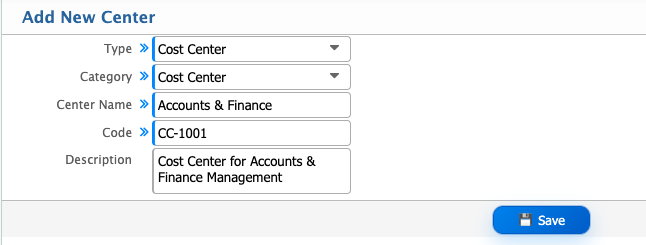
Add New Center
| Field | Action |
|---|---|
| Type | Select the appropriate type of center. |
| Category | Select the category of the center, such as Cost Center, Revenue Center, Profit Center, Investment Center, or Responsibility Center. |
| Center Name | Enter the name of the center. |
| Code | Enter a unique code to identify the center. |
| Description | Enter additional information about the center. |
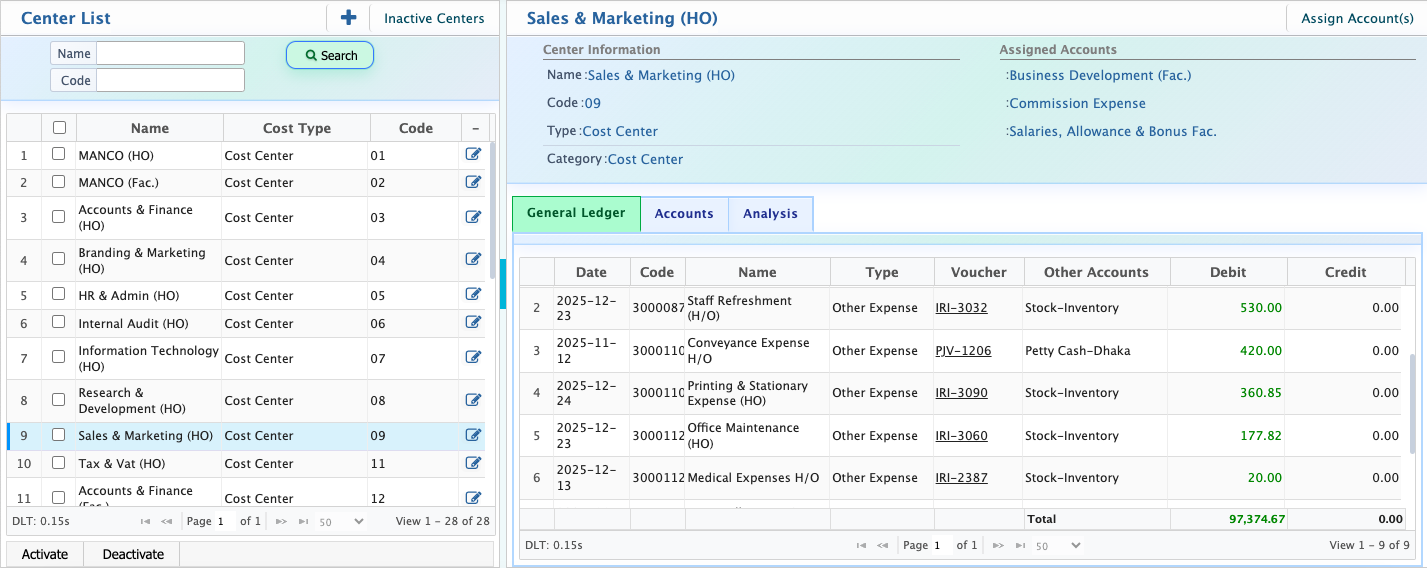
After adding centers, users can view and manage the available centers from the Center List page. The list displays the Name, Cost Type, and Code of each center. Users can filter the list by Name or Code to find a specific center.Users can select a center from the list to view its details. The center details page displays the Name, Code, Type, and Category, along with the accounts assigned to the center. Users can also view the related General Ledger, Accounts, and Analysis information for the selected center.Users can deactivate a center when it is no longer required for active use. Deactivated centers can be viewed from the Inactive Centers page and can be activated again when required.
Assign Accounts to a Cost Center
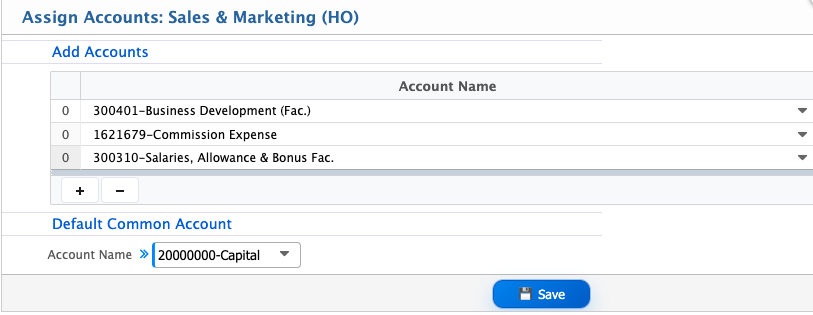
Users can assign one or more accounts to a cost center from the Center Information page. To assign accounts, open the required cost center and click Assign Account(s). The Add Accounts section opens, where users can select the required accounts from the available account list and assign them to the cost center.After assigning the accounts, the selected accounts become associated with that cost center and can be viewed from the Assigned Accounts section.
Cost Center in Internal Requisition
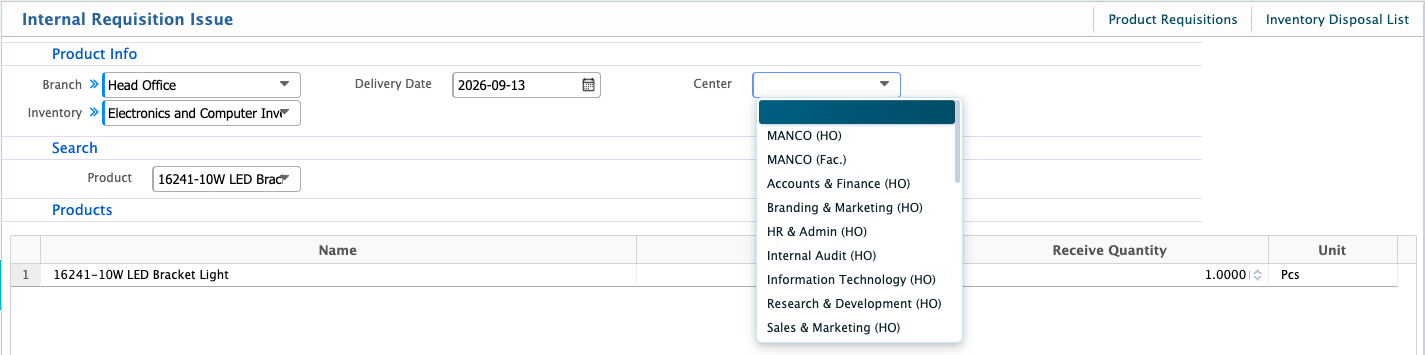
A cost center can be associated with an Internal Requisition when creating a requisition. In the Product Info section, users can select the required Center for the requisition.The selected center identifies the cost center associated with the internal requisition and can be used to relate the requested products to the appropriate organizational center.
Cost Center in Voucher
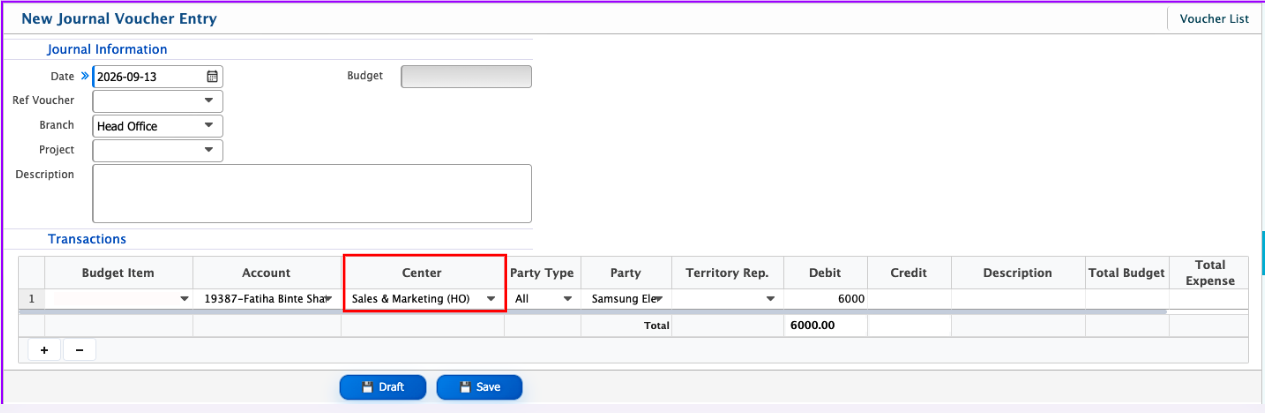
Cost center can be associated with Vouchers in PrismERP. When creating a voucher, users can select the required Center for the relevant transaction.The selected center associates the voucher transaction with the appropriate cost center. The vouchers created with that center are then available on the Cost Center Details page along with the related ledger information, allowing users to view the financial transactions recorded against that cost center.
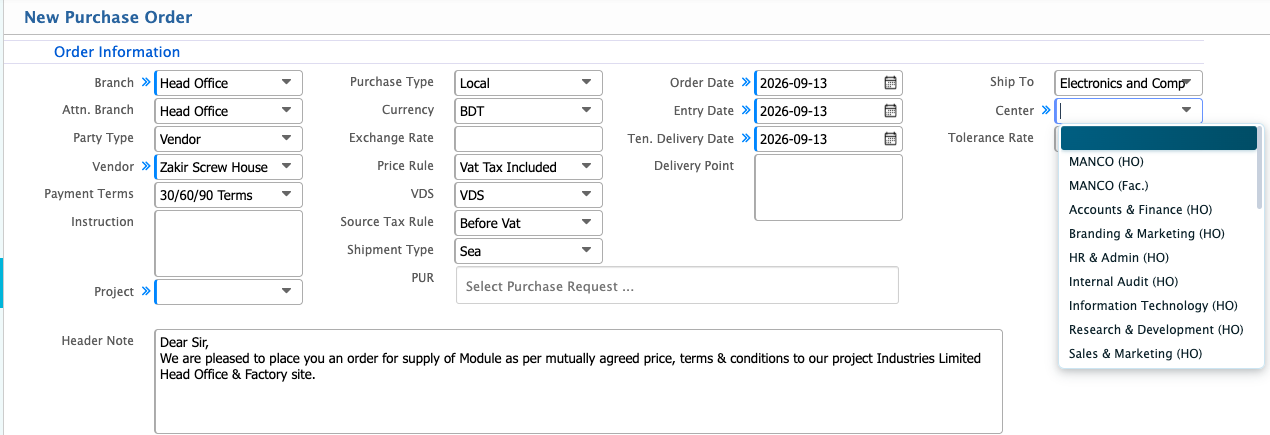
Cost Center in Purchase Order
Cost center can also be associated with a Purchase Order in PrismERP. When creating a Purchase Order, users can select the required Center from the Order Information section.The selected center associates the purchase order with the relevant cost center, allowing the purchase transaction to be recorded against the appropriate center for tracking and analysis.