Multi Currency
Multi Currency in PrismERP is used to record and manage transactions involving different currencies. Users can define currencies, maintain their exchange rates, and select the required currency in different areas of the system. It can be used in Party, Account, Voucher, Purchase Order, Sale Order, and other applicable transactions. For foreign currency transactions, PrismERP calculates the equivalent amount in the organization's default currency based on the applicable exchange rate.
Add New Currency
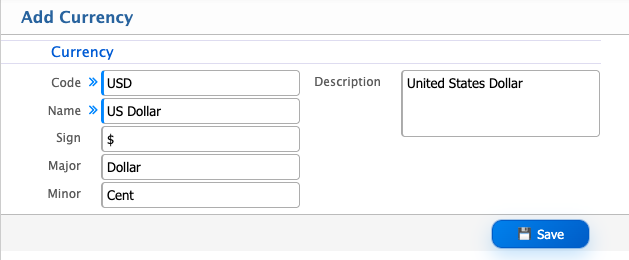
| Field | Action |
|---|---|
| Code | Enter the unique code used to identify the currency. |
| Name | Enter the name of the currency. |
| Sign | Enter the symbol or sign used to represent the currency. |
| Major | Enter the major unit of the currency. |
| Minor | Enter the minor unit of the currency. |
| Description | Enter any additional information about the currency. |
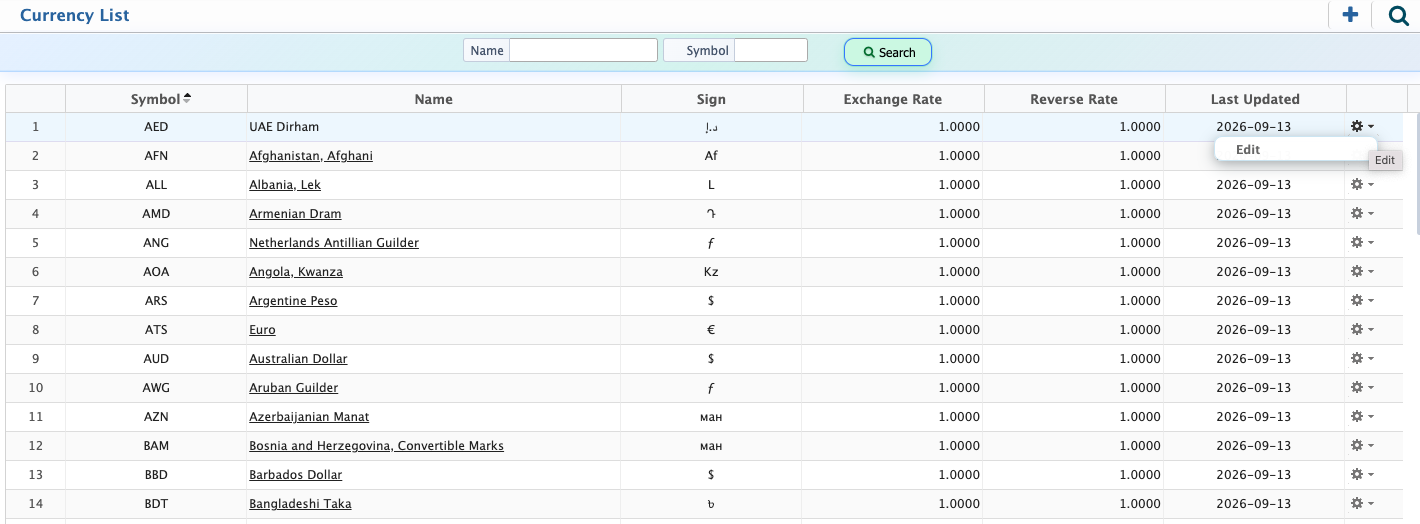
After adding currencies, users can view the available currencies from the Currency List page. The list displays the currency Symbol, Name, Sign, Exchange Rate, Reverse Rate, and Last Updated date. Users can filter the list by Name or Symbol to find a specific currency.Users can select a currency from the list to view its details and edit the currency information when required. After making the necessary changes, the updated information can be saved.
Multi Currency Usage
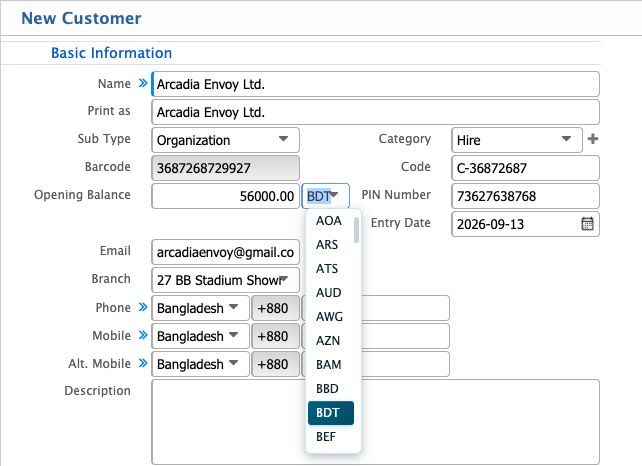
Multi Currency in PrismERP can be used across different areas of the system, including Voucher, Account, Party, and other related transactions. Users can select the required currency when creating or maintaining records where multi-currency transactions are applicable.For example, when creating a new party, such as adding a customer, the Currency field provides a dropdown list of the available currencies. Users can select the required currency for that party from the list. The selected currency is then associated with the party and can be used in relevant transactions.
Multi Currency in Voucher
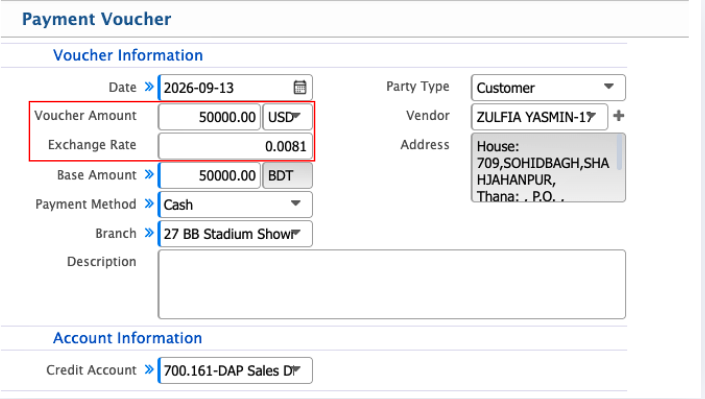
Multi Currency can also be used when creating a Voucher in PrismERP. In the Voucher Information section, users can select the required currency for the voucher and enter the Voucher Amount in that currency. Users can specify the Exchange Rate, and PrismERP calculates the corresponding Base Amount based on the selected currency and exchange rate.
Multi Currency in Purchase and Sale Orders
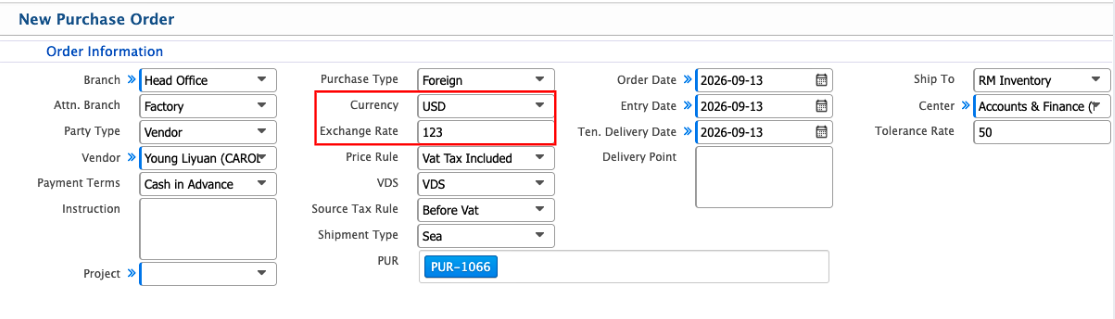
Multi Currency is particularly useful when creating Purchase Orders and Sale Orders involving foreign currencies. When the purchase or sale type is set to Foreign, users can select the required currency and enter the transaction amount in that currency.PrismERP converts the foreign currency amount into the organization's default currency based on the configured exchange rate. This allows the transaction to be recorded in the selected foreign currency while maintaining the corresponding amount in the default currency for accounting and reporting.